Documentation Index
Fetch the complete documentation index at: https://docs.typingmind.com/llms.txt
Use this file to discover all available pages before exploring further.
Invite friends to TypingMind and earn free cloud storage for every successful referral — there’s no cap on how much you can earn.
How It Works
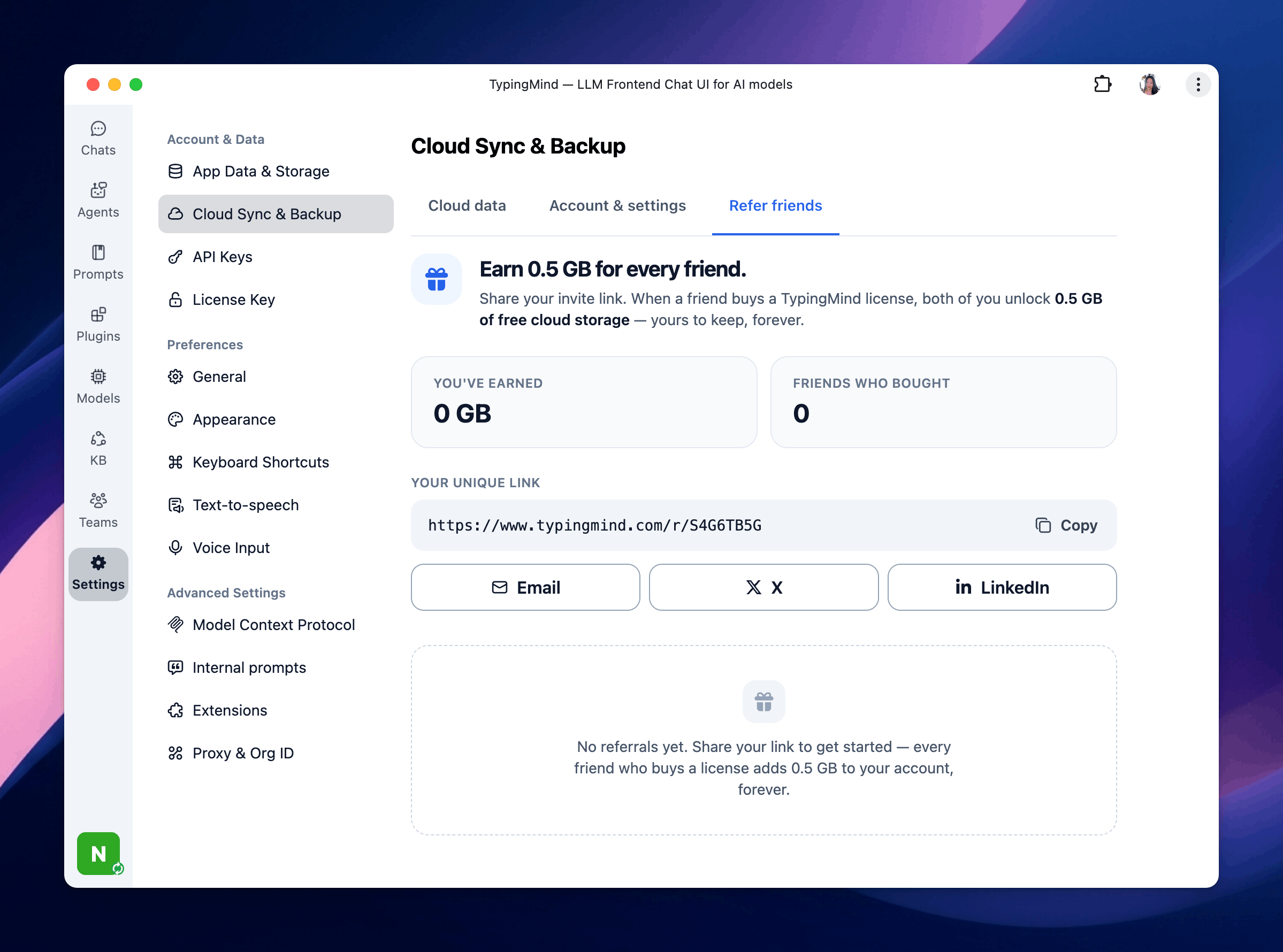
- Go to Settings → Cloud Sync & Backup → Refer friends.
- Copy your unique referral link (e.g. https://www.typingmind.com/r/S4G6TB5G )
- Share it via Email, X (Twitter), LinkedIn, or any channel you prefer.
- When your friend purchases a TypingMind license through your link, both of you receive 0.5 GB of free cloud storage — added permanently to your accounts.
Frequently Asked Questions
Who is eligible for the referral program?
This program is available for individual TypingMind accounts at typingmind.com.
When does my friend’s purchase count as a successful referral?
A referral is counted when your friend clicks your unique link and completes the purchase of a TypingMind license. The 0.5 GB reward is then applied to both accounts.
Does the free storage expire?
No. Storage earned through referrals is yours to keep forever, with no expiry date.
Is there a limit on how many friends I can refer?
No limit. You earn 0.5 GB for every friend who purchases a license — there’s no maximum.
I don’t see the Refer friends tab. Why?
The Refer friends tab is only shown on individual accounts. If you’re using TypingMind through a team workspace, this tab will not be visible.
Can I use multiple referral links from different friends?
Each purchase can only be associated with one referral link. Make sure to click a friend’s link before completing your purchase to ensure both of you receive the reward..svg?fit=max&auto=format&n=e23v1kBoXb_-l4IT&q=85&s=2d5621b60b9803d00bf8232e641bb7cb)
.svg?fit=max&auto=format&n=e23v1kBoXb_-l4IT&q=85&s=ed4fcdaed121711090e8bbe1b3d2725f)