.svg?fit=max&auto=format&n=RaTUOQa09vPhW7_D&q=85&s=368f39de7ecc6605f73c43c2017546a3)
.svg?fit=max&auto=format&n=RaTUOQa09vPhW7_D&q=85&s=01a6eb27b4db3af8a1d5557525c579d3)
- Share it with your friends and your community?
- Export it for later reference?
- A unique link
- Markdown
- JSON
- HTML
How to use the sharing/exporting chat feature on TypingMind
- Click on New Chat and start a conversation
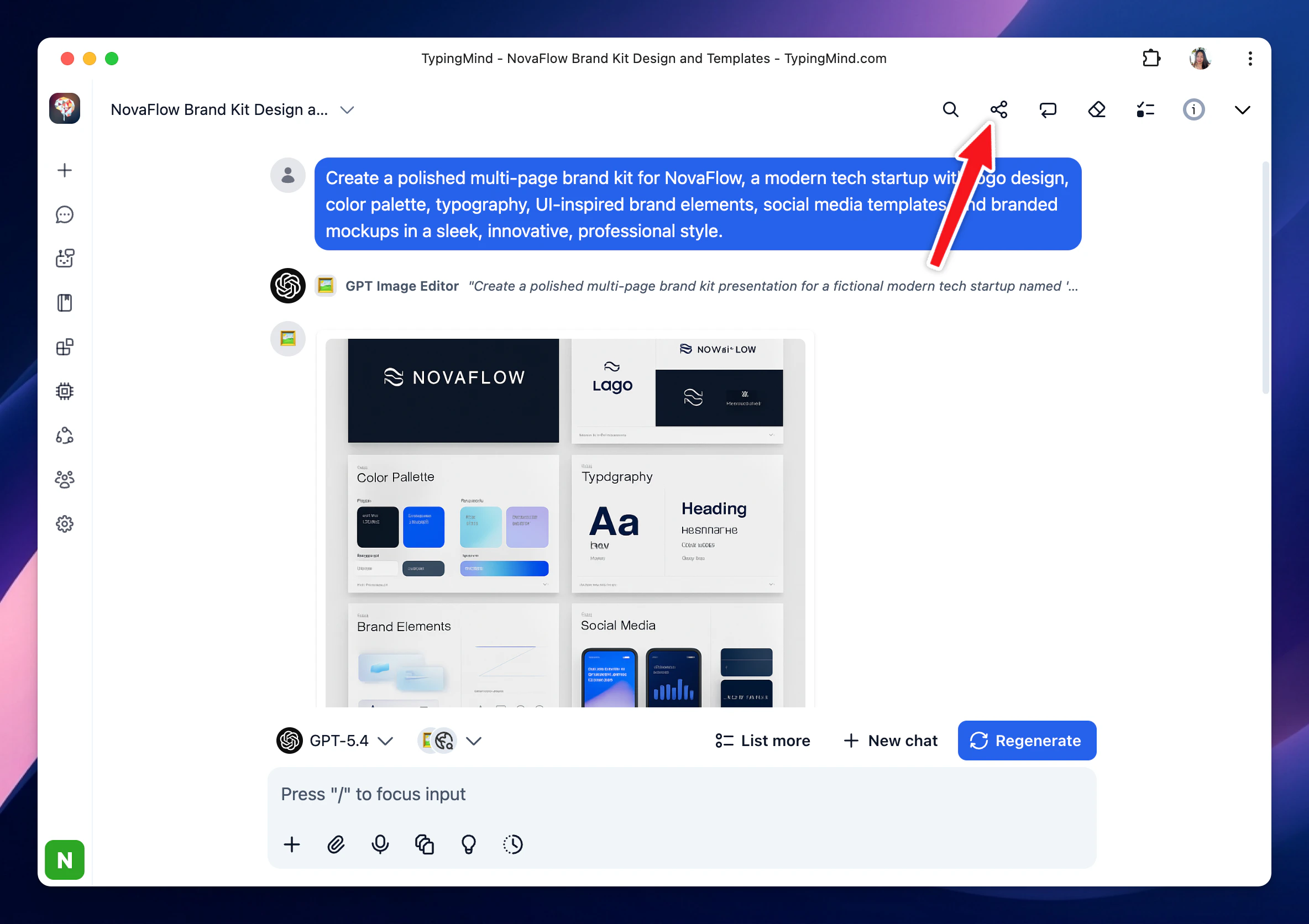
- Right above the message area, click “Share” button
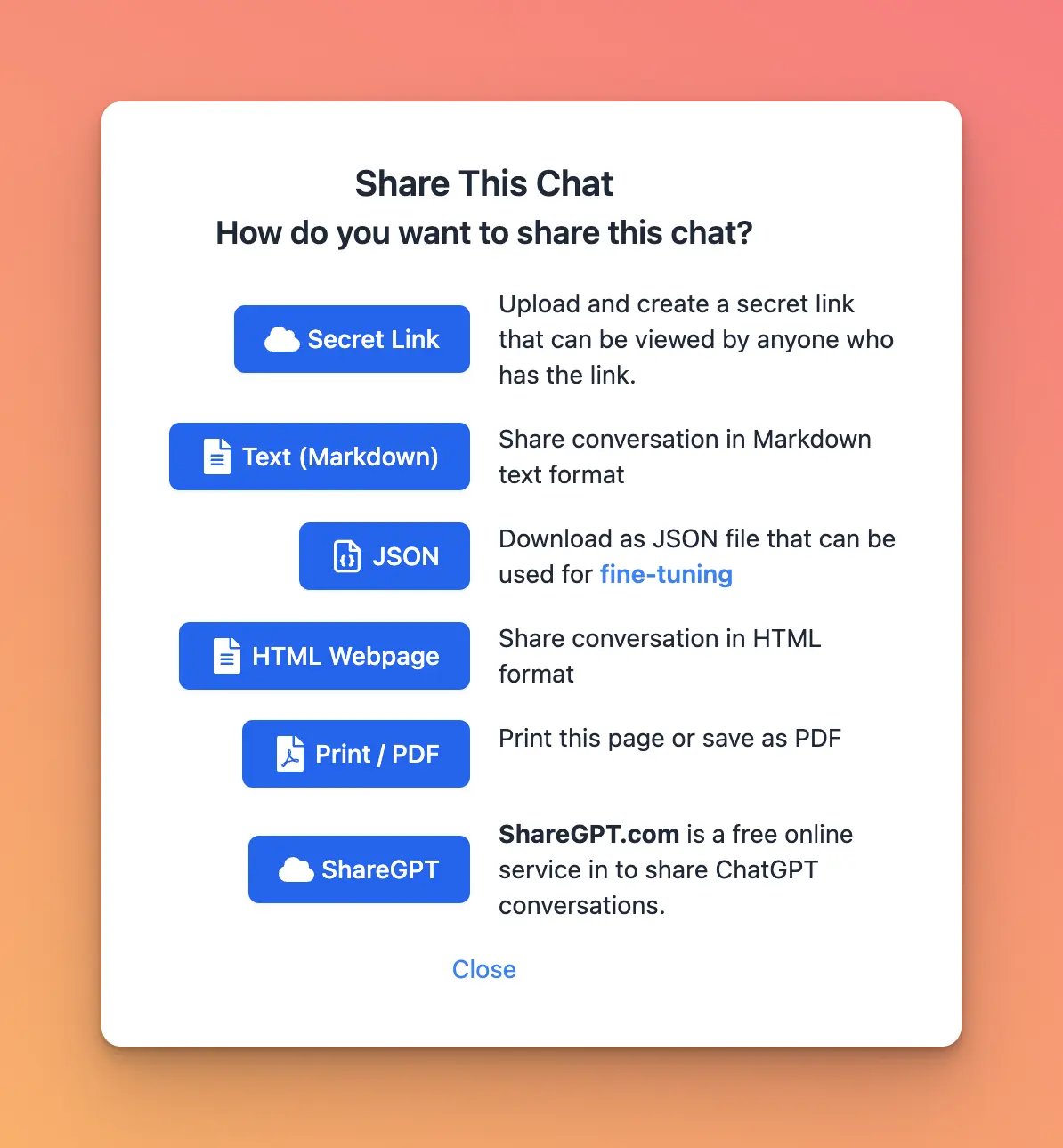
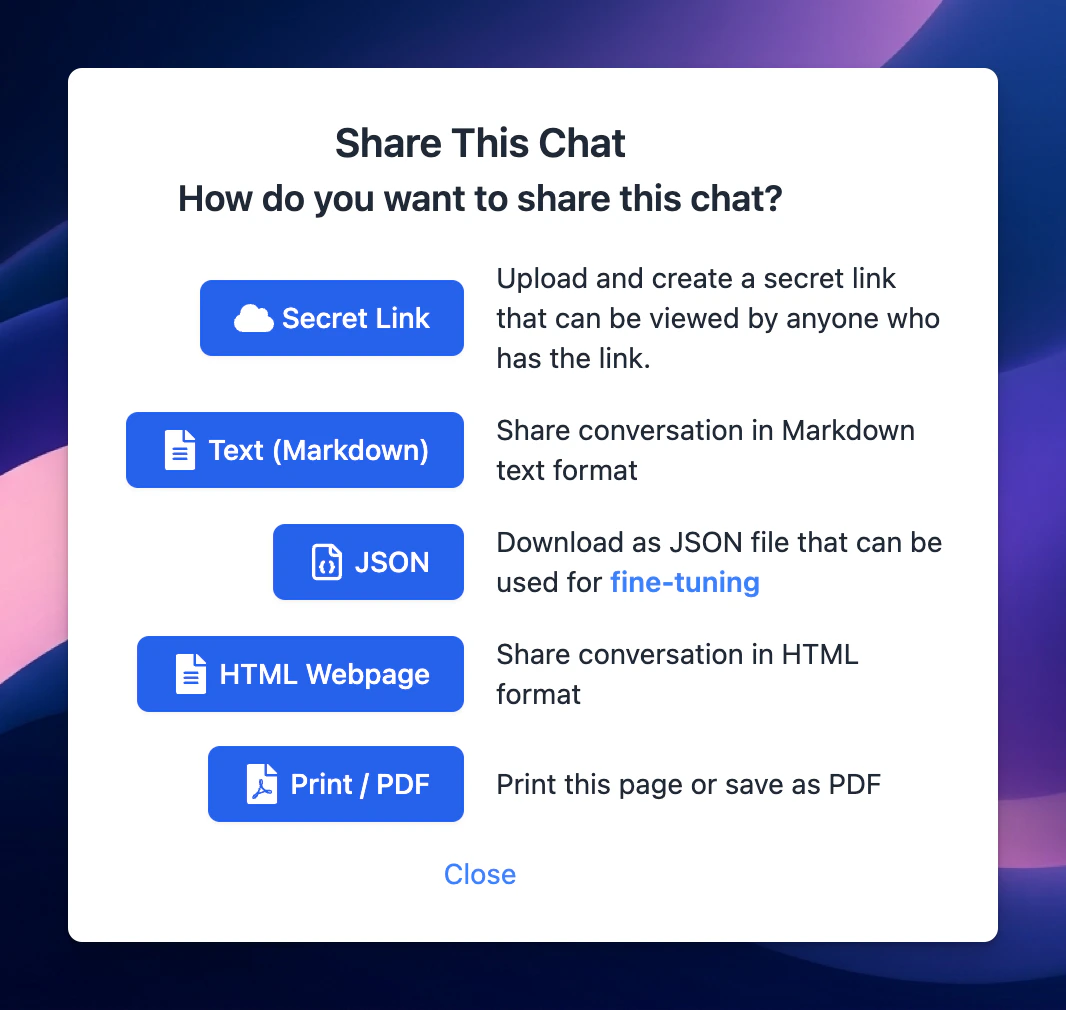
- Choose your expected sharing/exporting format:
- Unique link via Secret Link (TypingMind Cloud) or ShareGPT
- Text, HTML, PDF
- JSON (used to build fine-tuning model)
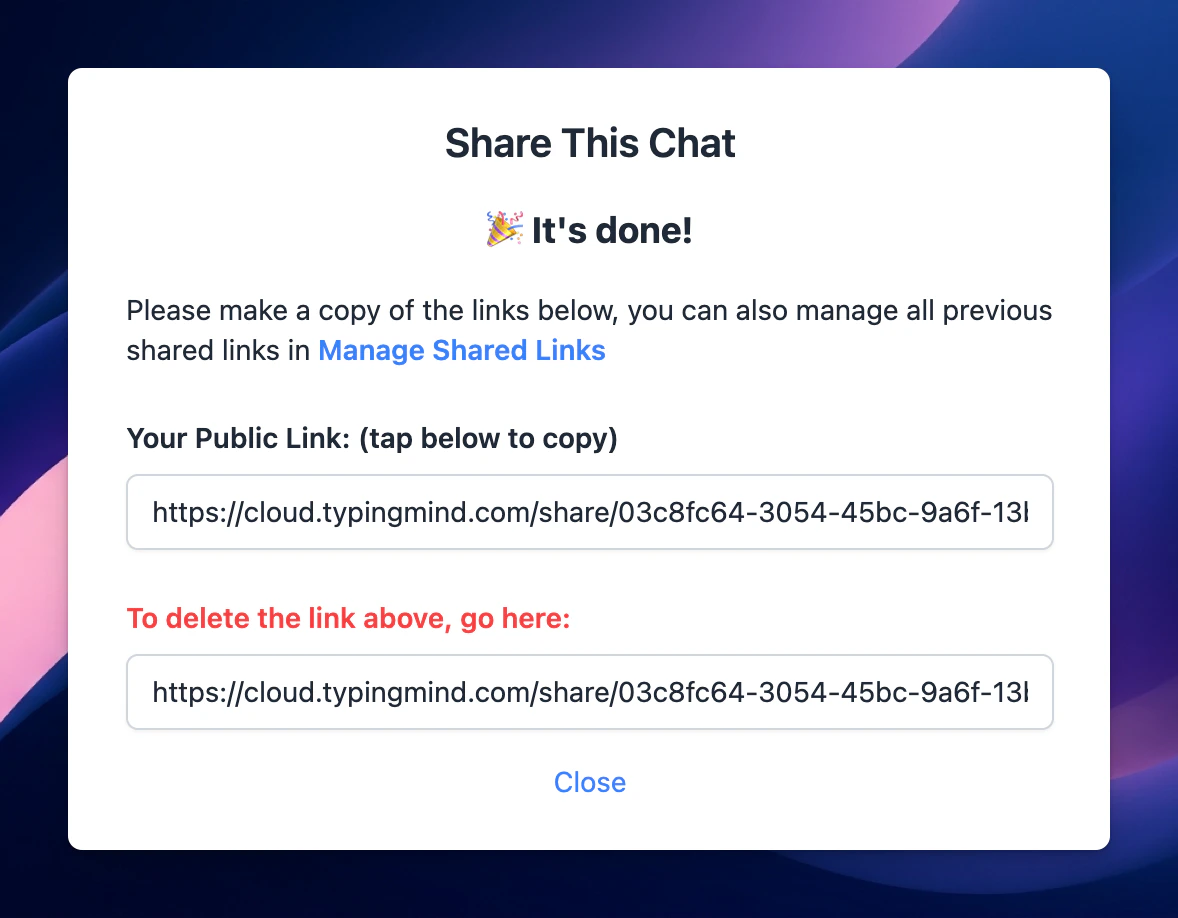
- If you share your chat via a unique link, just simply copy the link and share with everyone!