.svg?fit=max&auto=format&n=RaTUOQa09vPhW7_D&q=85&s=368f39de7ecc6605f73c43c2017546a3)
.svg?fit=max&auto=format&n=RaTUOQa09vPhW7_D&q=85&s=01a6eb27b4db3af8a1d5557525c579d3)
Access Proxy Setup
- Click on “Models” on the left sidebar to access the model settings
- Click on the gear icon next to each model provider
- Toggle the optional fields
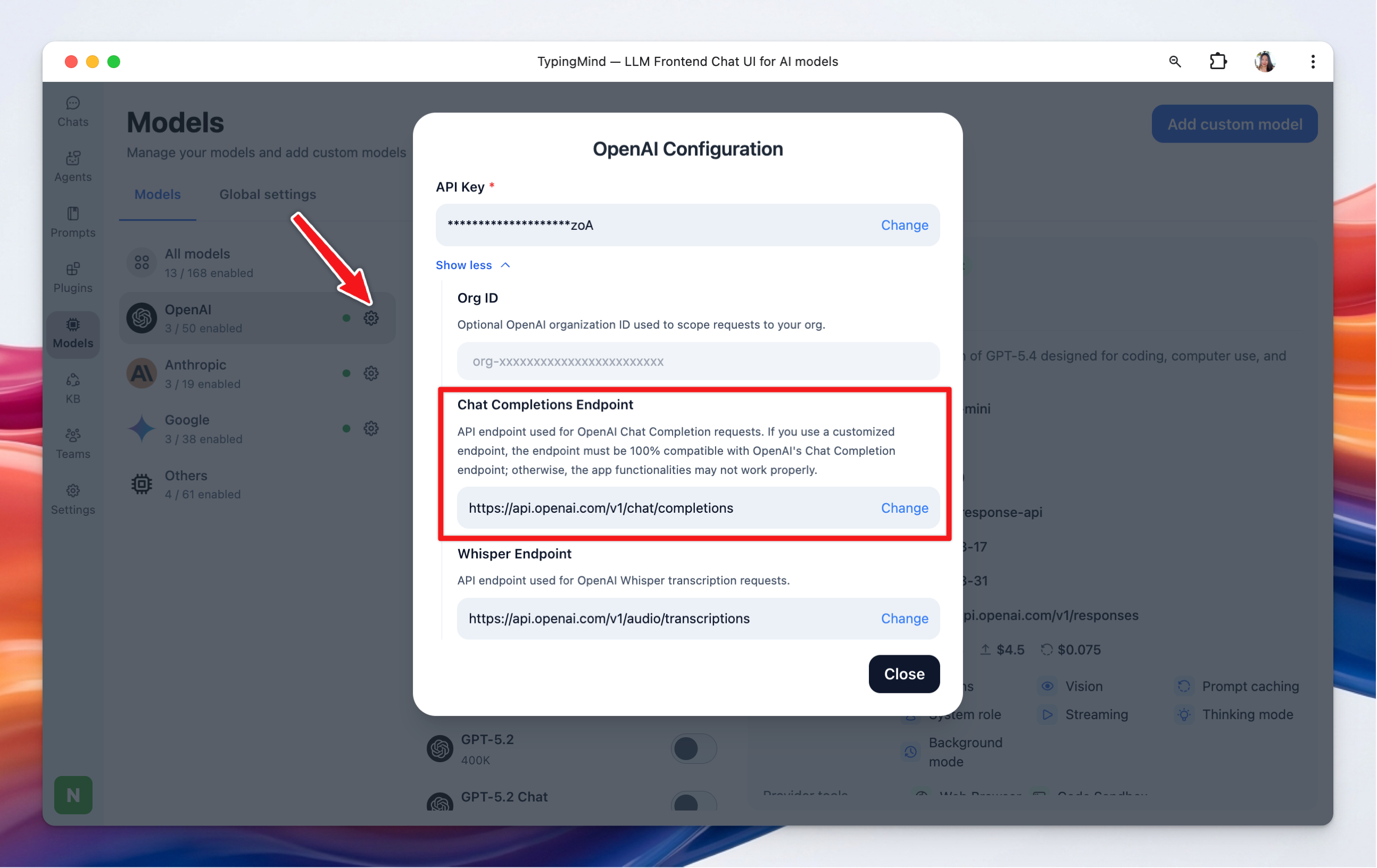
Set up Proxy
- OpenAI Chat Completions Endpoint (V1):
- Default Endpoint:
https://api.openai.com/v1/chat/completions - Customize: if you need to change this endpoint, enter the new URL in the provided field and click Save.
- Anthropic Chat Completions Endpoint (V1):
- Default Endpoint:
https://api.anthropic.com/v1/messages - Customize: enter a new URL if your setup requires a different endpoint, then click Save.
- Google Gemini Endpoint
- Default Endpoint:
https://generativelanguage.googleapis.com/v1beta/models - Customize: enter a new URL if your setup requires a different endpoint, then click Save.
- OpenAI Whisper Endpoint (V1):
- Default Endpoint:
https://api.openai.com/v1/audio/transcriptions - Customizing: Input a different URL if necessary and click Save.