.svg?fit=max&auto=format&n=RaTUOQa09vPhW7_D&q=85&s=368f39de7ecc6605f73c43c2017546a3)
.svg?fit=max&auto=format&n=RaTUOQa09vPhW7_D&q=85&s=01a6eb27b4db3af8a1d5557525c579d3)
Memory scopes
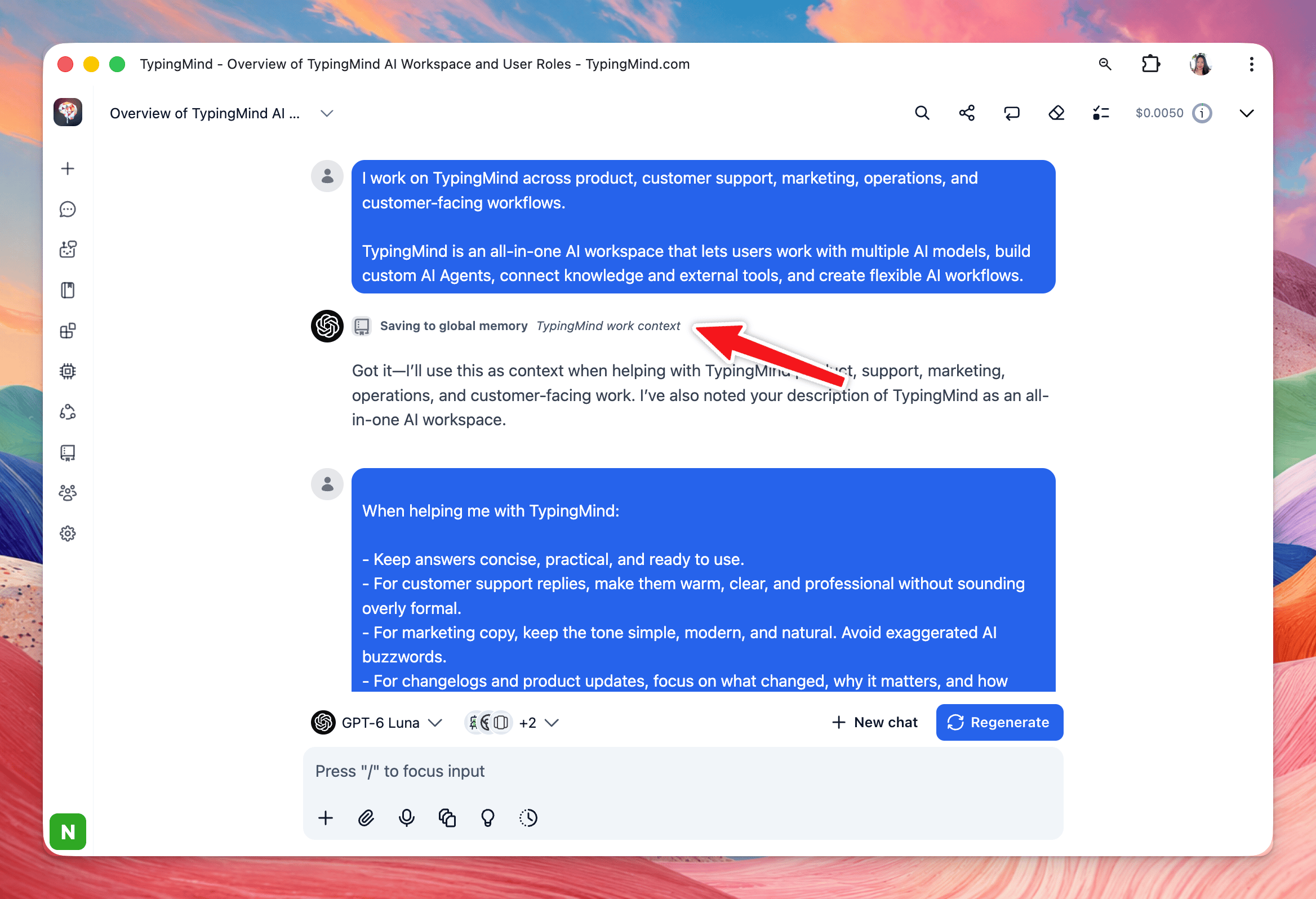
TypingMind supports three levels of memory.Global memory
Available across all chats, including regular chats, AI Agent chats, and Project chats.
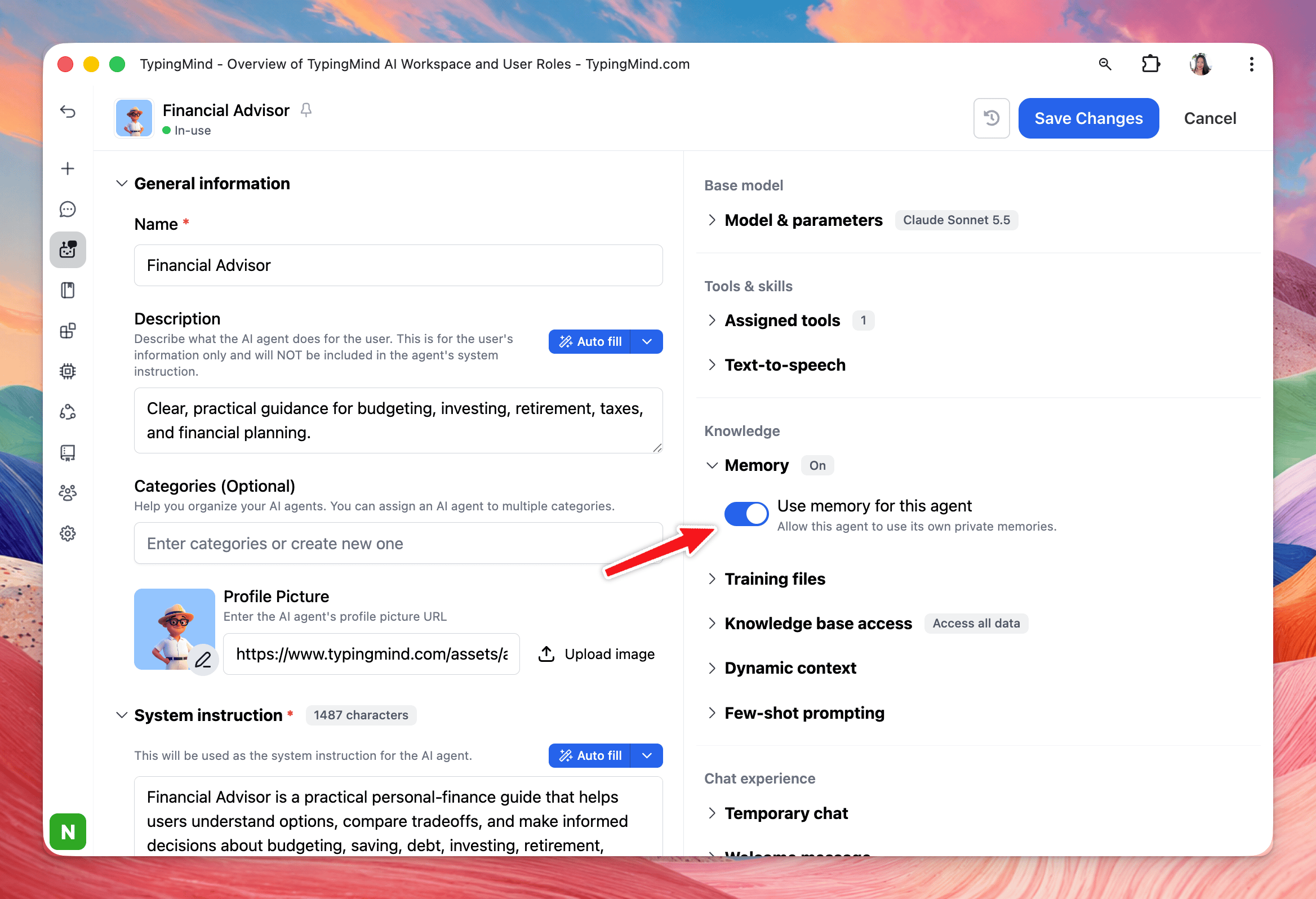
Agent scoped memory
Used only when chatting with a specific AI Agent. Each Agent keeps its own memories.
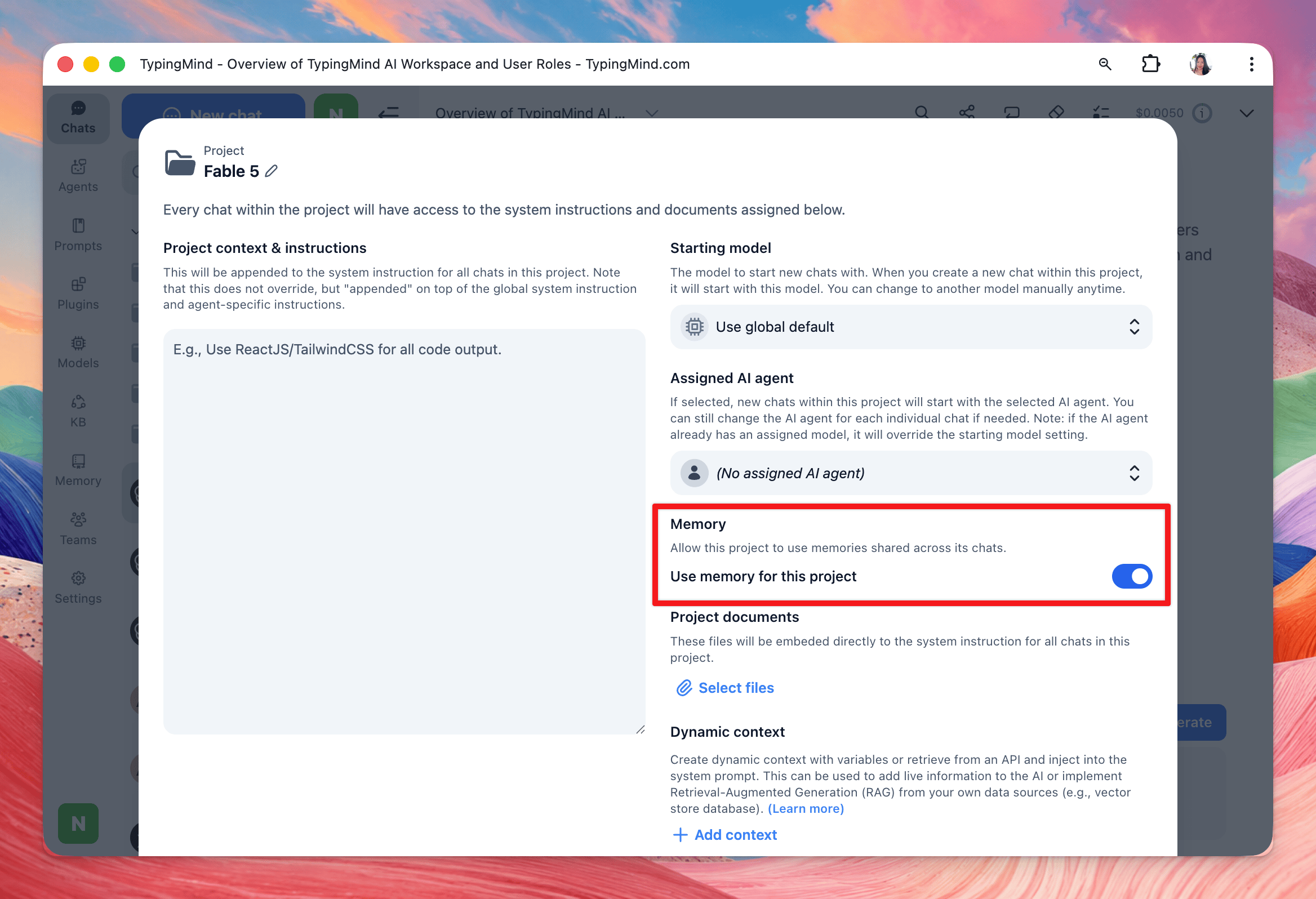
Project scoped memory
Used only in chats inside a specific Project. Each Project keeps its own memories.
Global memory
Global memories are available across all chats. They can be used in:- Regular chats
- Chats with AI Agents
- Chats inside Projects
- Your role
- Writing preferences
- Preferred response style
- Languages you use
- General work context
Remember that I prefer short and concise answers.
Agent scoped memory
Each AI Agent can keep its own memories. These memories are only used when you chat with that specific Agent, and they are used alongside your Global memories. This is useful when different Agents need different context. For example, your Customer Support Agent could remember:I prefer customer replies to be friendly, concise, and professional.While your Coding Agent could remember:
Use TypeScript whenever possible.Each Agent keeps its memories separate from other Agents.
Project scoped memory
Each Project can also keep its own memories. Project memories are only used in chats inside that Project, and they are used alongside your Global memories. This is useful for information that belongs to a specific project, such as:- Project goals
- Product terminology
- Team conventions
- Writing style
- Technical context
Remember that this project is for a SaaS product targeting small businesses.Each Project keeps its memories separate from other Projects.
How Memory is combined
The memories available to the AI depend on where you are chatting.Agent and Project memories stay isolated from other Agents and Projects.
Adding something to Memory
You can ask the AI to remember useful information directly in the chat. For example:Remember that I work in product marketing.Or:
Remember that I prefer concise answers with a short summary at the end.Memory works best for information that will remain useful across future conversations.
Managing Memory
You can review your memories from the Memory page. Go to: Memory → Saved Memories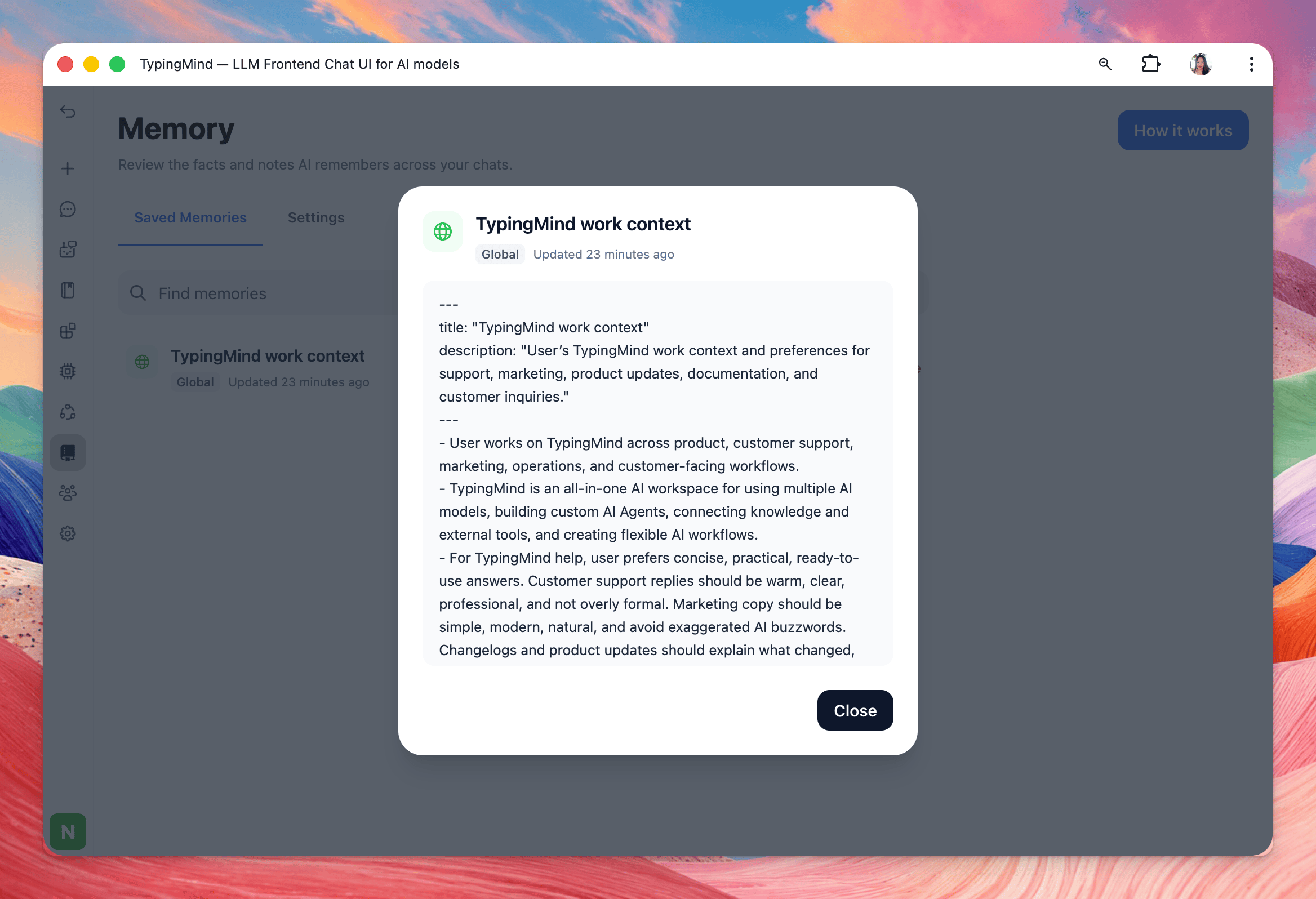
- Global memory
- Agent scoped memory
- Project scoped memory
What should I save to Memory?
Memory works best for information that stays useful over time. Good examples include:- Your role or work context
- Writing preferences
- Communication style
- Project conventions
- Agent-specific context
- Frequently used tools or technologies
I have a meeting tomorrow at 2 PM.This is usually better kept in the current chat rather than saved as Memory.