.svg?fit=max&auto=format&n=RaTUOQa09vPhW7_D&q=85&s=368f39de7ecc6605f73c43c2017546a3)
.svg?fit=max&auto=format&n=RaTUOQa09vPhW7_D&q=85&s=01a6eb27b4db3af8a1d5557525c579d3)
Get a Perplexity AI account
Go to https://www.perplexity.ai/ and sign up for an account. Then go to https://www.perplexity.ai/settings/api to get your API key.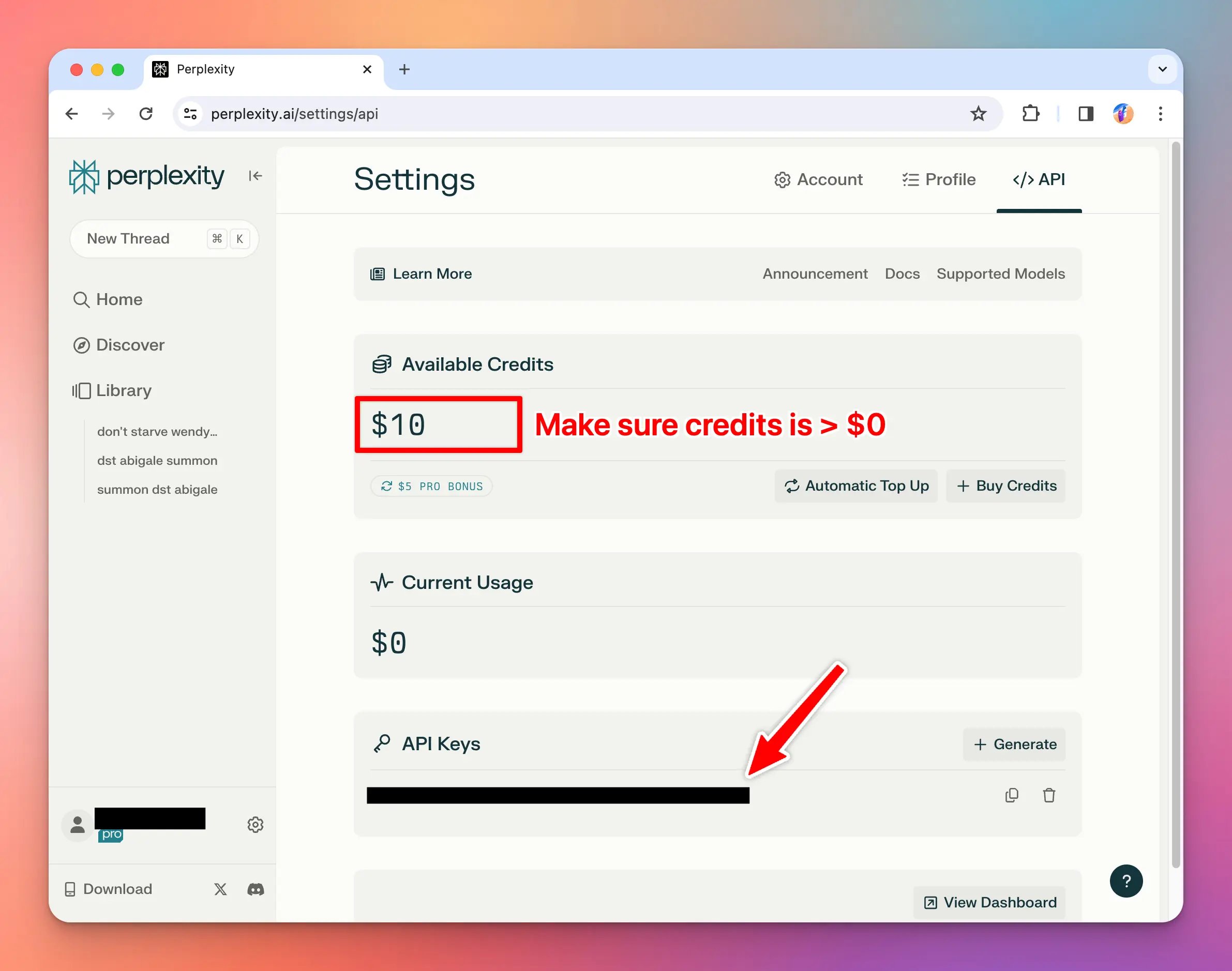
Use Perplexity Plugin on TypingMind
- Click on Plugins menu on the left side panel
- Install Perplexity Search plugin to your plugin list
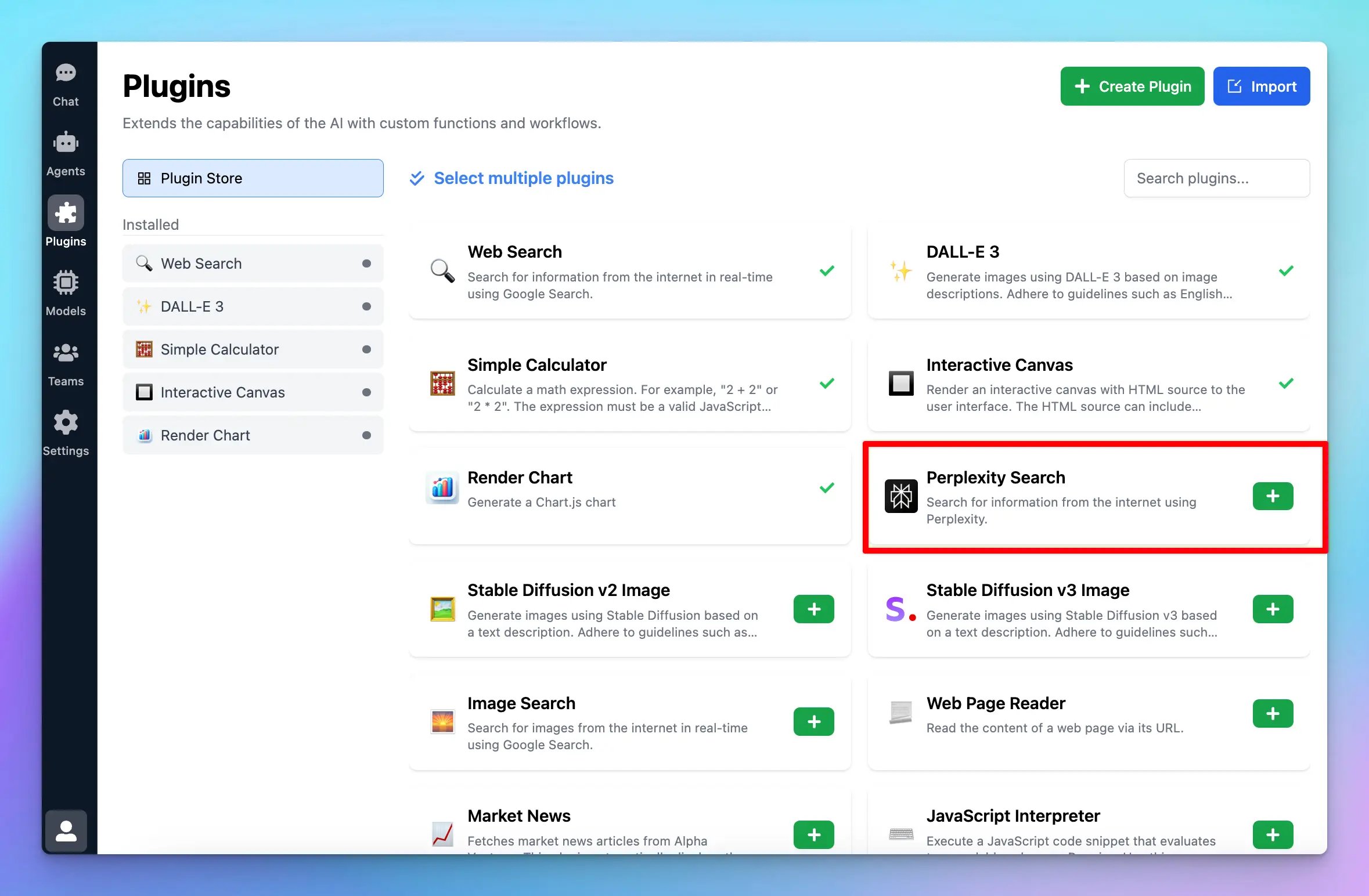
- Enable Perplexity Search
- Switch to Settings tab to enter the necessary settings to get the plugin to work
- Enter the API key you just got from Perplexity
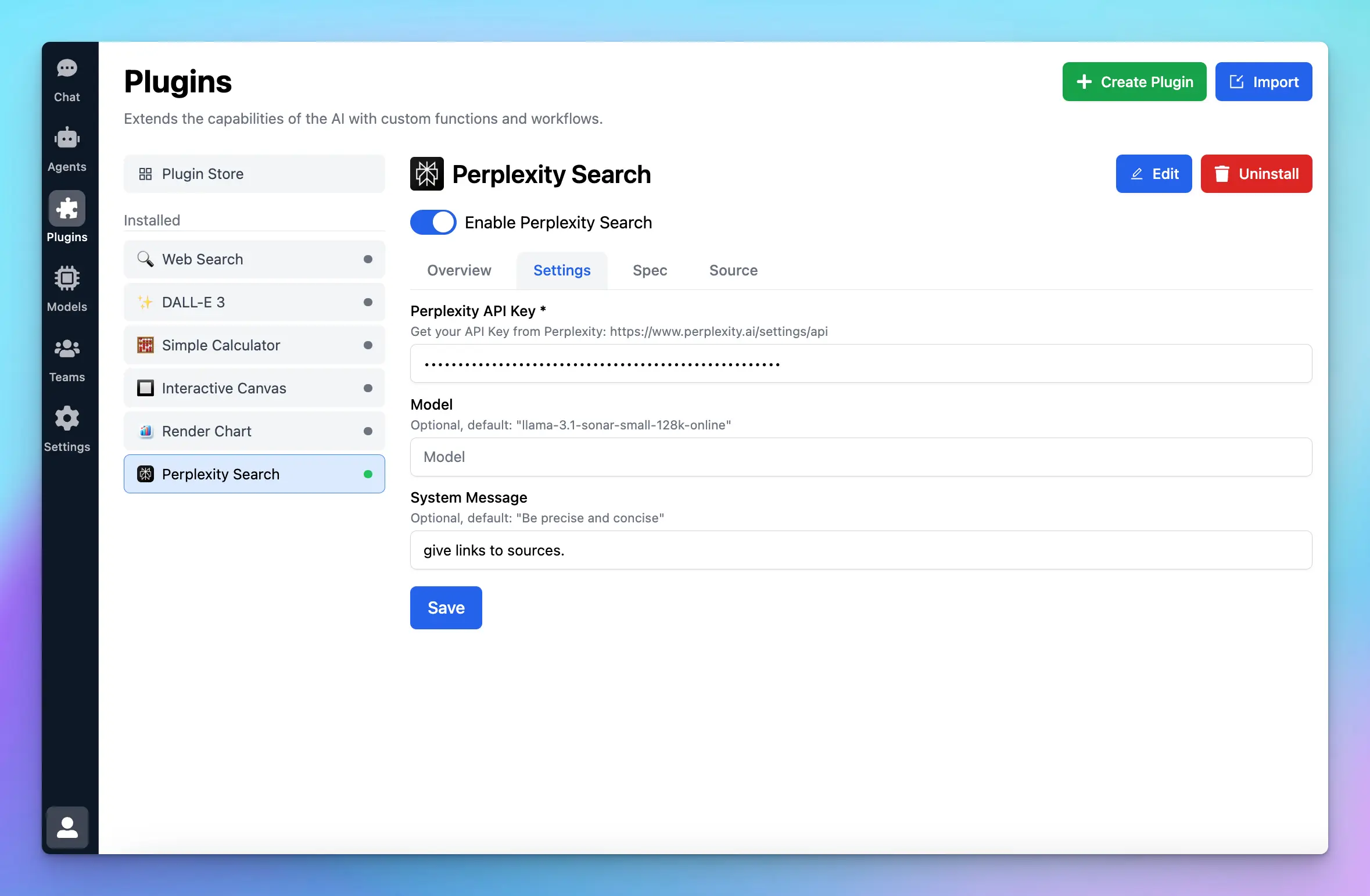
- Test the plugin to see if it works properly!