.svg?fit=max&auto=format&n=RaTUOQa09vPhW7_D&q=85&s=368f39de7ecc6605f73c43c2017546a3)
.svg?fit=max&auto=format&n=RaTUOQa09vPhW7_D&q=85&s=01a6eb27b4db3af8a1d5557525c579d3)
Setting Up Deep Research on TypingMind
- Go to Plugins —> Plugin Store
- Find Deep Research in your plugin list and install it
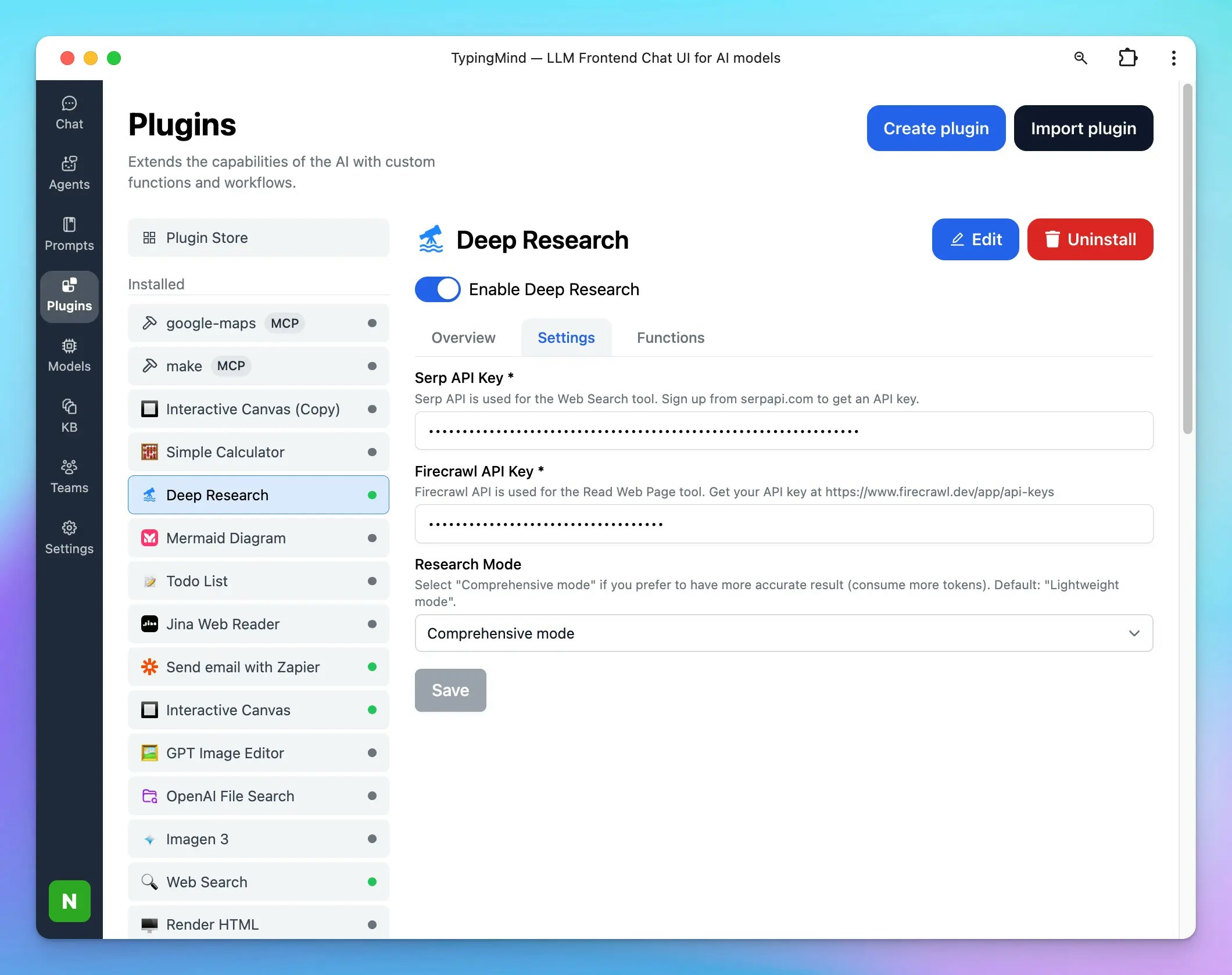
- After installing, go to Deep Research plugin and click on Settings tab
- Enter your Serp API key and Firecrawl API key in the designated fields.
- These keys are required for the plugin to search the web and read content.
- Choose your research mode:
- Lightweight – Fast and cost-saving; good for quick checks or summaries.
- Comprehensive – Thorough and accurate; runs longer and consumes more tokens.
- Dynamic – Balanced mode; adapts to your needs with a good mix of efficiency and depth.
- Save your changes.
Using Deep Research in Conversations
- Open a conversation in TypingMind.
- Ask a question or provide a topic where you want in-depth research. For example:
- “Do a comprehensive deep research on the impact of AI in product design.”
- The plugin will:
- Create a Research Plan.
- Search the web for relevant sources using Serp API.
- Read web pages with Firecrawl API.
- Combine the results into a structured report.

Customize Deep Research Plugin
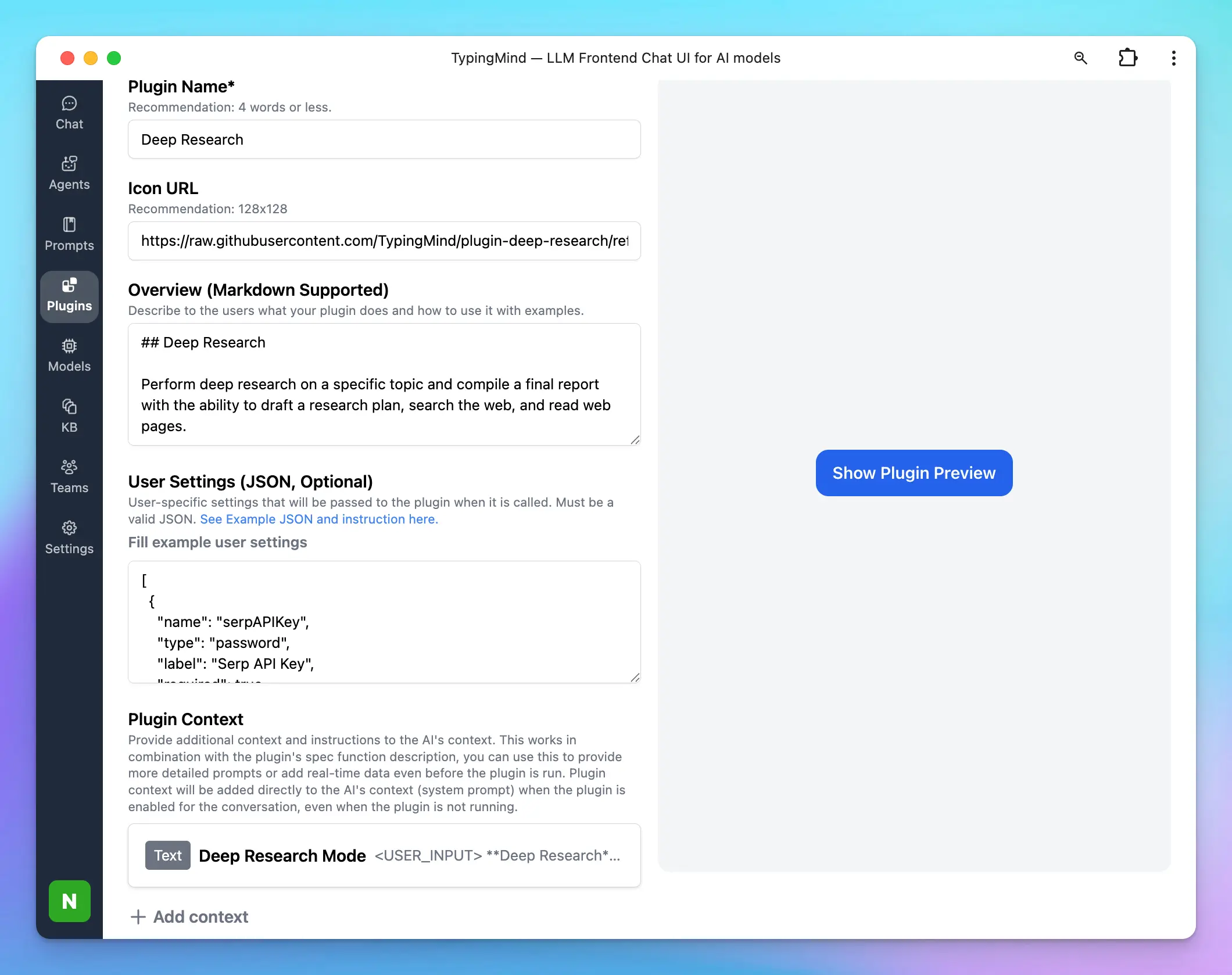
Deep Research plugin is fully customizable. You can duplicate and edit the plugin to:- Add your own tools: the TypingMind plugin system allows you to add multiple tools to the Deep Research plugin and supports various ways to implement your tools using JavaScript, HTTP requests, or MCP. Learn more here: TypingMind Plugin Development Guide.
- By default, the Deep Research plugin comes with 3 tools: Research Plan, Search Web, and Read Web Page. You can add more tools as your preferences like:
- Reading tweets
- Searching private databases
- Controlling a browser
- By default, the Deep Research plugin comes with 3 tools: Research Plan, Search Web, and Read Web Page. You can add more tools as your preferences like:
- Adjust system instructions and prompts in the plugin source.