.svg?fit=max&auto=format&n=RaTUOQa09vPhW7_D&q=85&s=368f39de7ecc6605f73c43c2017546a3)
.svg?fit=max&auto=format&n=RaTUOQa09vPhW7_D&q=85&s=01a6eb27b4db3af8a1d5557525c579d3)
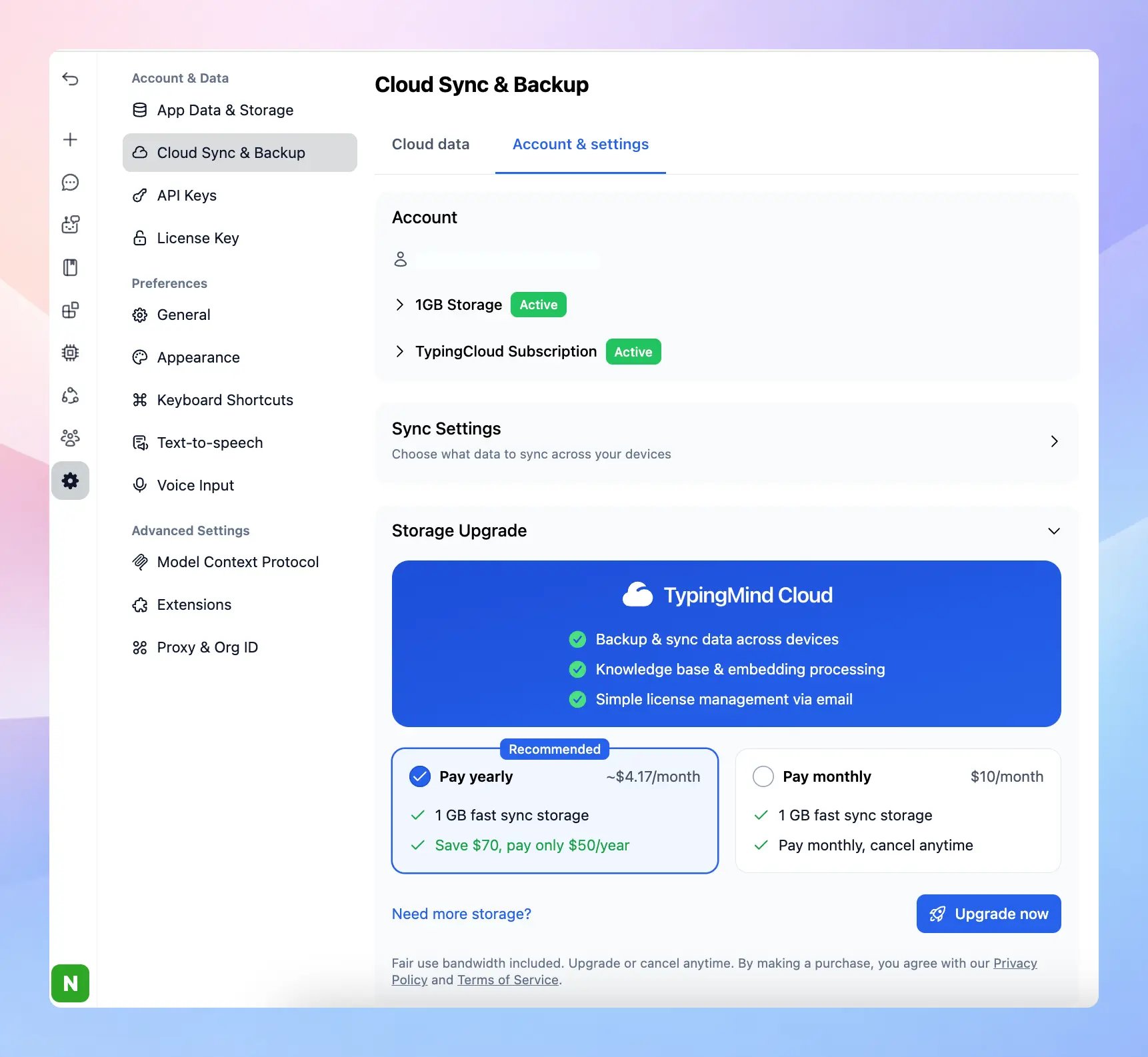
Upgrade Your Cloud Storage
- Go to Settings → Cloud sync & Backup
- Switch to Account & Settings tab
- Toggle Storage Upgrade and Choose a storage plan
Best practices to save Cloud Storage
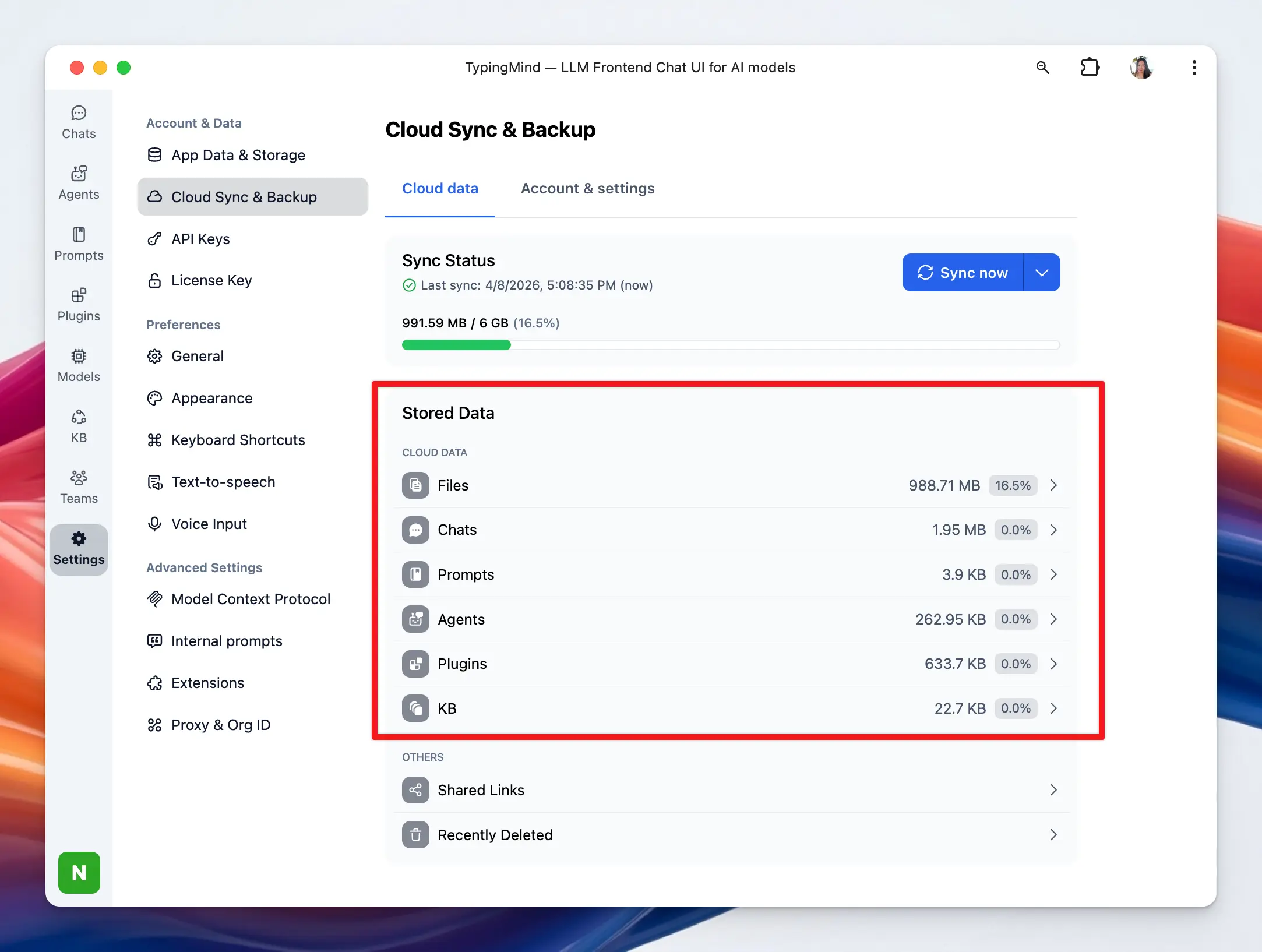
- To make the most of your cloud storage, regularly remove old or unnecessary chats and files. This helps free up space for newer and more relevant data. You can review what is using your storage by going to Settings → Cloud Sync & Backup → Stored Data.
- Although we’ve estimated the number of chats these storage amounts can handle, the actual number can vary based on the extent of the content in your chats. Always monitor your usage and adjust your plan as necessary.