.svg?fit=max&auto=format&n=RaTUOQa09vPhW7_D&q=85&s=368f39de7ecc6605f73c43c2017546a3)
.svg?fit=max&auto=format&n=RaTUOQa09vPhW7_D&q=85&s=01a6eb27b4db3af8a1d5557525c579d3)
1. Pre-Fill Initial System Message
To set an initial system message for all chats upon opening the app, put the message itself in theinitialContextURL query parameter as a text data URL:
chatTitle parameter:
initialContextURLonly acceptsdata:URLs with a text media type, such asdata:text/plain,...ordata:text/markdown;base64,.... Web addresses (http://orhttps://) are not loaded, and the app shows an “Unable to Load Context” message instead.- The message is read from the link itself. TypingMind doesn’t make any network request for it.
- Subsequent chats in the same session will retain this context as the system message.
- The system message can be updated later via the chat model settings.
2. Pre-Fill Initial Agent
You can also set the initial agent for a new chat via the URL. To do so:- Obtain the agent ID.
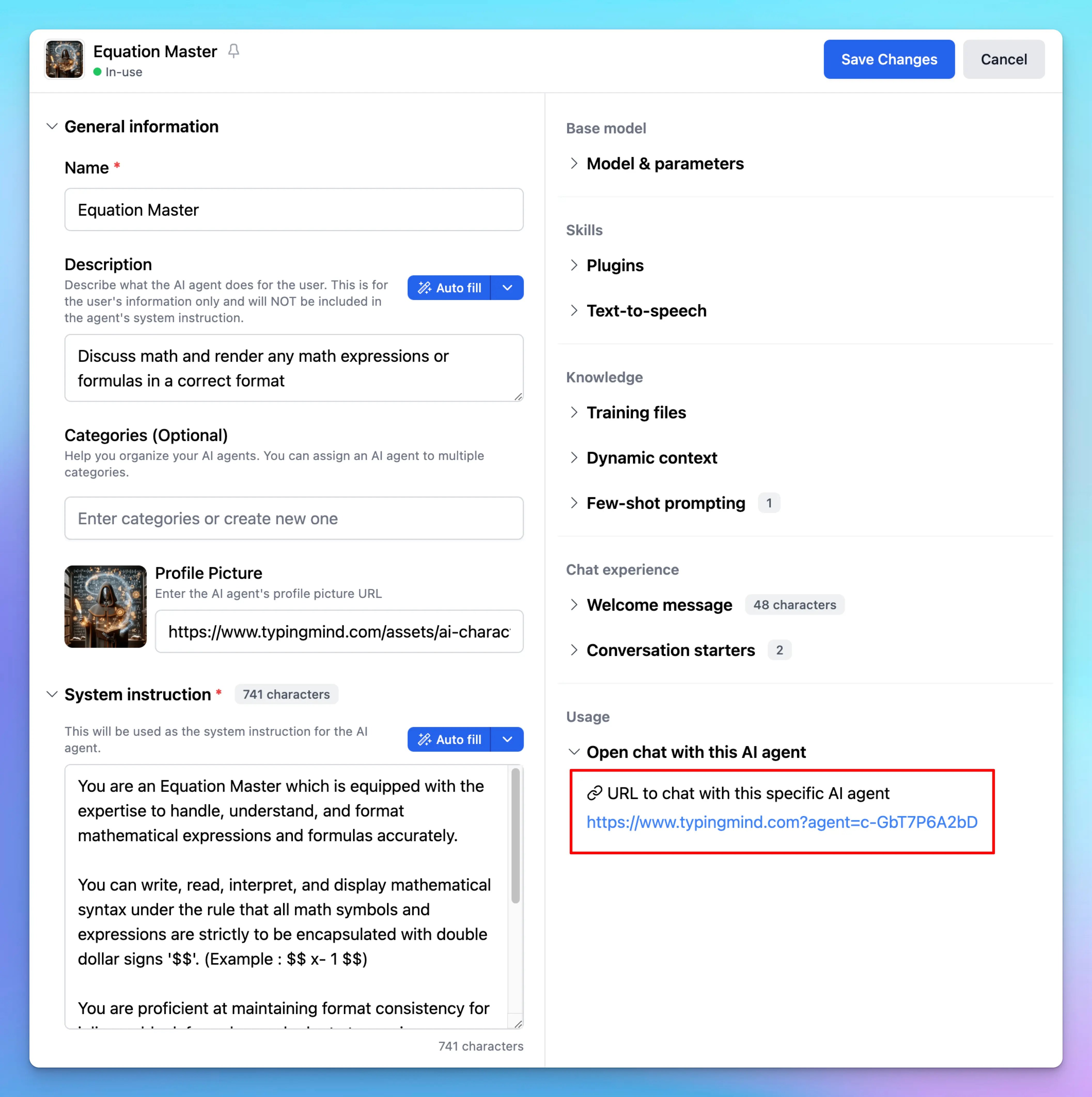
- Open the app with the following URL format:
3. Pre-Fill Initial Message
To set an initial message for a chat, use themessage parameter in the URL as shown below: