.svg?fit=max&auto=format&n=RaTUOQa09vPhW7_D&q=85&s=368f39de7ecc6605f73c43c2017546a3)
.svg?fit=max&auto=format&n=RaTUOQa09vPhW7_D&q=85&s=01a6eb27b4db3af8a1d5557525c579d3)
Step 1. Sign up for an Alibaba Cloud account
Go to Alibaba Cloud and log in or sign up for an account. Follow the steps on screen to set up your account.Step 2. Get Alibaba Cloud API key
- Go to the Alibaba Cloud Model Studio console and switch the region to US from the upper-right corner if you are currently using another region (only the US region is currently supported.)
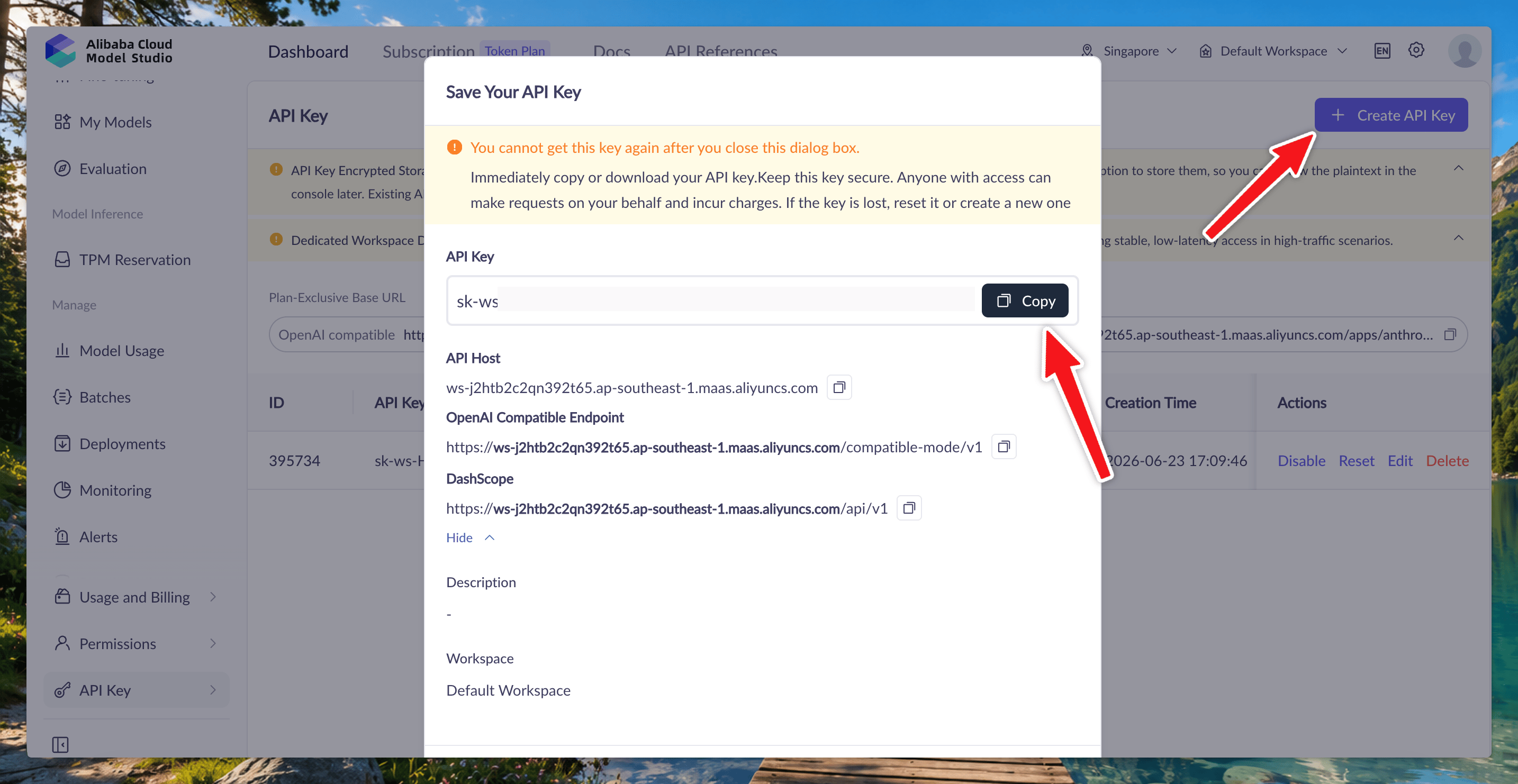
- On the Dashboard tab, choose API Key from the left-side navigation pane and then click Create API Key.
- In the dialog box that appears, configure the following information and click OK:
- Workspace: We recommend that you select the default workspace.
- Description: Enter a description to identify the API key’s purpose.
- After the key is created, the dialog box displays the full API key. Immediately copy or download and save it in a secure location.
Step 3. Enter Alibaba Cloud API key to TypingMind
Go to TypingMind → Models → API Keys, then find Alibaba Cloud API Key and enter your API key. Switch back to models tab → select Alibaba Cloud as the provider and enable the model you want to chat with.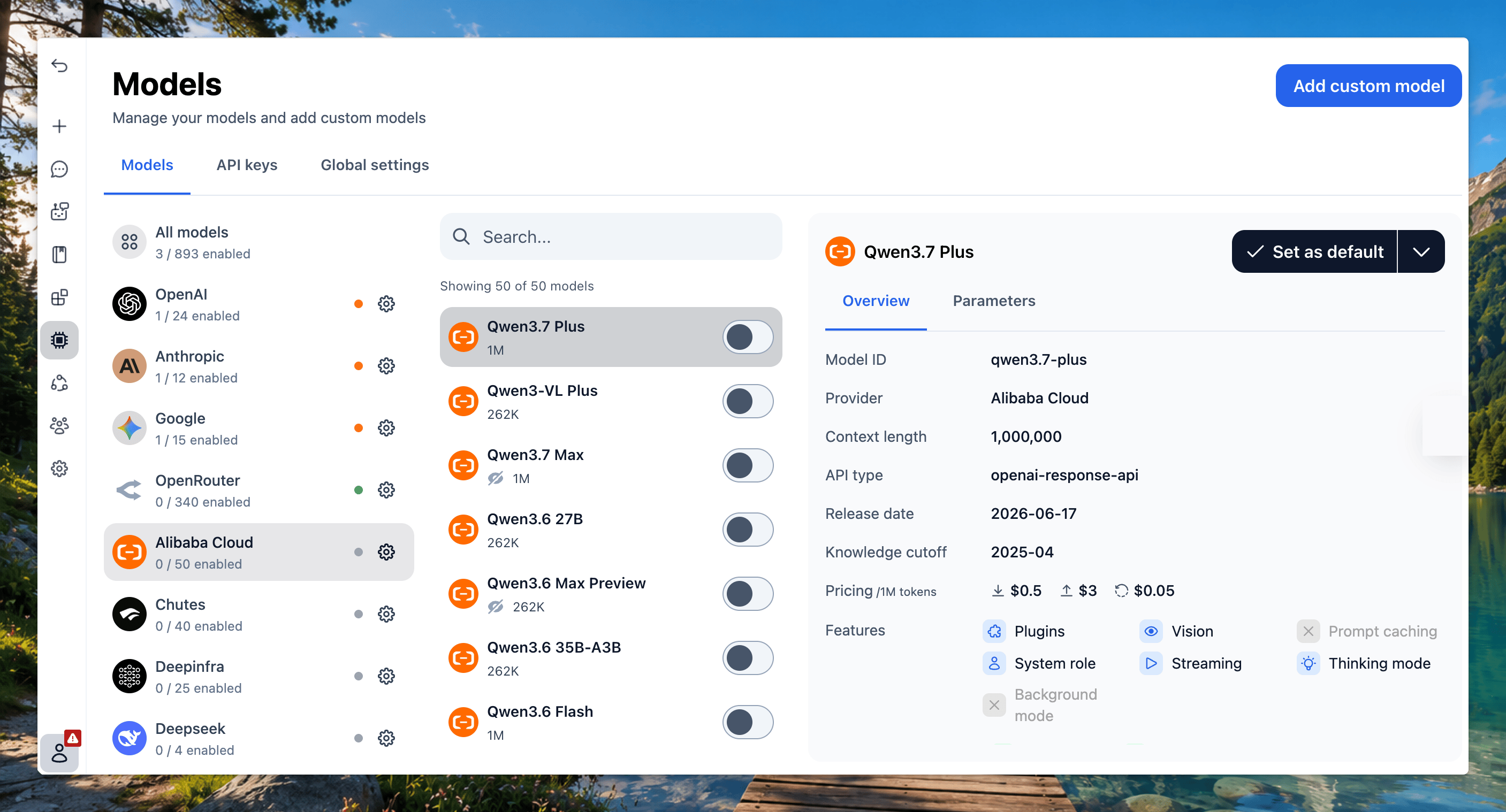
For TypingMind License users:Currently, Alibaba Cloud only supports browser-based API requests for resources hosted in the US region. If your API key or endpoint is configured in another region, the request may be blocked by CORS, which can result in the error you’re seeing.You can resolve this in one of two ways:
- If you want to keep using the endpoint in your current region, you’ll need to manually configure a proxy for this model on your end.
- Switch your Alibaba Cloud Model Studio region to the US and create a new API key there.