

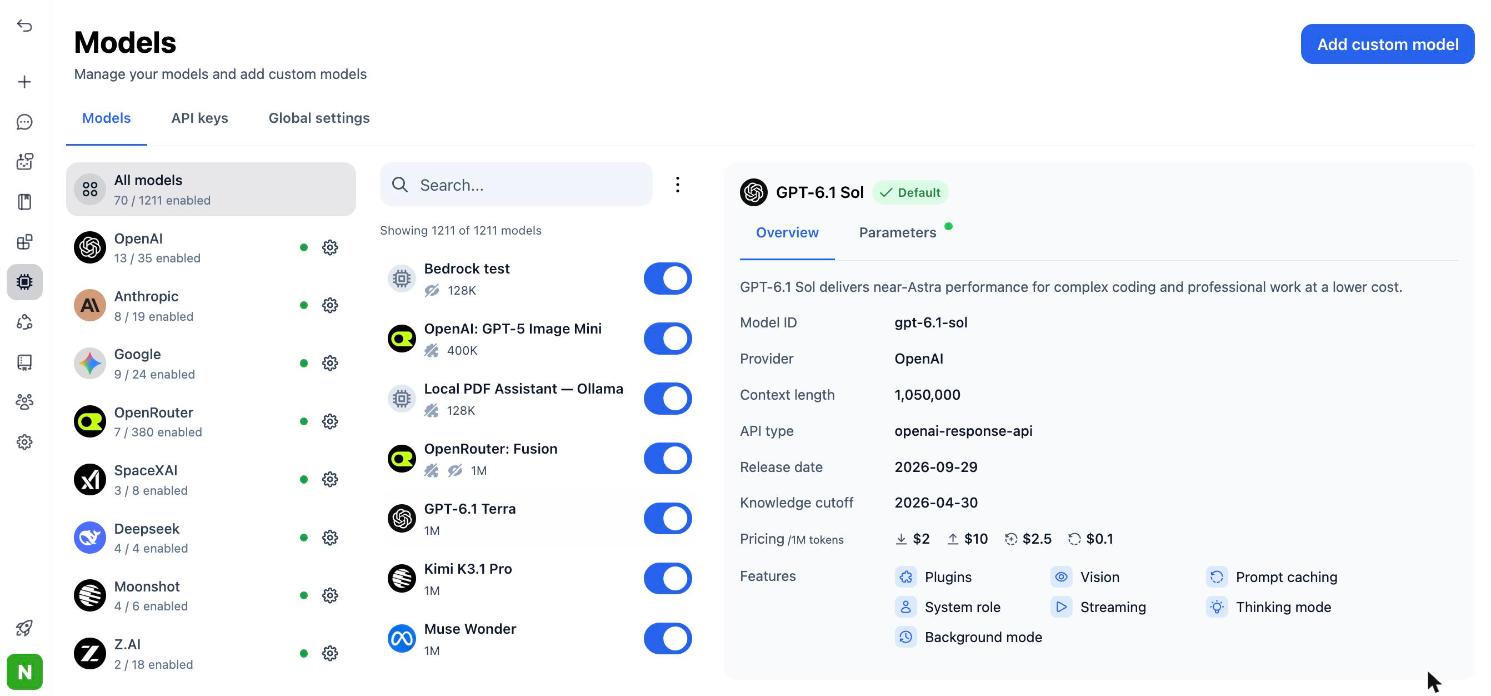
TypingMind Models page: OpenAI, Anthropic, Google, OpenRouter and more in one list, with each model's price per million tokens.
Why people choose TypingMind
Every major model in one app
Pay once, then pay per use
Agents, plugins and MCP
Ready for teams
Try TypingMind
TypingMind vs alternatives at a glance
The biggest split is who runs the app. Chatbox, ChatHub and Poe only run for you, LibreChat and Open WebUI run on your own server, and Msty runs on your computer. TypingMind does both: use it hosted, or self-host it on your own infrastructure.TypingMind vs each alternative
TypingMind vs LibreChat
LibreChat is a free, open-source chat platform under the MIT license, with more than 46,000 stars on GitHub. You install and run it on your own server. It supports many providers and local models, and logins through OAuth, SAML and LDAP. LibreChat has also announced it is joining ClickHouse. What TypingMind adds:- No server work. You open TypingMind in the browser or install the app. There is nothing to deploy, patch or back up.
- Fast updates without upgrades on your side. The team shipped 100+ updates in the last 6 months, and you get them without redeploying anything.
- More built in on day one: 50+ ready AI agents, a plugin marketplace, MCP connectors, Skills, Artifacts, Canvas and a prompt library.
- Self-host when you need it. TypingMind also runs on your own servers, with your domain, your database. You choose when to pull updates.
- Team admin without DevOps. TypingMind Teams gives you SSO, roles, usage limits, chat logs and audit logs from an admin panel.
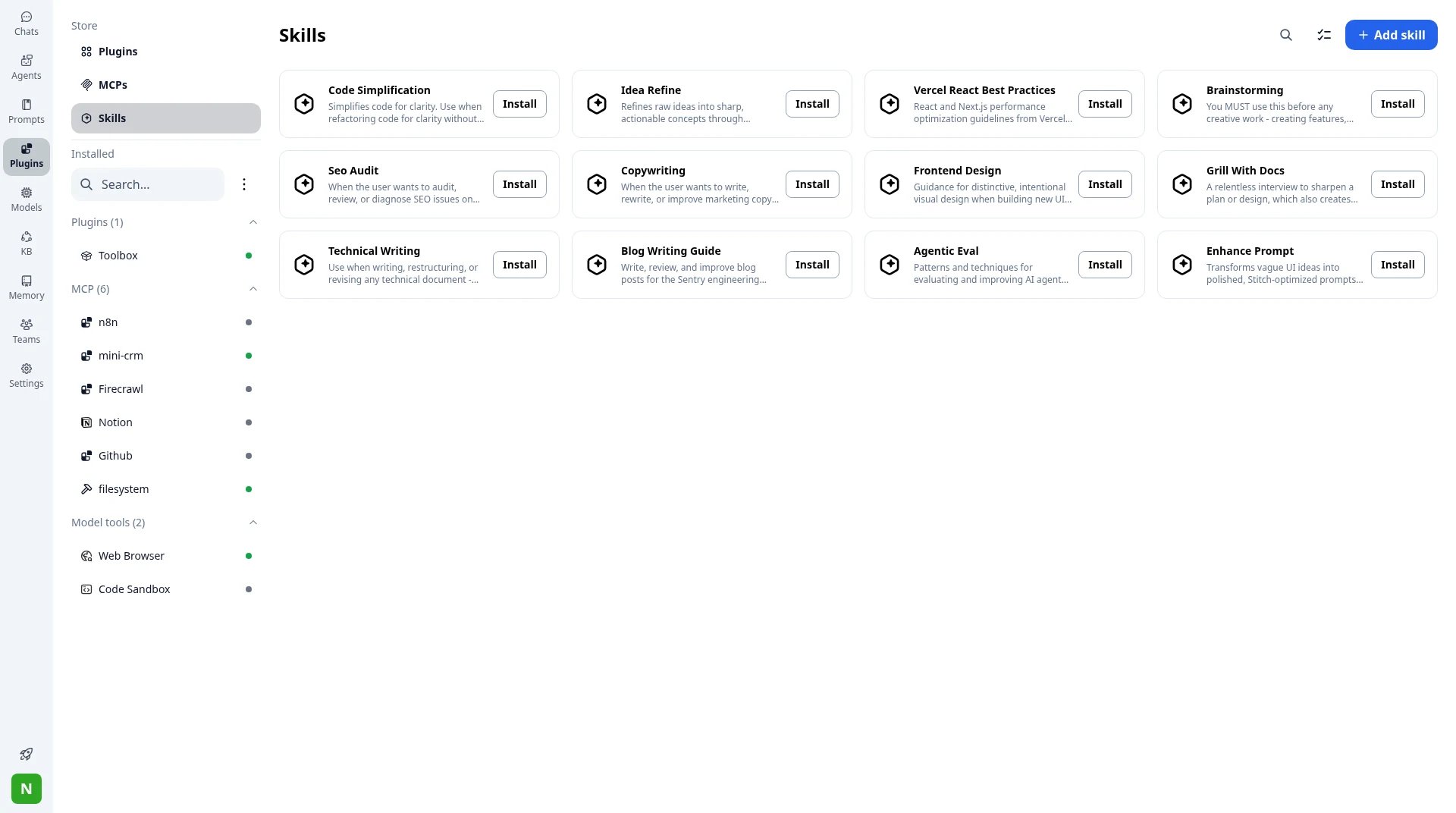
Plugins → Skills: install ready-made skills or add your own. Installed MCP servers are listed on the left.
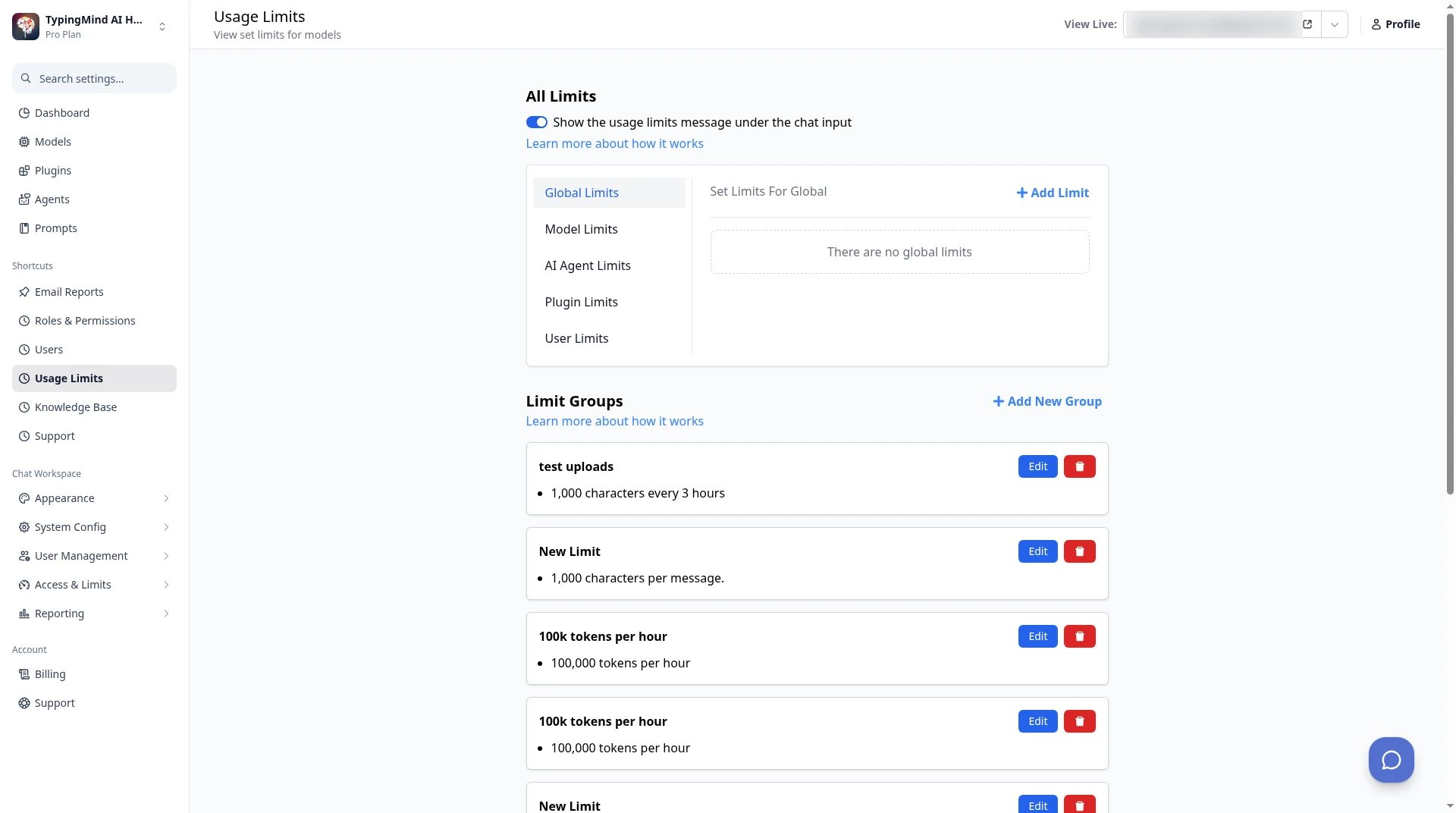
TypingMind Teams admin → Usage Limits: set limits per model, agent, plugin or user from the admin panel.
TypingMind vs Open WebUI
Open WebUI is a self-hosted AI interface with more than 158,000 stars on GitHub. It is popular with people who run local models through Ollama, and it sells enterprise options such as SSO, roles, audit logs and air-gapped setups. What TypingMind adds:- Your brand, not ours. Newer Open WebUI code is under the Open WebUI License, which asks you to keep the Open WebUI branding. TypingMind Teams lets you set your own logo, colors and custom domain.
- Cloud models and local models in one list. Connect Ollama or LM Studio as a custom model, and keep OpenAI, Anthropic, Google and OpenRouter in the same picker.
- Use the cloud credits you already have from AWS, Azure, Google Cloud, OpenRouter or Vercel AI Gateway.
- Hosted or self-hosted. Use TypingMind with no server at all, or run it on your own infrastructure when data has to stay in-house.
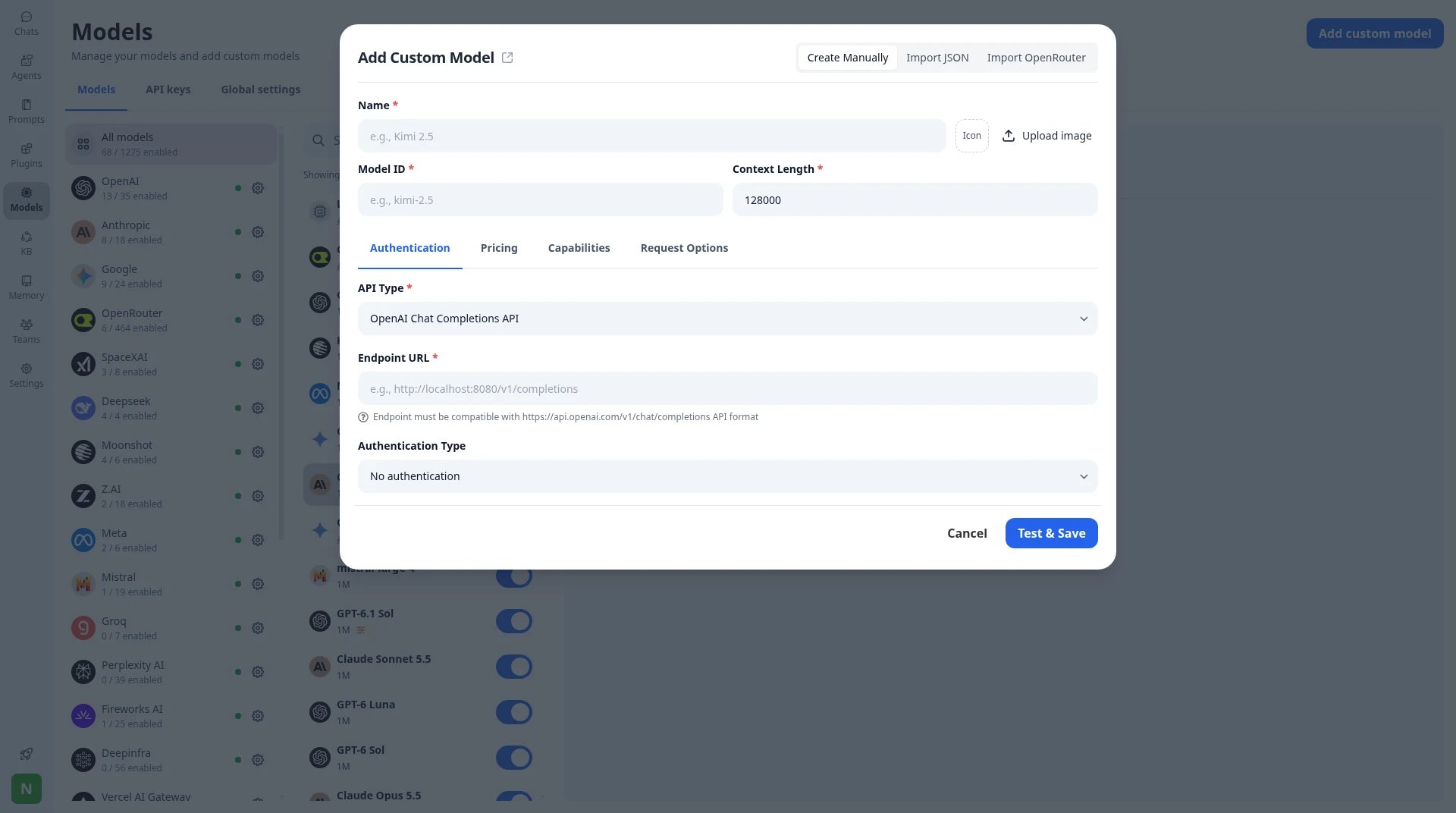
Add custom model: point TypingMind at any compatible endpoint, including a local Ollama or LM Studio server.
TypingMind vs Msty
Msty is a desktop app built around local models. It runs Ollama and other local engines and also connects to online models. The free plan covers core desktop use. Aurum costs $149 per user per year, or $349 per user once. What TypingMind adds:- Any device. TypingMind runs in the browser and installs on desktop and mobile, with optional Cloud Sync to keep chats in step.
- Local models too. Add Ollama or LM Studio as a custom model, so you don’t give up local chat.
- Lower one-time price. A TypingMind license starts at $39 and Premium lists at $198, against $349 per user for Msty’s lifetime plan.
- A path to a team workspace with shared agents, a knowledge base, SSO and usage limits.
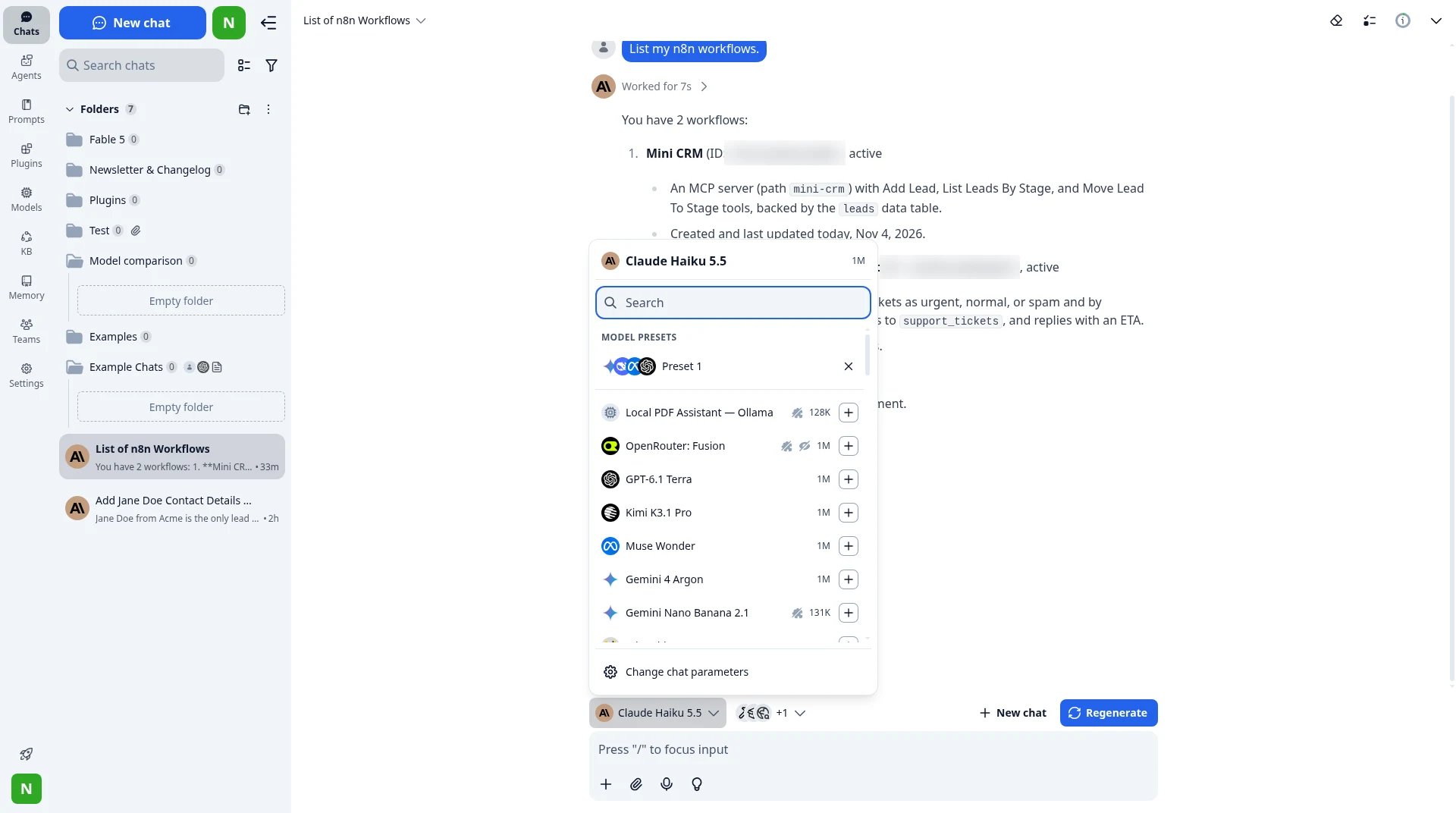
The model picker mid-chat: a local Ollama model next to OpenRouter, OpenAI and Google models in the same chat.
TypingMind vs Chatbox
Chatbox is a low-cost desktop and web app. It has a free plan and monthly plans from $3.99 to $39.99 that include AI credits. It also lets you use your own API key. What TypingMind adds:- No monthly app fee. You pay once for the license and then pay the provider only for what you use.
- Deeper agents. Each agent can have its own instructions, training files, tag-based access to your knowledge base, and its own tools.
- Plugins, MCP connectors and Skills that you turn on per chat, and that stay on when you switch models.
- A team version with a branded workspace, SSO and usage limits.
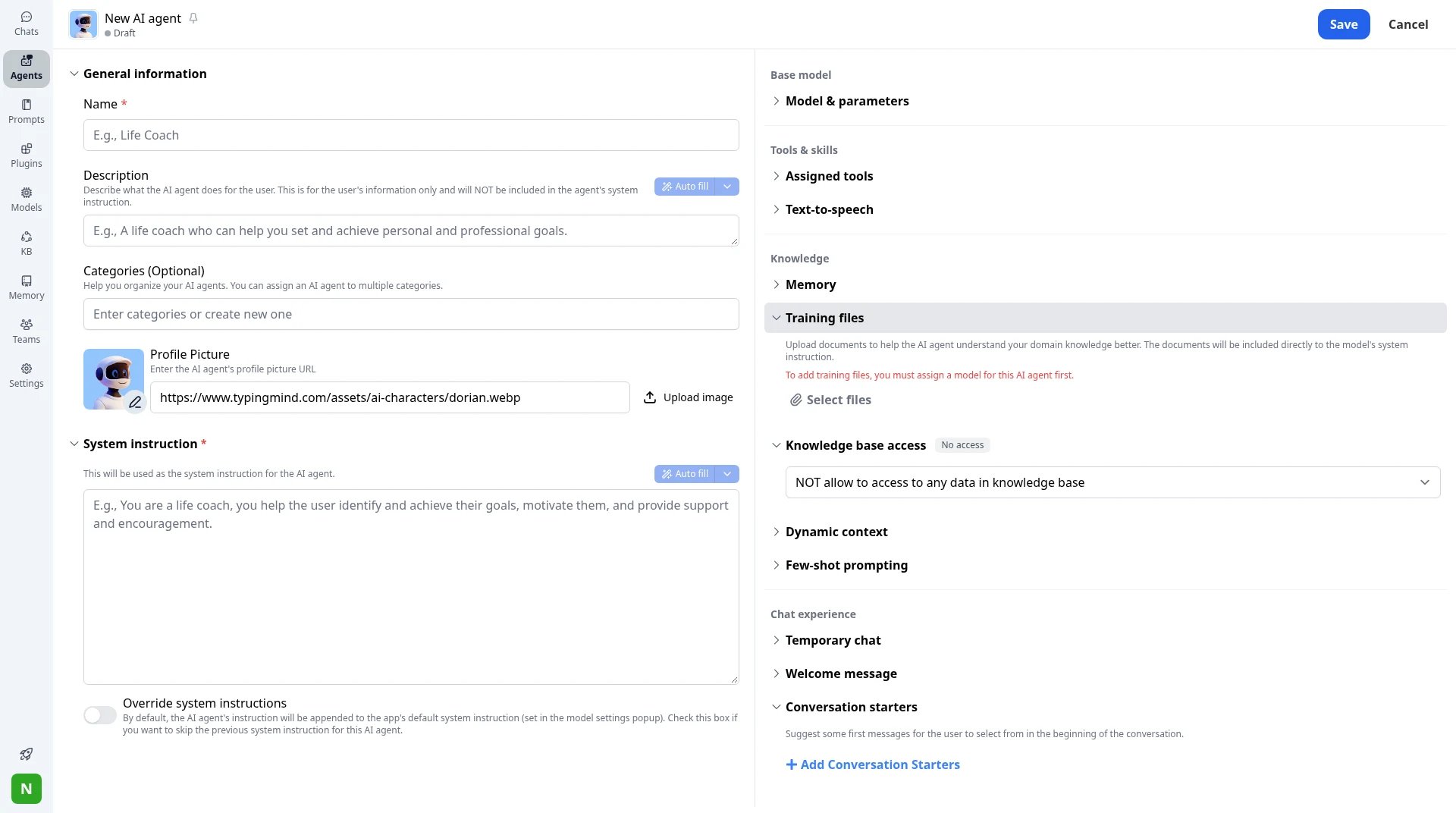
New AI agent: system instruction, training files, tag-based knowledge access, dynamic context and conversation starters.
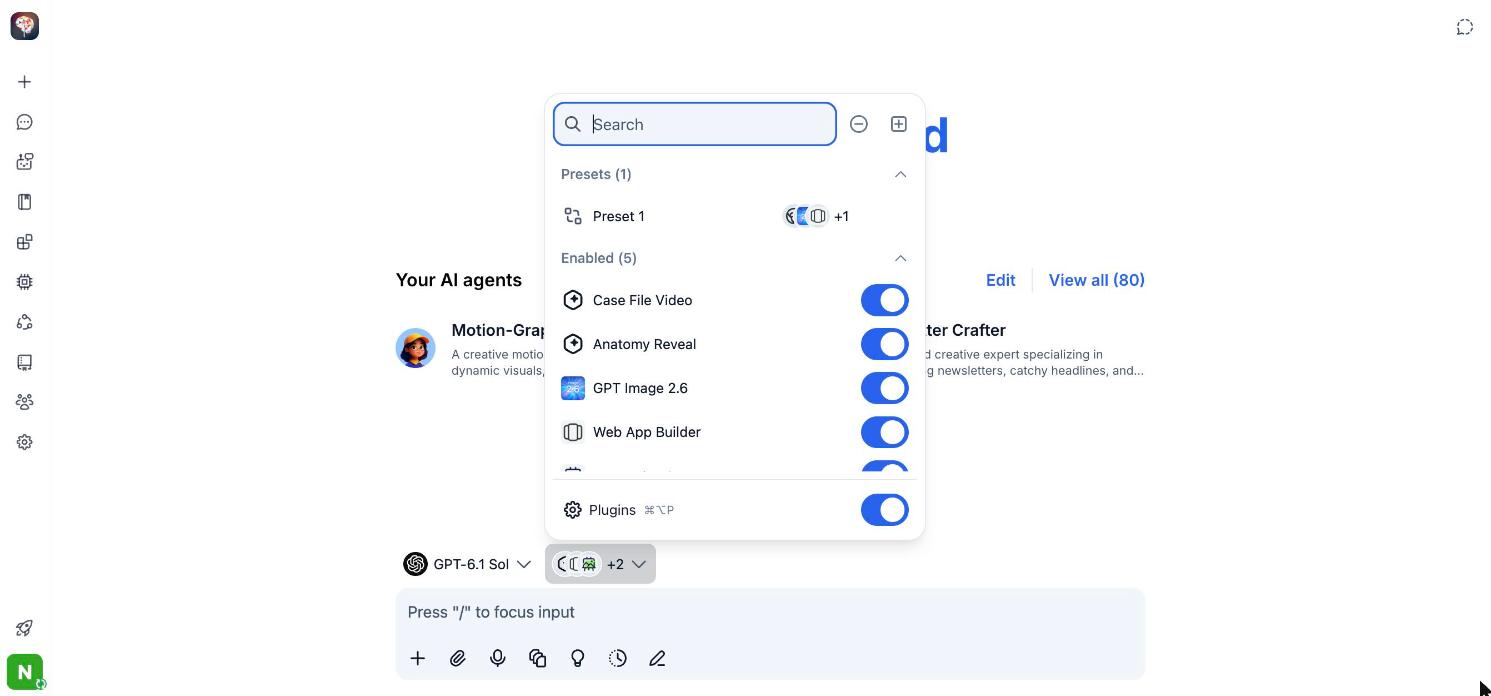
Plugins and tools are turned on per chat from the menu next to the model picker.
TypingMind vs ChatHub
ChatHub is built around asking several models the same question side by side. It works on the web, as a browser extension and on iOS, Android, Windows and Mac. You can start free and upgrade for more use. What TypingMind adds:- Compare, then keep working. TypingMind Premium runs several models in parallel in one chat. You pick the best answer or continue the chat with all of them.
- A full workspace around the comparison: projects and folders, Artifacts, Canvas, agents, plugins and a knowledge base.
- Your own keys and credits, so you pay providers directly.
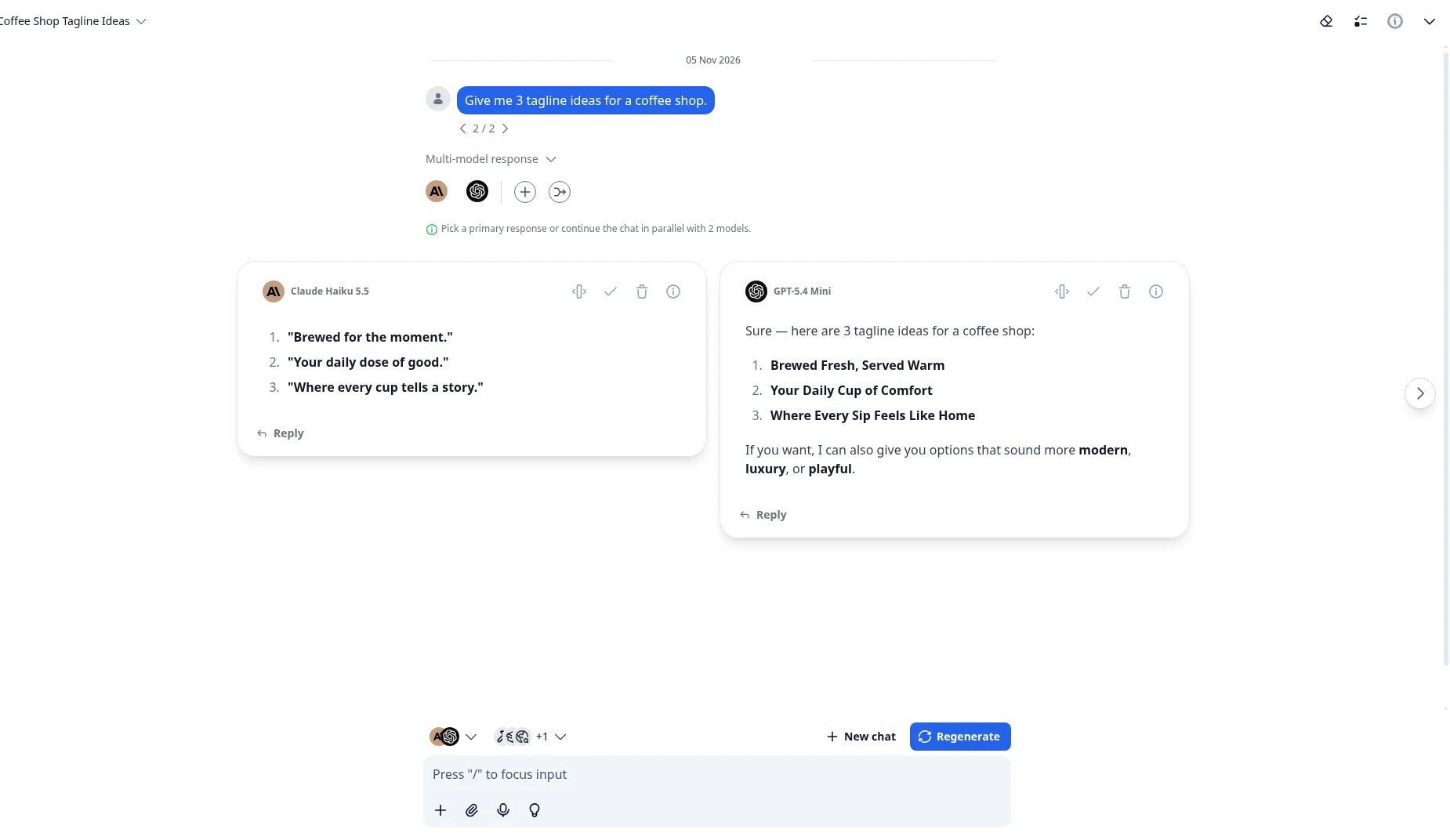
Multi-model response: two models answer the same prompt side by side. Pick a primary, or continue in parallel.
TypingMind vs Poe
Poe gives you many bots in one place, paid with points. Free users get points each day, and you can buy more at about $30 per 1M points. What TypingMind adds:- Pay the provider, not a middleman. Use your own API keys or cloud credits from AWS, Azure, Google Cloud and OpenRouter, at the provider’s own price.
- See the cost before you send. TypingMind shows each model’s price per million tokens and an estimated cost for your message.
- Your chats stay on your device by default, with optional sync.
- Agents you control, with their own files, knowledge and tools, instead of public bots.
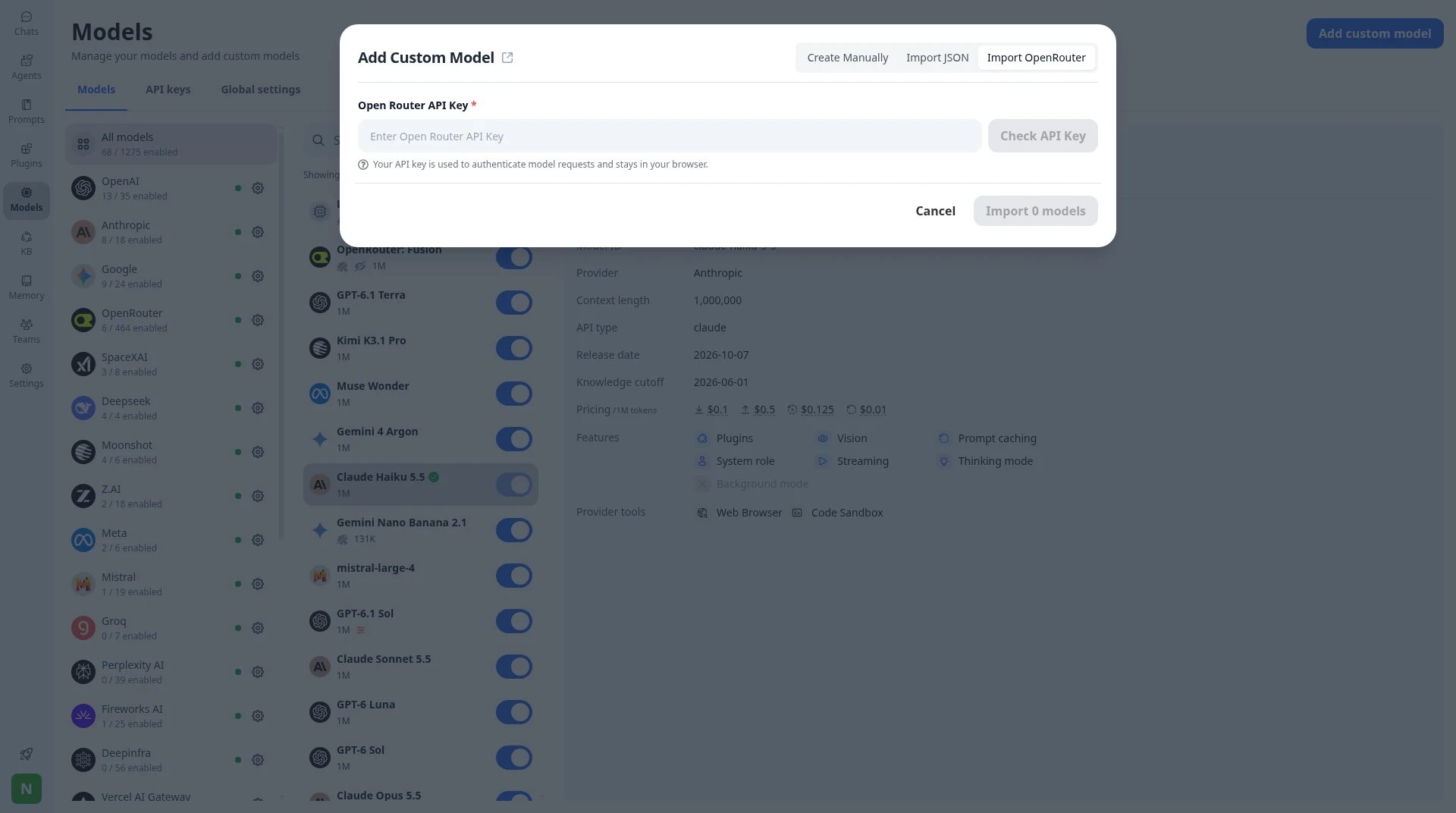
Import OpenRouter: paste one key and import the models you want. The key stays in your browser.
How to choose
Start with who should run the app, then look at price and features.- You want one app for every major model, a one-time license and your own keys: TypingMind.
- You need a branded AI workspace for a company, with admin tools, hosted or on your own servers: TypingMind Teams.
- You want to compare answers side by side and keep working in the same chat: TypingMind Premium, or ChatHub if comparing is all you need.
- You want it free and can run a server: LibreChat or Open WebUI.
- You mostly use local models on one computer: Msty or Open WebUI.
- You don’t want API keys at all: Poe, or a Chatbox plan with credits.
FAQ
Is TypingMind free?
Is TypingMind free?
Is the TypingMind license really one-time?
Is the TypingMind license really one-time?
Can I self-host TypingMind?
Can I self-host TypingMind?
Does the price include API costs?
Does the price include API costs?
What is the best free TypingMind alternative?
What is the best free TypingMind alternative?
Can I move my chats from ChatGPT to TypingMind?
Can I move my chats from ChatGPT to TypingMind?