

Get TypingMind
TypingMind for teams
Migration guide
What happens to Custom GPTs
From OpenAI’s Custom GPT retirement FAQ, updated in November 2026:- Retirement date: December 11, 2026 for most accounts. On that date, Custom GPTs and their GPT pages become inaccessible.
- Migration to plugins: the GPT’s instructions become a skill, its knowledge files become reference files, and connected apps are added as apps. Migration uses the latest published version; drafts don’t transfer.
- What doesn’t carry over: custom actions, the selected model, and the sharing audience. A migrated plugin starts private.
- After migration: the original GPT becomes read-only and its creator can’t delete it.
- Past chats: existing conversations with Custom GPTs stay accessible after retirement, but can’t be moved into a project.
- Enterprise: new GPT creation ended on October 26, 2026 in affected Enterprise workspaces.
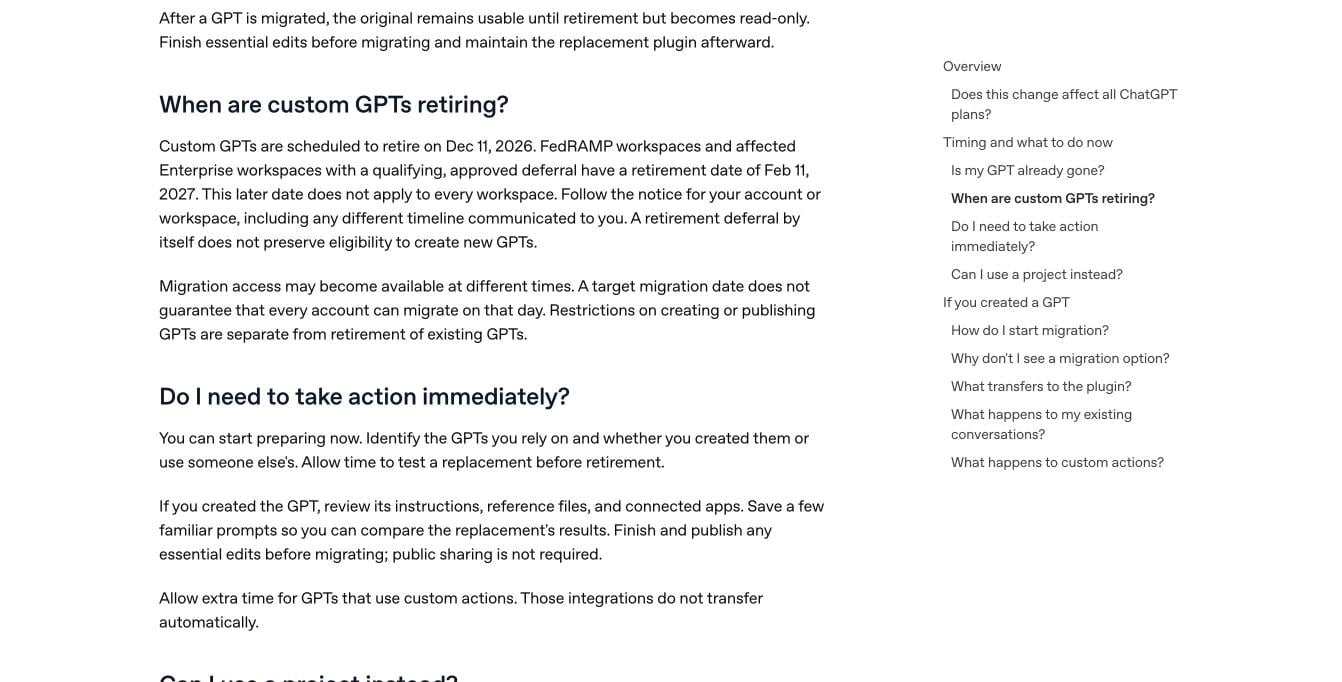
OpenAI's Custom GPT retirement FAQ. Source: help.openai.com, November 2026.
How we compared these options
We checked each option on five things:- Custom actions: can a rebuilt GPT still call your APIs?
- Models: can each assistant run on the model that suits it best?
- Sharing and control: can you share assistants with the right people, and limit access and cost?
- Where it runs: the vendor’s cloud, or your own servers.
- Price: what it costs to get started.
Custom GPT alternatives at a glance
1. TypingMind: agents that keep every part of your GPT
Best for: anyone whose GPTs call APIs or need a specific model, from one person to a whole company. AI agents are TypingMind’s version of Custom GPTs: reusable assistants with their own instructions, knowledge and tools. They come with personal TypingMind and with TypingMind Teams. Every part of a GPT has a place: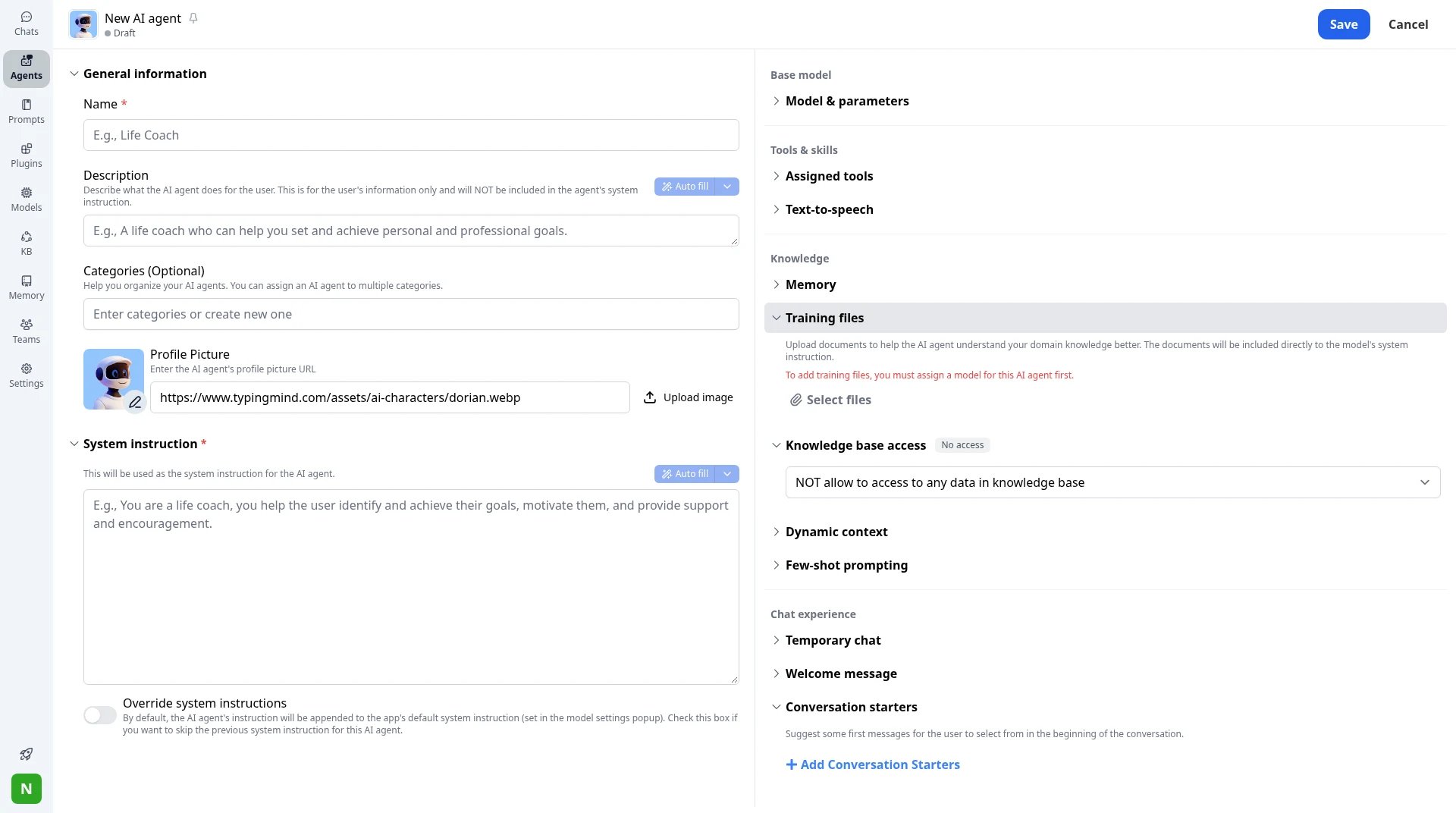
New AI agent: system instruction, training files, tag-based knowledge access, dynamic context and conversation starters.
Your custom actions keep working
Each custom action becomes a plugin that calls the same API, with API key or OAuth authentication. You can also connect MCP servers, install Agent Skills and run code in the Code Sandbox.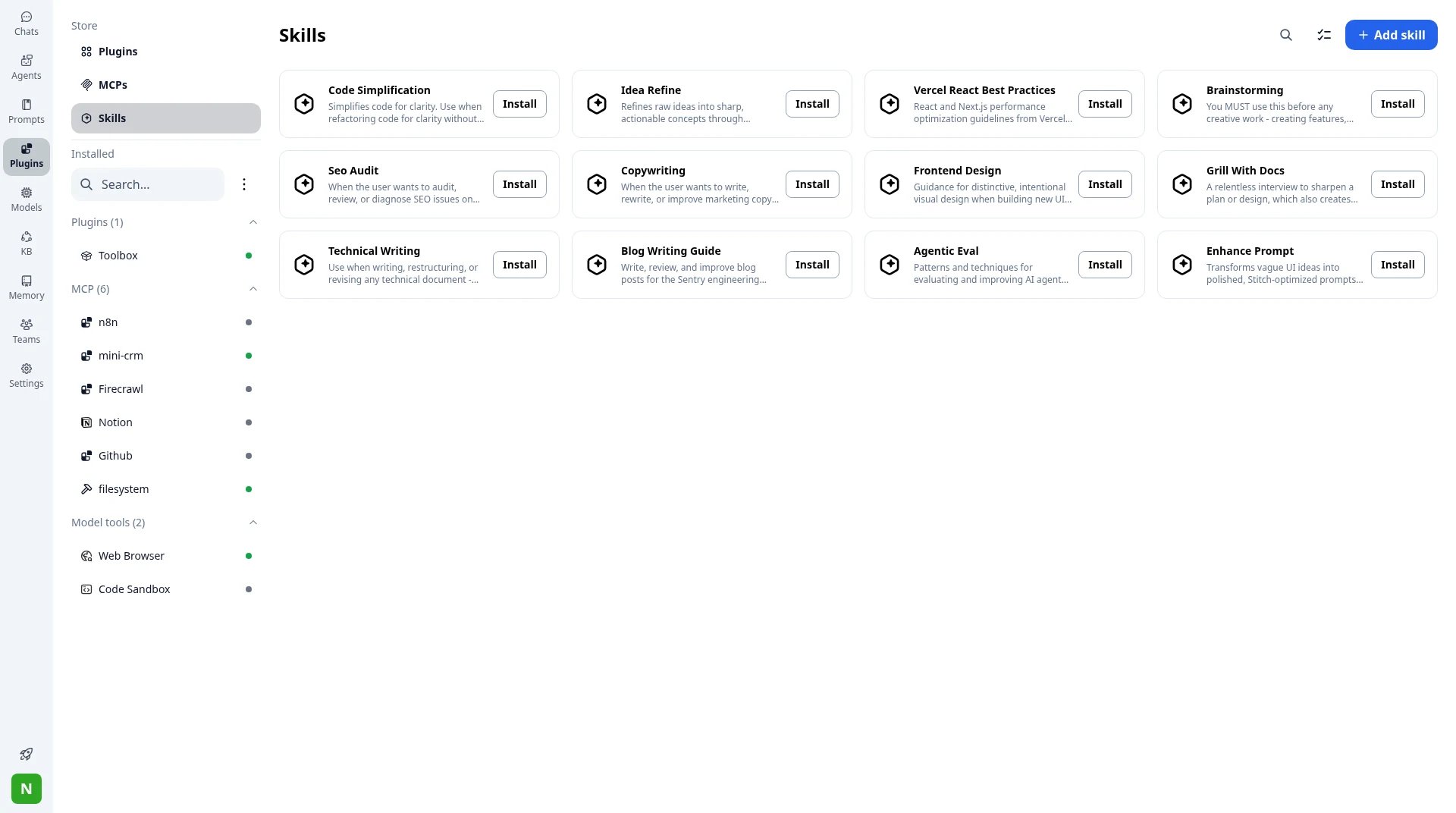
Plugins, MCP connectors and Skills in TypingMind.
Any model for each agent
Run one agent on Claude and another on GPT or Gemini, each with its own parameters. Switch an agent to a newer model in a few clicks when one comes out.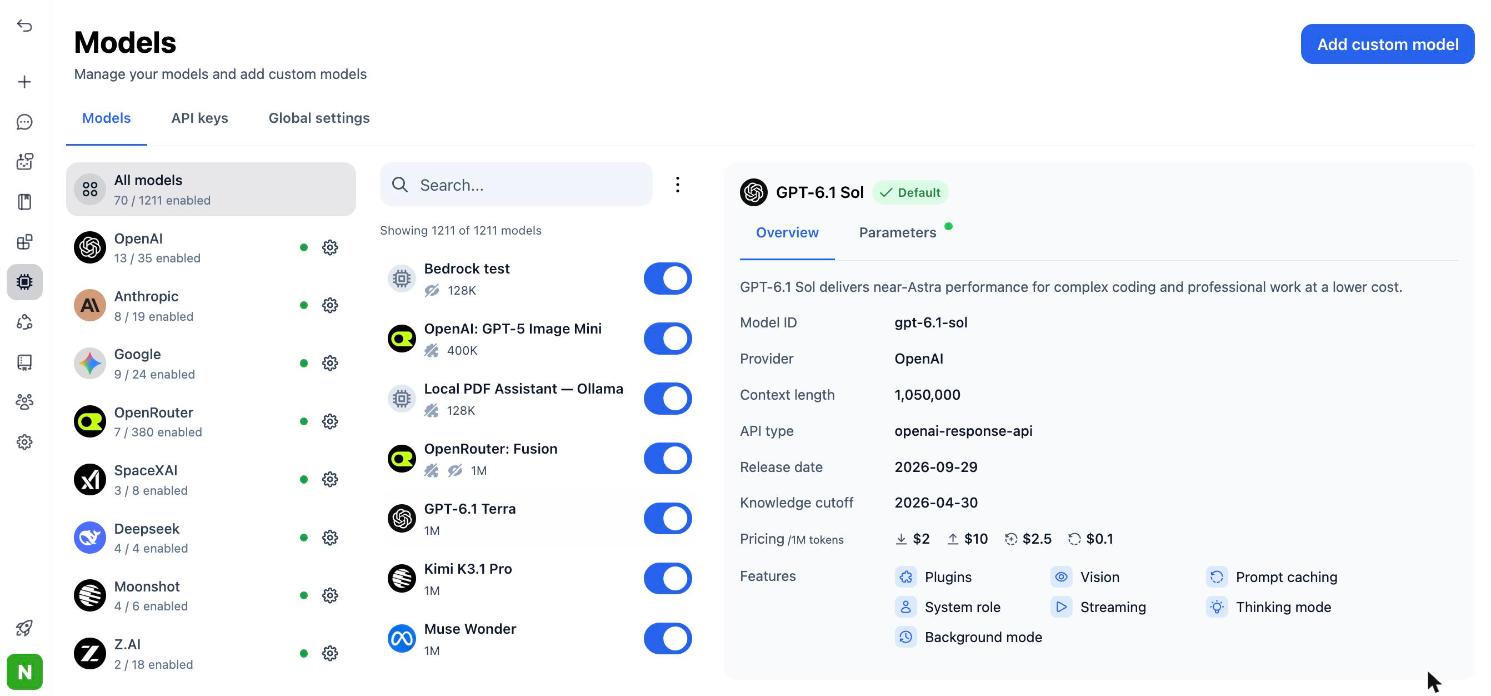
Connect models from many providers, then assign any of them to an agent.
For teams: control who uses each agent, and what it costs
On TypingMind Teams, share agents with your workspace or limit them to user groups. On the Professional plan, set usage limits per model, agent, plugin or user, and turn on SSO, roles, chat logs and audit logs.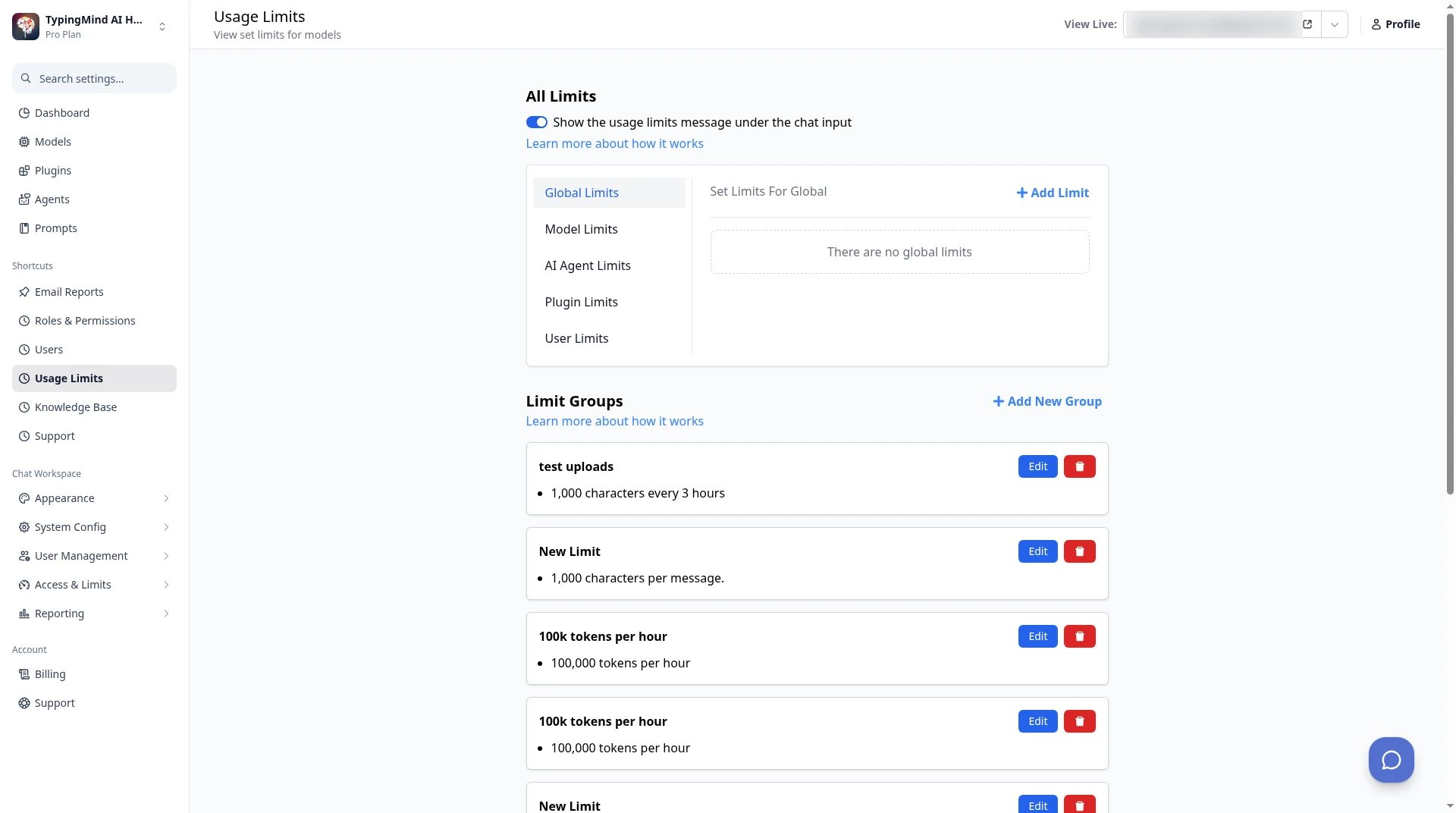
TypingMind Teams admin → Usage Limits: set limits per model, agent, plugin or user.
Bring your chat history
Each person can import their ChatGPT export under App Settings → All Data → Import From OpenAI, so old conversations sit next to the new agents. If your company’s data must stay in-house, TypingMind Teams can run on your own servers.2. ChatGPT plugins and projects: OpenAI’s own path
Best for: GPTs that are only instructions and files, for teams staying on ChatGPT. When migration is available for your account, open My GPTs and select Migrate to plugin. Instructions become a skill, knowledge files become reference files, and connected apps come along. For GPTs you used for ongoing work, OpenAI also suggests a ChatGPT project, which keeps chats, files and instructions together.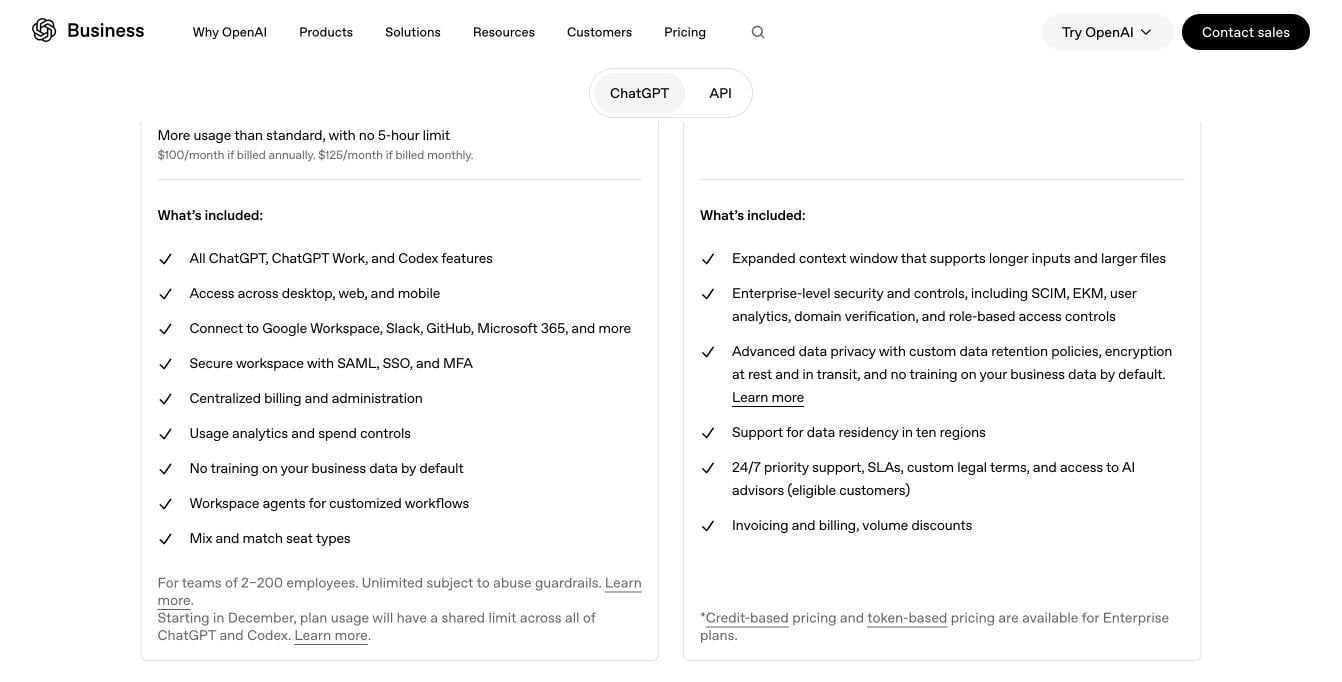
What ChatGPT Business includes. Source: openai.com/business/pricing, November 2026.
- Custom actions don’t transfer. Rebuilding them may need a custom MCP server and technical setup.
- The GPT’s selected model doesn’t carry over.
- A migrated plugin starts private, and the original GPT becomes read-only.
3. Claude Projects: if your team is moving to Claude
Best for: teams that want to switch from OpenAI to Anthropic. Claude Team gives you Projects, which keep instructions, files and chats together, plus connectors for remote and local tools, SSO and admin controls for connectors.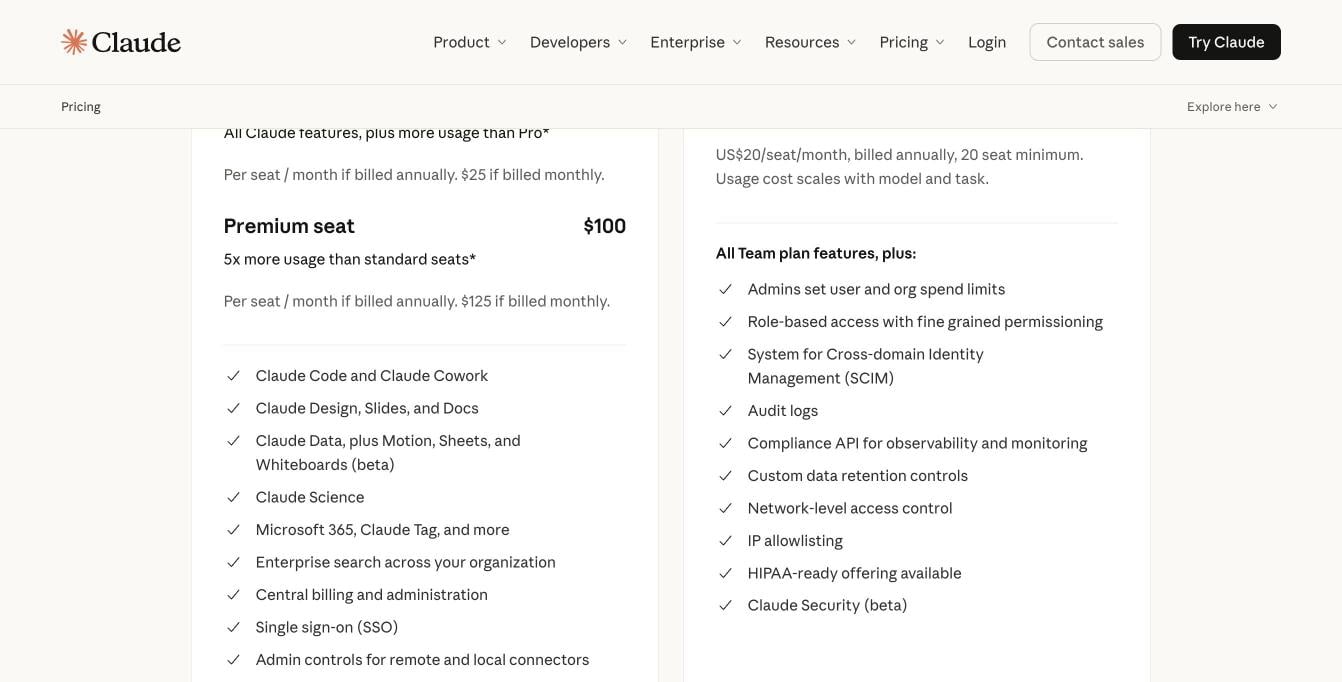
Claude Team features next to what Enterprise adds. Source: claude.com/pricing, November 2026.
- Anthropic models only.
- Role-based access, SCIM and audit logs are on the Enterprise plan, with a 20-seat minimum.
4. Gemini Gems: if your team is on Google Workspace
Best for: companies already on Google Workspace. Gems are custom versions of Gemini with their own instructions and files. Workspace users can share Gems with people in their organization, and admins can turn Gem sharing on or off.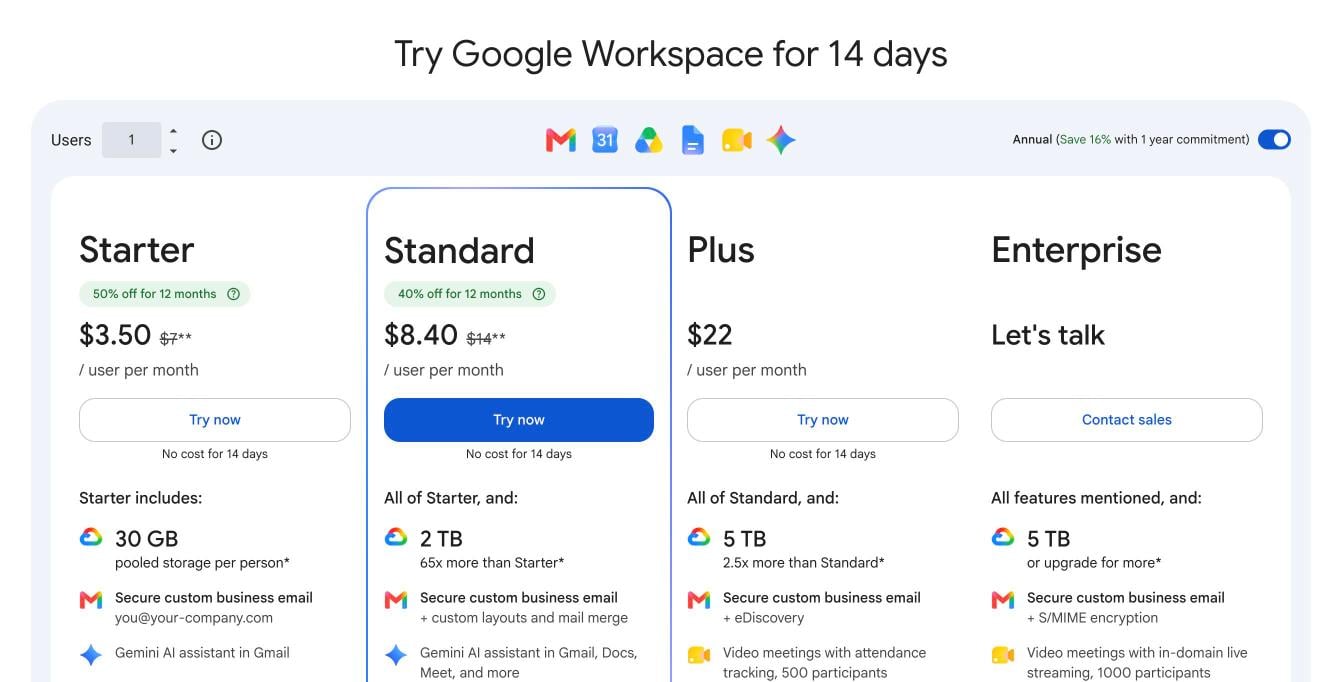
Google Workspace plans with Gemini. Source: workspace.google.com/pricing, November 2026.
- Google models only.
- Google’s pricing page doesn’t list a way to call your own APIs from a Gem.
5. Copilot agents: if your team is on Microsoft 365
Best for: companies already on Microsoft 365. Microsoft 365 Copilot lets you build agents with Agent Builder and Copilot Studio, connect external data through Copilot connectors, and use them inside Word, Excel, Outlook and Teams.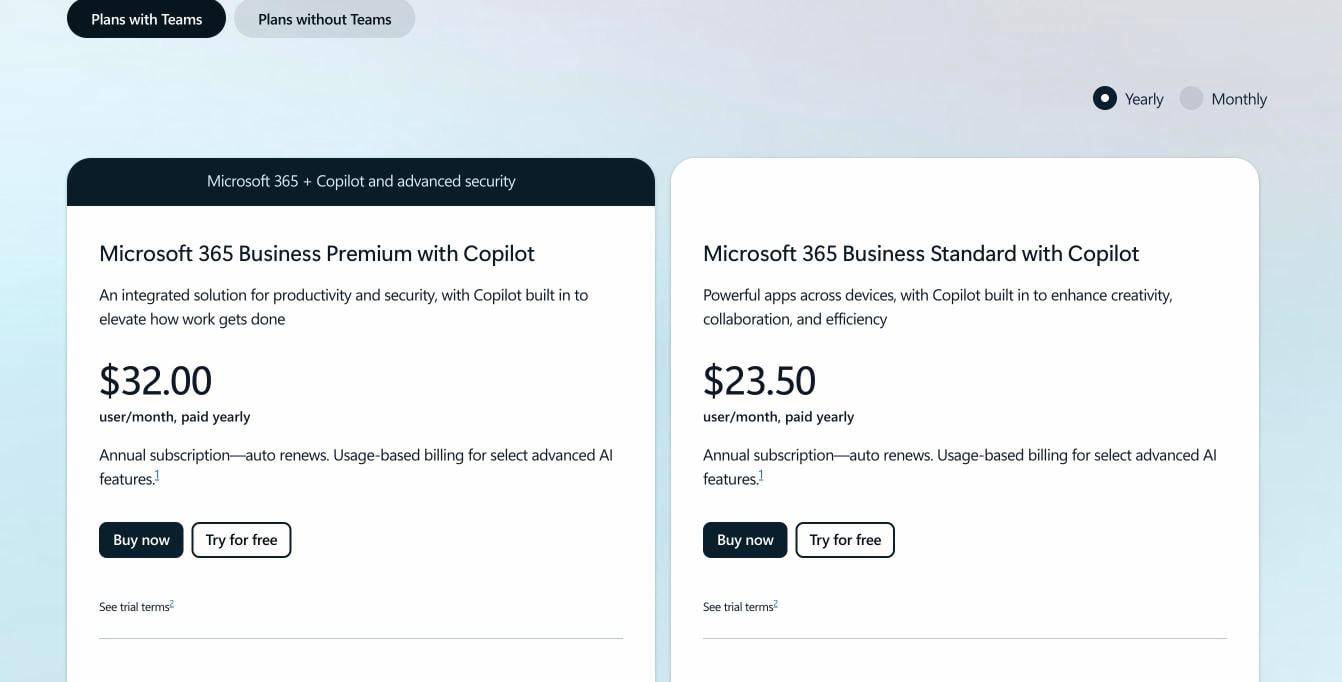
Microsoft 365 plans with Copilot. Source: microsoft.com Copilot business pricing, November 2026.
- The Copilot Business add-on needs an eligible Microsoft 365 Business plan.
- Some advanced AI features are billed by usage on top of the license.
6. LibreChat agents: if you want to self-host for free
Best for: engineering teams that want to run the code themselves. LibreChat is a free, open-source platform under the MIT license. It lets you build agents with your files, tools and reusable skills, and supports many providers and local models.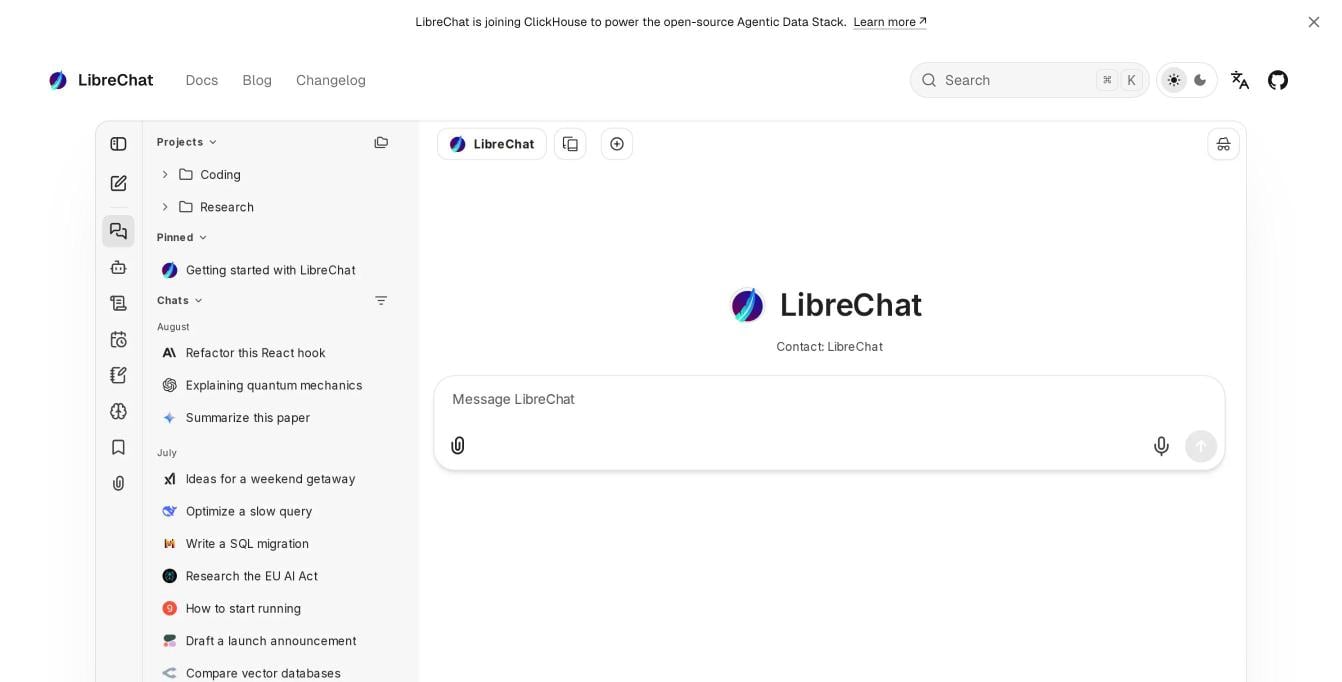
The LibreChat interface. Source: librechat.ai, November 2026.
Before December 11: a checklist
- List your GPTs. Note which ones your team uses, who owns each one, and who needs access.
- Save each GPT’s parts. Copy the instructions and conversation starters, download the knowledge files, and export the OpenAPI schema of every custom action.
- Save test prompts. Keep a few prompts per GPT, including one hard case, to compare the new version.
- Pick the new home for each GPT, then rebuild and test it with the saved prompts.
- Share it with the right people, and tell them where to find it.
How to choose
- Your GPTs use custom actions, or you want models beyond OpenAI: TypingMind, on a personal plan or Teams.
- You need SSO, user groups and usage limits for the team: TypingMind Teams.
- Your GPTs are only instructions and files, and you will stay on ChatGPT: ChatGPT plugins or projects.
- Your team is moving to Claude: Claude Projects.
- Your company runs on Google Workspace: Gemini Gems.
- Your company runs on Microsoft 365: Copilot agents.
- You want a free, self-hosted setup and have an engineer to run it: LibreChat.
FAQ
When do Custom GPTs stop working?
When do Custom GPTs stop working?
Will I lose my old GPT conversations?
Will I lose my old GPT conversations?
What happens to custom actions?
What happens to custom actions?
Can I move a Custom GPT to TypingMind?
Can I move a Custom GPT to TypingMind?
Do my team members need ChatGPT Plus?
Do my team members need ChatGPT Plus?