

Start a TypingMind Teams trial
Jump to the cost comparison
First check: you may not need Gemini Enterprise at all
Google sells Gemini in two separate ways, and many companies mix them up:- Gemini in Google Workspace is included in Workspace plans at no extra cost. From Business Standard ($14 per user per month on a 1-year plan), Gemini works in Gmail, Docs, Sheets, Slides, Meet and Drive, plus the Gemini app.
- Gemini Enterprise is a separate subscription on top of Workspace. It adds search across non-Google apps, agents and Gemini Notebook for enterprise.
Where Gemini Enterprise gets expensive or limiting
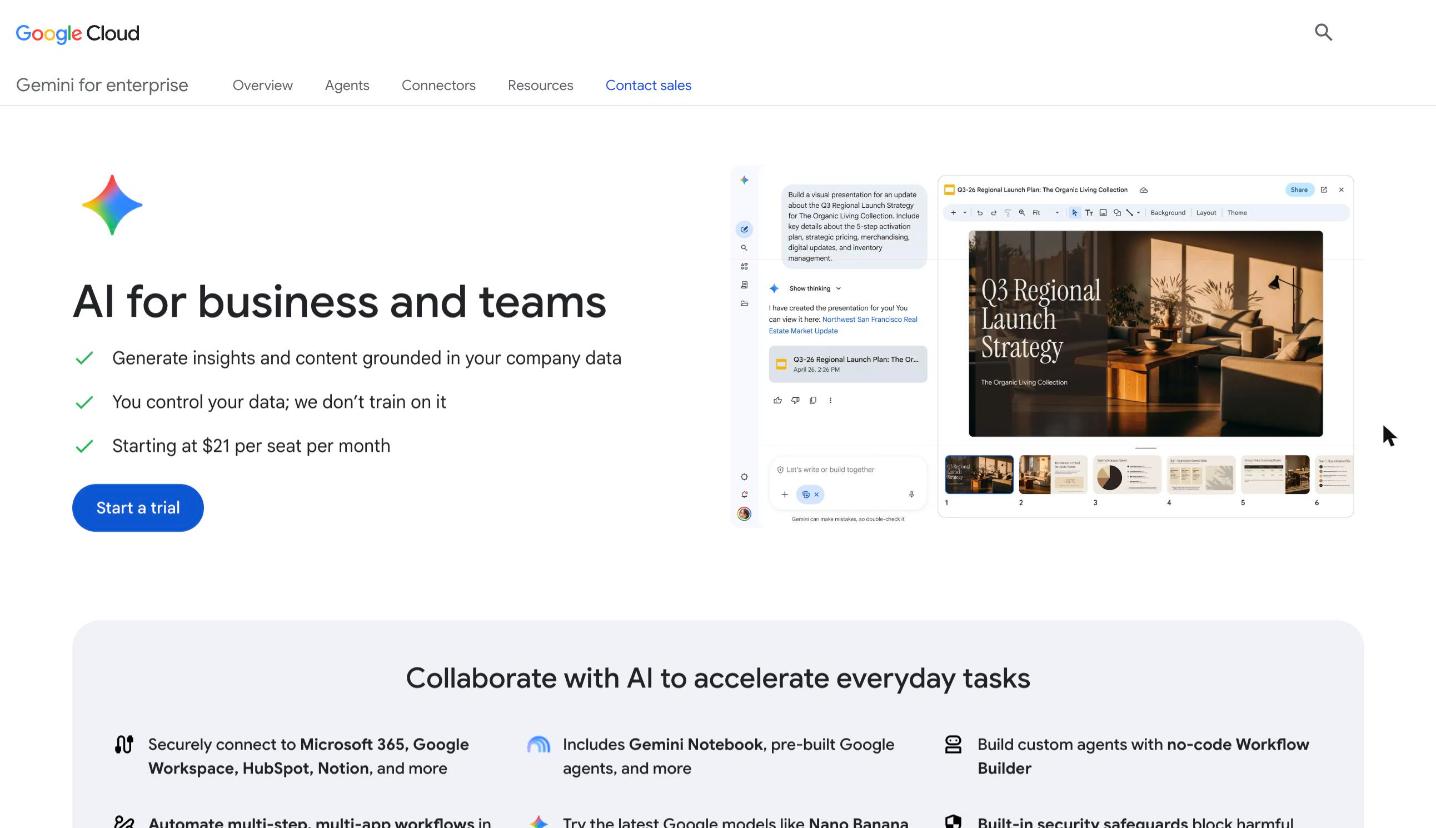
Gemini Enterprise Business edition: starting at $21 per seat per month. Source: cloud.google.com/gemini-enterprise/business, November 2026.
- The 300-seat step. The Business edition is for teams of up to 300. Past that, every seat moves to Standard or Plus, from $30 each.
- Prices you have to ask for. Standard and Plus are sold through Google’s sales team, and Plus has no public price.
- Costs on top of the seat. Usage above the included quota, Gemini Notebook for enterprise and custom agents built with Google’s Agent Development Kit can be billed separately.
- Gemini models only. Your team can’t switch to Claude or GPT for a task inside the same tool.
- Best inside Google. Its search and agents work best with Google Workspace and Google Cloud data. If your files live in SharePoint or your CRM is Salesforce, you get less from it.
Gemini Enterprise alternatives by use case
1. Multi-model chat, agents and company knowledge: TypingMind Teams
Best for: teams that use Gemini Enterprise mostly to chat with AI, build agents and ask questions about company documents, and want more than Gemini models. TypingMind Teams is a custom-branded AI workspace for your company. You add your API keys in the admin panel, and your team uses any model you allow. Users never see the keys.Keep Gemini, add GPT and Claude
You don’t have to leave Gemini. Add a Gemini API key from Google AI Studio, then add OpenAI, Anthropic, DeepSeek, Mistral or OpenRouter next to it. People pick the best model for each task, and you can compare answers from several models side by side.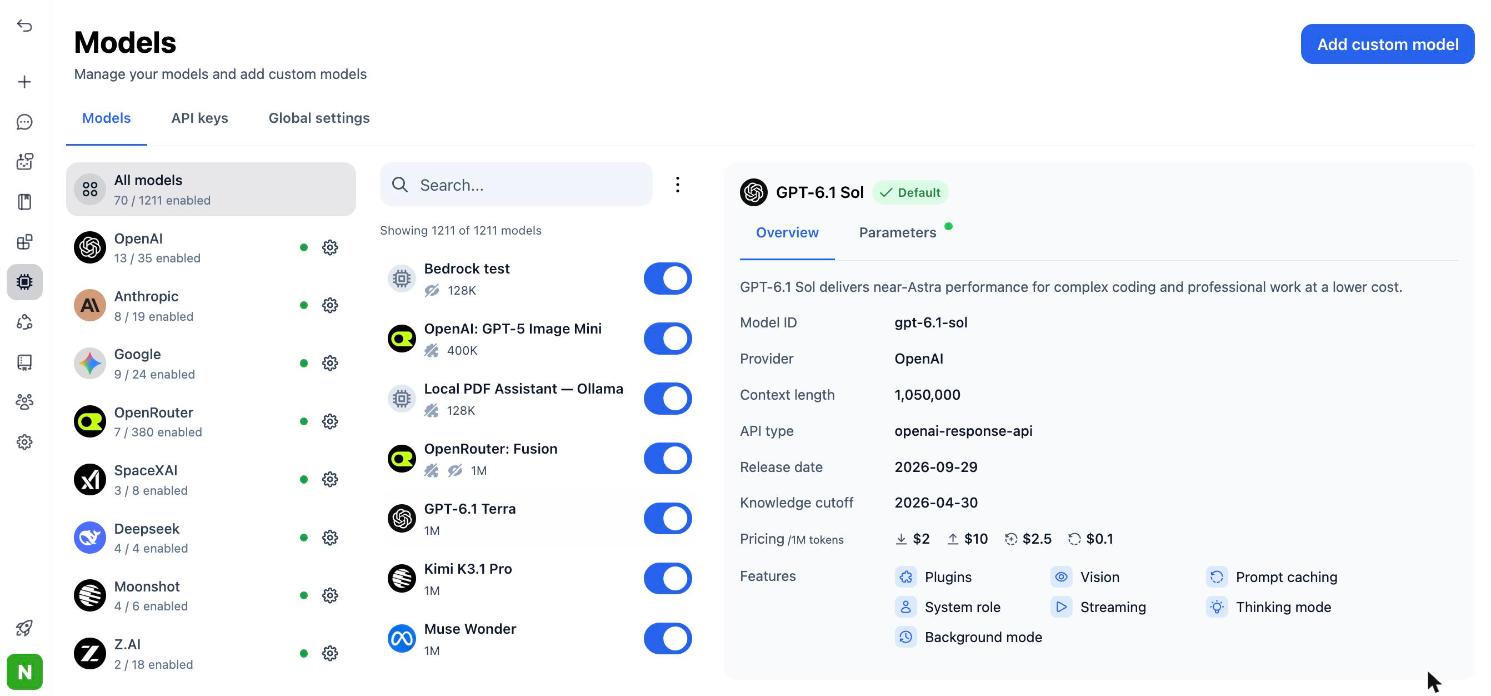
Connect models from many providers, then pick any of them from one model list.
Answers from Google Drive and other company data
The knowledge base connects to Google Drive, Notion, GitHub, uploaded files and web pages. Agents then answer from that content and can cite their sources. Growth and up include 1M characters of knowledge base storage.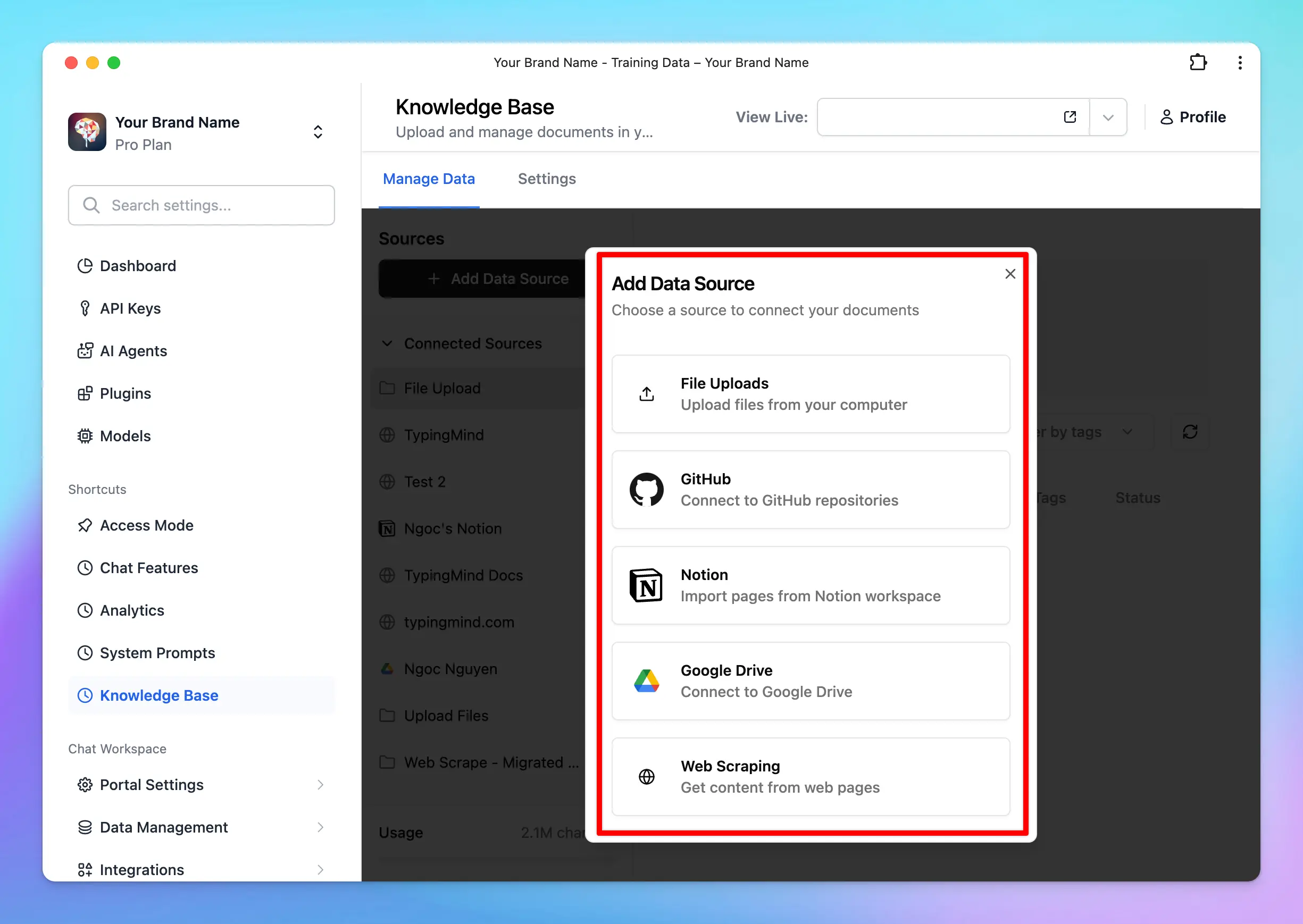
TypingMind Teams knowledge base: add data from file uploads, GitHub, Notion, Google Drive or web scraping.
Agents without code
Create AI agents with their own instructions, model, training files, knowledge base access and tools, then share them with the groups that need them. Agents can also work in your other apps through MCP. TypingMind connects to any standard MCP server, so agents can use Slack, GitHub, Notion and OneDrive, and reach many more apps through Zapier, n8n or Make.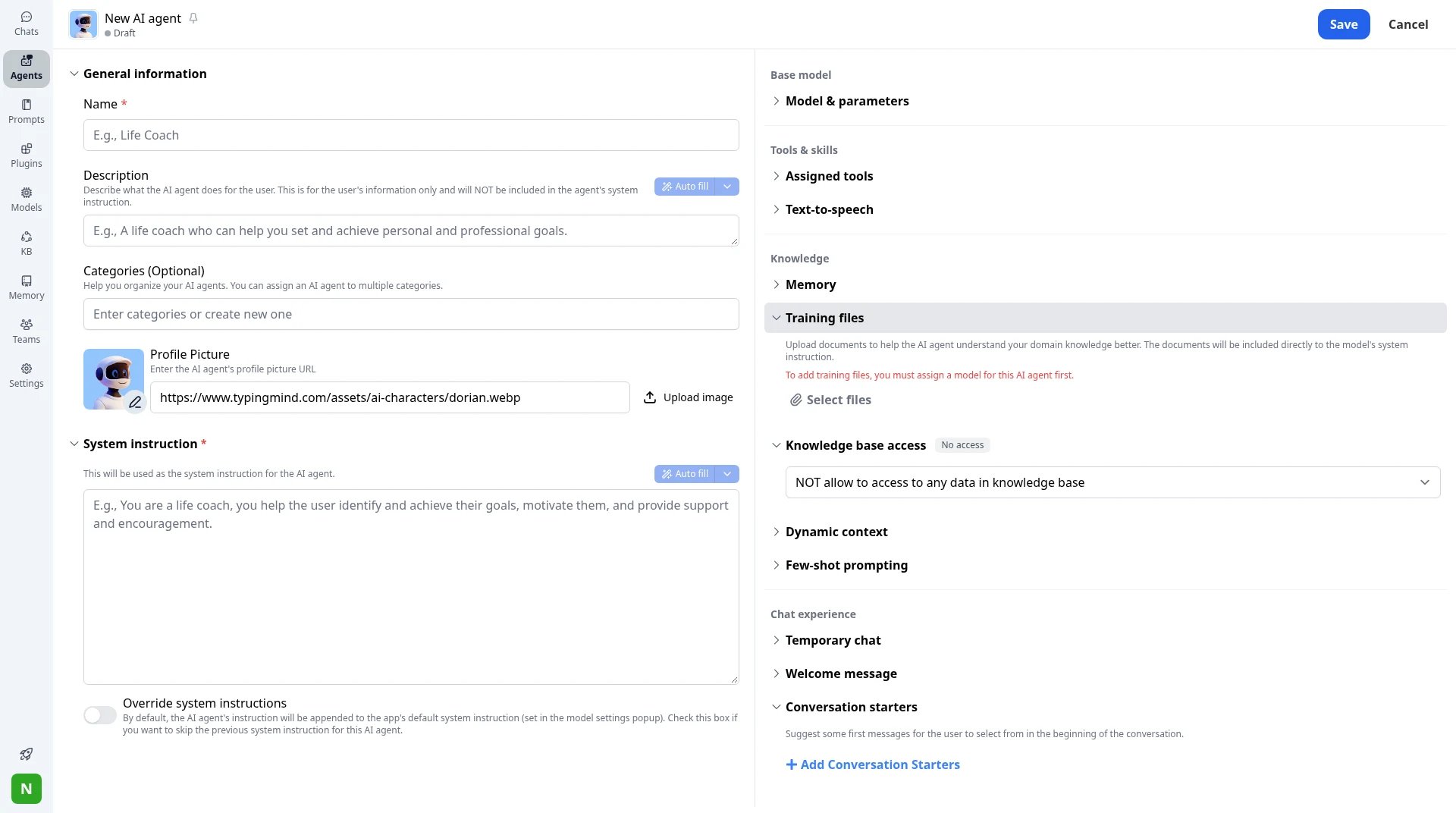
New AI agent: system instruction, training files, tag-based knowledge access, dynamic context and conversation starters.
Sign in with Google, control costs
On Professional, people sign in with SSO through Google Workspace, Microsoft Entra ID or another identity provider, and Directory Sync (SCIM) adds and removes users. Admins set usage limits per model, agent, plugin or user, and see analytics and audit logs.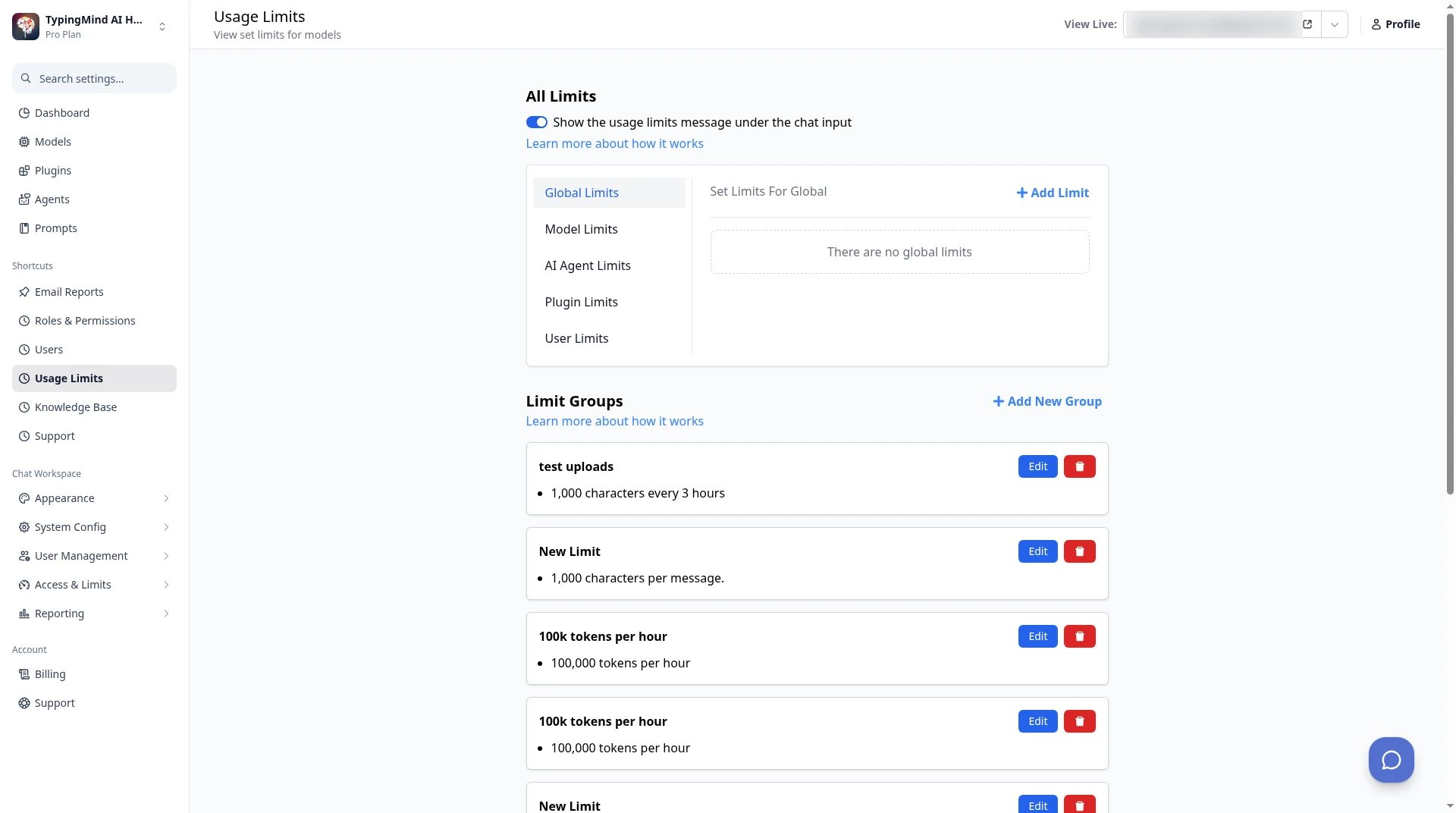
TypingMind Teams admin → Usage Limits: set limits per model, agent, plugin or user.
2. AI in Gmail and Docs: Gemini in Google Workspace
Best for: teams that want AI help writing emails, documents and spreadsheets, and don’t need company-wide search or agents. Gemini is built into Workspace Business Standard and up. It drafts and summarizes in Gmail and Docs, helps with formulas in Sheets, takes notes in Meet, and includes the Gemini app and Gemini Notebook.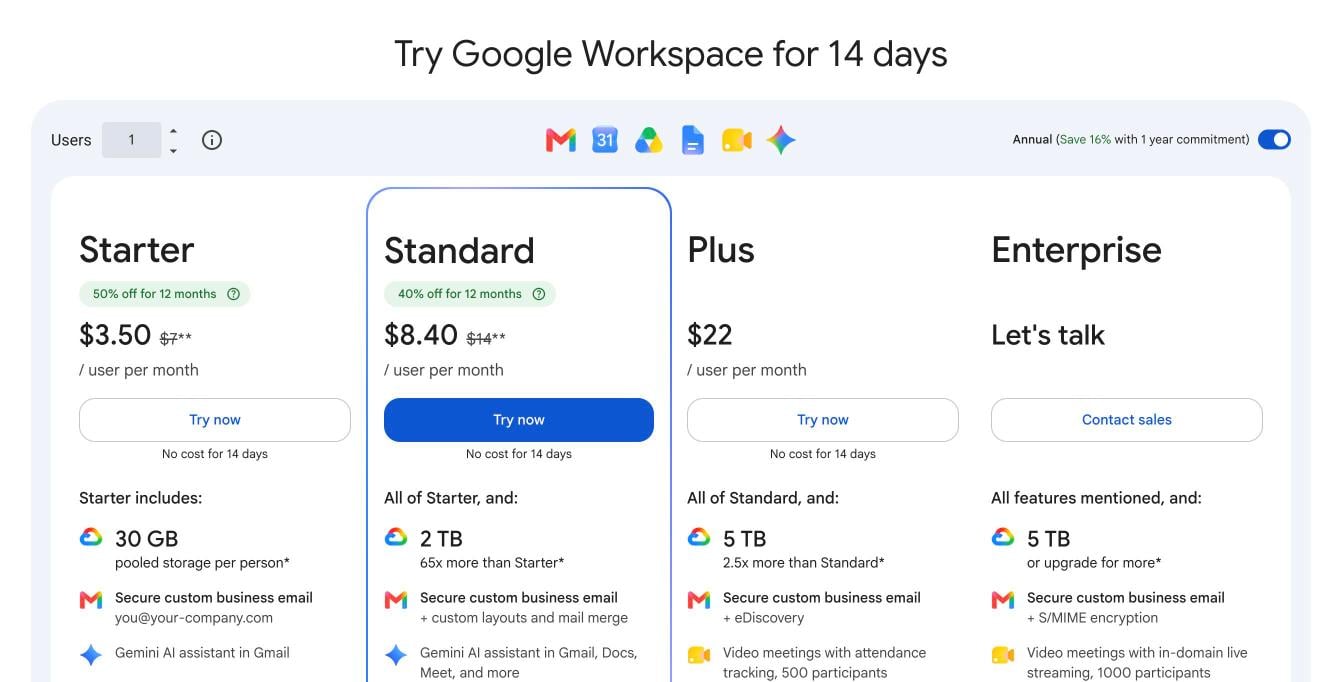
Google Workspace plans with Gemini. Source: workspace.google.com/pricing, November 2026.
3. Search across many company apps: Glean
Best for: large companies that use Gemini Enterprise mainly to search across Slack, Jira, Confluence, SharePoint, Salesforce and other apps. Glean connects to your company’s apps, keeps each app’s permissions, and lets employees search and ask questions across all of them. It also has an AI assistant and agents.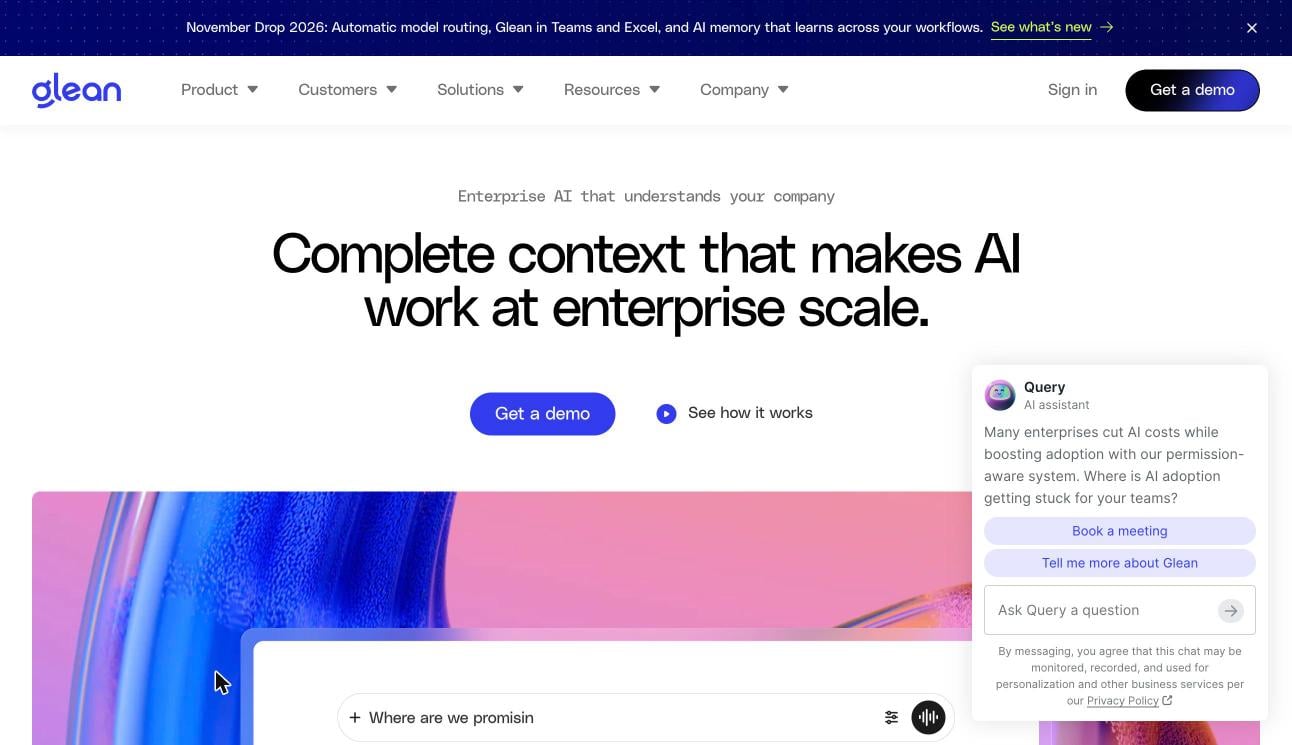
Glean's homepage. Source: glean.com, November 2026.
4. One vendor’s chat app: ChatGPT Business or Claude Team
Best for: teams that have settled on one AI company and want its own apps at a fixed seat price.- ChatGPT Business includes ChatGPT, ChatGPT Work and Codex, connectors to Google Workspace, Slack and GitHub, SAML SSO and workspace agents. $25 per seat per month, or $20 billed annually.
- Claude Team includes Claude Code and Claude Cowork, enterprise search, SSO and connector controls. $25 per seat per month, or $20 billed annually.
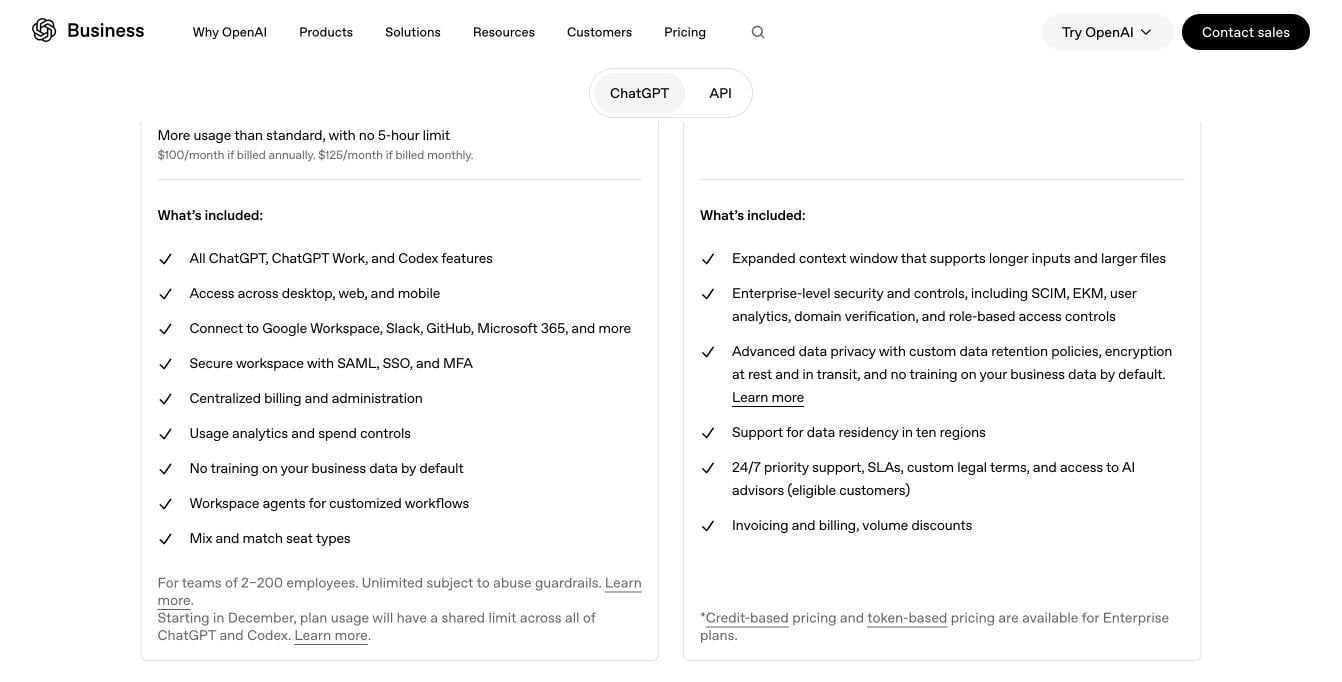
ChatGPT Business vs Enterprise on OpenAI's pricing page. Source: openai.com/business/pricing, November 2026.
5. If your company runs on Microsoft: Microsoft 365 Copilot
Best for: companies whose work lives in Word, Excel, PowerPoint, Outlook and Teams rather than Google Workspace. Copilot adds AI inside Microsoft’s apps and works with your files, email and meetings in Microsoft 365.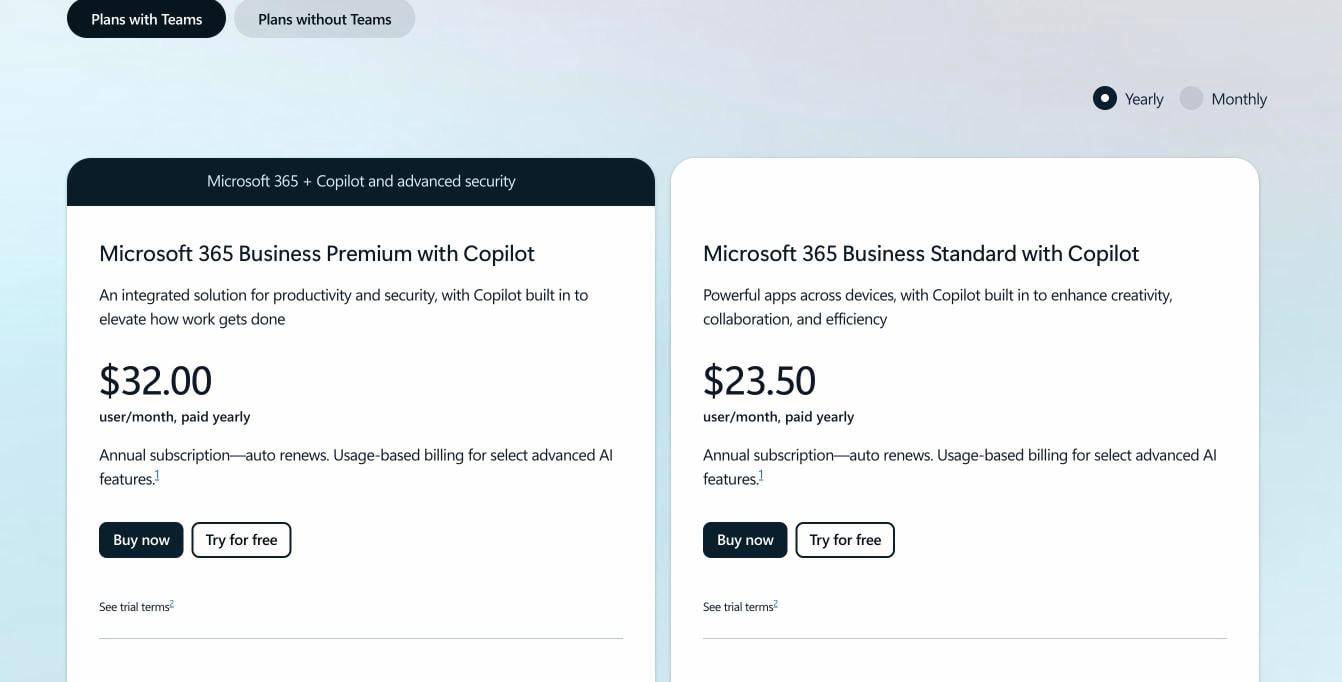
Microsoft 365 plans with Copilot for business. Source: microsoft.com Copilot business pricing, November 2026.
What it costs at 20, 100 and 300+ seats
Seat costs per month. Gemini Enterprise uses the published starting prices. TypingMind Teams uses Professional, which includes SSO and SCIM.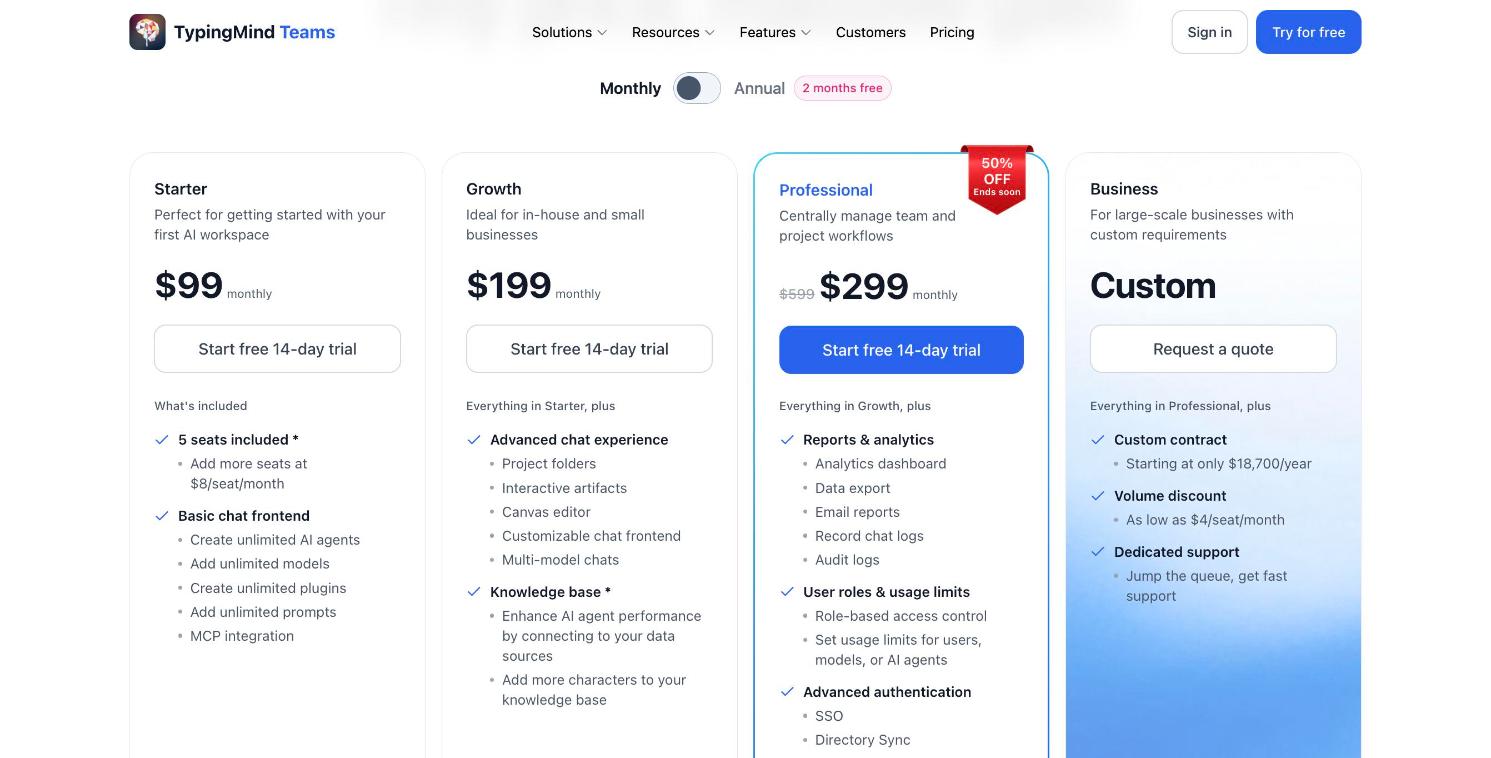
TypingMind Teams pricing, billed monthly: Starter $99, Growth $199, Professional $299 (on sale from $599), 5 seats included.
How to switch from Gemini Enterprise to TypingMind Teams
- Start a trial at custom.typingmind.com and set your logo, colors and domain.
- Add a Gemini API key so your team keeps the models it knows, then add other providers. See Set up API keys.
- Connect Google Drive and your other sources to the knowledge base.
- Rebuild your agents with the same instructions, and give them knowledge base access.
- Turn on Google sign-in with SSO, and sync users with SCIM.
- Set usage limits per user or model, then invite the team.
FAQ
What is the difference between Gemini Enterprise and Gemini in Google Workspace?
What is the difference between Gemini Enterprise and Gemini in Google Workspace?
How much does Gemini Enterprise cost?
How much does Gemini Enterprise cost?
What is the best Gemini Enterprise alternative?
What is the best Gemini Enterprise alternative?
Can we keep using Gemini models with TypingMind Teams?
Can we keep using Gemini models with TypingMind Teams?
Can TypingMind Teams answer questions from Google Drive?
Can TypingMind Teams answer questions from Google Drive?