

Start a TypingMind Teams trial
TypingMind Teams vs Claude Team
What Claude Team includes
On Anthropic’s pricing page in November 2026, Claude Team includes Claude Code and Claude Cowork, Claude Design, Slides and Docs, Claude for Microsoft 365, enterprise search across your organization, central billing, SSO, admin controls for connectors, and up to $500 per month in pooled API credits. Premium seats ($125 per month, or $100 billed annually) get 5x more usage than Standard seats. Admin spend limits per user, role-based access, SCIM and audit logs are listed under Enterprise, which costs $20 per seat per month billed annually, with a 20-seat minimum, plus usage at API rates.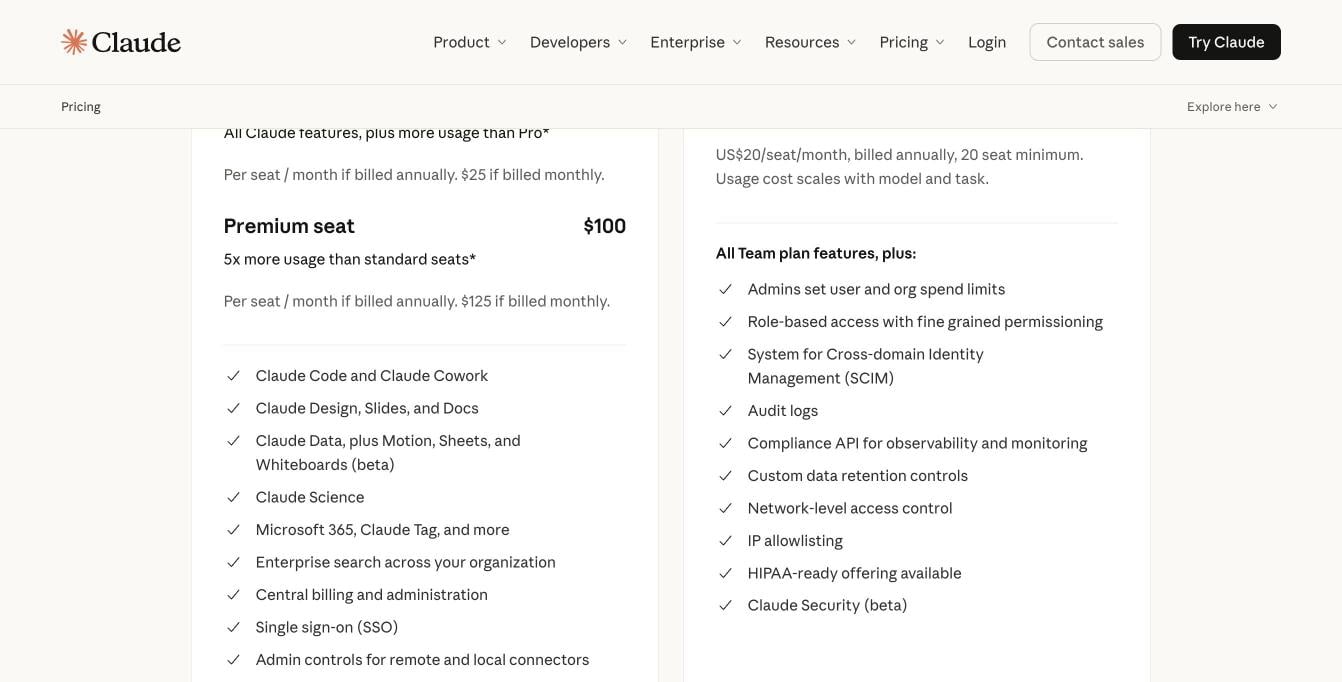
Claude Team features next to what Enterprise adds. Source: claude.com/pricing, November 2026.
Why teams look for a Claude Team alternative
Common reasons teams look beyond Claude Team:- Usage limits per seat. Each seat has an included usage limit. When people hit it, they wait for it to reset, or the owner buys usage credits billed at API rates. Per-member spend limits for those credits aren’t available to every Team organization.
- One model company. Claude Team gives you Anthropic models. Many teams also want GPT or Gemini for some tasks, in the same place.
- Admin controls on Enterprise. Role-based access, SCIM and audit logs need the Enterprise plan and its 20-seat minimum.
- Not your tool. The workspace looks like Claude. You can’t add your logo, colors or domain, or run it on your own servers.
How we compared these options
We checked each option on five things:- Models: which AI companies’ models your team can use, and whether Claude is one of them.
- Real cost: seat price billed monthly, plus API usage where it applies.
- Usage limits: who sets them, and what happens when people hit them.
- Admin and security: SSO, user provisioning, roles, logs.
- Where it runs: the vendor’s cloud, or your own servers.
Claude Team alternatives at a glance
Feature-by-feature: TypingMind Teams vs Claude Team vs ChatGPT Business
“Not listed” means the vendor’s pricing page doesn’t mention it for that plan.What a team pays
Seats only
Billed monthly: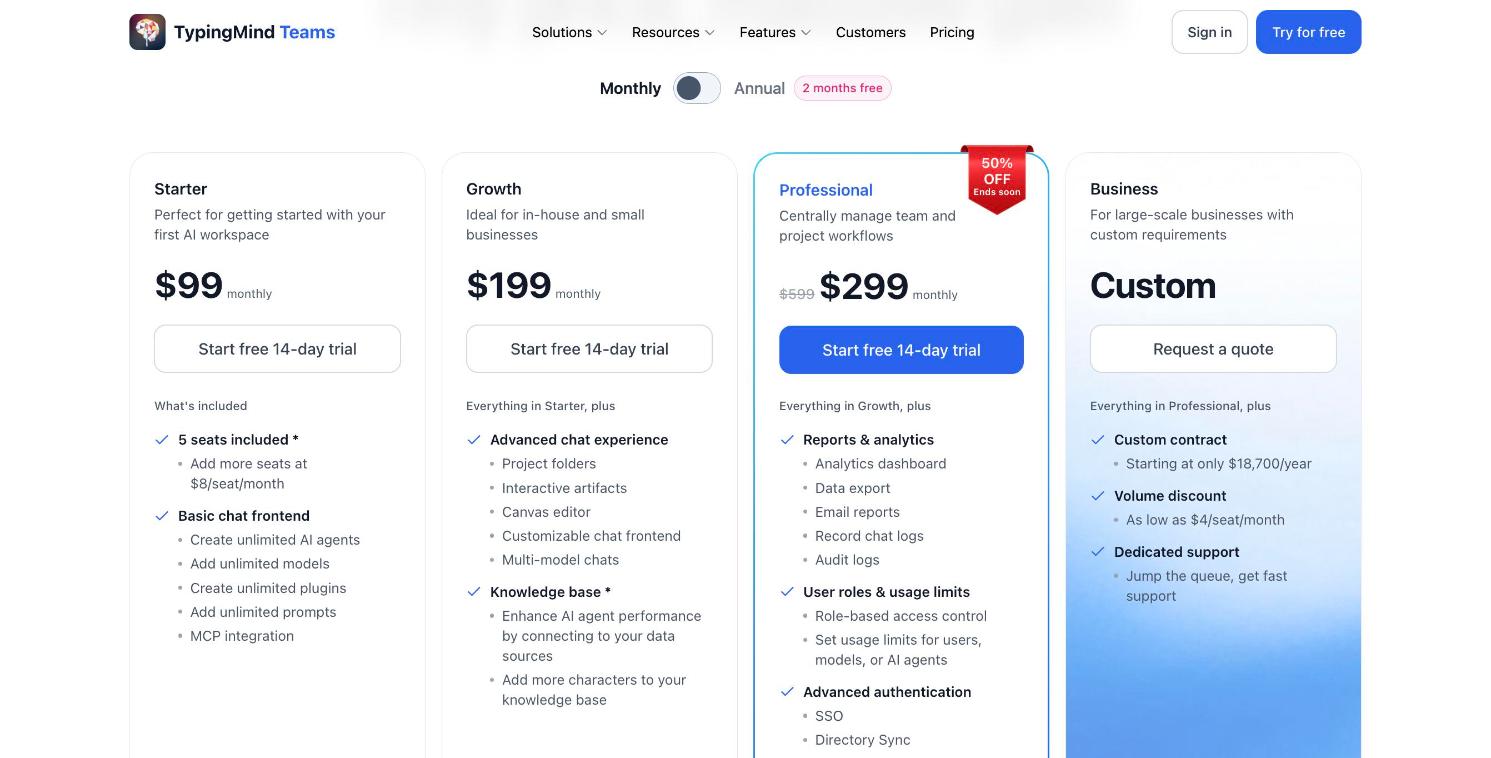
TypingMind Teams pricing, billed monthly: Starter $99, Growth $199, Professional $299 (on sale from $599), 5 seats included.
Seats plus API usage
With TypingMind you pay Anthropic and other providers per token. Our pricing guide estimates one person’s yearly API spend with Claude models at about $1 for light use, $25 for medium use and $168 for heavy use. For a team where everyone is a medium user, that is about $2 per person per month.1. TypingMind Teams: keep Claude, add every other model
Best for: teams that want Claude plus GPT and Gemini in one place, with their own brand, their own usage limits and admin controls. TypingMind Teams is a custom-branded version of TypingMind for your company. Add your Anthropic API key in the admin panel, plus keys for OpenAI, Google or OpenRouter if you want them. Your team uses Claude models through the API, and users never see the keys.Claude next to every other model
Claude, GPT, Gemini, DeepSeek, Mistral and models from OpenRouter sit in one list, plus custom endpoints and local models. People switch models mid-chat without losing the conversation, the agent or the tools.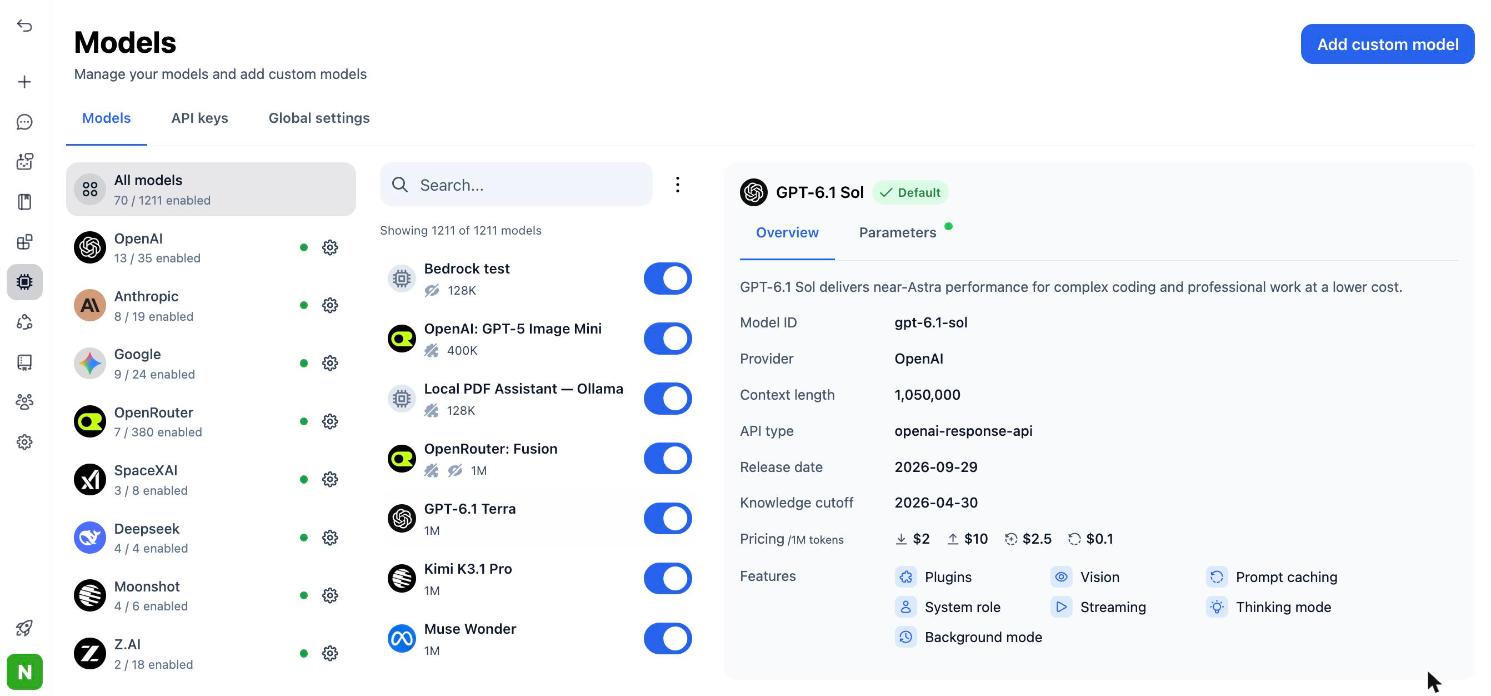
Connect Anthropic and other providers, then pick any model from one list.
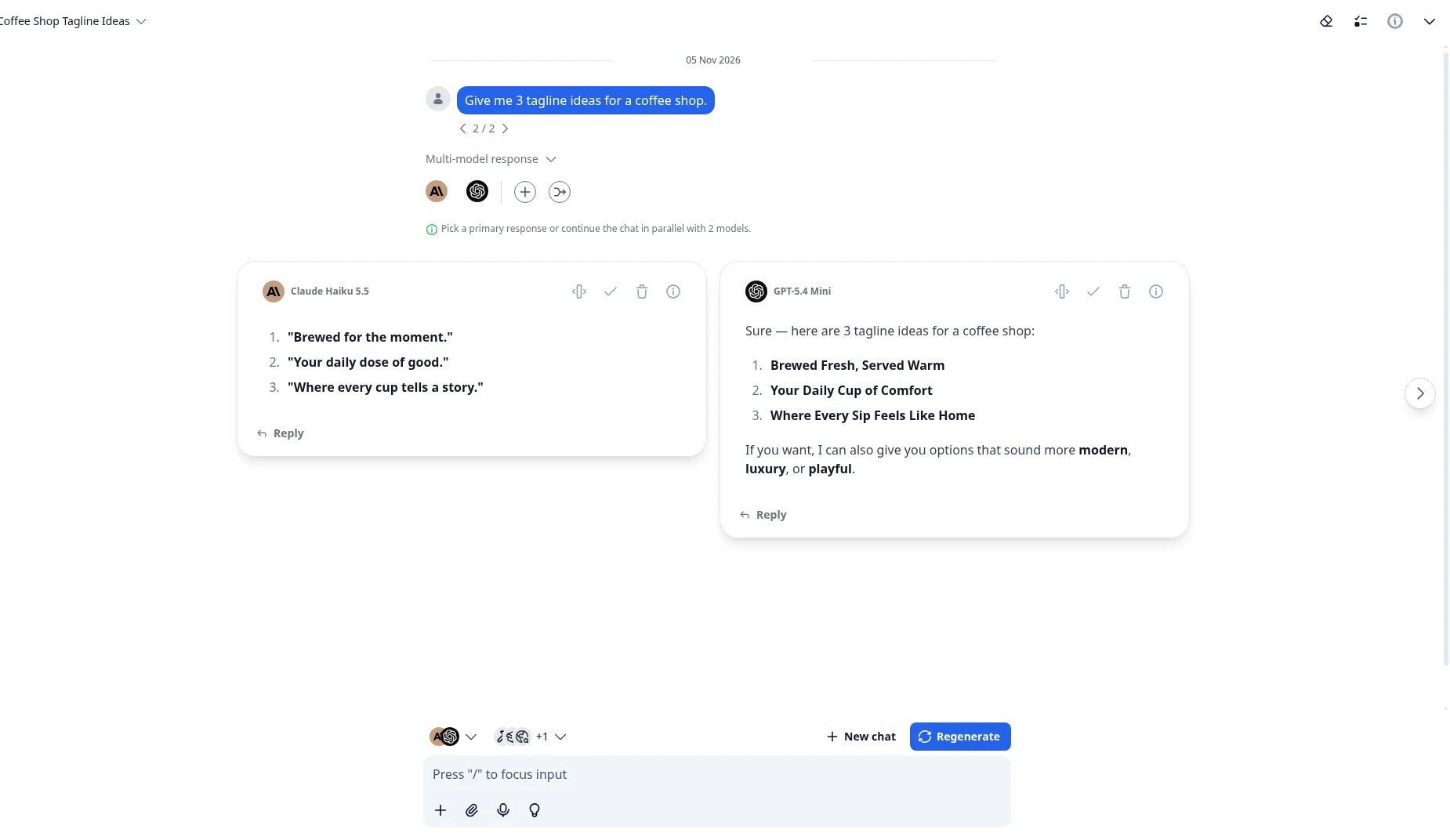
Multi-model chat: one prompt, answers from several models side by side.
Your limits, not a shared seat cap
There is no 5-hour or weekly seat limit from TypingMind. You pay the API per token, and on Professional you decide the limits: per model, agent, plugin or user, for example a token limit per hour.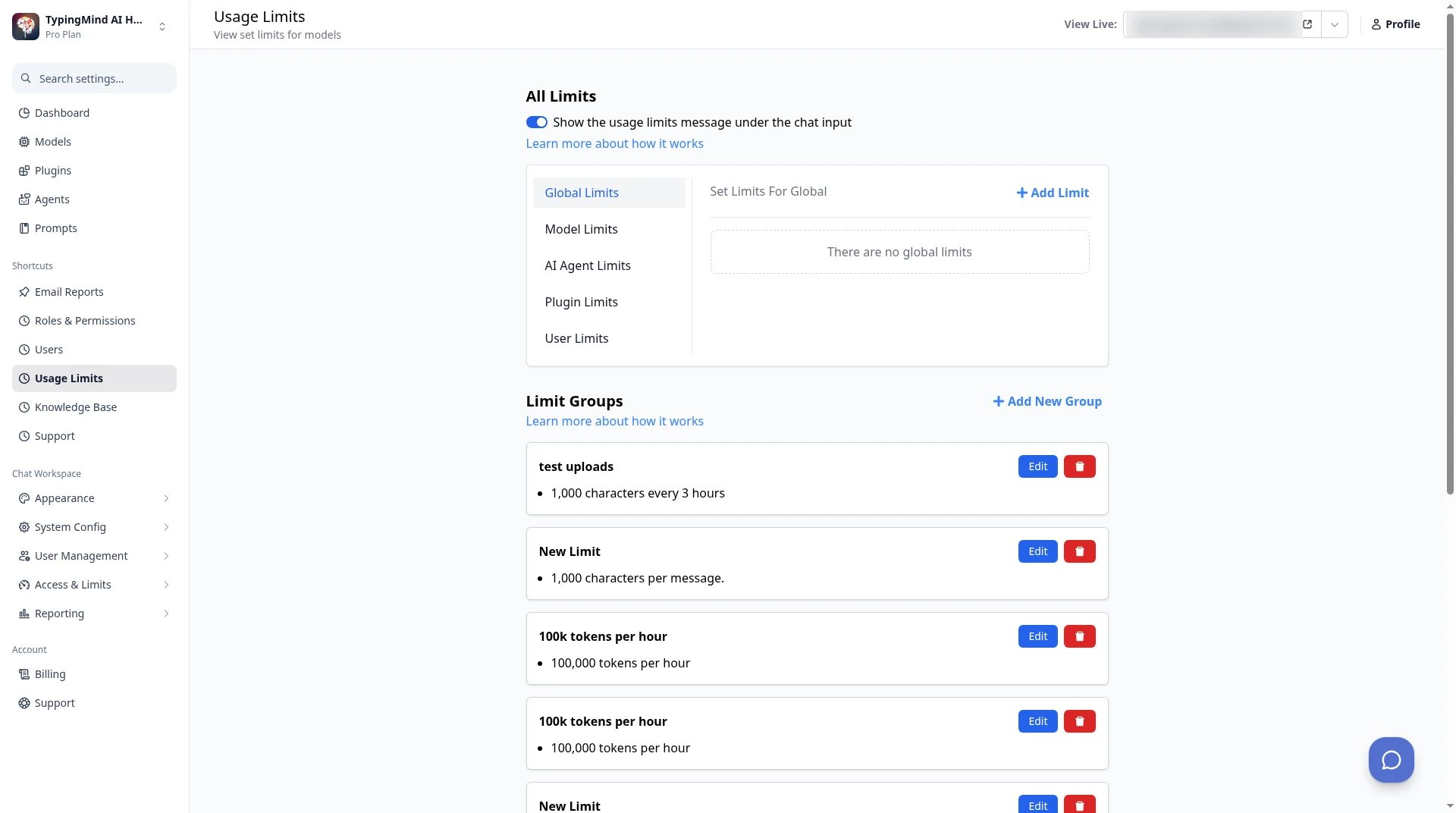
TypingMind Teams admin → Usage Limits: set limits per model, agent, plugin or user.
Agents that replace Claude Projects
A Claude Project becomes an AI agent with its own system instructions, training files, tag-based access to the knowledge base, tools and conversation starters. You can run each agent on Claude or any other model, and share it with the right user groups.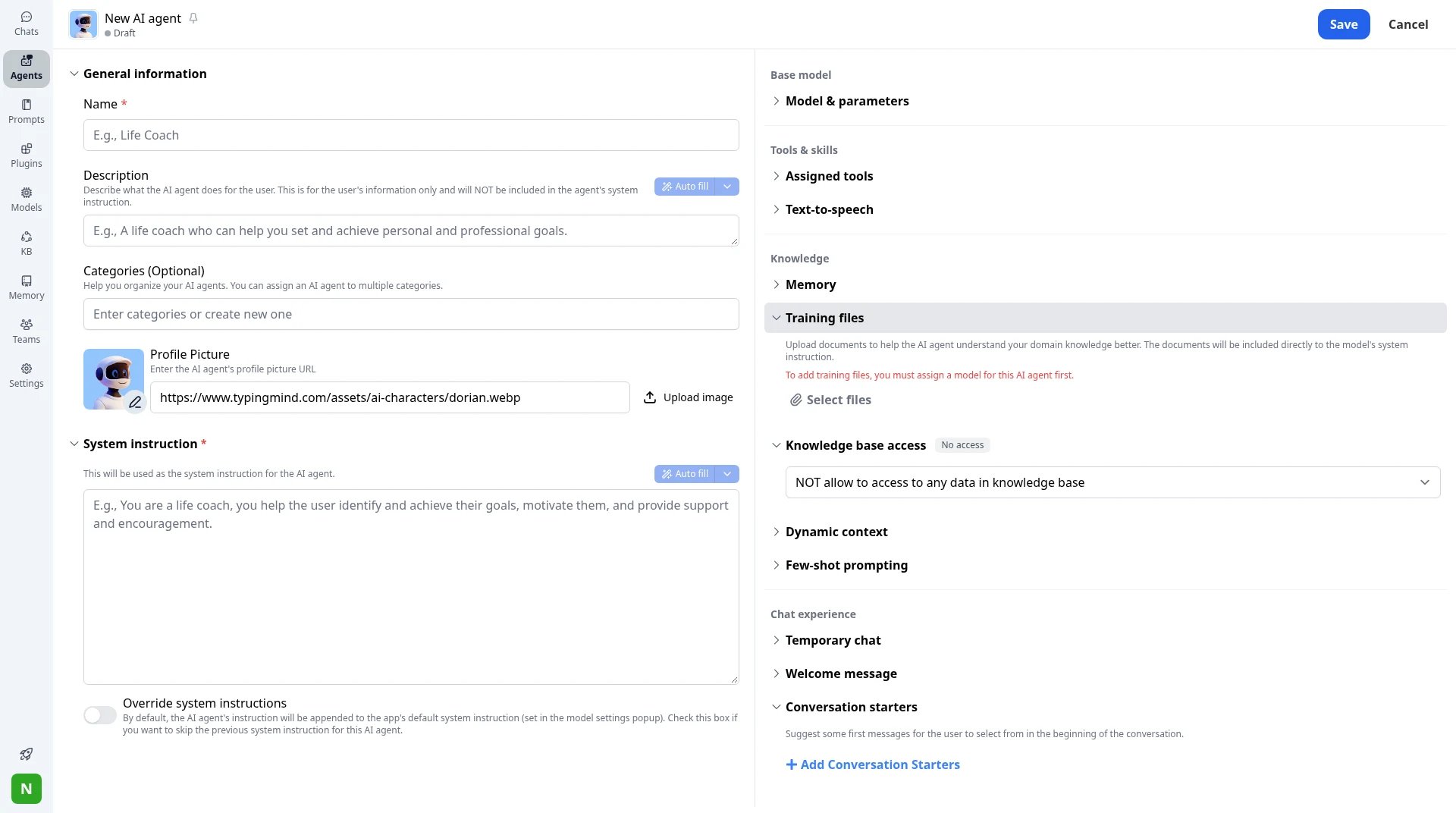
New AI agent: system instruction, training files, tag-based knowledge access, dynamic context and conversation starters.
Tools and company data
Connect MCP servers, build custom plugins, install Agent Skills and run code in the Toolbox. On Growth and up, a knowledge base lets agents answer from your own documents, with 1M characters included and add-ons for more.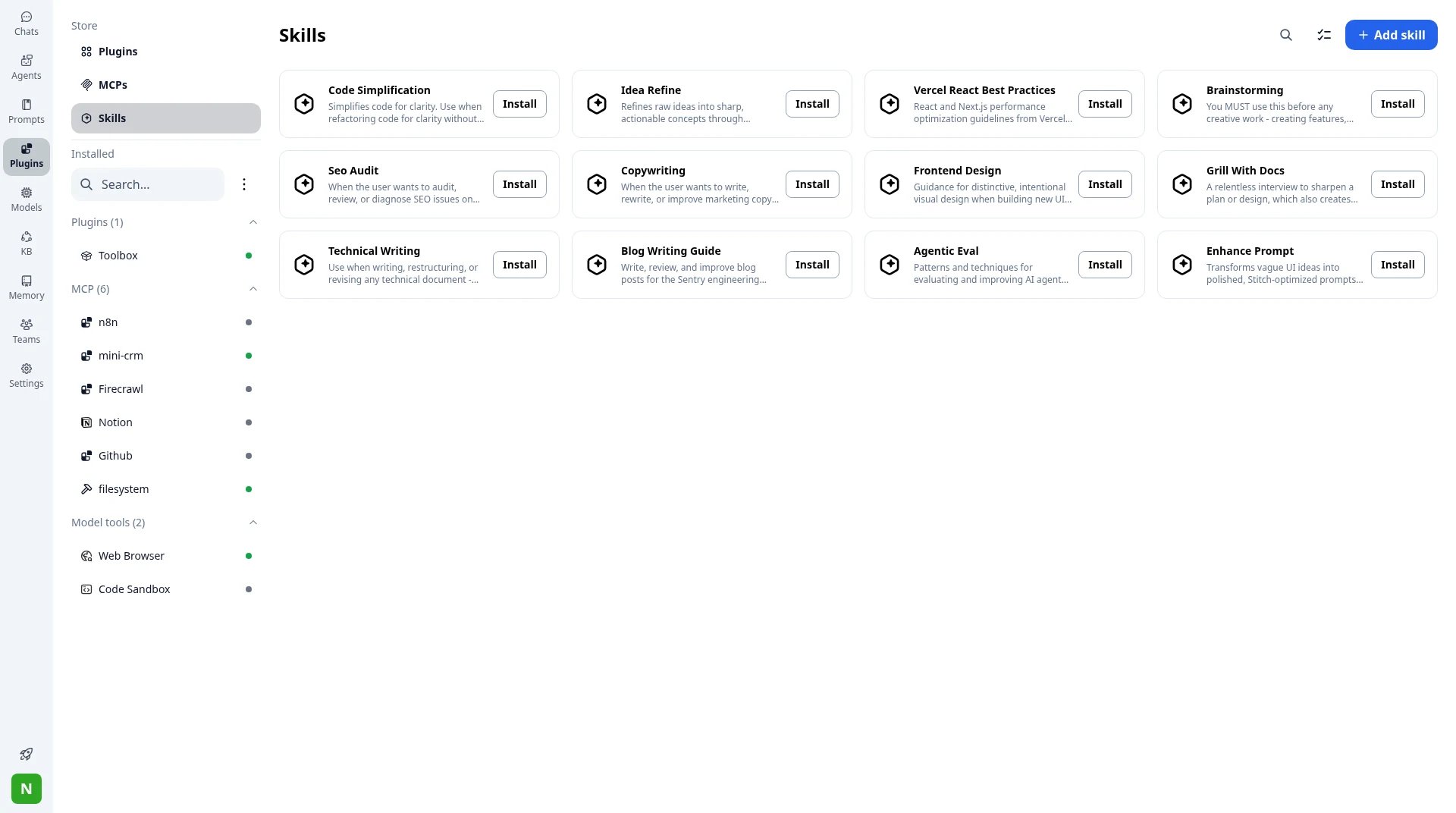
Plugins, MCP connectors and Skills in TypingMind.
Admin controls without an Enterprise contract
On Professional, you get SSO with SAML or OAuth 2.0 (OIDC), Directory Sync (SCIM), role-based access and user groups, an analytics dashboard, email reports, chat logs and audit logs. Professional starts at 5 seats.Your brand, your servers
Set your logo, colors, welcome message and custom domain. If data must stay in-house, the self-host plan runs on your infrastructure with your own domain, database and SMTP server. Pricing: Starter $99/month, Growth $199/month and Professional $299/month (on sale from $599), each with 5 seats, then $8 per seat. 14-day free trial.2. ChatGPT Business: if your team only uses OpenAI
Best for: teams that have chosen OpenAI and want ChatGPT’s own apps. ChatGPT Business is OpenAI’s workspace for teams of 2 to 200. It includes ChatGPT, ChatGPT Work and Codex, connectors to Google Workspace, Slack, GitHub and Microsoft 365, SAML SSO and MFA, usage analytics, spend controls and workspace agents.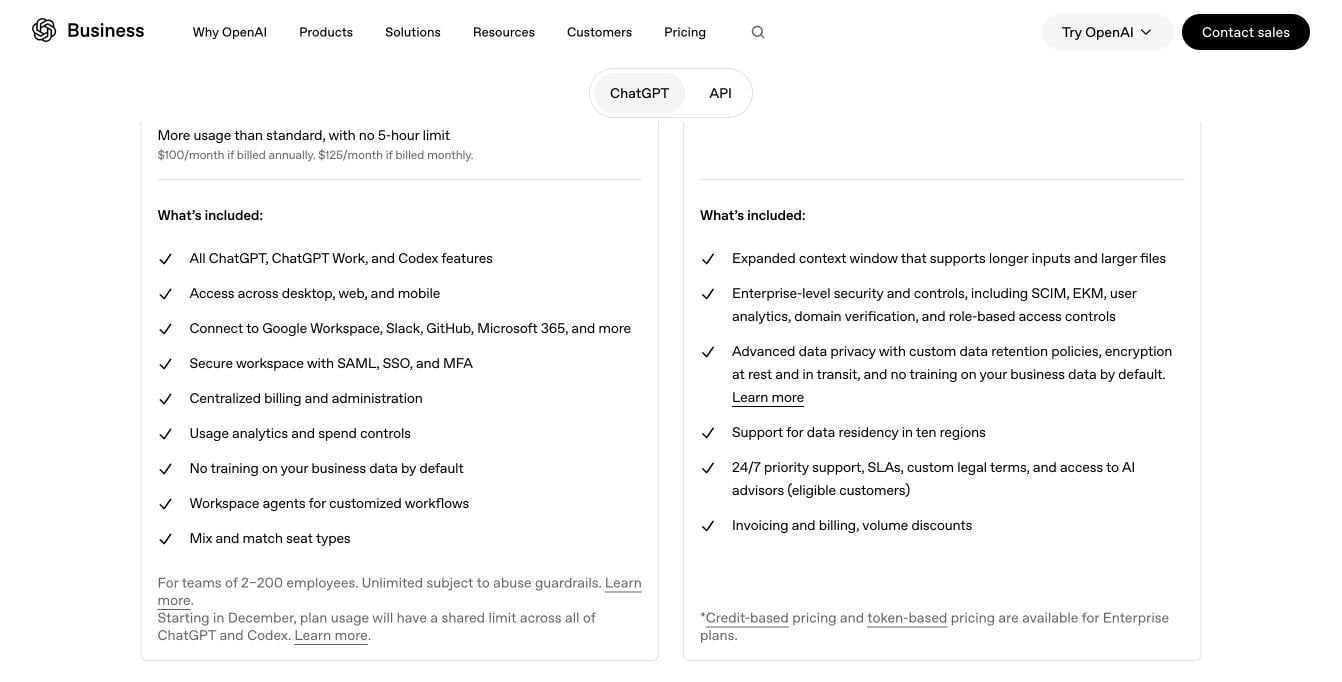
What ChatGPT Business includes, next to Enterprise. Source: openai.com/business/pricing, November 2026.
- OpenAI models only, so it swaps one model company for another.
- Standard seats have a 5-hour usage limit.
3. Gemini for Google Workspace: if your team lives in Gmail and Docs
Best for: companies already on Google Workspace that want AI inside the apps they use every day. Gemini is built into Google Workspace. From Business Standard up, it works in Gmail, Docs, Sheets, Slides, Meet, Drive and Chat, plus the Gemini app and Gemini Notebook. Google says your company data is not used to train its models.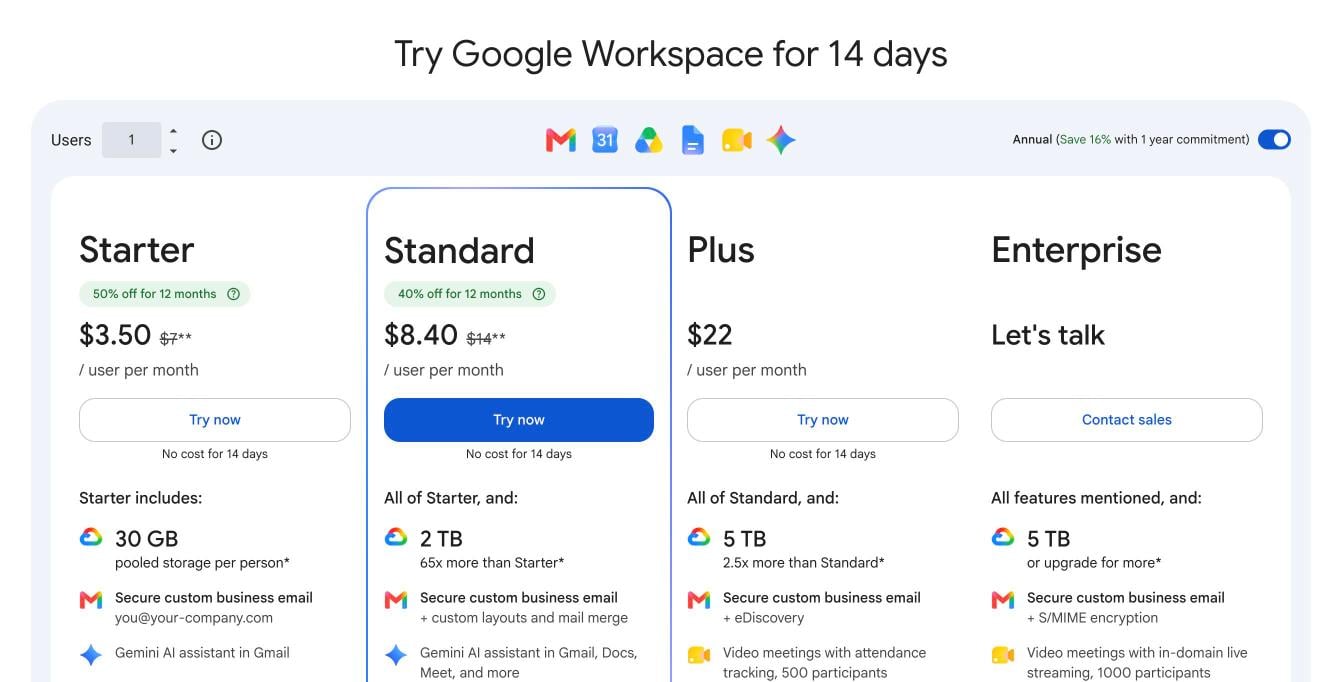
Google Workspace plans with Gemini. Source: workspace.google.com/pricing, November 2026.
- Google models only.
- Business Starter includes Gemini in Gmail only; Docs, Sheets, Slides and Meet need Business Standard or higher.
- Business plans are for up to 300 users.
4. Microsoft 365 Copilot: if your team lives in Word, Excel and Teams
Best for: Microsoft 365 companies that want AI grounded in their own email, files and calendar. Microsoft 365 Copilot works inside Word, Excel, PowerPoint, Outlook and Teams, and answers from your organization’s own data. It uses the latest OpenAI models with a choice of other models, and includes pre-built agents for research and data analysis.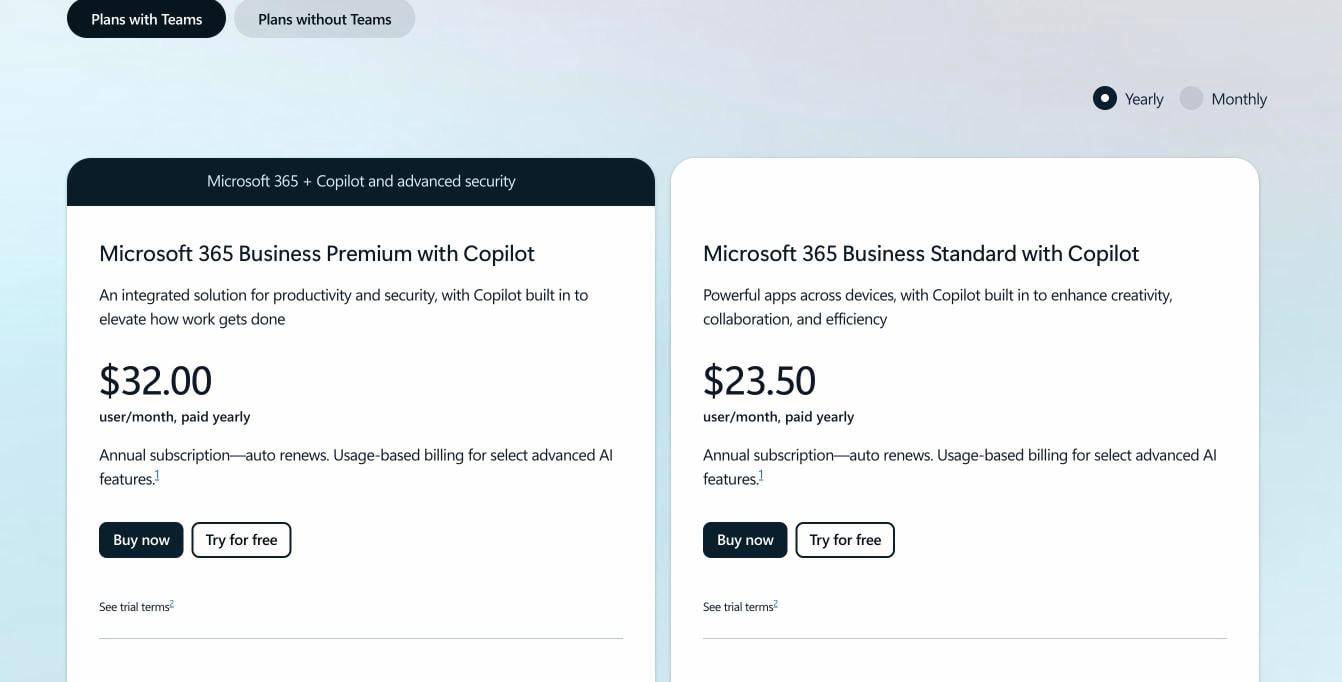
Microsoft 365 plans with Copilot. Source: microsoft.com Copilot business pricing, November 2026.
- The Copilot Business add-on needs an eligible Microsoft 365 Business plan.
- Plans are annual subscriptions, and some advanced AI features are billed by usage on top.
5. LibreChat: if you want a free, open-source option
Best for: engineering teams that want to run and change the code themselves. LibreChat is a free, open-source chat platform under the MIT license, with more than 46,000 stars on GitHub. It supports Anthropic and many other providers, local models, agents with files and tools, and logins through OAuth, SAML, LDAP and two-factor. LibreChat announced it is joining ClickHouse.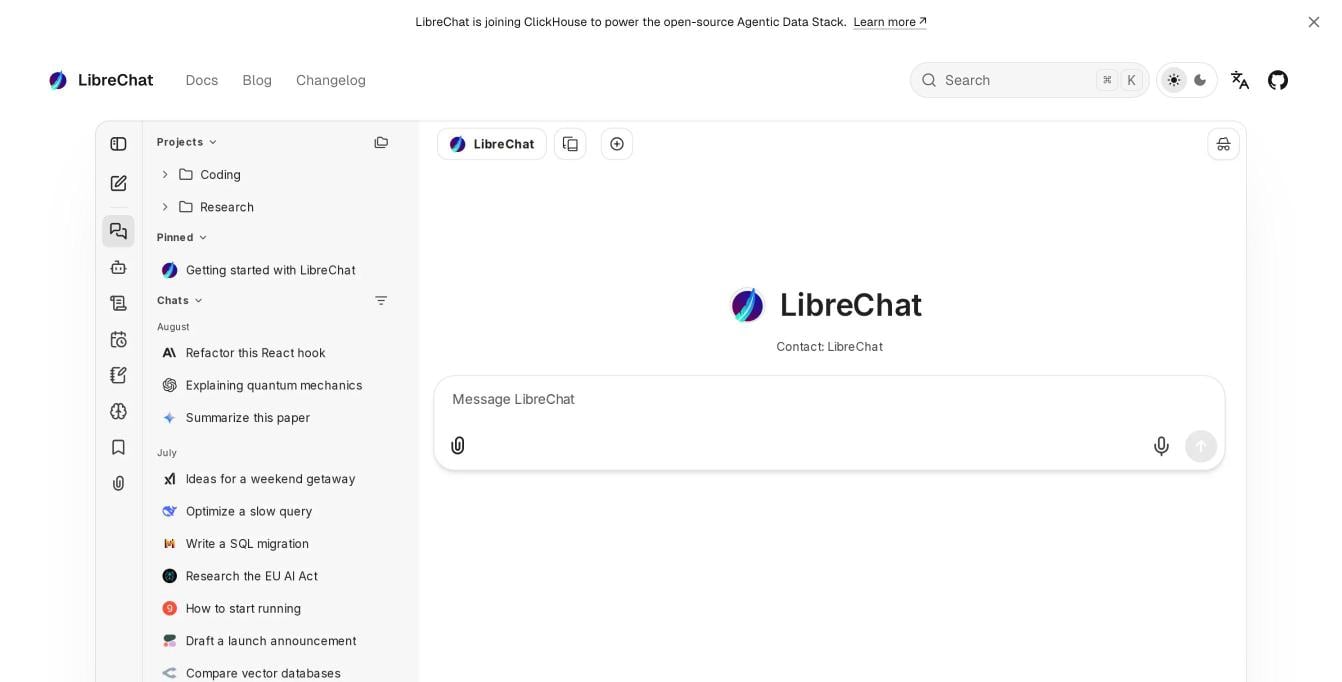
The LibreChat interface. Source: librechat.ai, November 2026.
6. Open WebUI: if you run local models
Best for: teams that run models on their own hardware through Ollama. Open WebUI is a self-hosted AI interface with more than 158,000 stars on GitHub. It connects to local and cloud models, supports Python extensions, and offers enterprise plans with SSO, roles, audit logs and air-gapped setups.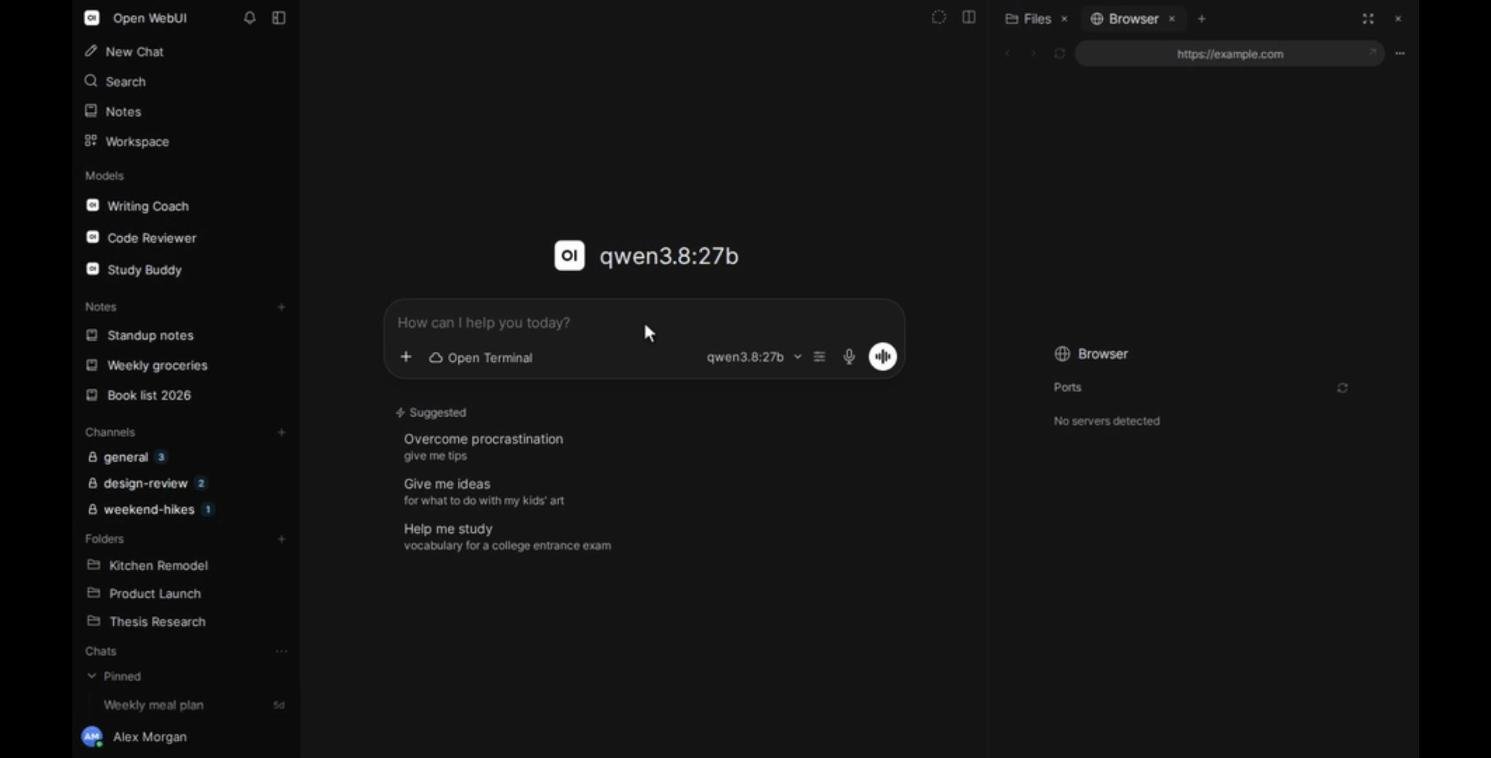
The Open WebUI interface. Source: Open WebUI on GitHub, November 2026.
How to move from Claude Team to TypingMind Teams
- Start a trial at custom.typingmind.com and set your logo, colors and domain.
- Add API keys for Anthropic and any other providers in the admin panel.
- Rebuild your Projects as agents. Copy each Project’s instructions and files into a new AI agent, and add documents your team shares to the knowledge base.
- Set up sign-in and access. Connect SSO, create user groups, and choose which models and agents each group can use.
- Set usage limits per user or model, then invite the team.
How to choose
- You want Claude plus GPT and Gemini for the whole team, with your brand: TypingMind Teams.
- You want to set your own usage limits instead of shared seat caps: TypingMind Teams.
- You need roles, SCIM and audit logs without a 20-seat Enterprise contract: TypingMind Teams Professional.
- Your team only uses OpenAI models and OpenAI’s own apps: ChatGPT Business.
- Your company runs on Google Workspace: Gemini for Google Workspace.
- Your company runs on Microsoft 365: Microsoft 365 Copilot.
- You want a free, self-hosted app and have an engineer to run it: LibreChat or Open WebUI.
FAQ
How much does Claude Team cost?
How much does Claude Team cost?
What happens when a Claude Team member hits the usage limit?
What happens when a Claude Team member hits the usage limit?
Can my team still use Claude in TypingMind?
Can my team still use Claude in TypingMind?
What replaces Claude Projects in TypingMind?
What replaces Claude Projects in TypingMind?
Can we self-host it?
Can we self-host it?