

Get TypingMind
TypingMind for teams
What LibreChat gives you
LibreChat supports OpenAI, Anthropic, Google, Azure, AWS Bedrock and other providers, plus local models. It has agents with files and tools, MCP support, and logins through OAuth, SAML, LDAP and two-factor. You run it on your own server, usually with Docker, and you handle updates, backups and security yourself.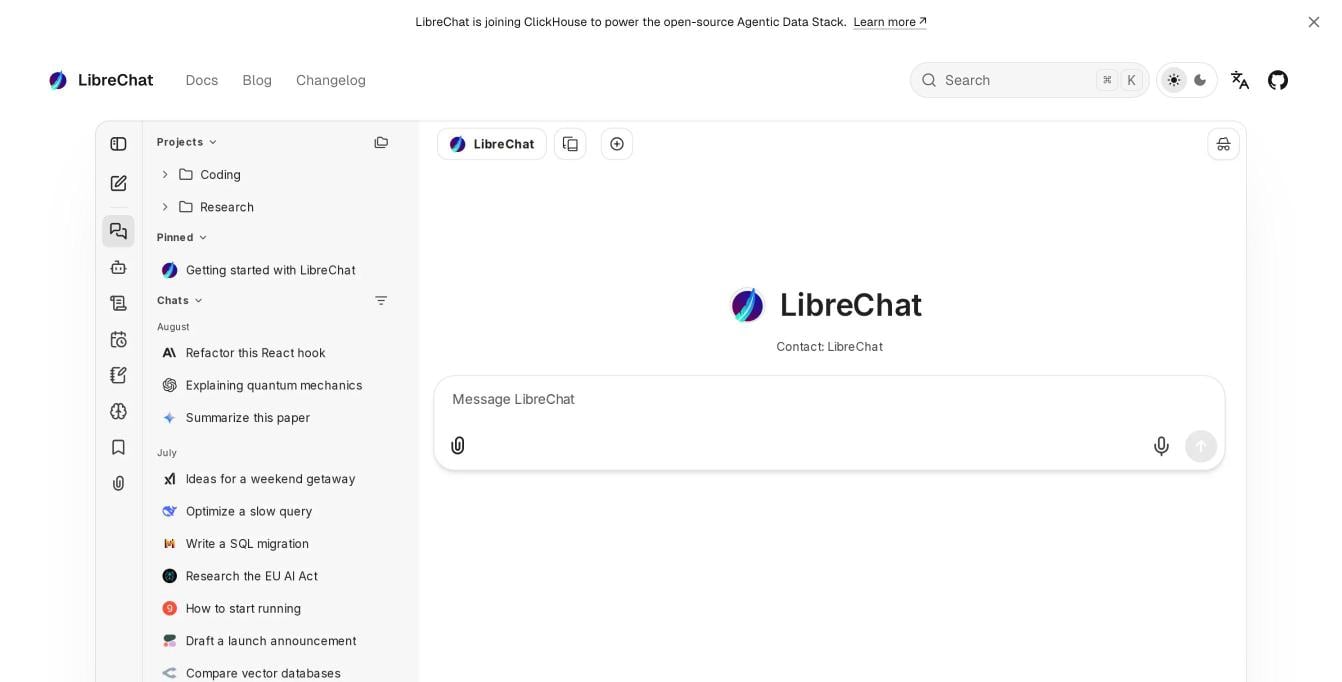
The LibreChat interface. Source: librechat.ai, November 2026.
Why people look for a LibreChat alternative
- Running a server. Someone has to install it, keep it updated, back up the database and secure it.
- Admin work for teams. User roles, usage limits and reports take configuration rather than a few clicks.
- More than one person, less engineering. Small teams often want the same multi-provider setup without a DevOps owner.
- Just for me. A single user may not need a server at all.
How we compared these options
- Hosting: does it need a server, and can you self-host if you want to?
- Models: cloud providers through your own API keys, and local models.
- Team controls: SSO, roles, usage limits and logs.
- Features: agents, plugins, MCP, knowledge base.
- Price: what you pay to start.
LibreChat alternatives at a glance
1. TypingMind: the closest match without the server work
Best for: people and teams who want LibreChat’s multi-provider setup without installing anything. TypingMind connects to models from 22+ providers, including OpenAI, Anthropic, Google, OpenRouter, Azure and AWS Bedrock, plus local models through Ollama or LM Studio. Open it in the browser or install the app.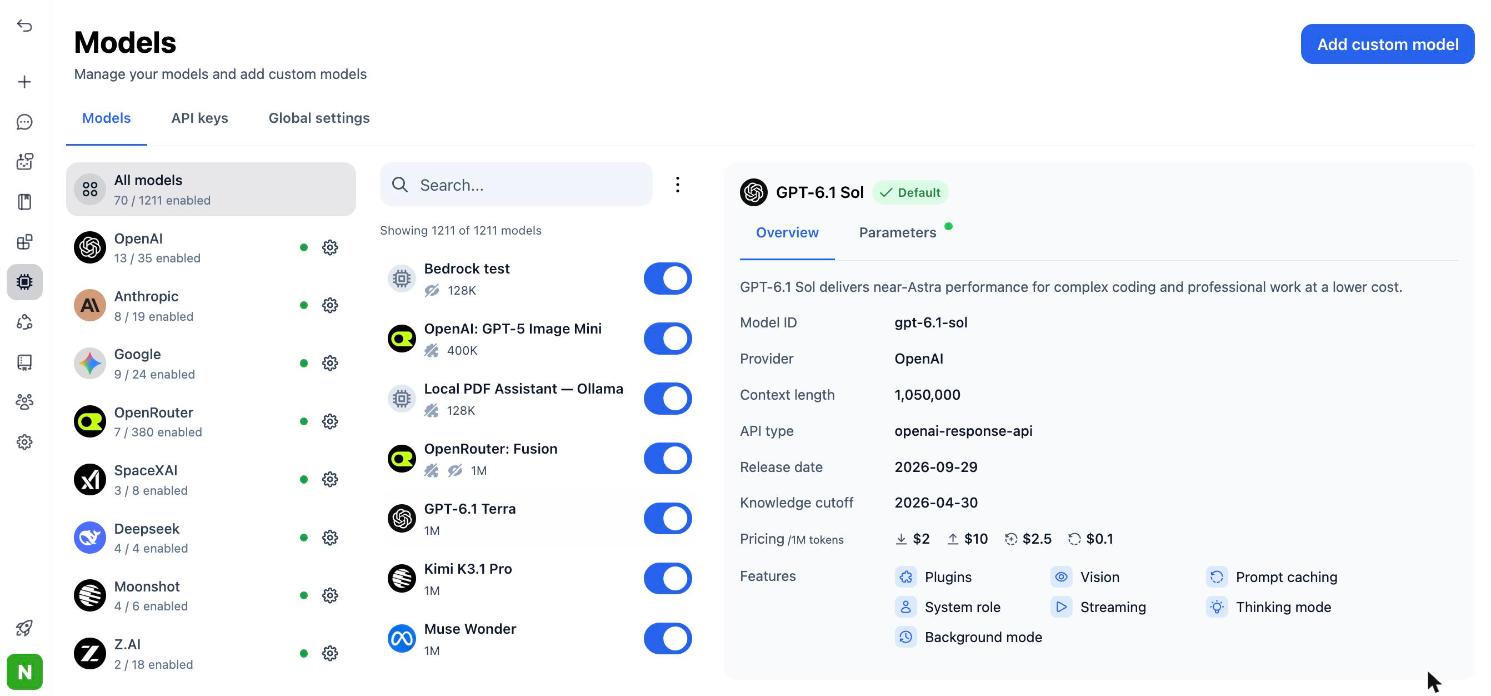
Connect models from many providers, then pick any of them from one list.
More built in
50+ ready AI agents, a plugin marketplace, MCP connectors, Skills, a knowledge base, Artifacts and Canvas. Agents keep their own instructions, files and tools, and run on any model.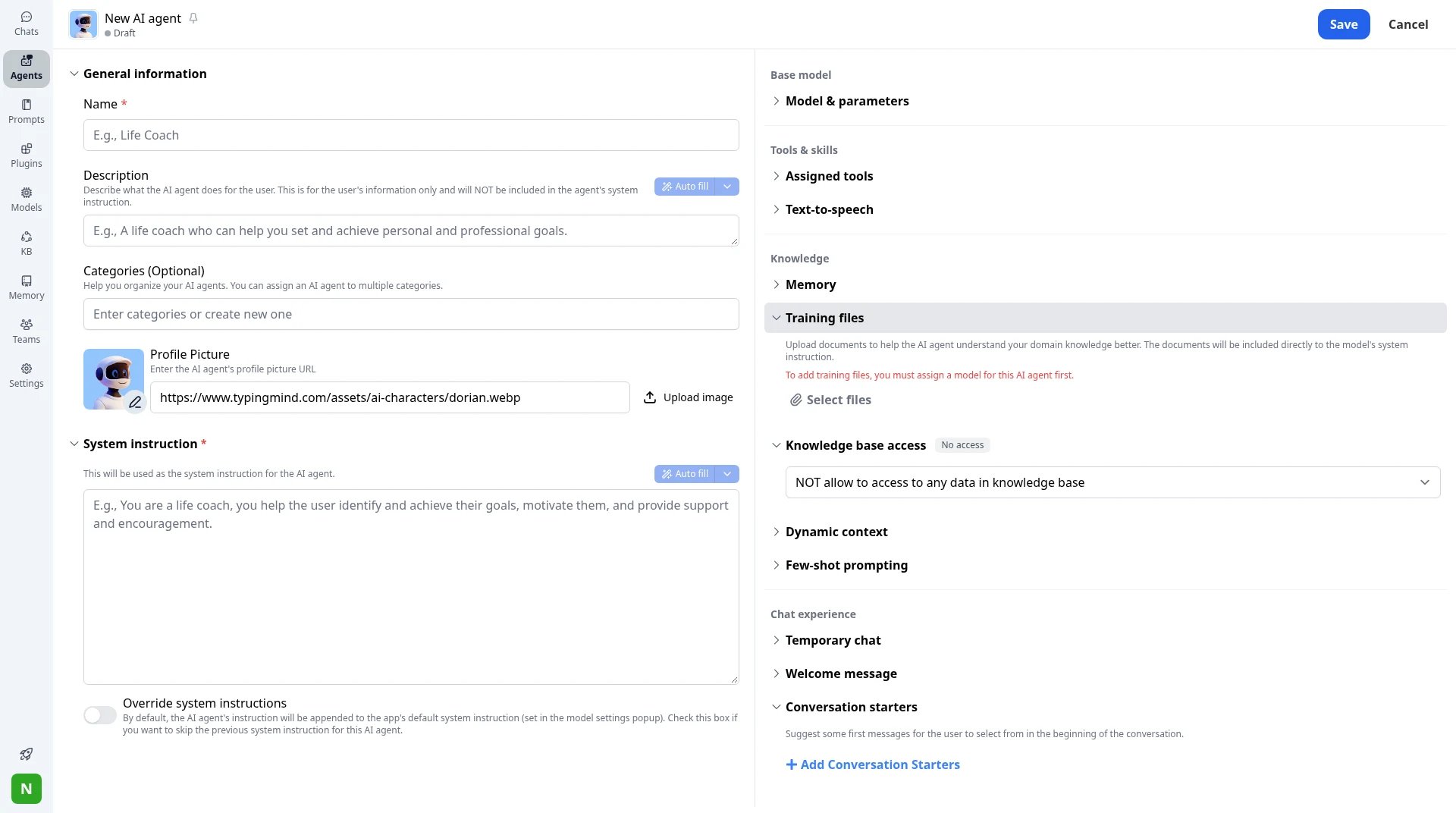
New AI agent: system instruction, training files, knowledge access and conversation starters.
Team admin from a panel
TypingMind Teams gives you an admin panel instead of config files. On the Professional plan you get SSO, Directory Sync, roles, usage limits per model, agent or user, chat logs and audit logs.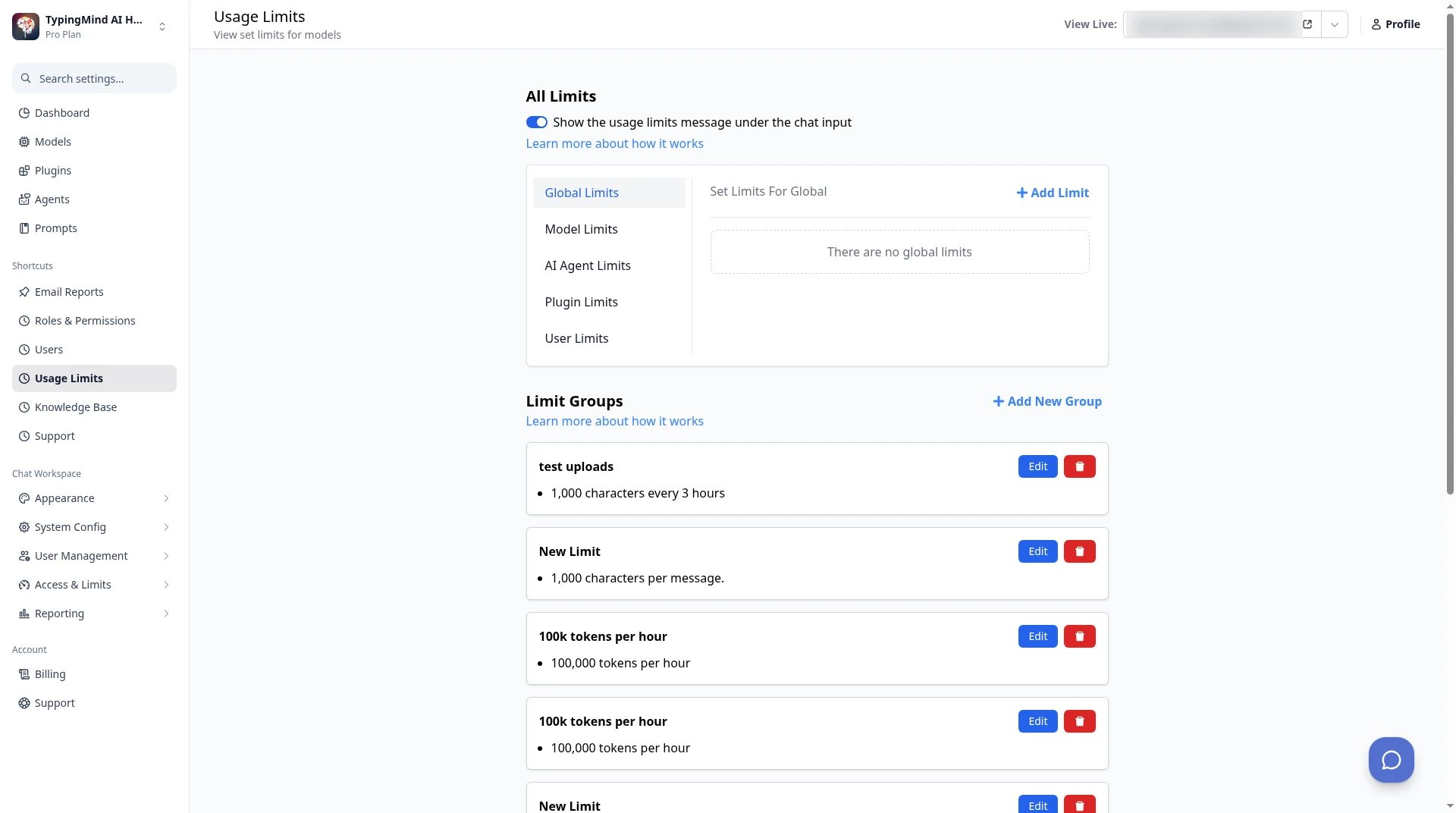
TypingMind Teams admin → Usage Limits: set limits per model, agent, plugin or user.
Self-host if you need it
If your data must stay in-house, TypingMind Teams runs on your own servers, with your domain, database and SMTP server. Pricing: personal licenses are one-time: Standard $39, Extended $79, Premium $99 on sale (from $198). TypingMind Teams starts at $99/month for 5 seats. See TypingMind Teams vs LibreChat for a feature-by-feature look.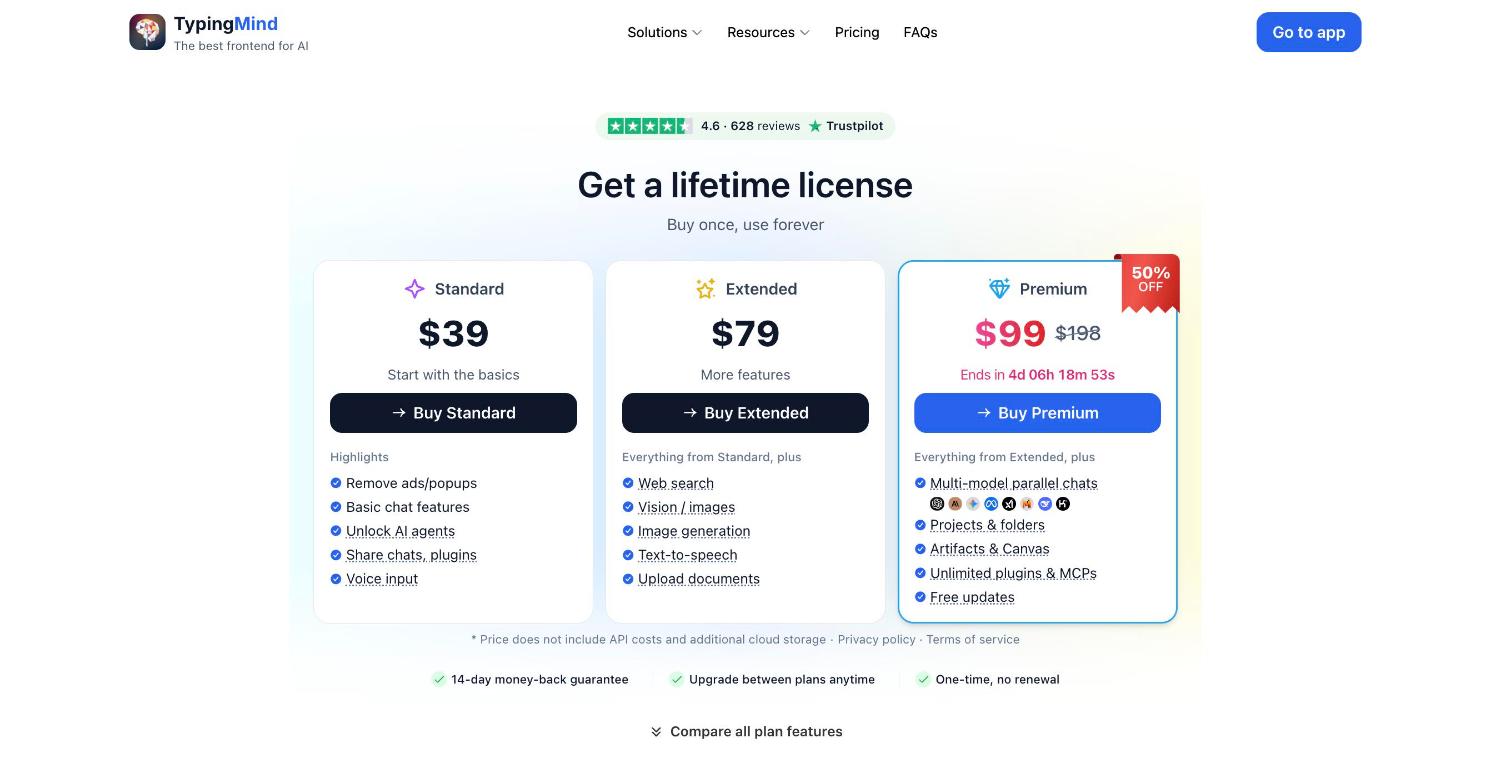
TypingMind lifetime licenses for individuals. Source: typingmind.com/buy.
2. Open WebUI: if you want to stay self-hosted and free
Best for: people who run local models through Ollama on their own hardware. Open WebUI is a self-hosted AI interface with more than 158,000 stars on GitHub. It connects to local and cloud models, supports Python extensions, and offers enterprise plans with SSO, roles, audit logs and air-gapped setups.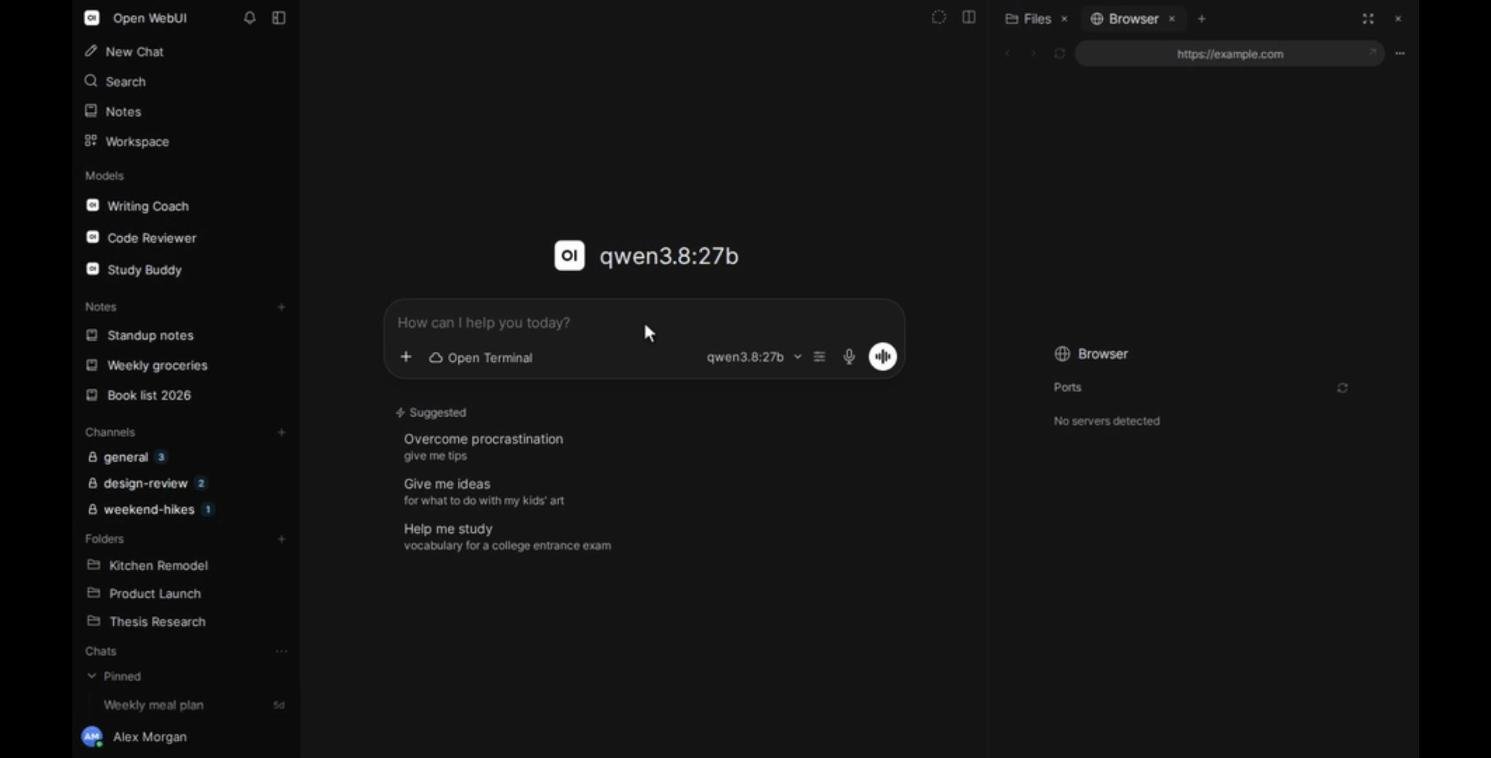
The Open WebUI interface. Source: Open WebUI on GitHub, November 2026.
3. AnythingLLM: if you want private document chat on your computer
Best for: one person, or a small group, chatting with their own documents. AnythingLLM is a free, open-source AI assistant with more than 67,000 stars on GitHub. The desktop app runs on your computer with local models, turns documents into a knowledge base, and includes web search, agent skills and a meeting assistant. A Docker version adds multi-user support with permissions.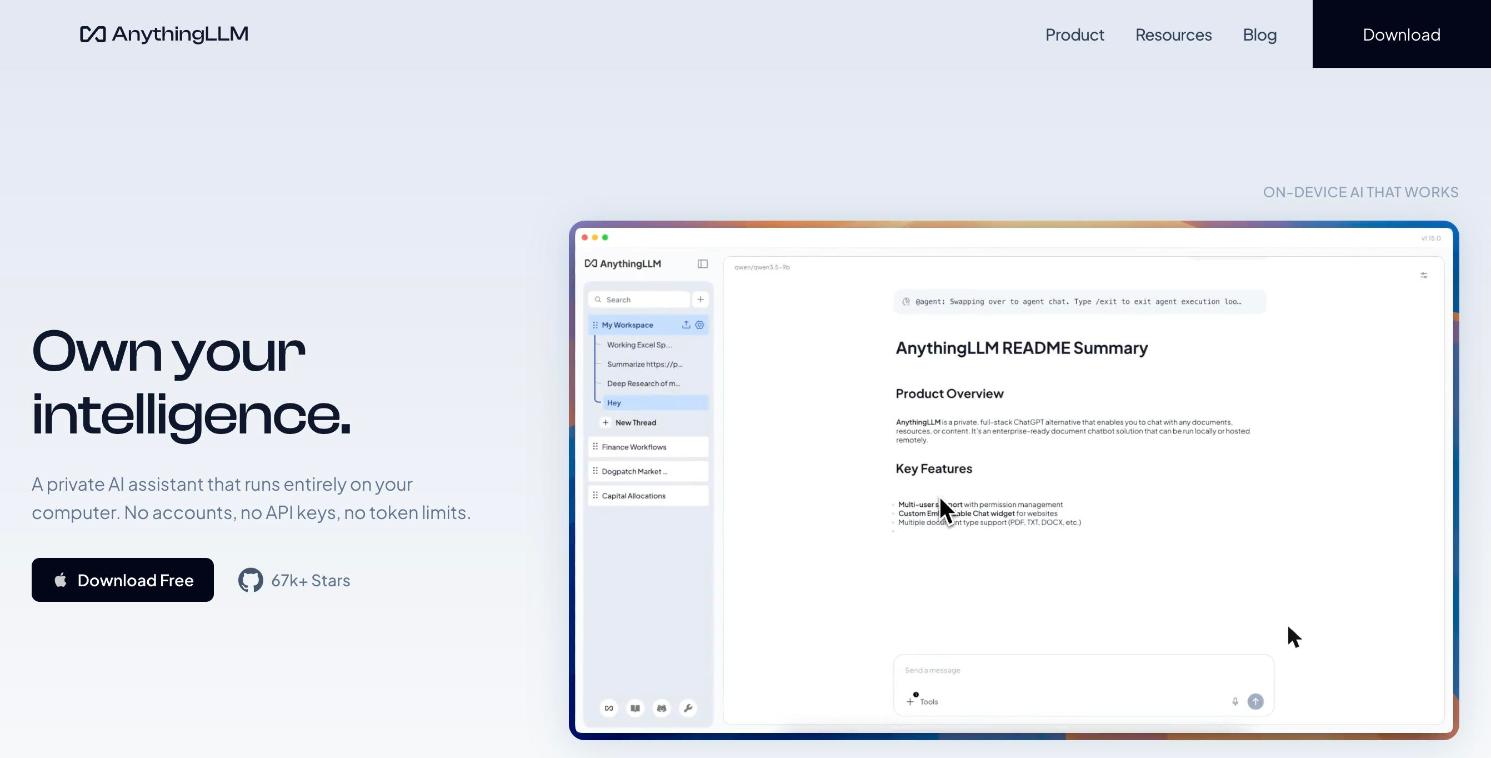
AnythingLLM's desktop app. Source: anythingllm.com, November 2026.
4. Msty: if you work on one computer with local models
Best for: a single power user with local models. Msty is a desktop app for local and online models. The free plan covers core desktop use; Aurum adds Msty Studio Web and more features.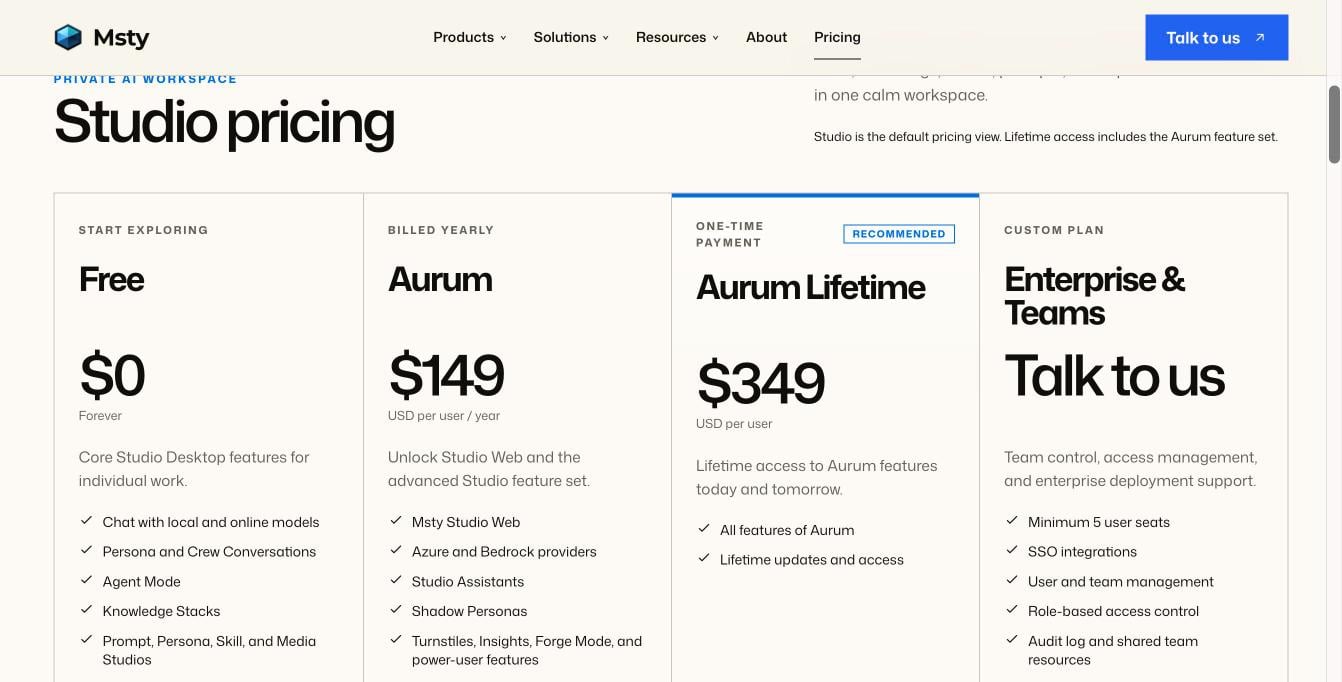
Msty Studio pricing. Source: msty.ai/pricing, November 2026.
5. Chatbox: if you want a low monthly price
Best for: light personal use with AI credits included. Chatbox is a desktop and web app with monthly plans that include AI credits, and it also works with your own API key.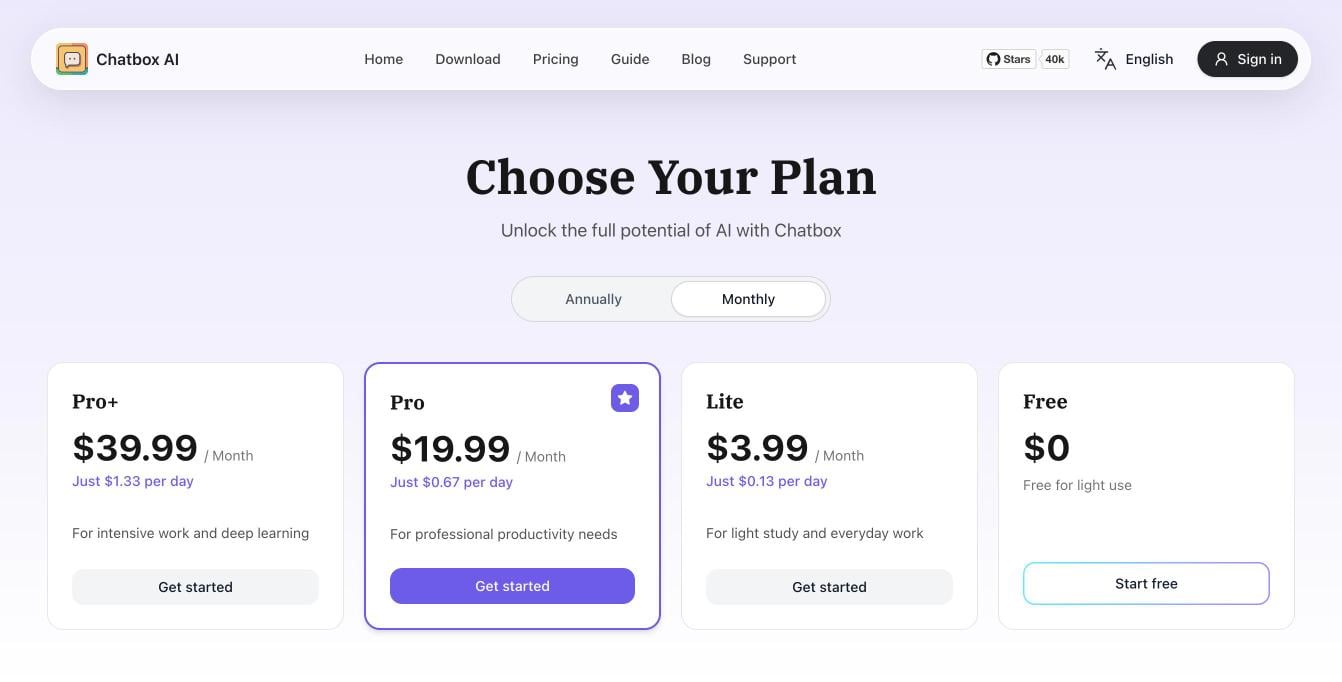
Chatbox plans, billed monthly. Source: chatboxai.app/pricing, November 2026.
How to move from LibreChat to TypingMind
- List what your team uses: providers, models, agents and their files, MCP servers and plugins.
- Get TypingMind for yourself, or start a TypingMind Teams trial for your team.
- Add the same API keys you used in LibreChat. See how to connect AI models.
- Rebuild your agents with the same instructions and files, and connect the same MCP servers.
- For teams: connect SSO, create user groups, set usage limits, then invite people.
How to choose
- You want LibreChat’s flexibility without running a server: TypingMind.
- You need a company AI workspace with admin tools, hosted or on your own servers: TypingMind Teams.
- You want to stay free and self-hosted with local models: Open WebUI.
- You want private chat with your documents on your own computer: AnythingLLM.
- You work alone with local models on one machine: Msty.
- You want a low monthly price with credits included: Chatbox.
FAQ
Is there a LibreChat alternative that doesn't need a server?
Is there a LibreChat alternative that doesn't need a server?
Is LibreChat still open source after the ClickHouse acquisition?
Is LibreChat still open source after the ClickHouse acquisition?
Can I self-host a LibreChat alternative?
Can I self-host a LibreChat alternative?
Can I keep using local models?
Can I keep using local models?
Which LibreChat alternative is best for teams?
Which LibreChat alternative is best for teams?