

Get TypingMind
TypingMind for teams
What Open WebUI gives you
Open WebUI connects to local models through Ollama and to cloud models through compatible APIs. It supports Python extensions, notes, channels and folders, and Open Terminal for running code. Enterprise plans add SSO, roles, audit logs and air-gapped setups.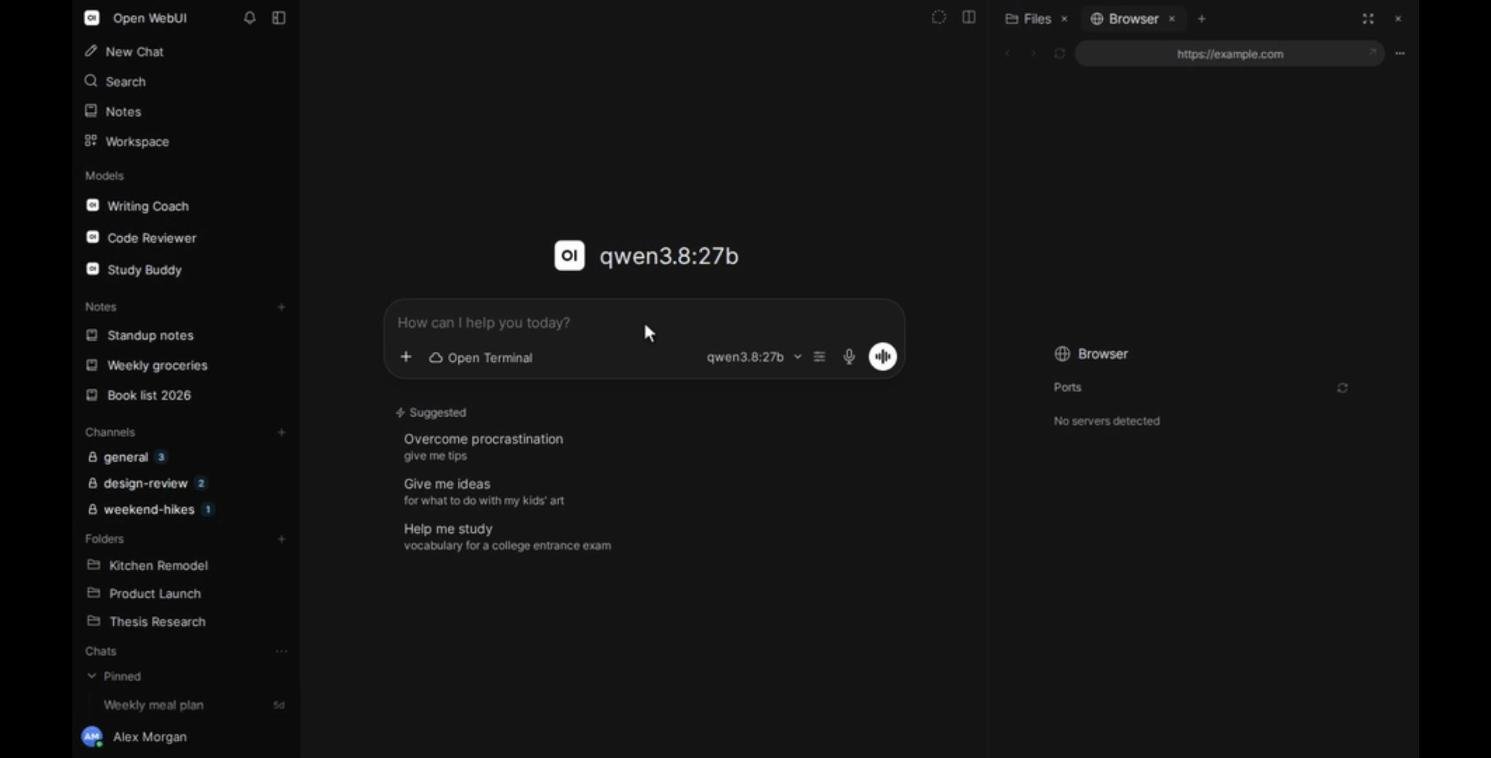
The Open WebUI interface. Source: Open WebUI on GitHub, November 2026.
The branding clause in the Open WebUI License
Newer Open WebUI code is under the Open WebUI License. Its clause 4 says you can’t remove or replace the “Open WebUI” name, logo or other branding, unless one of these is true:- your deployment has 50 or fewer end users in any rolling 30-day period,
- you have written permission from the copyright holder, or
- you have an enterprise license that allows it.
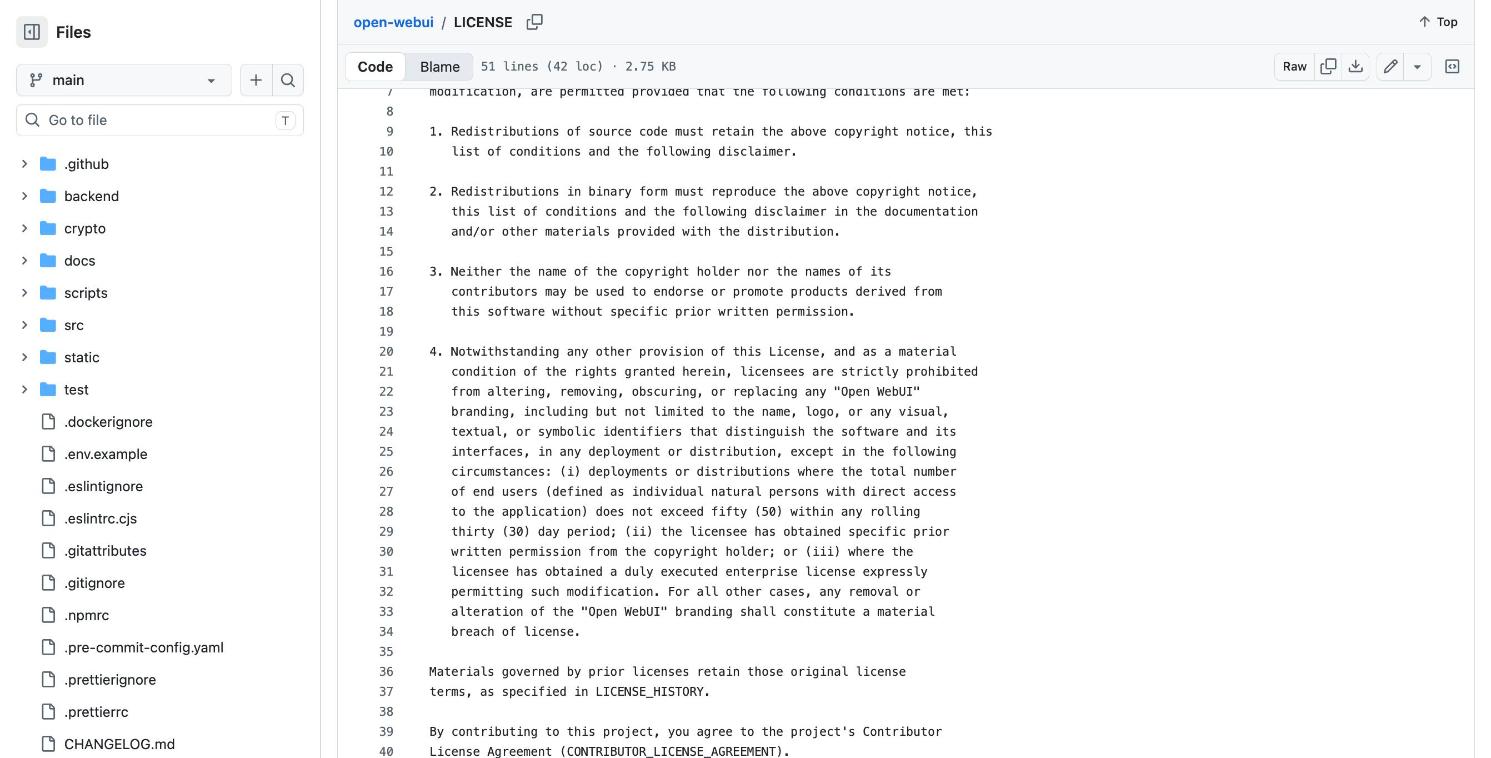
Clause 4 of the Open WebUI License. Source: github.com/open-webui/open-webui, November 2026.
Why people look for an Open WebUI alternative
- Running a server. Someone has to install it, update it, back it up and secure it.
- Your own brand. Removing the Open WebUI branding for more than 50 users needs an enterprise license.
- Cloud and local models together. People want GPT, Claude and Gemini next to their local models, without extra configuration.
- Team controls. SSO, roles and audit logs are part of enterprise plans.
How we compared these options
- Hosting: does it need a server, and can you self-host if you want to?
- Branding: can you use your own name, logo and domain?
- Models: local models, and cloud providers through your own API keys.
- Team controls: SSO, roles, usage limits and logs.
- Price: what you pay to start.
Open WebUI alternatives at a glance
1. TypingMind: local and cloud models in one app, under your brand
Best for: people and teams who want their local models plus GPT, Claude and Gemini, without running a server. TypingMind connects to models from 22+ providers and to local runners. Add Ollama or LM Studio as a custom model, then pick it from the same list as GPT, Claude or Gemini.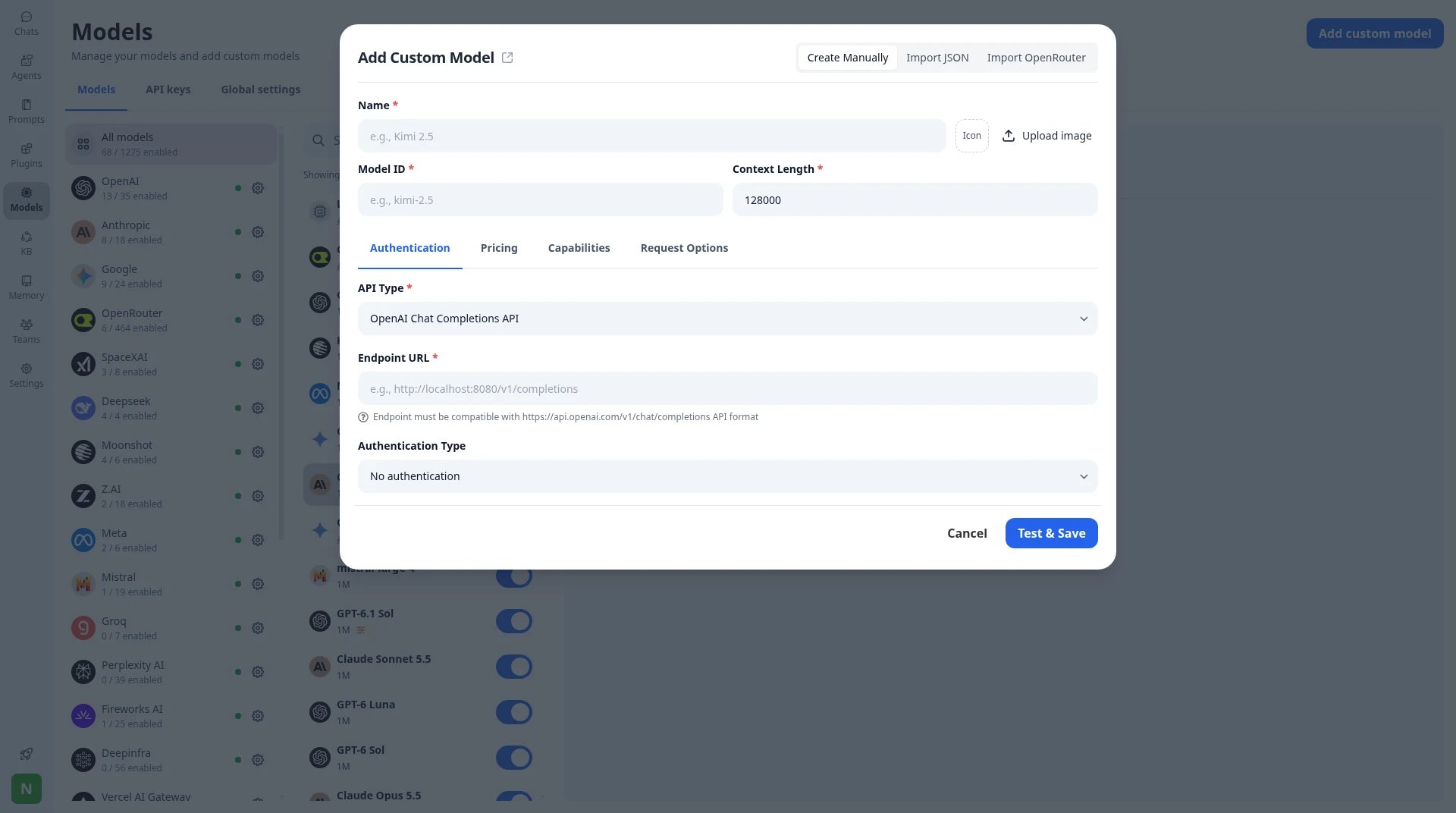
Add custom model: point TypingMind at any compatible endpoint, including a local Ollama or LM Studio server.
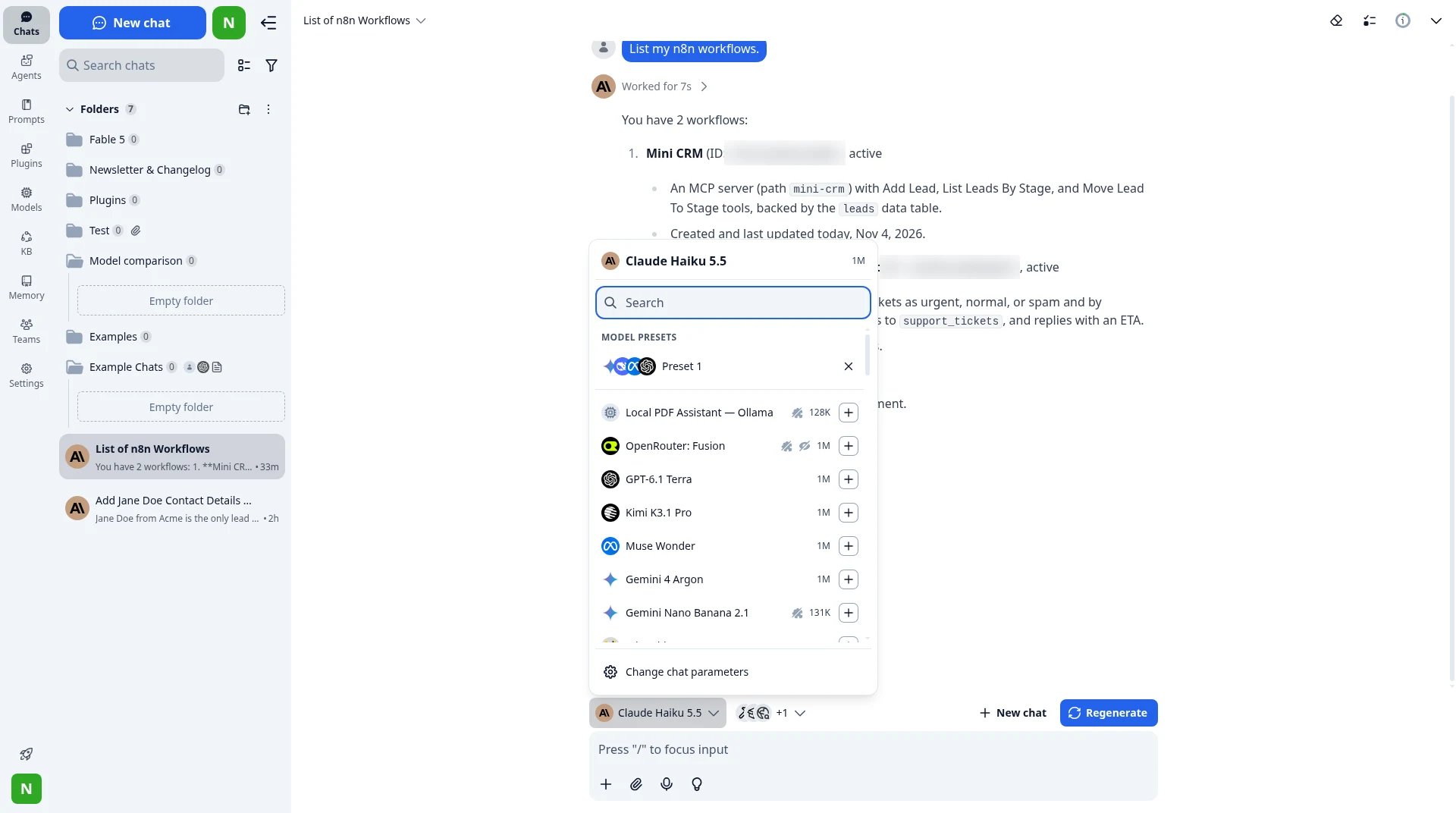
The model picker in TypingMind: a local Ollama model next to OpenRouter, OpenAI and Google models in the same chat.
Your brand, hosted or on your servers
TypingMind Teams lets you set your logo, colors, welcome message and custom domain, for any number of users. Use it hosted, or run it on your own servers with your domain, database and SMTP server.More built in
50+ ready AI agents, plugins, MCP connectors, Skills, a knowledge base, Artifacts and Canvas. You can also use credits from AWS, Azure, Google Cloud, OpenRouter or Vercel AI Gateway.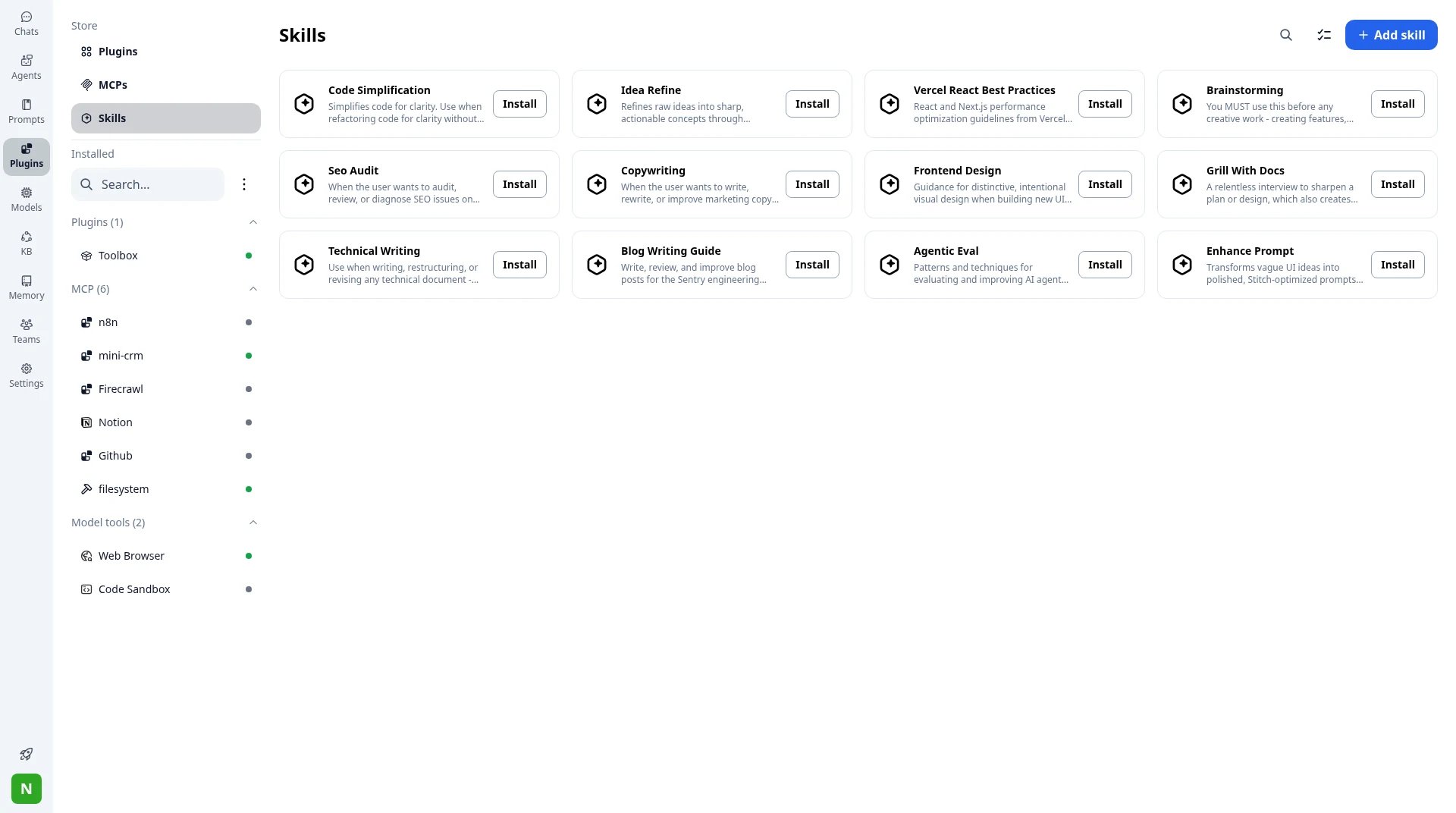
Plugins, MCP connectors and Skills in TypingMind.
Team admin from a panel
On TypingMind Teams Professional, you get SSO, Directory Sync, roles, usage limits per model, agent or user, chat logs and audit logs.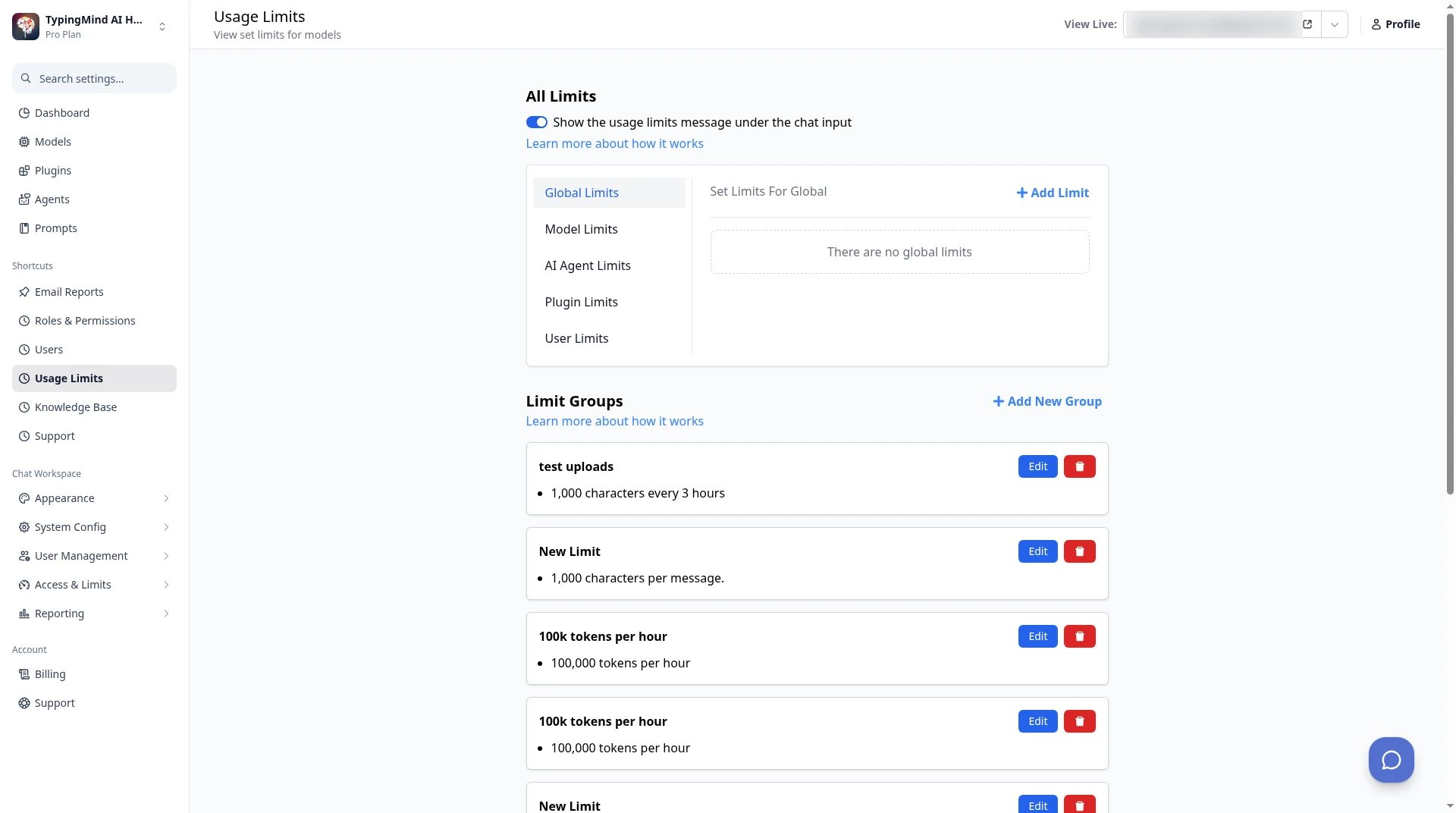
TypingMind Teams admin → Usage Limits: set limits per model, agent, plugin or user.
2. LibreChat: if you want free and open source without a branding clause
Best for: engineering teams that want to self-host and change the code. LibreChat is a free, open-source AI chat platform under the MIT license, so you can change its branding. It supports many providers and local models, agents with files and tools, MCP, and logins through OAuth, SAML, LDAP and two-factor. ClickHouse acquired LibreChat in November 2025.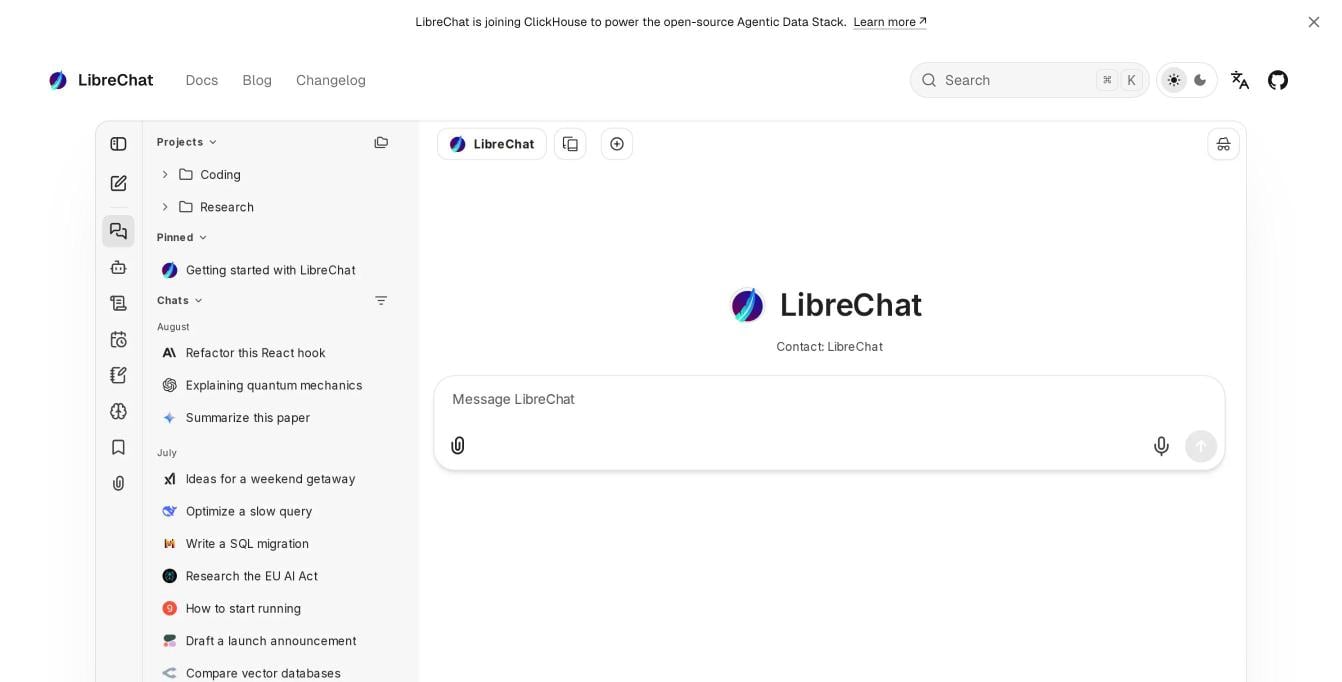
The LibreChat interface. Source: librechat.ai, November 2026.
3. AnythingLLM: if you want private document chat on your computer
Best for: one person, or a small group, chatting with their own documents. AnythingLLM is a free, open-source AI assistant with more than 67,000 stars on GitHub. The desktop app runs on your computer with local models, turns documents into a knowledge base, and includes web search, agent skills and a meeting assistant. A Docker version adds multi-user support with permissions.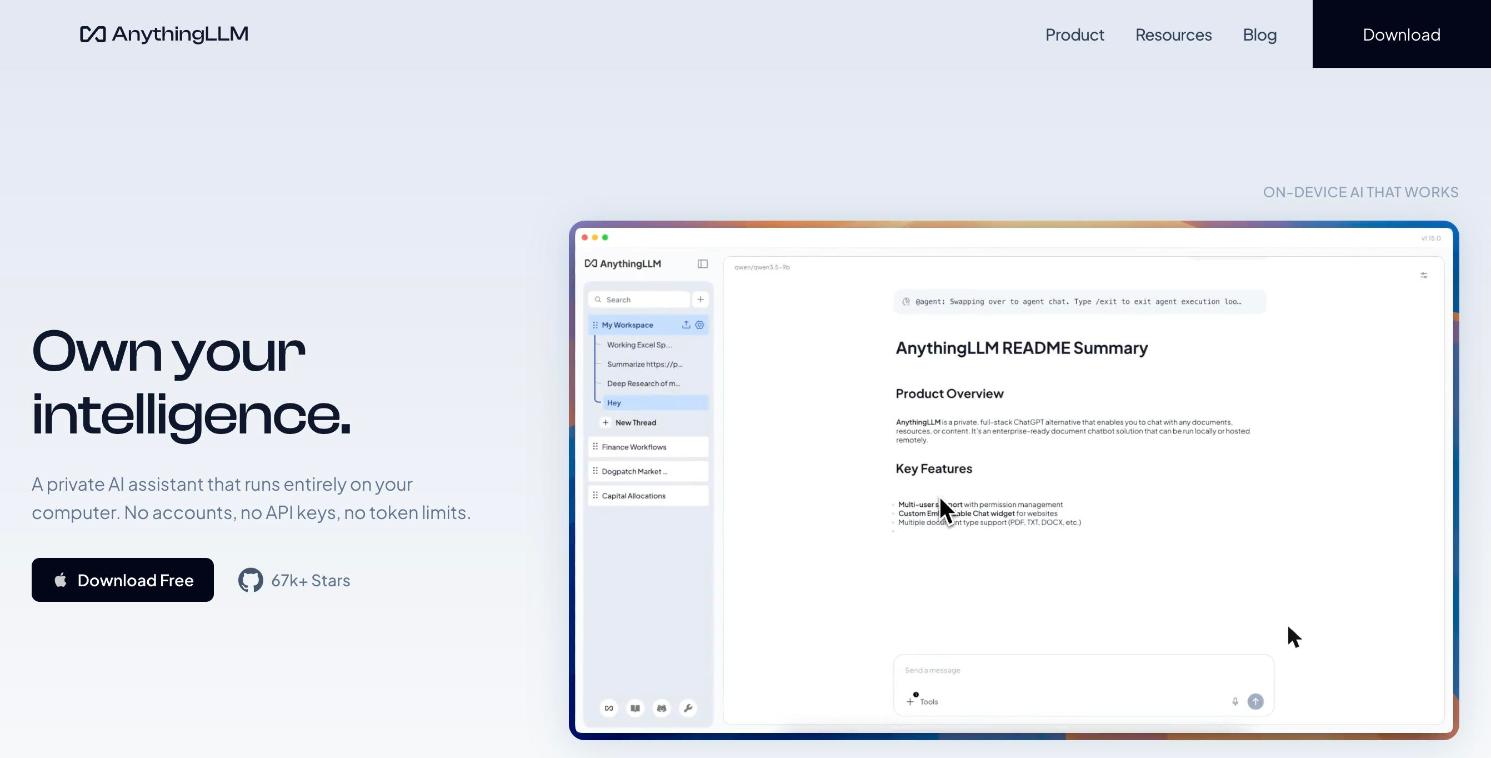
AnythingLLM's desktop app. Source: anythingllm.com, November 2026.
4. Msty: if you work on one computer with local models
Best for: a single power user with local models. Msty is a desktop app for local and online models. The free plan covers core desktop use; Aurum adds Msty Studio Web and more features.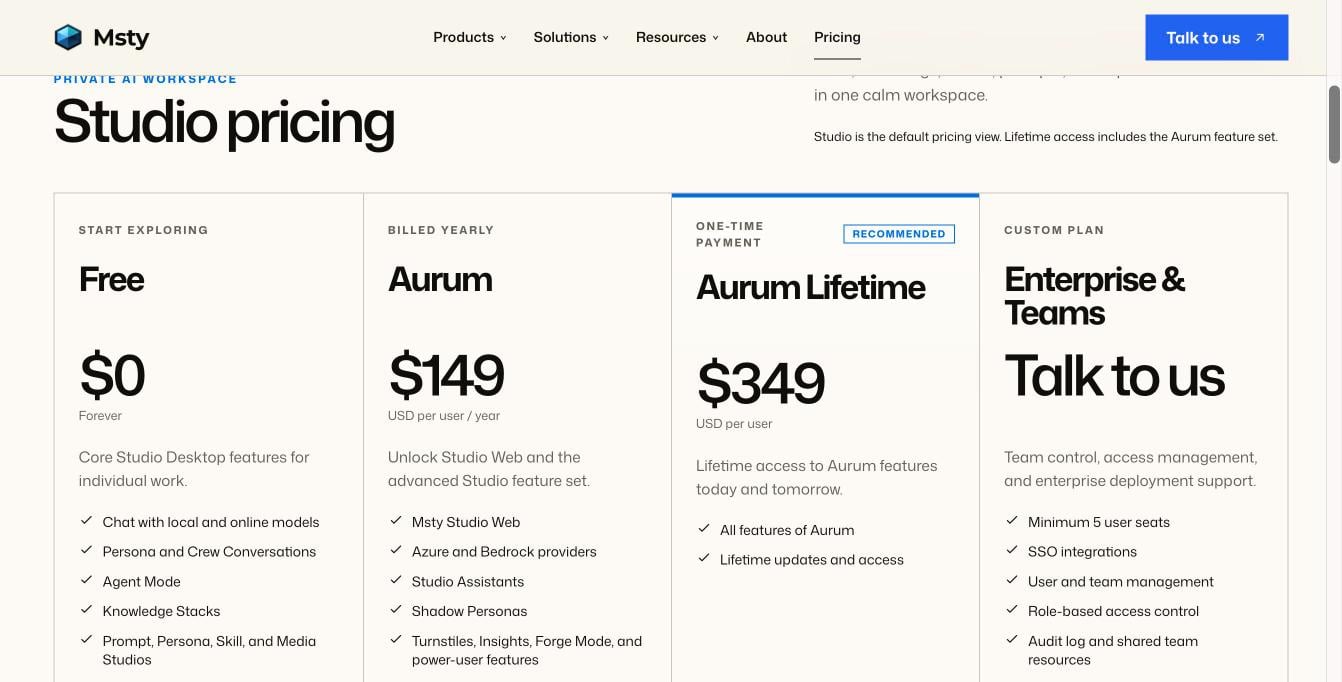
Msty Studio pricing. Source: msty.ai/pricing, November 2026.
5. Chatbox: if you want a low monthly price
Best for: light personal use with AI credits included. Chatbox is a desktop and web app with monthly plans that include AI credits, and it also works with your own API key.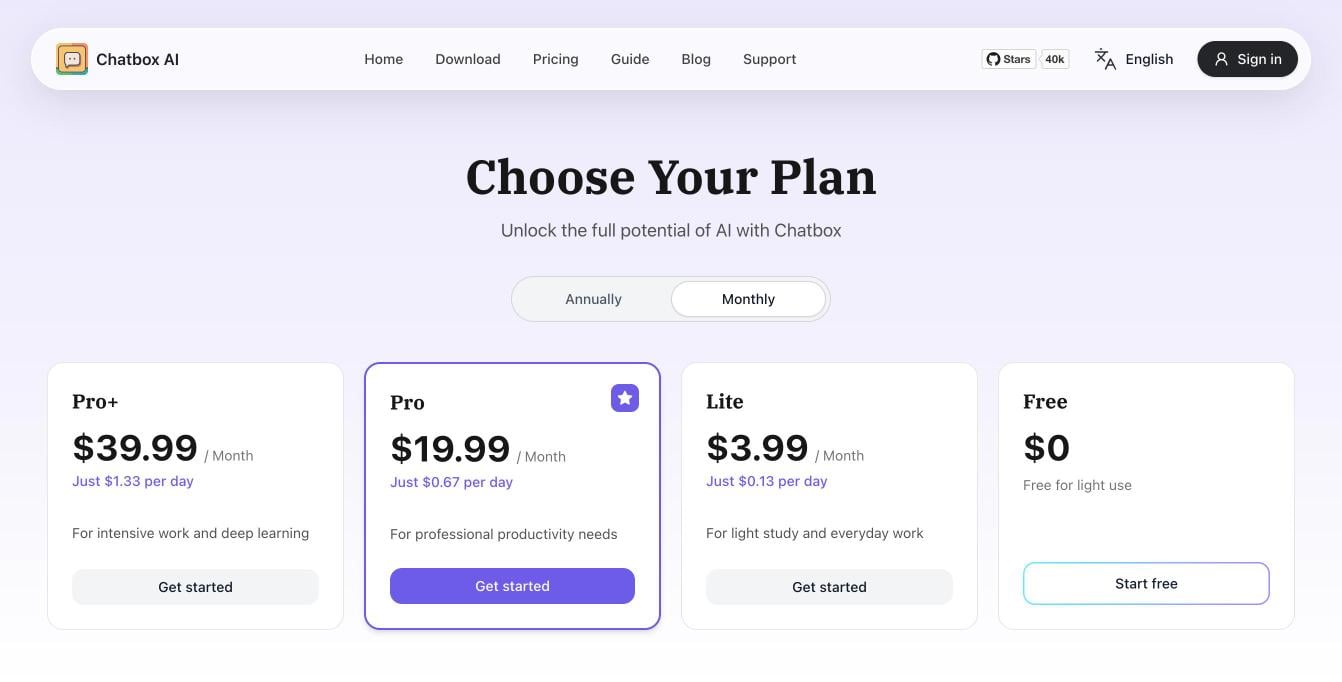
Chatbox plans, billed monthly. Source: chatboxai.app/pricing, November 2026.
How to move from Open WebUI to TypingMind
- Keep Ollama running. Your local models stay where they are.
- Get TypingMind for yourself, or start a TypingMind Teams trial for your team.
- Add Ollama or LM Studio as a custom model, and choose No authentication for a local server.
- Add API keys for any cloud providers you want. See how to connect AI models.
- For teams: set your logo, colors and domain, connect SSO, set usage limits, then invite people.
How to choose
- You want local and cloud models in one app, without running a server: TypingMind.
- You need a branded company AI workspace for more than 50 people, hosted or on your own servers: TypingMind Teams.
- You want free, open-source software with no branding clause: LibreChat.
- You want private chat with your documents on your own computer: AnythingLLM.
- You work alone with local models on one machine: Msty.
- You want a low monthly price with credits included: Chatbox.
FAQ
Can I remove the Open WebUI branding?
Can I remove the Open WebUI branding?
Can I use Ollama with an Open WebUI alternative?
Can I use Ollama with an Open WebUI alternative?
Is there a self-hosted alternative to Open WebUI?
Is there a self-hosted alternative to Open WebUI?
Which Open WebUI alternative is best for teams?
Which Open WebUI alternative is best for teams?