> ## Documentation Index
> Fetch the complete documentation index at: https://docs.typingmind.com/llms.txt
> Use this file to discover all available pages before exploring further.
# Build a Shared AI Agent collection
Admins have the option to build AI Agent collection for your chat interface that is shared across your team members.
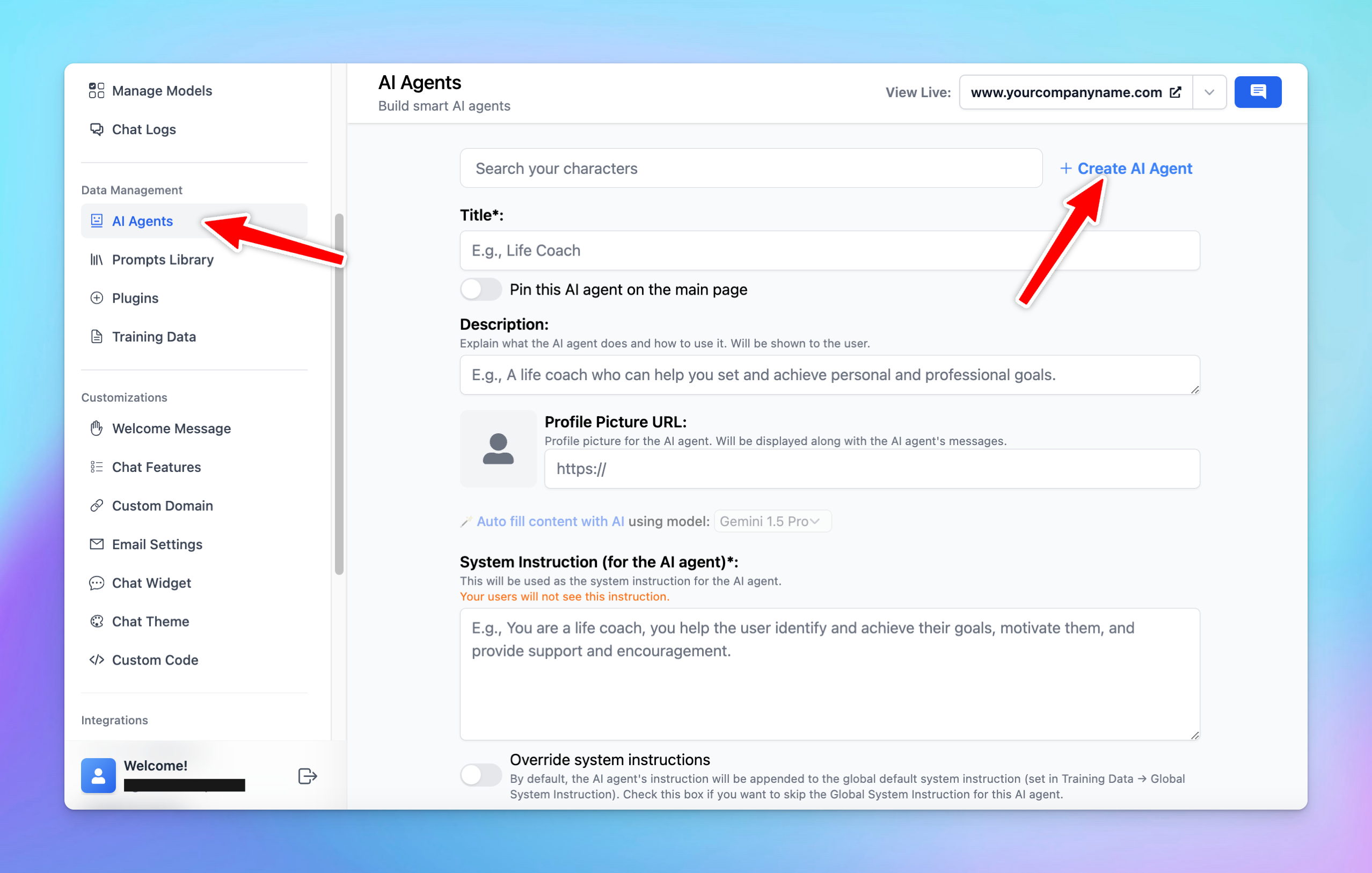
* Go to **AI Agents**
* Click **Create AI Agents or Browse Agent** to create your own collection
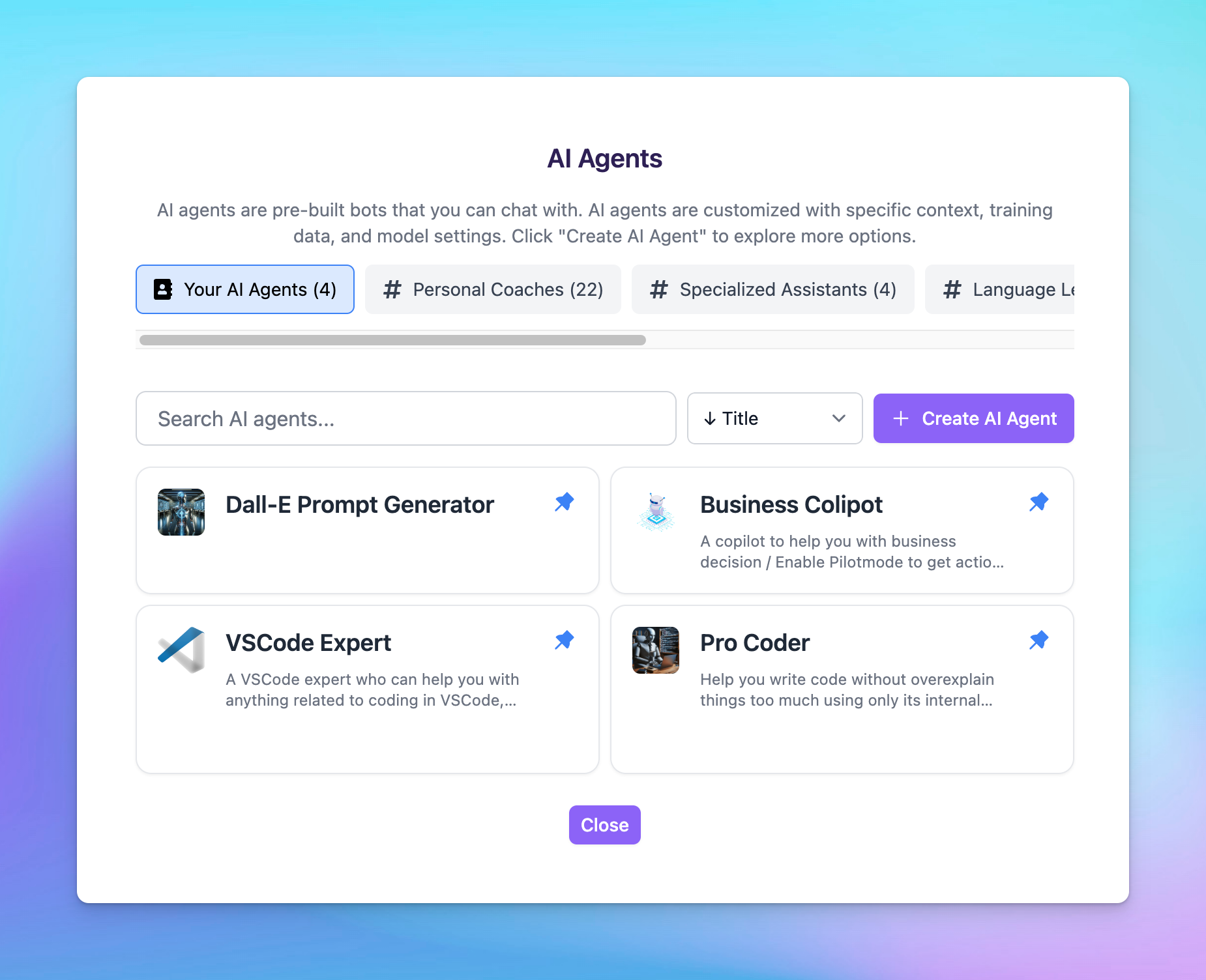
 Your created AI characters will be displayed on the chat interface as follows:
 You have the option to control which users / groups can use the created AI characters, check it here: