> ## Documentation Index
> Fetch the complete documentation index at: https://docs.typingmind.com/llms.txt
> Use this file to discover all available pages before exploring further.
# Change Workspace Owner
As of now, you can change the owner email following the steps below:
* Log into the Admin Panel
* Under the User Management menu, click on User
* Click the three dot icon on the top right corner of your user list dashboard
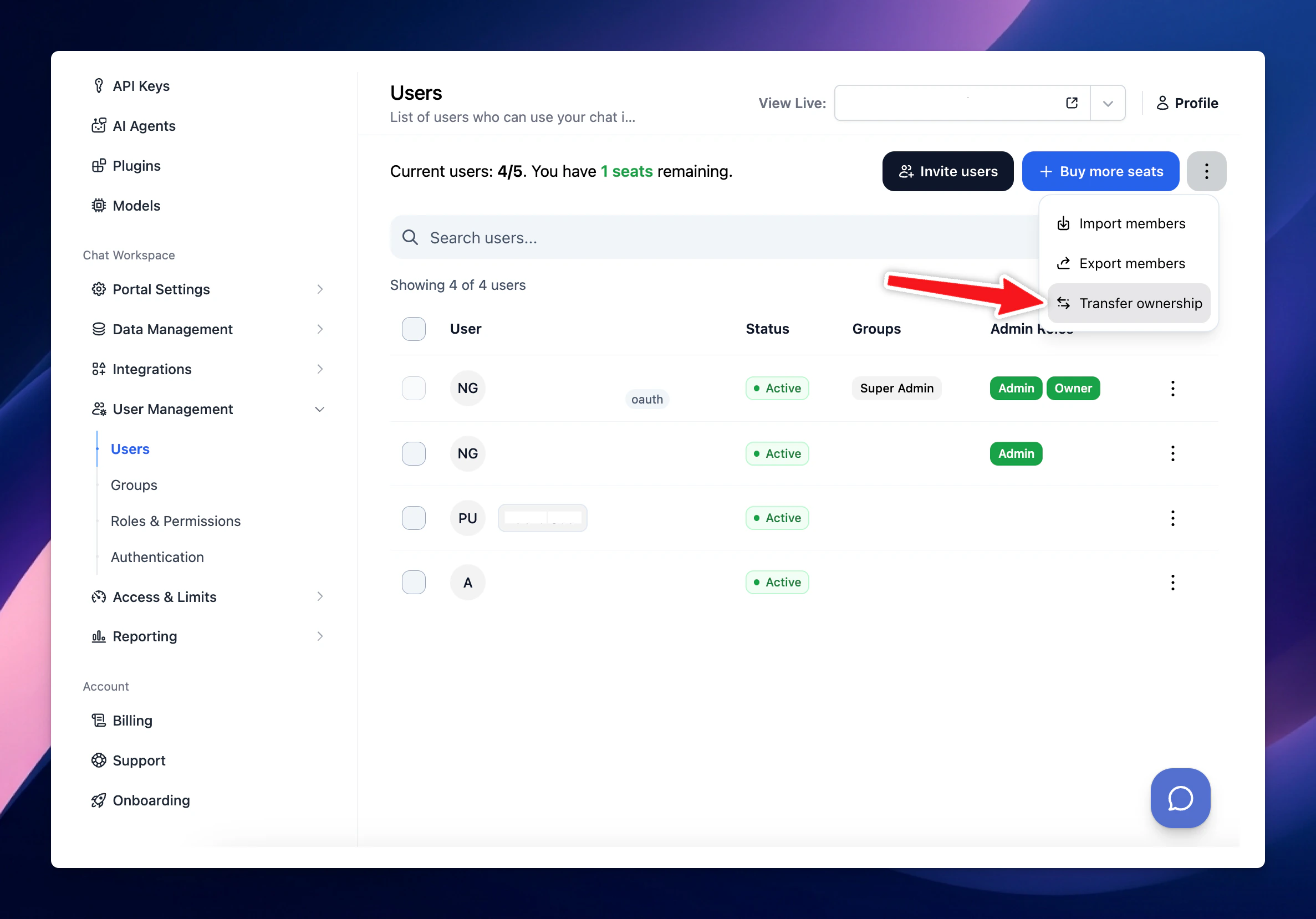 Please note that only owner can transfer ownership rights to another admin user.