> ## Documentation Index
> Fetch the complete documentation index at: https://docs.typingmind.com/llms.txt
> Use this file to discover all available pages before exploring further.
# Web Page Reader
This plugin has been no longer supported because it relied on a legacy plugin server. Please use [Read Web Page (Firecrawl)](/changelog/typingmind/firecrawl-web-page-reader) plugin to get better scraping ability.
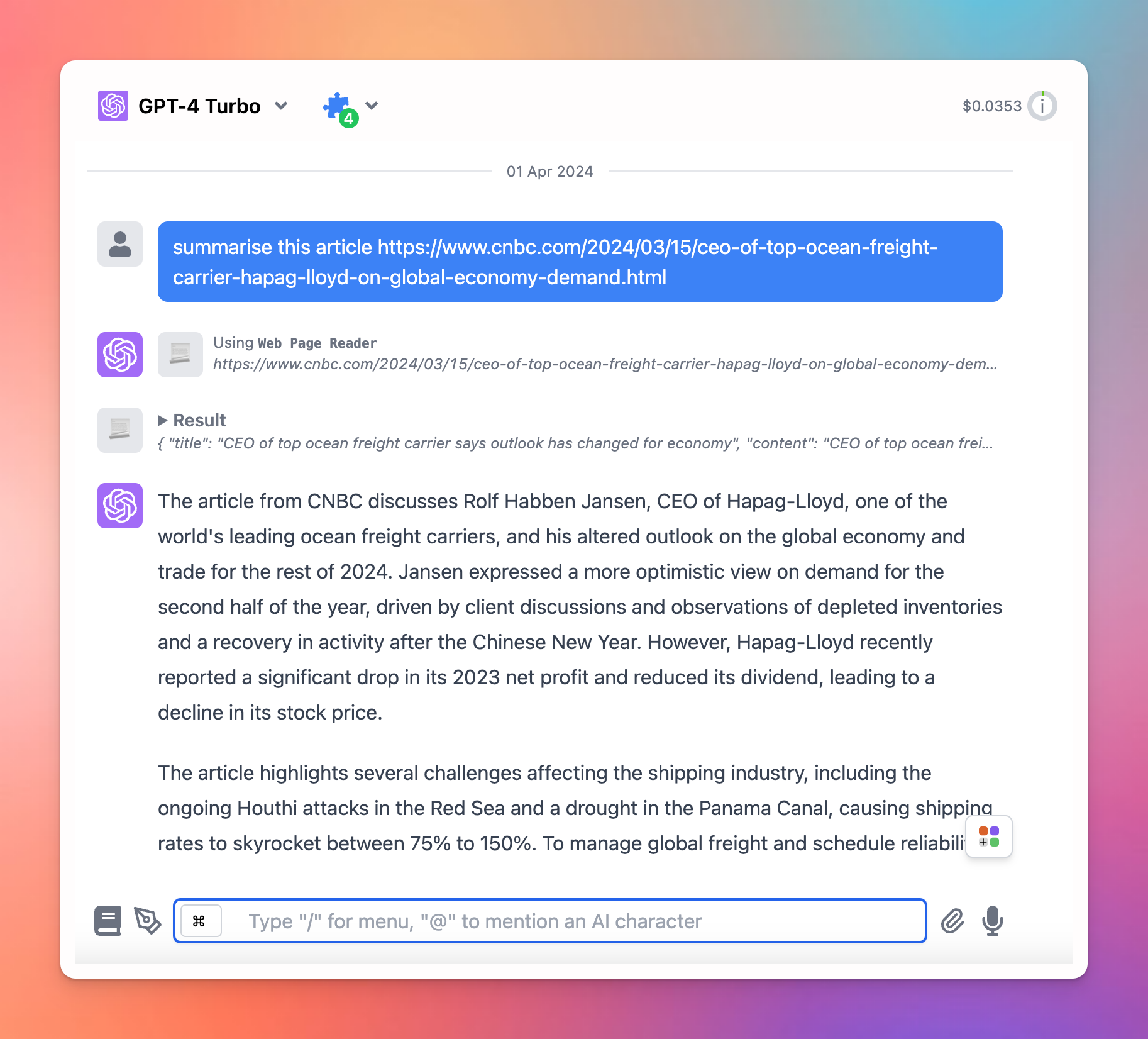
You can use Web Page Reader plugin to let the AI models read the content of your provided URLs and analyze or summarize it.
Here’s how to set it up on TypingMind.
* This plugin requires a plugin server to be set up. Here’s the detailed guideline on setting up a Plugin server via Render: [https://docs.typingmind.com/plugins/plugins-server/how-to-deploy-plugins-server-on-render](https://docs.typingmind.com/plugins/plugins-server/how-to-deploy-plugins-server-on-render)
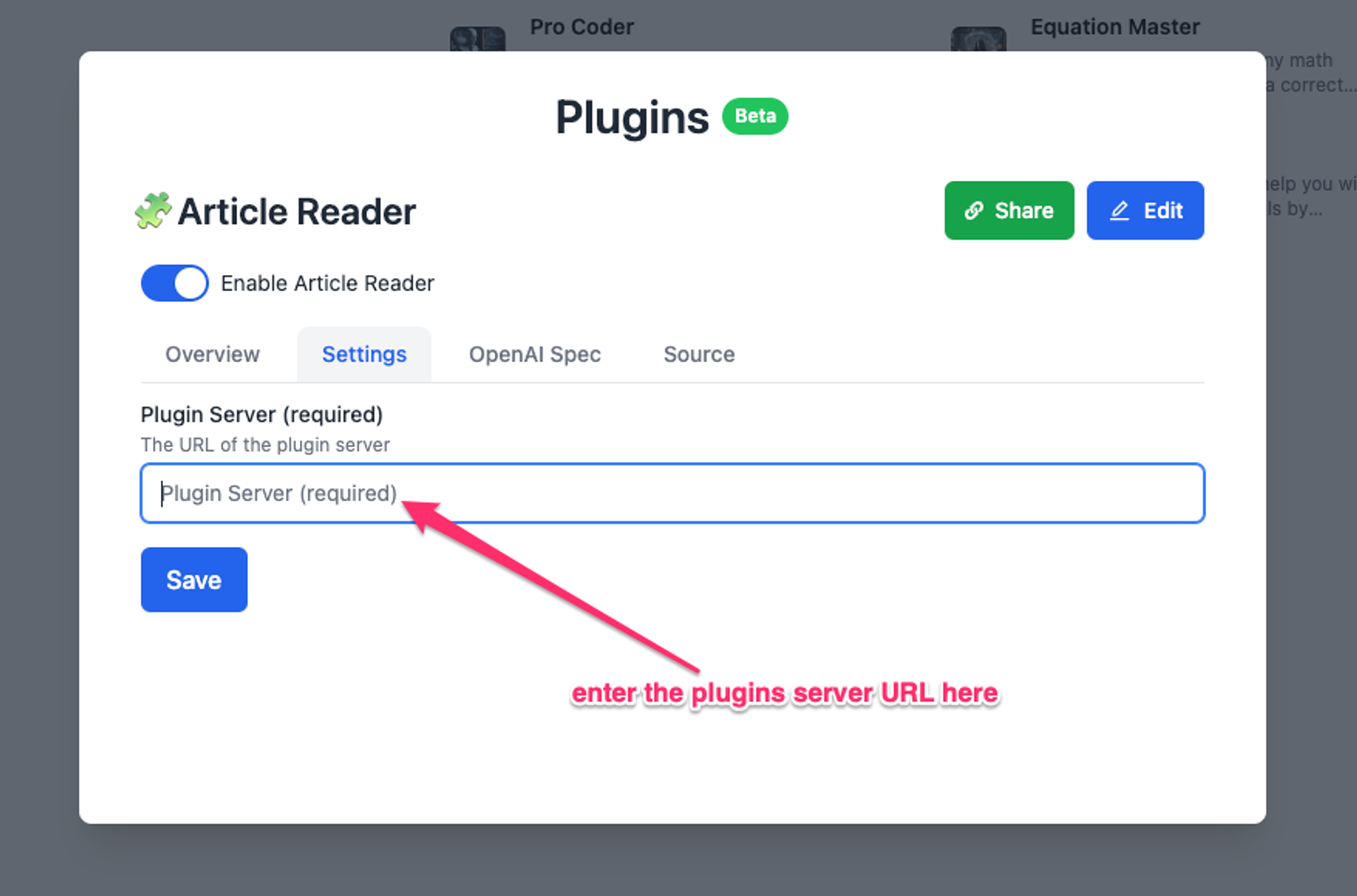
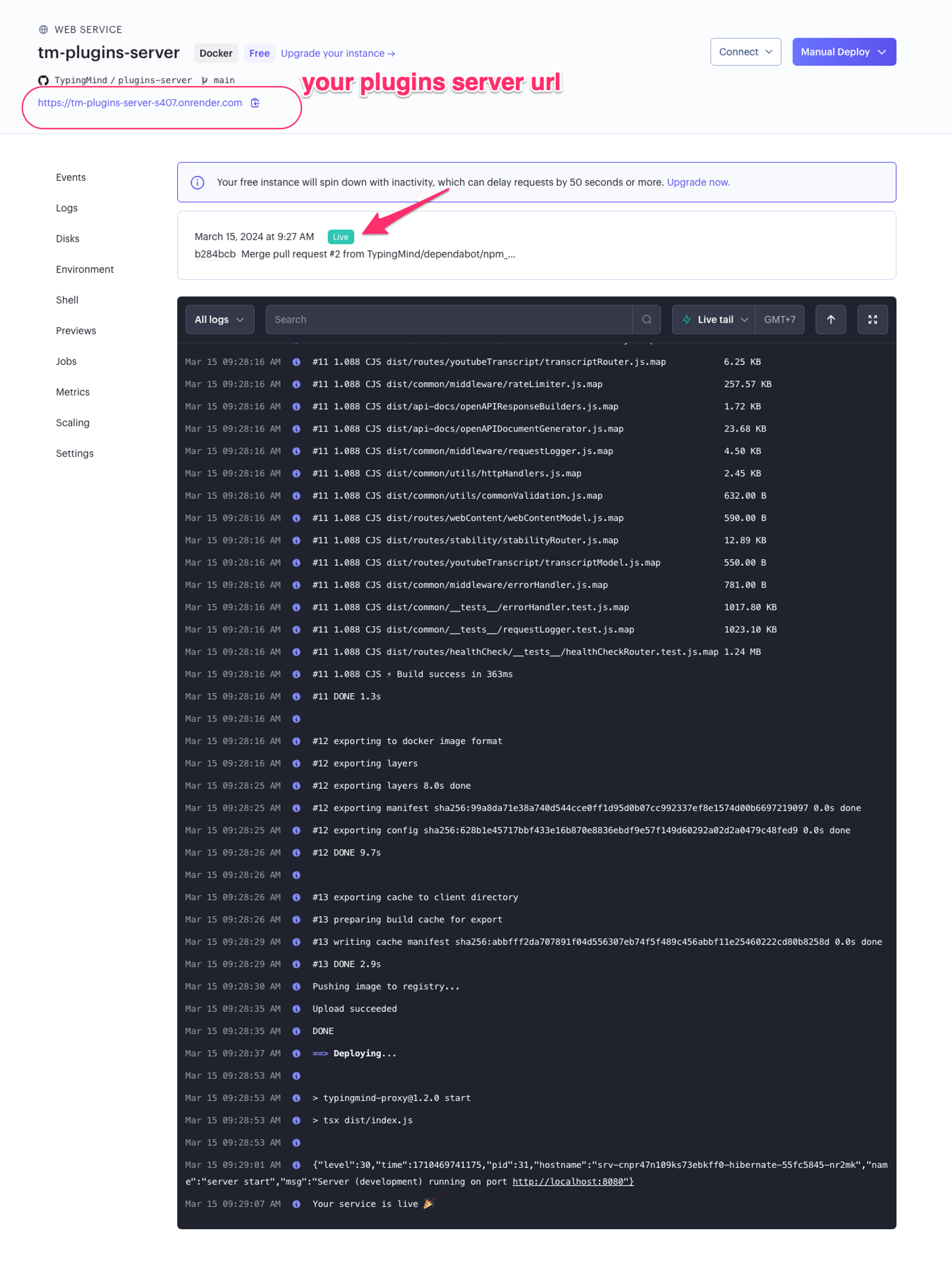 * After completing your setup, please copy your plugin server URL into Web Page Reader settings to use the plugin
 Here’s an example chat: