> ## Documentation Index
> Fetch the complete documentation index at: https://docs.typingmind.com/llms.txt
> Use this file to discover all available pages before exploring further.
# Perplexity Search
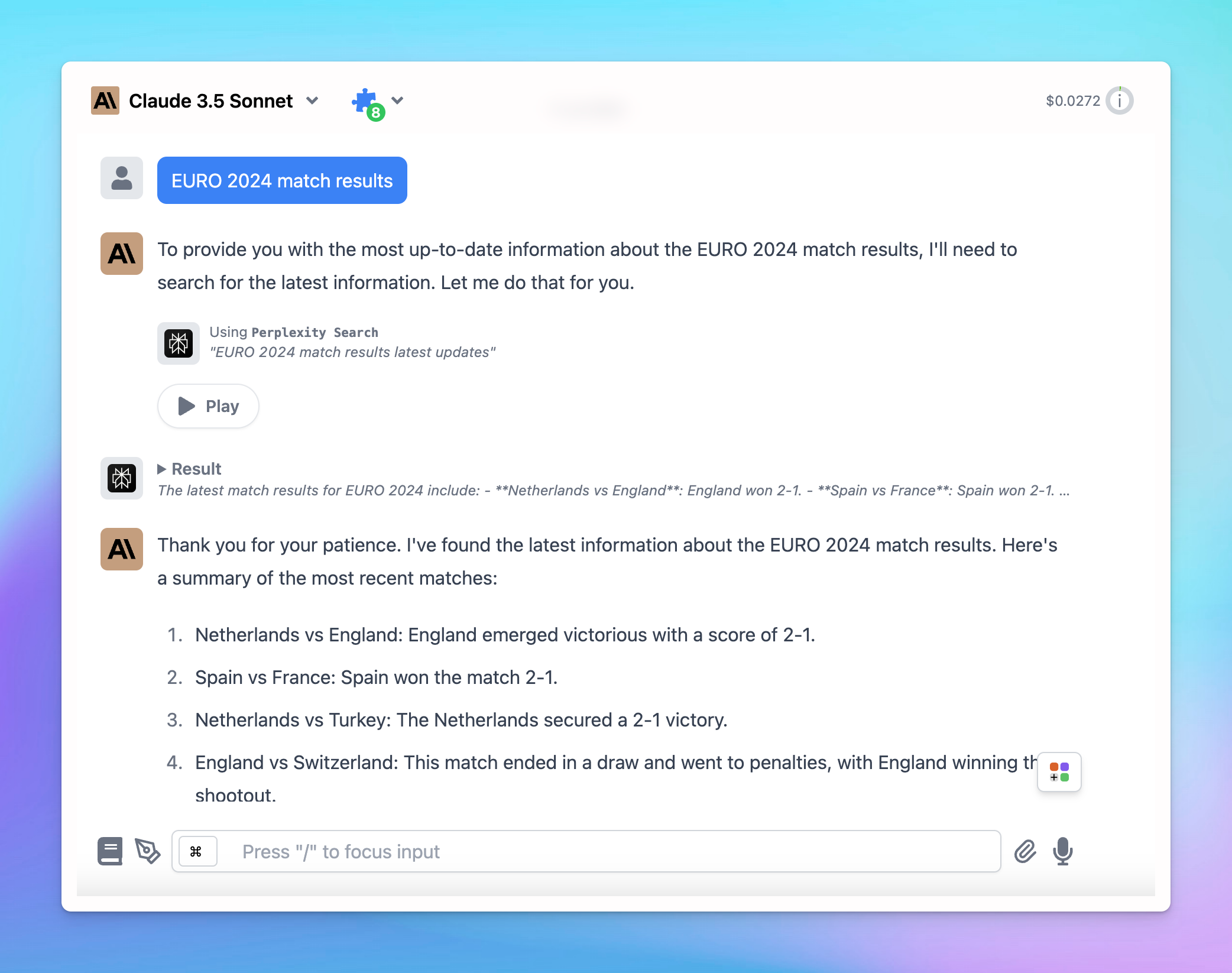
This plugin allows the AI assistant to search for information from the internet using Perplexity.
Here’s the detailed guideline:
## Get a Perplexity AI account
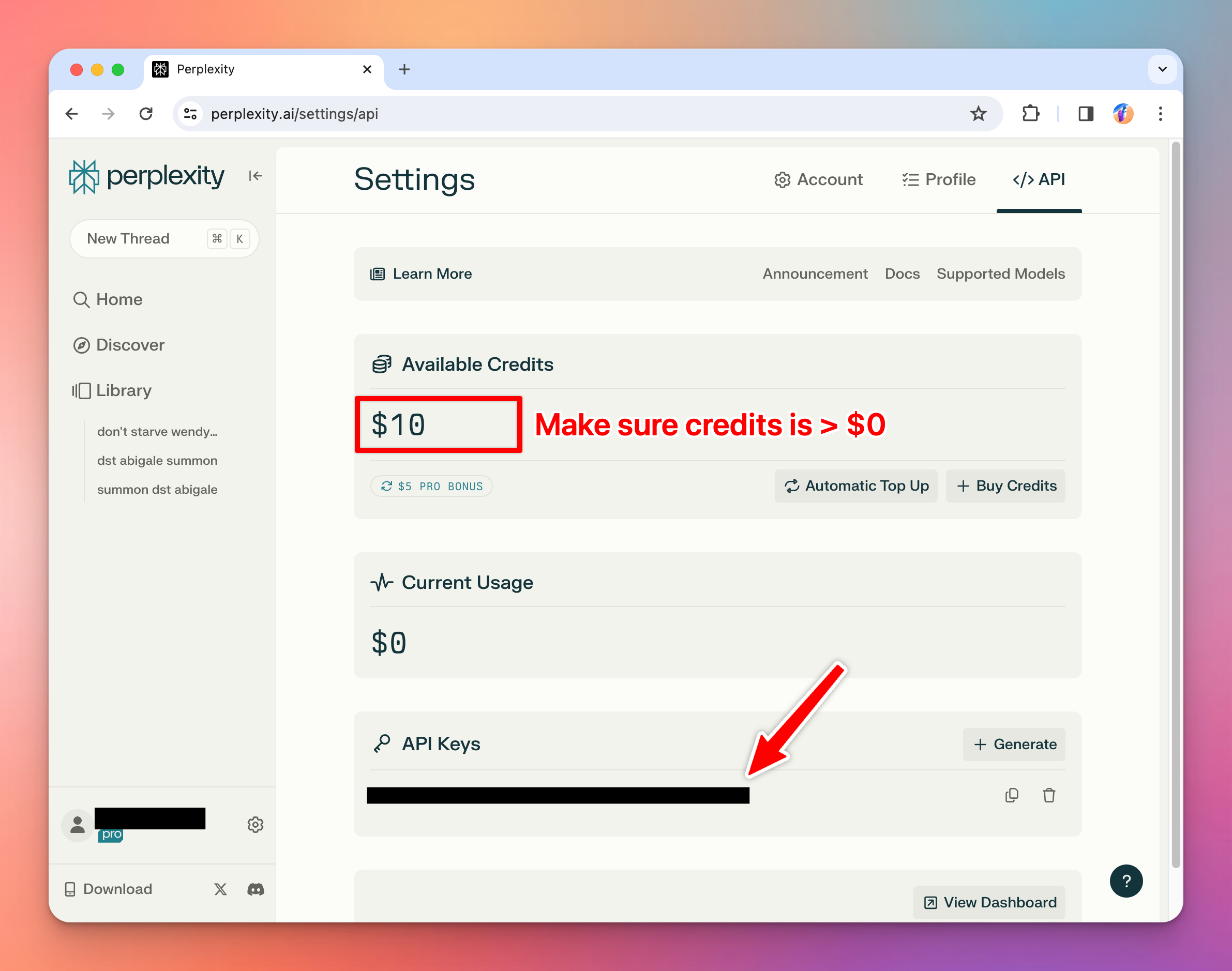
Go to [https://www.perplexity.ai/](https://www.perplexity.ai/) and sign up for an account. Then go to [https://www.perplexity.ai/settings/api](https://www.perplexity.ai/settings/api) to get your API key.
## Use Perplexity Plugin on TypingMind
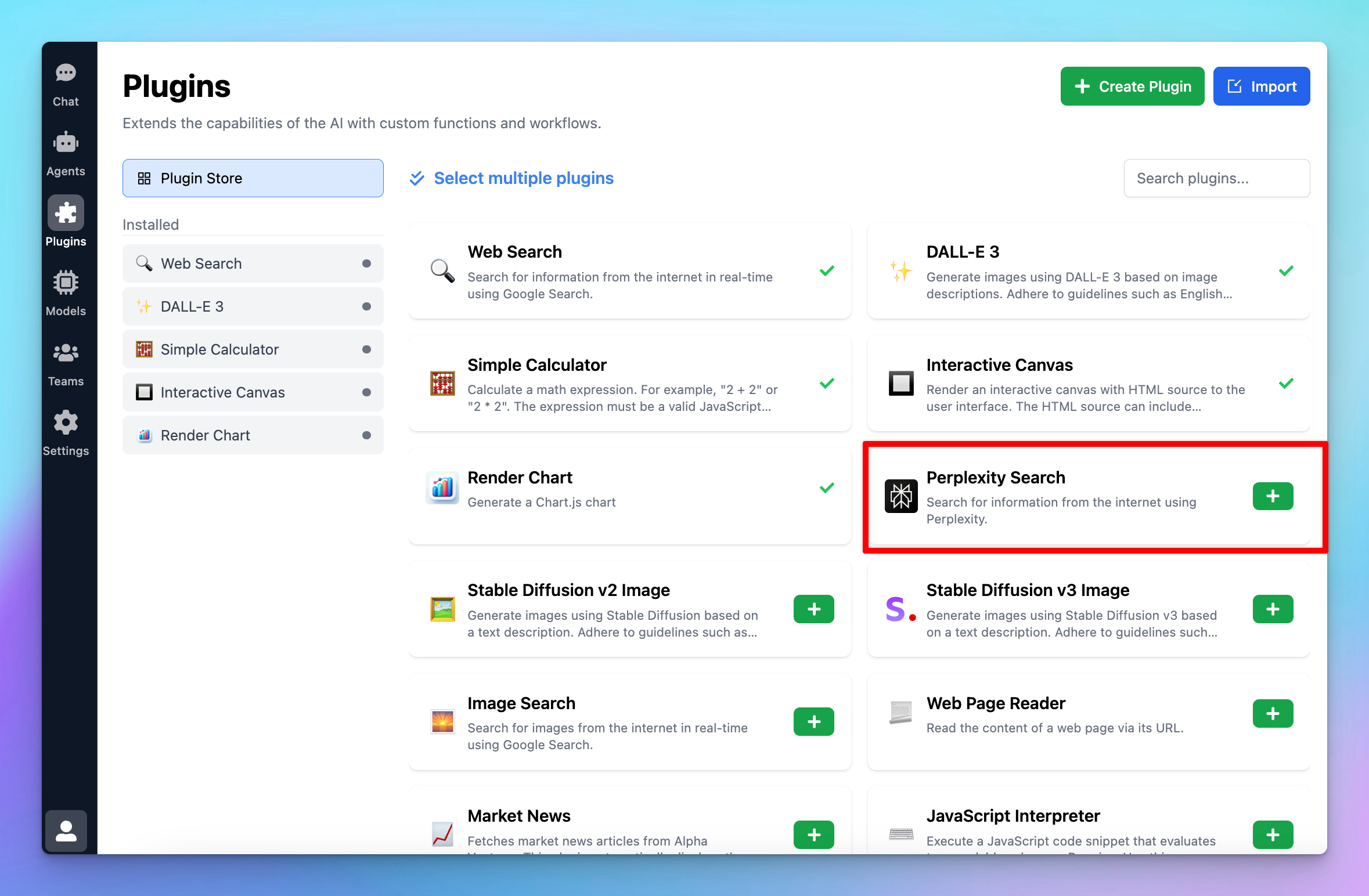
* Click on Plugins menu on the left side panel
* Install Perplexity Search plugin to your plugin list
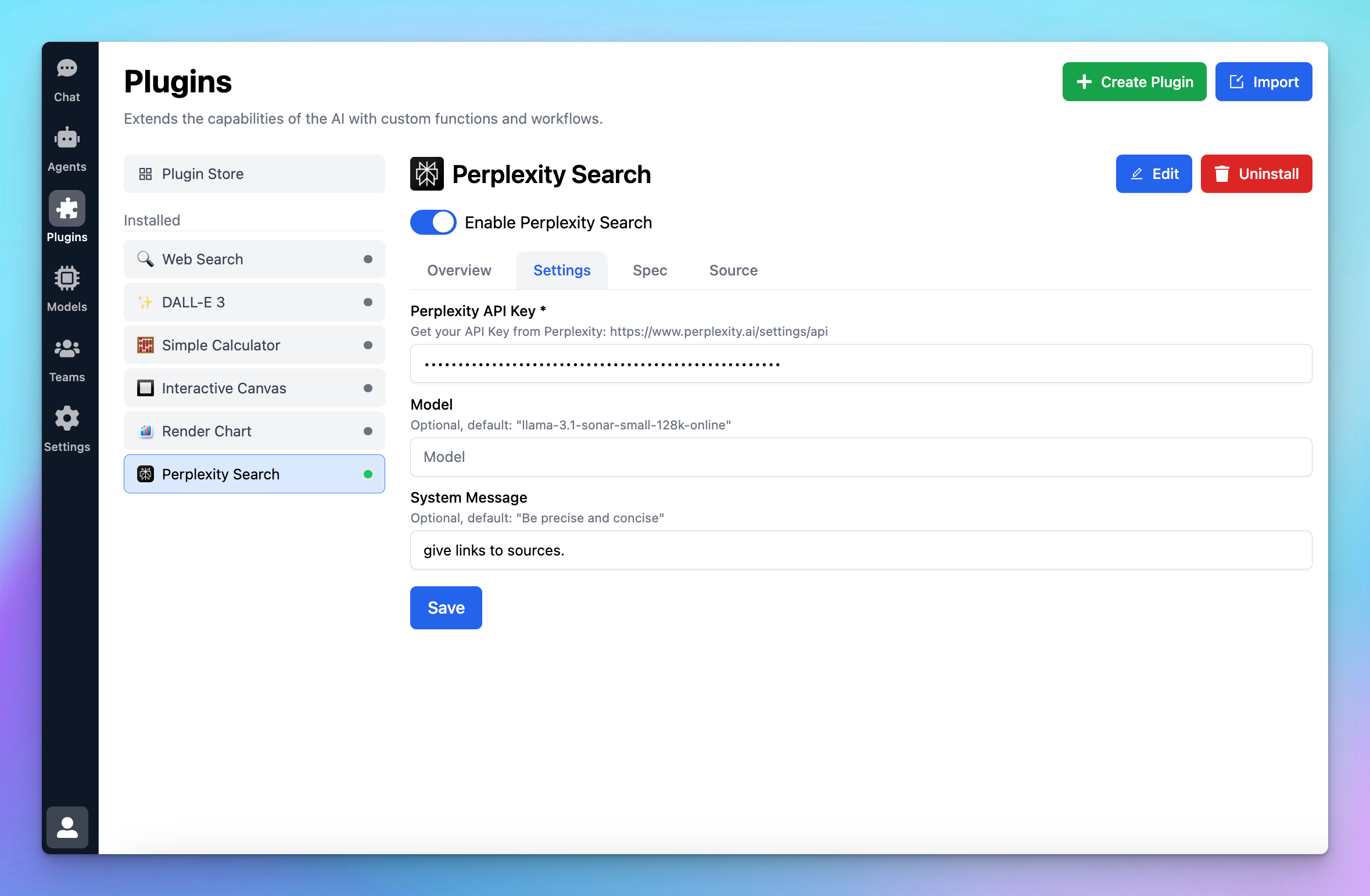
* Enable Perplexity Search
* Switch to Settings tab to enter the necessary settings to get the plugin to work
* Enter the API key you just got from Perplexity
* Test the plugin to see if it works properly!
 ## Use Perplexity Plugin on TypingMind
* Click on Plugins menu on the left side panel
* Install Perplexity Search plugin to your plugin list
## Use Perplexity Plugin on TypingMind
* Click on Plugins menu on the left side panel
* Install Perplexity Search plugin to your plugin list
 * Enable Perplexity Search
* Switch to Settings tab to enter the necessary settings to get the plugin to work
* Enter the API key you just got from Perplexity
* Enable Perplexity Search
* Switch to Settings tab to enter the necessary settings to get the plugin to work
* Enter the API key you just got from Perplexity
 * Test the plugin to see if it works properly!