> ## Documentation Index
> Fetch the complete documentation index at: https://docs.typingmind.com/llms.txt
> Use this file to discover all available pages before exploring further.
# Market News
You can use Market News plugin on TypingMind to get the latest financial information.
Here are some simple steps to set this up:
* Go to [https://www.alphavantage.co/support/#api-key](https://www.alphavantage.co/support/#api-key) to get API key
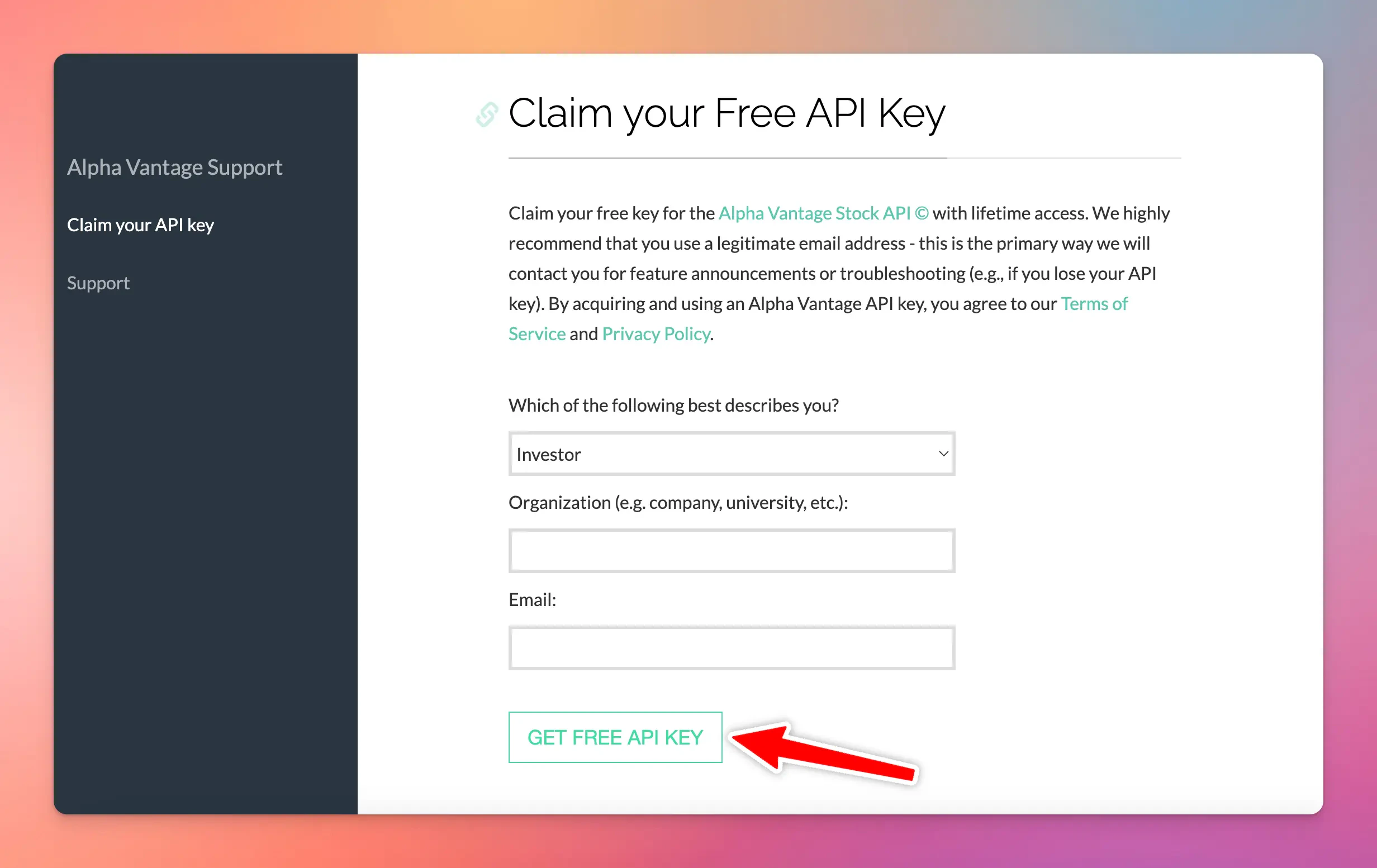 * Copy your API key into a safe place
* Go to typingmind.com, click on the plugin icon 🧩 right next to the model selection
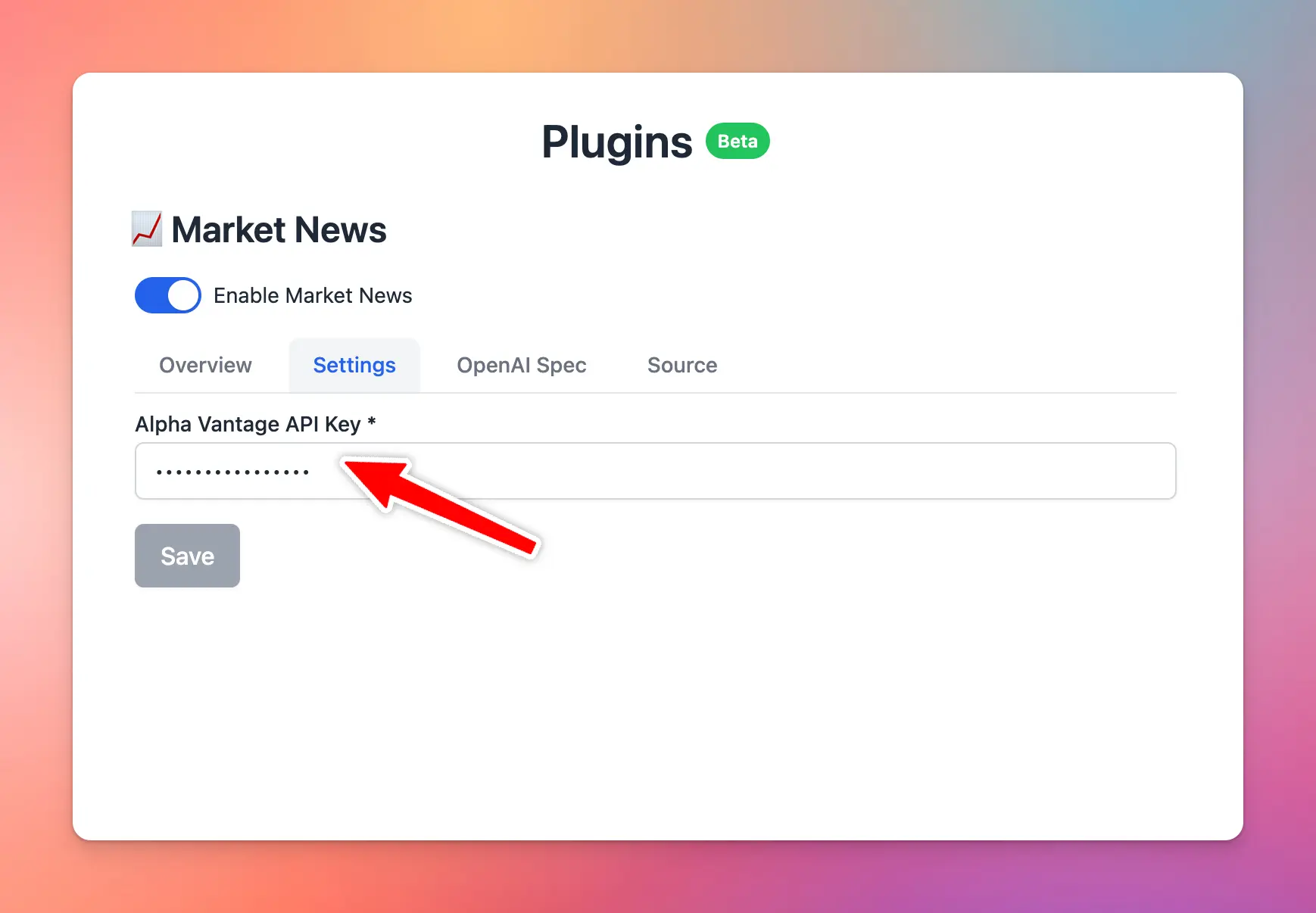
* Click on Market News Plugin
* Switch to Settings tab
* Enter your copied API key
* Copy your API key into a safe place
* Go to typingmind.com, click on the plugin icon 🧩 right next to the model selection
* Click on Market News Plugin
* Switch to Settings tab
* Enter your copied API key