> ## Documentation Index
> Fetch the complete documentation index at: https://docs.typingmind.com/llms.txt
> Use this file to discover all available pages before exploring further.
# Firecrawl Web Page Reader
Firecrawl Web Page Reader allows you to read and analyze a web page by scraping its content using the [**Firecrawl Scrape API**](https://docs.firecrawl.dev/api-reference/endpoint/scrape).
Here’s how to set up on TypingMind.
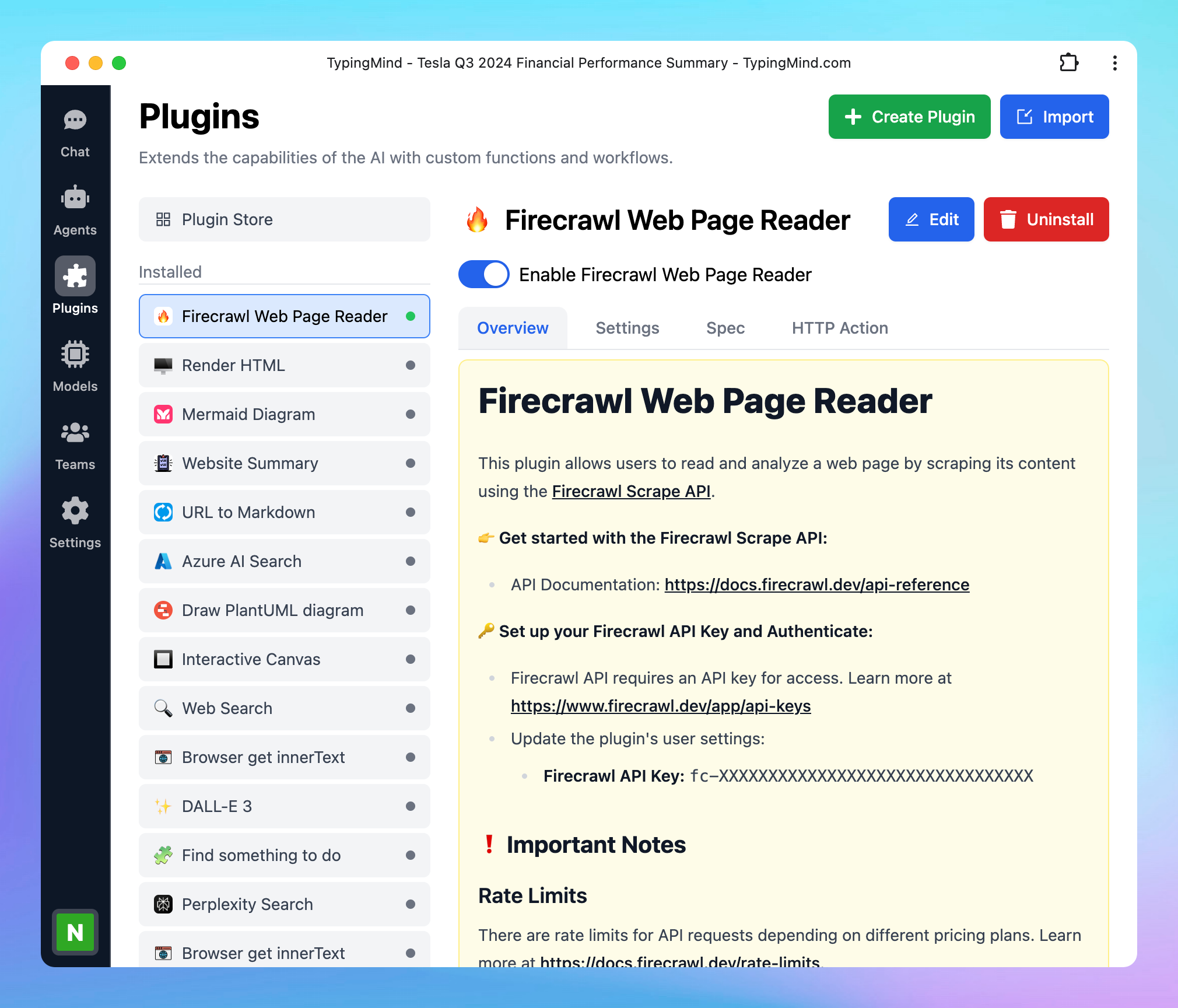 ## Step 1: Sign up for a Firecrawl account
Go to [https://www.firecrawl.dev/signin/password\_signin](https://www.firecrawl.dev/signin/password_signin) to **sign up for a Firecrawl account.**
## Step 1: Sign up for a Firecrawl account
Go to [https://www.firecrawl.dev/signin/password\_signin](https://www.firecrawl.dev/signin/password_signin) to **sign up for a Firecrawl account.**
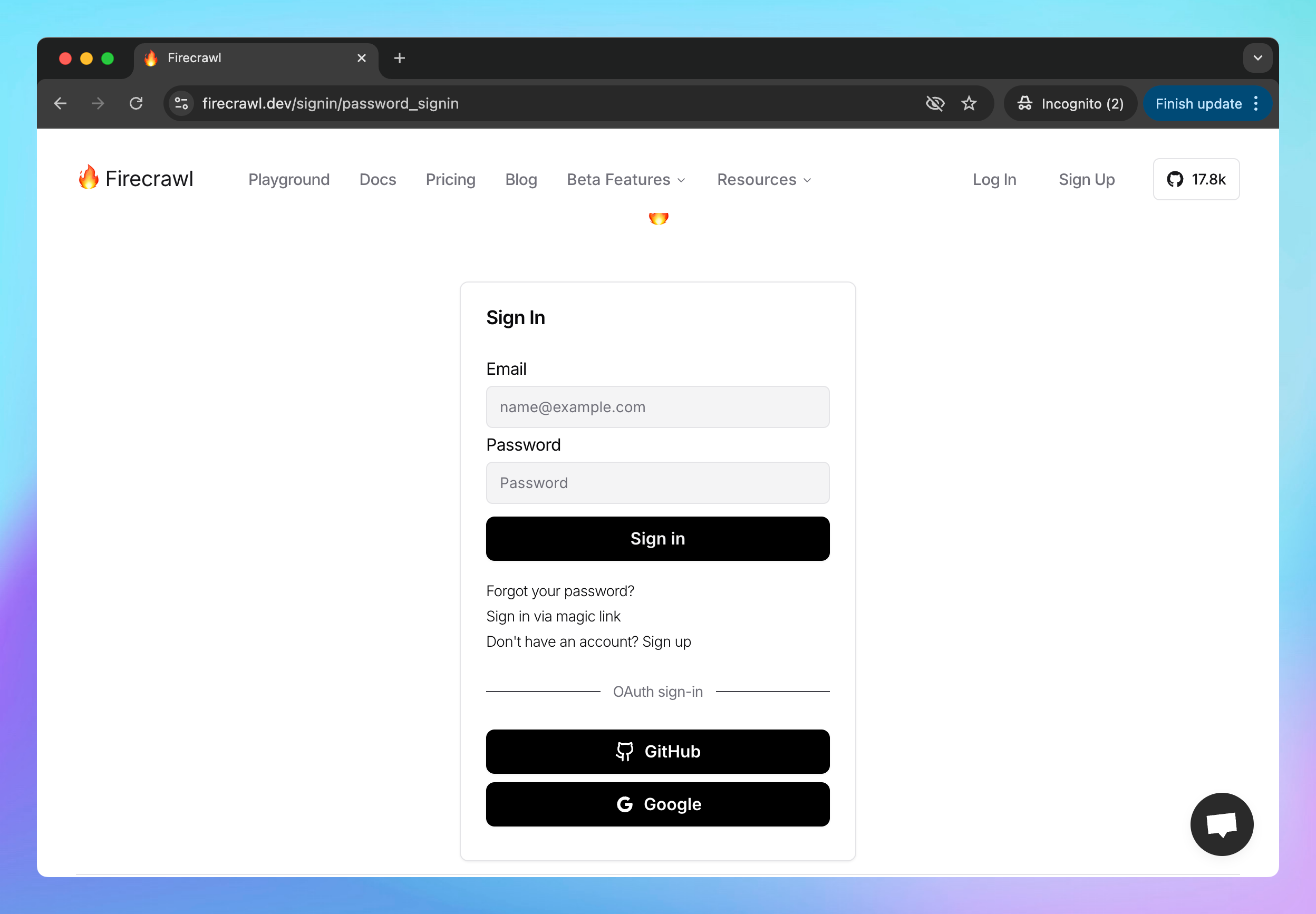 ## Step 2: Get the API key
* Once signed in, navigate to the **API key** section in your Firecrawl dashboard
* **Copy your API key**
* **Save this key** in a secure place, as you’ll need it to set it up on TypingMind.
## Step 2: Get the API key
* Once signed in, navigate to the **API key** section in your Firecrawl dashboard
* **Copy your API key**
* **Save this key** in a secure place, as you’ll need it to set it up on TypingMind.
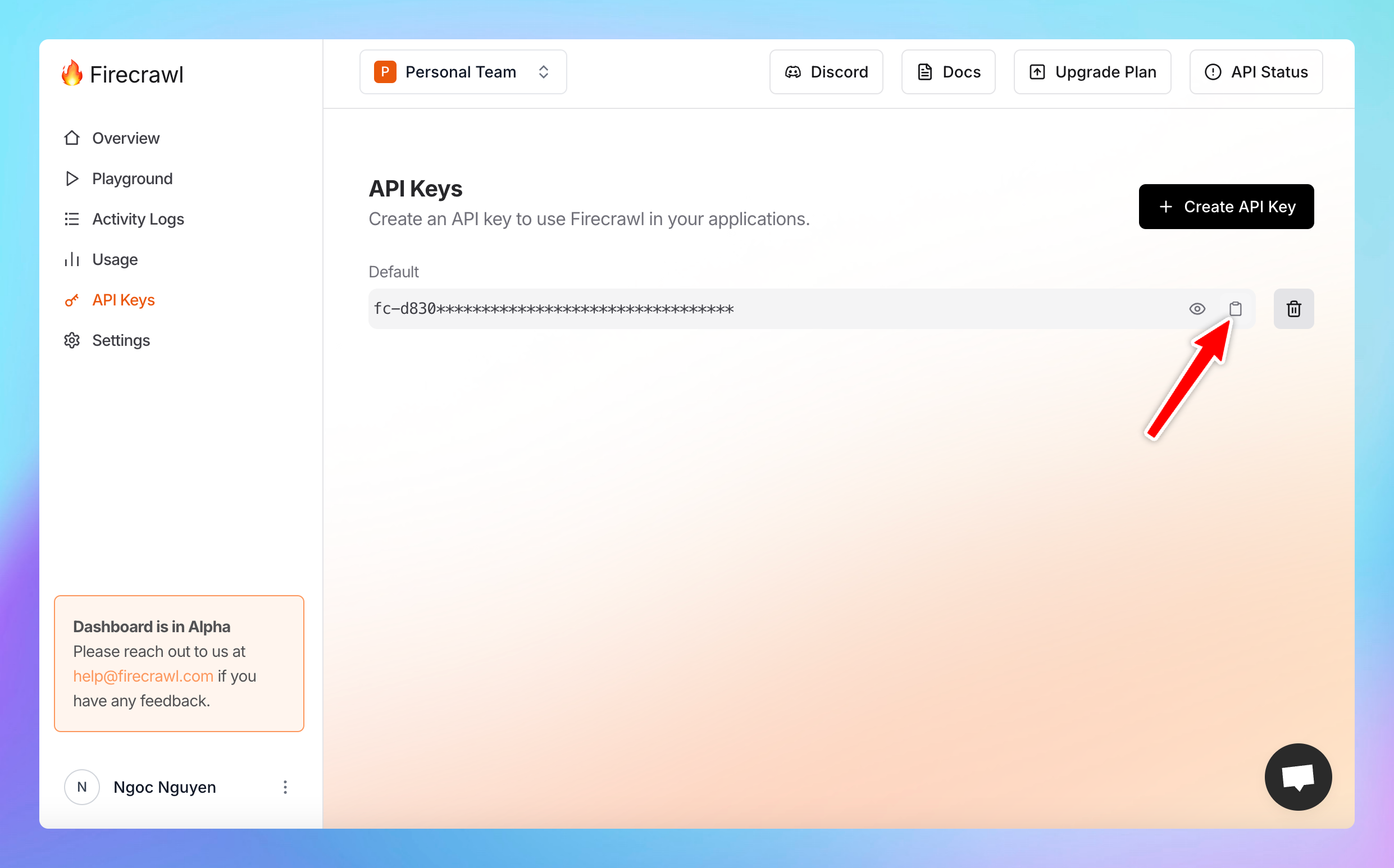 ## Step 3: Set up the plugin on TypingMind
* Go to [typingmind.com](http://typingmind.com)
* Click on the **Plugins** menu on the left side panel
* Select the plugin **Firecrawl Web Page Reader**
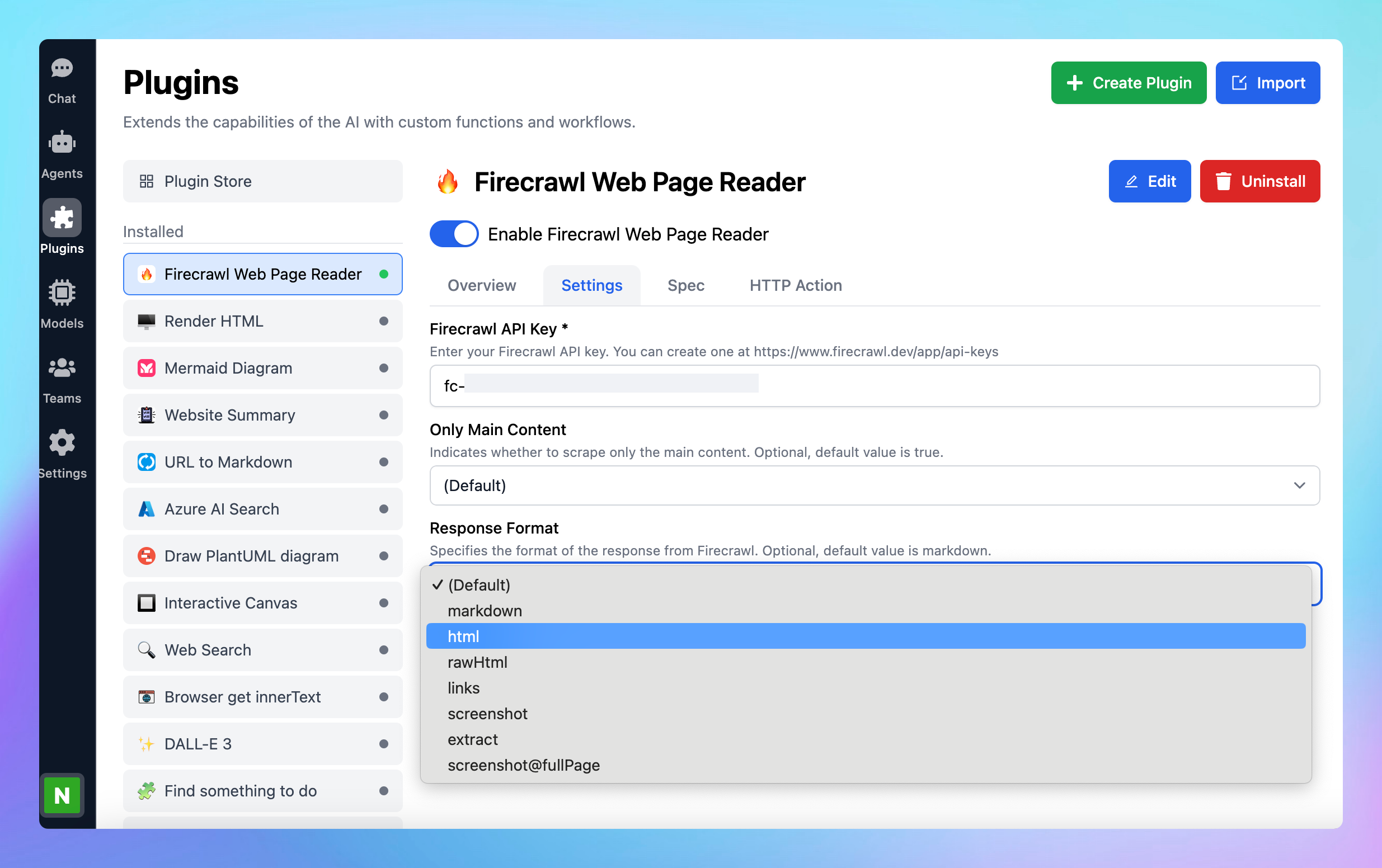
* Switch to the settings tab to **enter the copied API key.**
## Step 3: Set up the plugin on TypingMind
* Go to [typingmind.com](http://typingmind.com)
* Click on the **Plugins** menu on the left side panel
* Select the plugin **Firecrawl Web Page Reader**
* Switch to the settings tab to **enter the copied API key.**
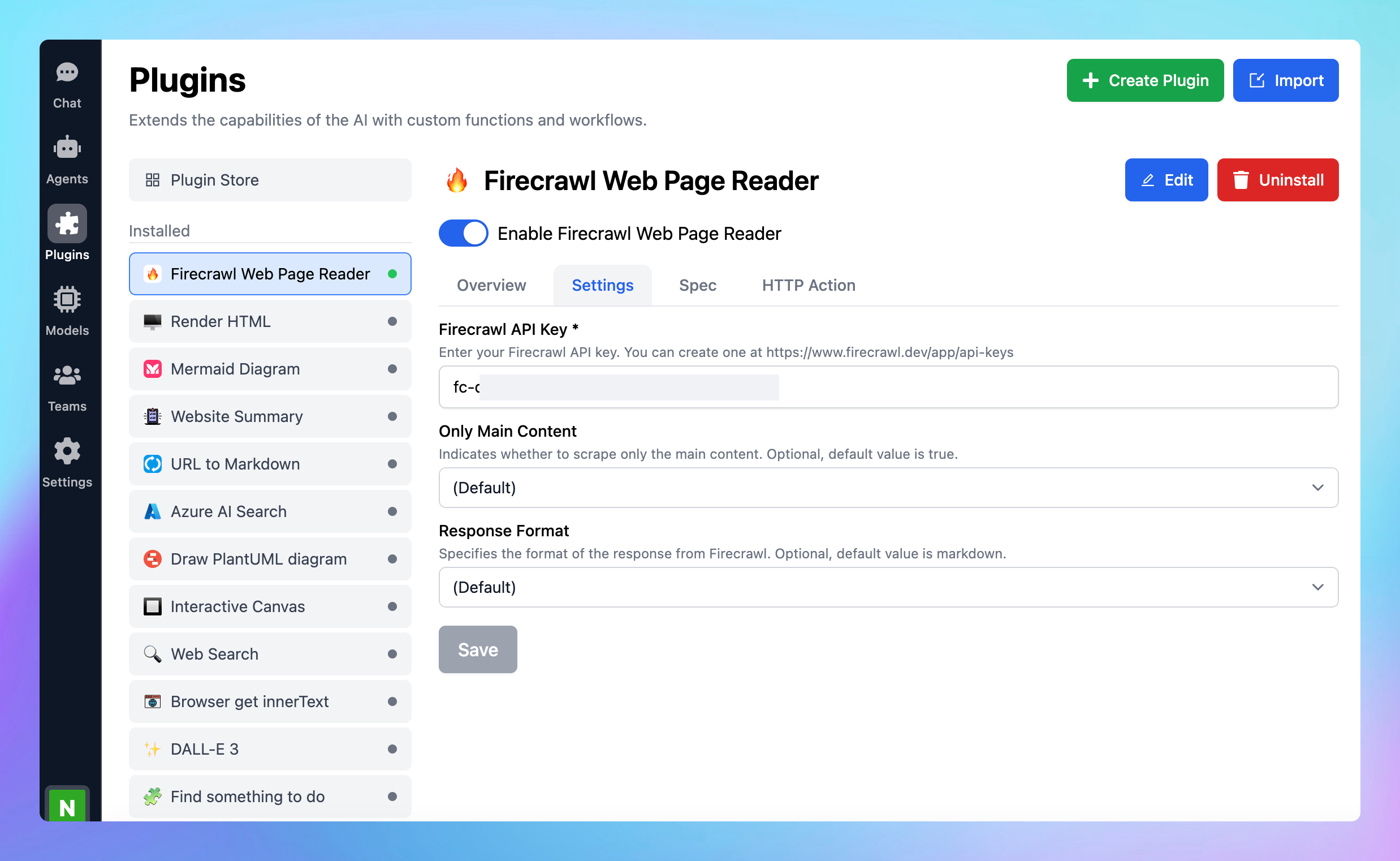 * You can also select the following options:
* **Only main content:** indicates whether to scrape only the main content. Optional, default value is true.
* **Response format**: specifies the format of the response from Firecrawl such as markdown, html, rawHtml, links, screenshot, extract, screenshot\@fullPage. Optional, default value is markdown.
* You can also select the following options:
* **Only main content:** indicates whether to scrape only the main content. Optional, default value is true.
* **Response format**: specifies the format of the response from Firecrawl such as markdown, html, rawHtml, links, screenshot, extract, screenshot\@fullPage. Optional, default value is markdown.
 ## Step 4: Start chatting!
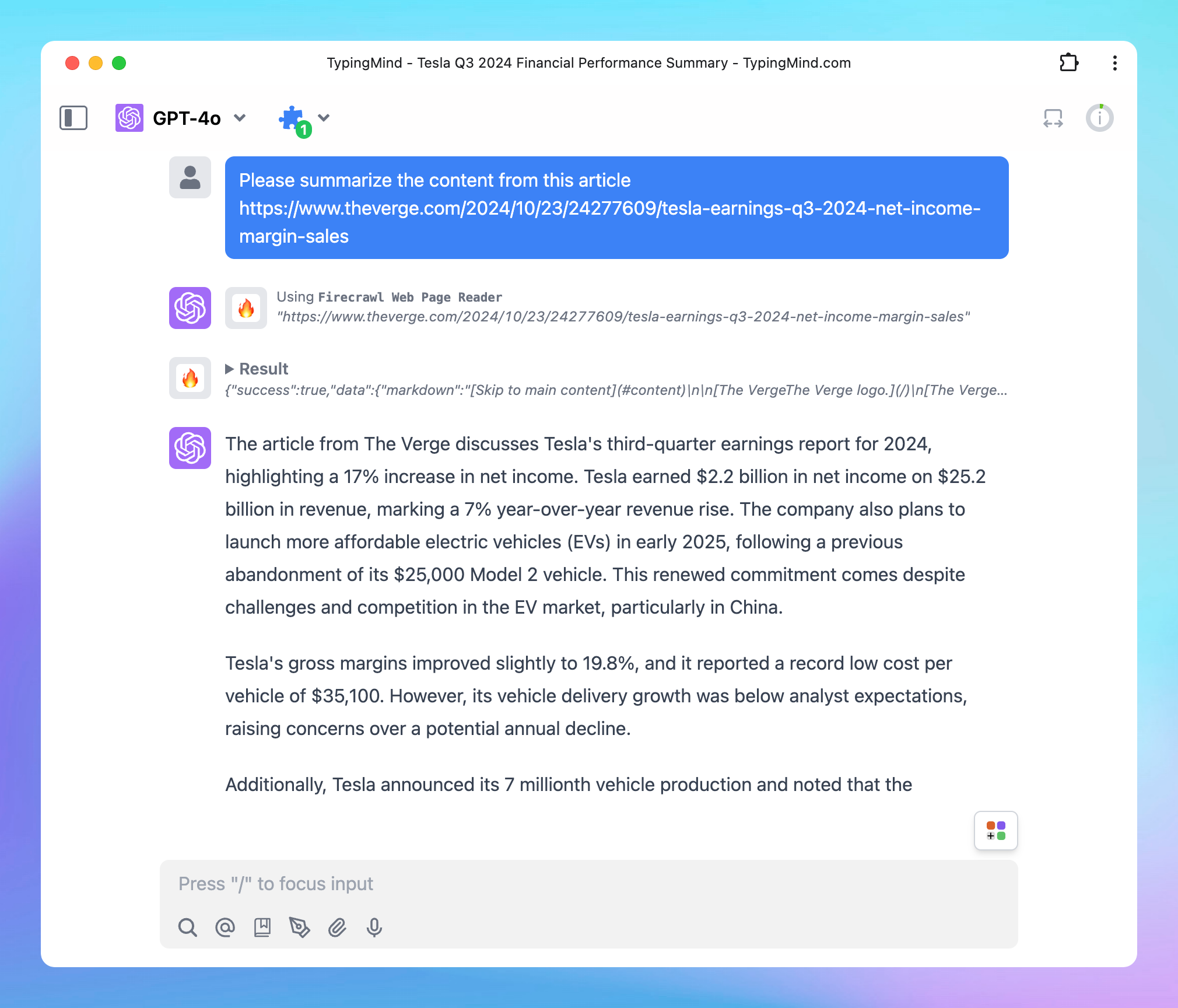
* Enter the URL of the web page you wish to scrape and analyze.
* The Firecrawl Web Page Reader will retrieve the content, allowing you to explore, read, and analyze data from that page.
## Step 4: Start chatting!
* Enter the URL of the web page you wish to scrape and analyze.
* The Firecrawl Web Page Reader will retrieve the content, allowing you to explore, read, and analyze data from that page.
 ## Some important notes
There are rate limits for Firecrawl API requests depending on different pricing plans. Learn more about rate limit at [\*\*https://docs.firecrawl.dev/rate-limits](https://docs.firecrawl.dev/rate-limits).\*\*
Firecrawl offers a free plan, allowing up to 500 page scrapes. If you exceed this limit, you’ll need to upgrade your plan. For detailed pricing information, visit [**https://www.firecrawl.dev/pricing**](https://www.firecrawl.dev/pricing).
## Some important notes
There are rate limits for Firecrawl API requests depending on different pricing plans. Learn more about rate limit at [\*\*https://docs.firecrawl.dev/rate-limits](https://docs.firecrawl.dev/rate-limits).\*\*
Firecrawl offers a free plan, allowing up to 500 page scrapes. If you exceed this limit, you’ll need to upgrade your plan. For detailed pricing information, visit [**https://www.firecrawl.dev/pricing**](https://www.firecrawl.dev/pricing).