> ## Documentation Index
> Fetch the complete documentation index at: https://docs.typingmind.com/llms.txt
> Use this file to discover all available pages before exploring further.
# Deep Research
TypingMind now supports **Deep Research** as a customizable plugin. This plugin enables you to perform advanced, multi-step research directly inside TypingMind with structured planning, live web search, and content analysis.
Deep Research is especially useful for in-depth exploration of a topic, combining planning, searching, and reading tools into a cohesive workflow.
## Setting Up Deep Research on TypingMind
1. Go to **Plugins —> Plugin Store**
2. Find **Deep Research** in your plugin list and install it
3. After installing, go to Deep Research plugin and click on Settings tab
* Enter your [**Serp API key**](https://serpapi.com/) and [**Firecrawl API key**](https://www.firecrawl.dev/app/api-keys) in the designated fields.
* These keys are required for the plugin to search the web and read content.
4. Choose your research mode:
The Deep Research plugin offers three research modes, allowing you to balance speed, cost, and accuracy:
* **Lightweight** – Fast and cost-saving; good for quick checks or summaries.
* **Comprehensive** – Thorough and accurate; runs longer and consumes more tokens.
* **Dynamic** – Balanced mode; adapts to your needs with a good mix of efficiency and depth.
You can select your preferred mode in the plugin settings before starting a session.
1. Save your changes.
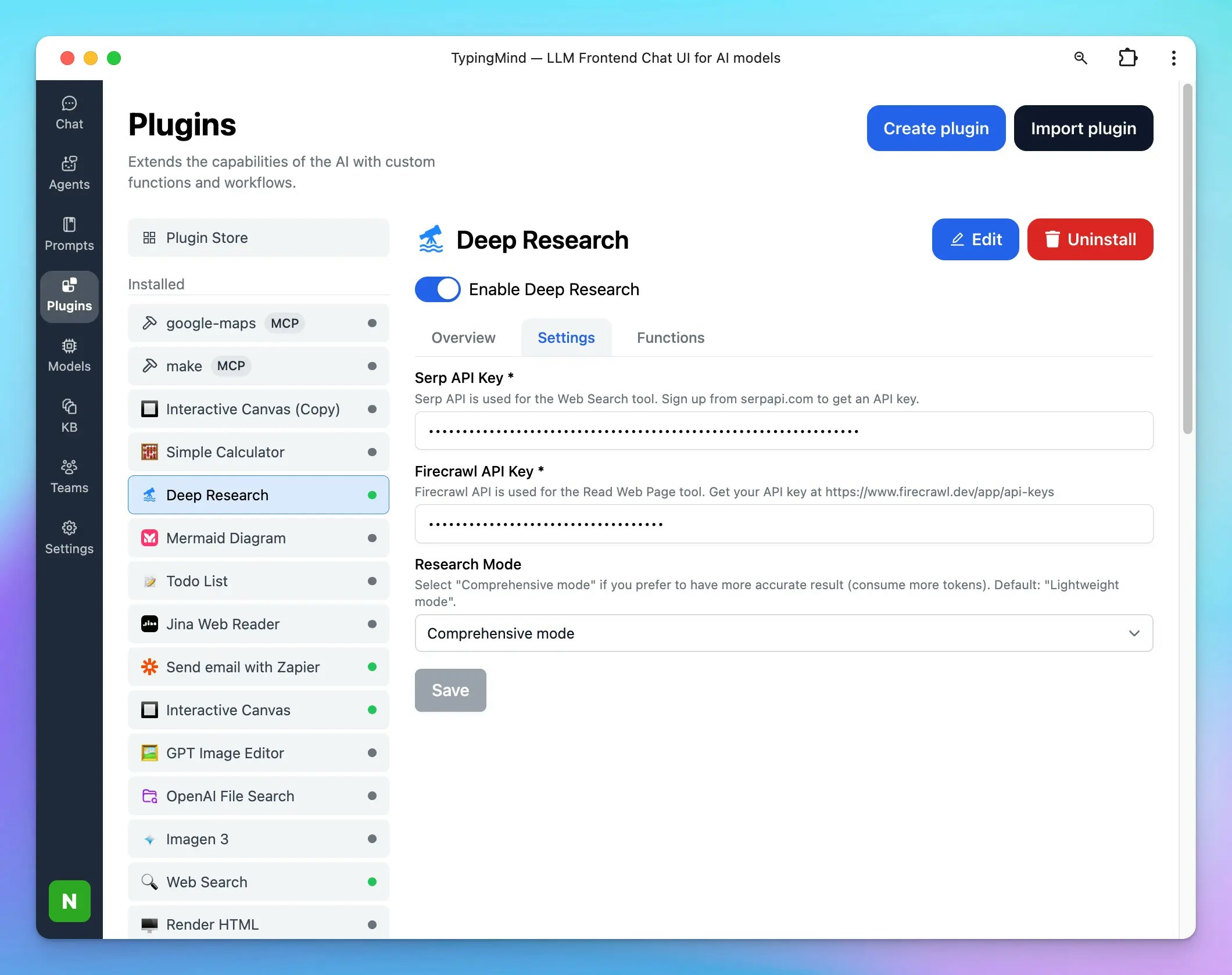 At this point, the plugin is configured and ready to use.
## Using Deep Research in Conversations
1. Open a conversation in TypingMind.
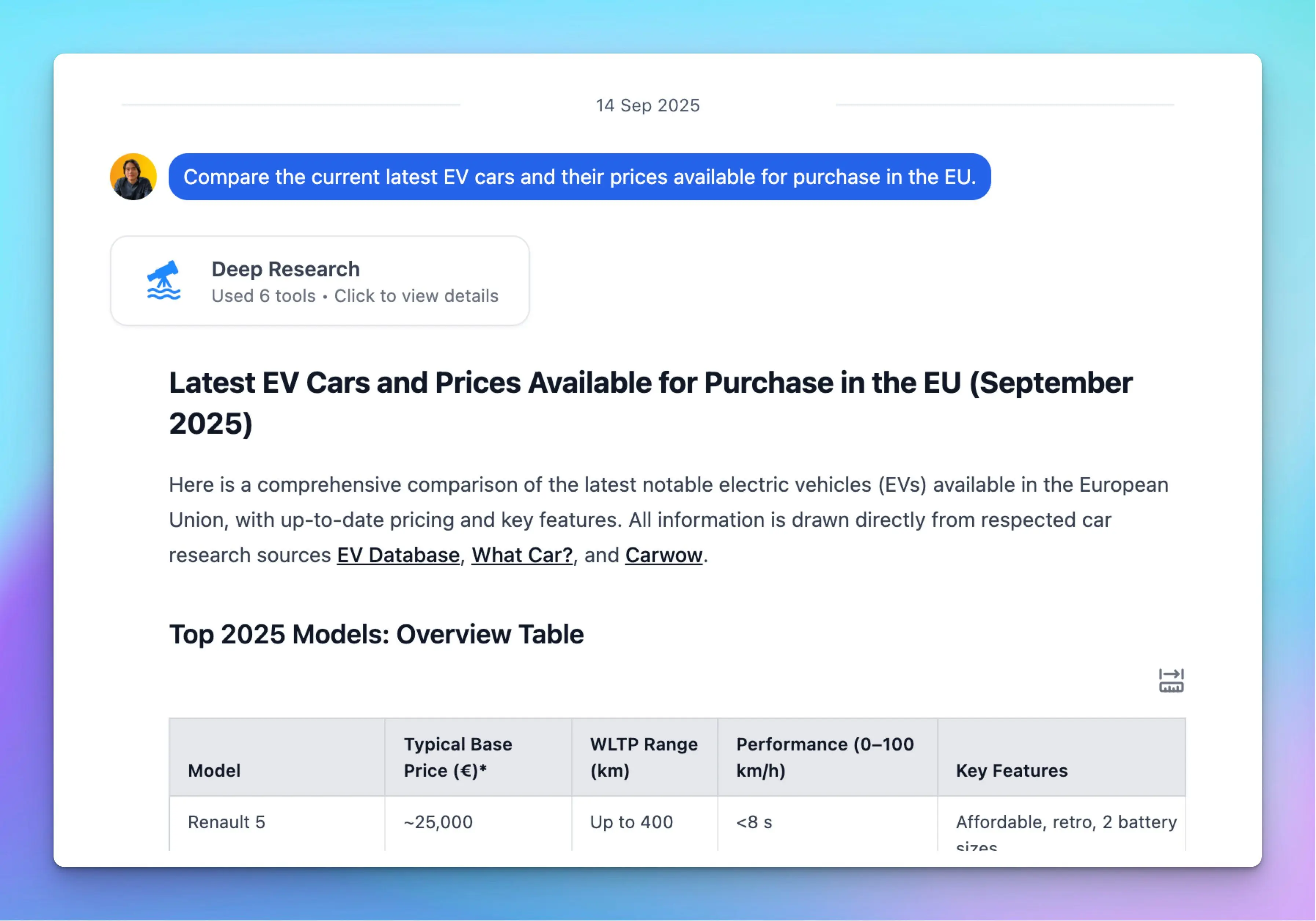
2. Ask a question or provide a topic where you want in-depth research. For example:
* *“Do a comprehensive deep research on the impact of AI in product design.”*
3. The plugin will:
* Create a **Research Plan**.
* **Search the web** for relevant sources using Serp API.
* **Read web pages** with Firecrawl API.
* Combine the results into a structured report.
You can follow up naturally in the same chat to refine, expand, or focus the research.
At this point, the plugin is configured and ready to use.
## Using Deep Research in Conversations
1. Open a conversation in TypingMind.
2. Ask a question or provide a topic where you want in-depth research. For example:
* *“Do a comprehensive deep research on the impact of AI in product design.”*
3. The plugin will:
* Create a **Research Plan**.
* **Search the web** for relevant sources using Serp API.
* **Read web pages** with Firecrawl API.
* Combine the results into a structured report.
You can follow up naturally in the same chat to refine, expand, or focus the research.
 ## Customize Deep Research Plugin
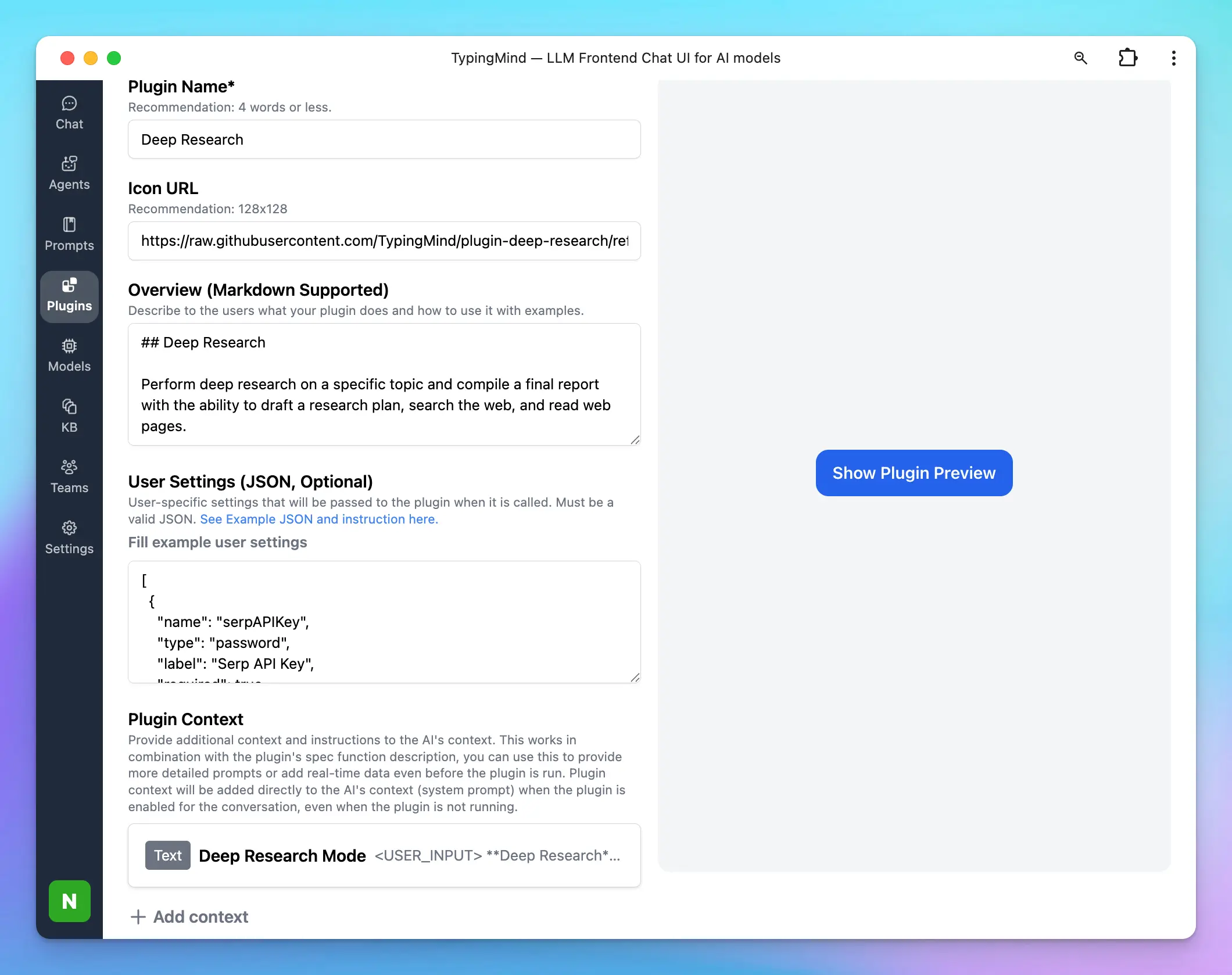
Deep Research plugin is fully customizable. You can duplicate and edit the plugin to:
* **Add your own tools:** the TypingMind plugin system allows you to add multiple tools to the Deep Research plugin and supports various ways to implement your tools using JavaScript, HTTP requests, or MCP. *Learn more here: [TypingMind Plugin Development Guide](/plugins/deep-research).*
* By default, the Deep Research plugin comes with 3 tools: Research Plan, Search Web, and Read Web Page. You can add more tools as your preferences like:
* Reading tweets
* Searching private databases
* Controlling a browser
* Adjust **system instructions** and **prompts** in the plugin source.
## Customize Deep Research Plugin
Deep Research plugin is fully customizable. You can duplicate and edit the plugin to:
* **Add your own tools:** the TypingMind plugin system allows you to add multiple tools to the Deep Research plugin and supports various ways to implement your tools using JavaScript, HTTP requests, or MCP. *Learn more here: [TypingMind Plugin Development Guide](/plugins/deep-research).*
* By default, the Deep Research plugin comes with 3 tools: Research Plan, Search Web, and Read Web Page. You can add more tools as your preferences like:
* Reading tweets
* Searching private databases
* Controlling a browser
* Adjust **system instructions** and **prompts** in the plugin source.
 ## Token Usage Note
This plugin may use multiple tools in multiple turns. A deep research task can run for up to 2 minutes. Please monitor the token usage closely to avoid consuming too many tokens. You can also modify the plugin to make it more token-efficient by adding your own tools to perform web searches and read web pages.
## Token Usage Note
This plugin may use multiple tools in multiple turns. A deep research task can run for up to 2 minutes. Please monitor the token usage closely to avoid consuming too many tokens. You can also modify the plugin to make it more token-efficient by adding your own tools to perform web searches and read web pages.