> ## Documentation Index
> Fetch the complete documentation index at: https://docs.typingmind.com/llms.txt
> Use this file to discover all available pages before exploring further.
# Xiaomi
Learn how to use Xiaomi models on TypingMind!
## Step 1: Get Xiaomi API key
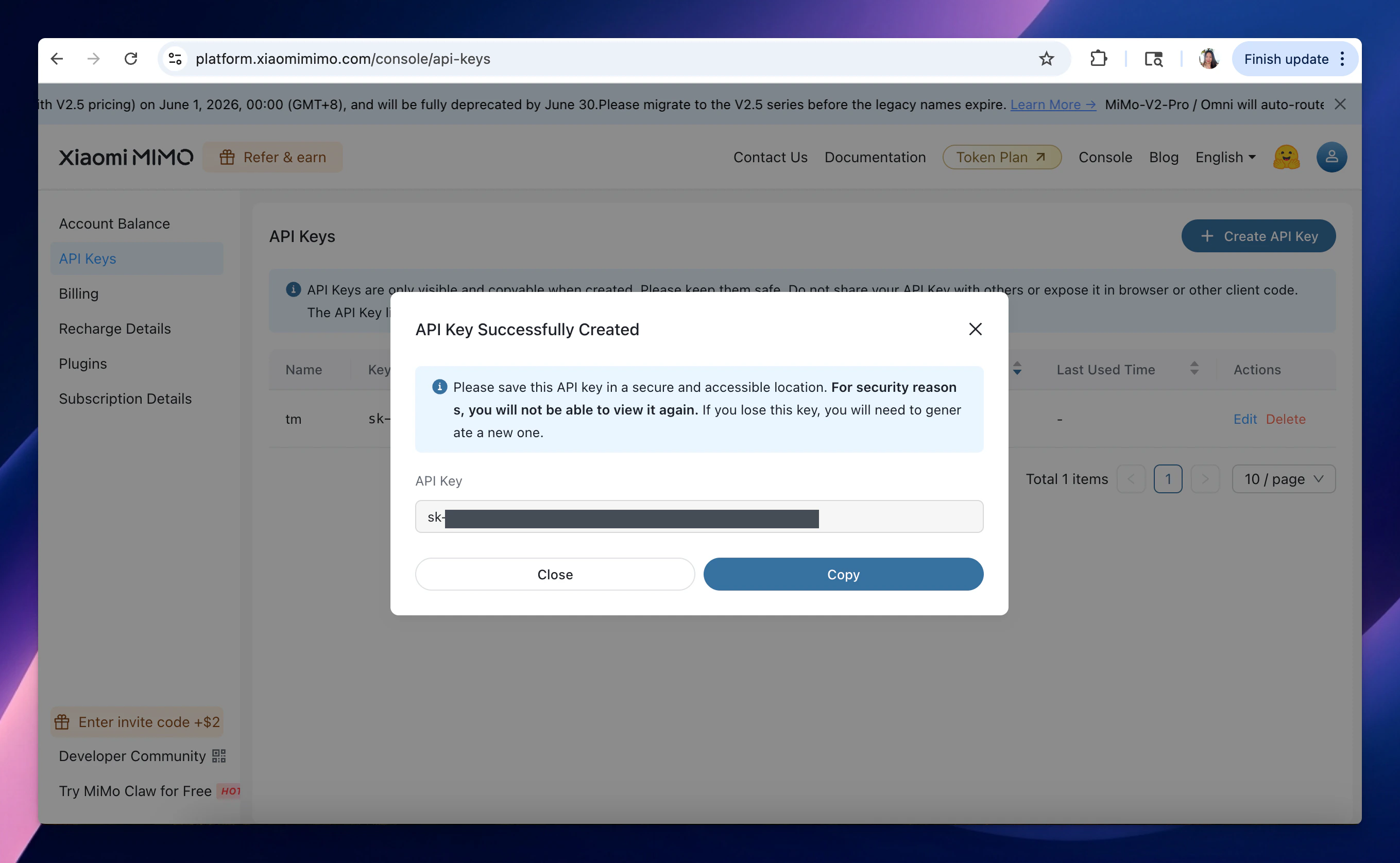
* Go to [https://platform.xiaomimimo.com/console/api-keys](https://platform.xiaomimimo.com/console/api-keys) to get Xiaomi API key (sign up first if you have not had an account yet)
* Copy the API key to a safe place.
 ## Step 2: Use Xiaomi models on TypingMind
* Go to [typingmind.com](http://typingmind.com)
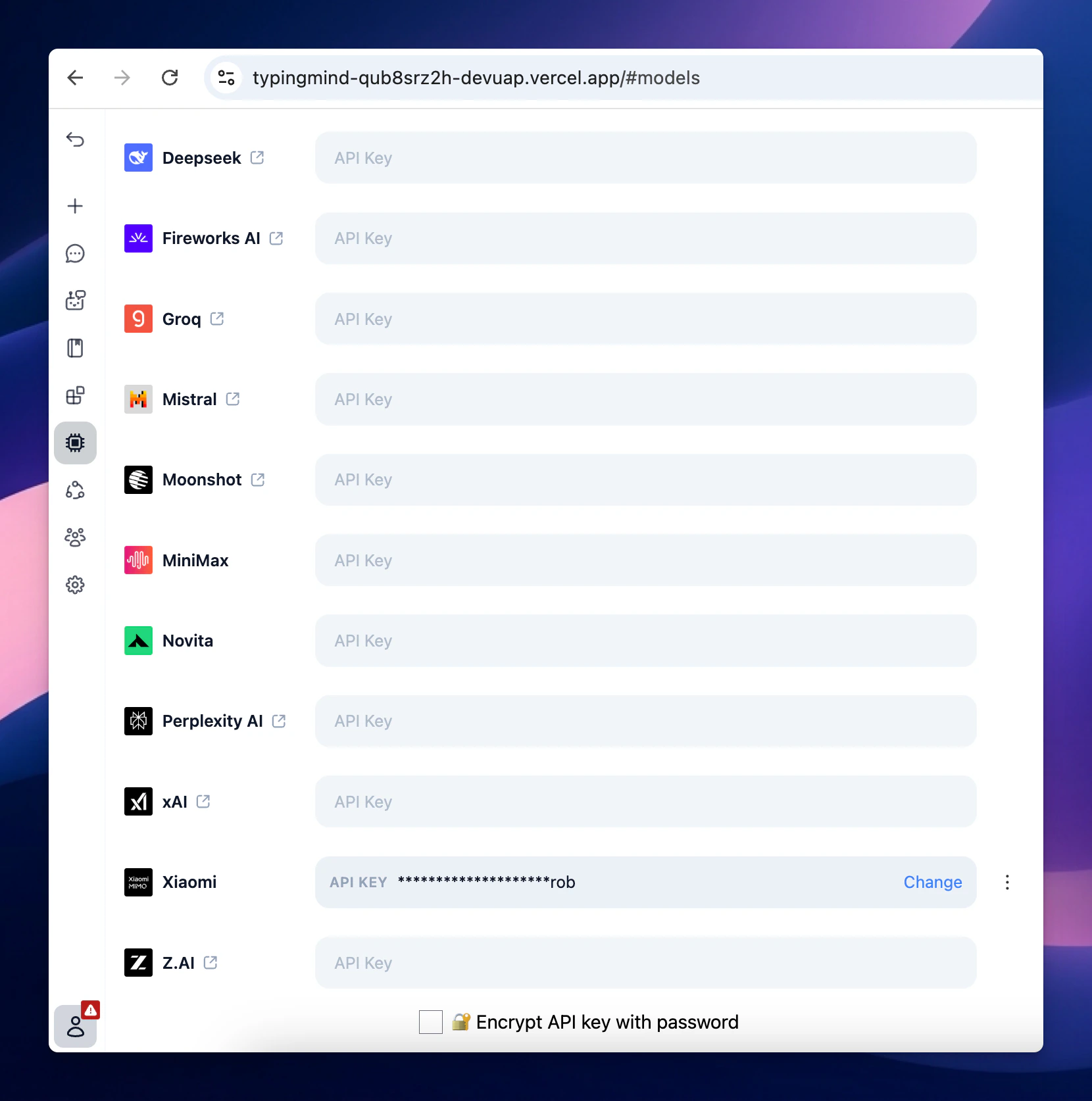
* Select Models → API key tab to enter the coped API key for Xiaomi
## Step 2: Use Xiaomi models on TypingMind
* Go to [typingmind.com](http://typingmind.com)
* Select Models → API key tab to enter the coped API key for Xiaomi
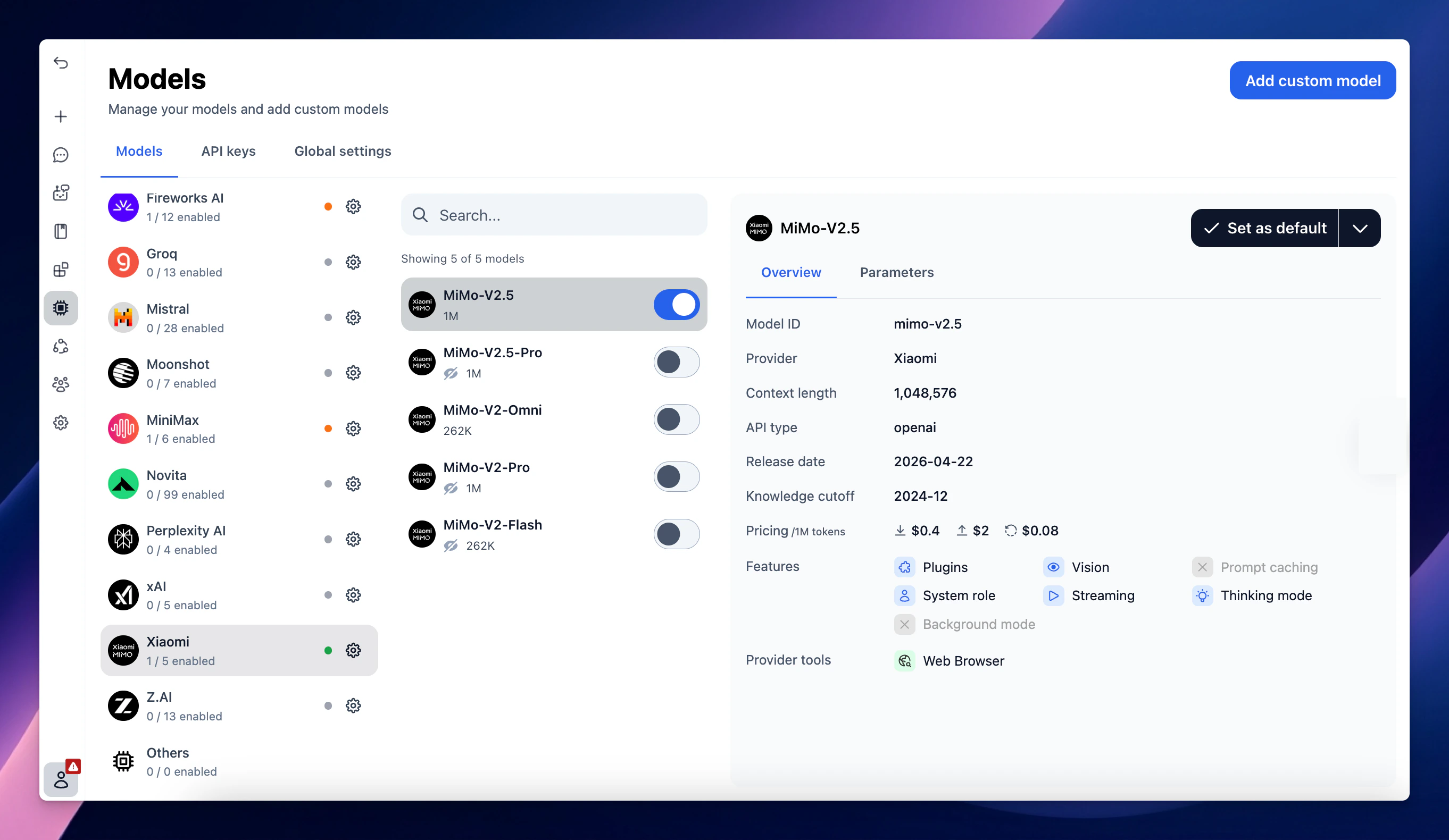
 Switch back to Models tab → Select Xiaomi to enable the Xiaomi models you want to chat with.