> ## Documentation Index
> Fetch the complete documentation index at: https://docs.typingmind.com/llms.txt
> Use this file to discover all available pages before exploring further.
# Perplexity AI
It’s easy to set up Typing Mind for using with Perplexity AI ([https://www.perplexity.ai/](https://www.perplexity.ai/)) Here is a quick guide.
Perplexity AI model is different from the Perplexity Plugin:
* **Perplexity model** optimizes for the entire conversation, and answers user queries effectively using Perplexity datasets.
* **Perplexity plugin** optimizes searching information during the conversation to get up-to-date responses. You can enable or disable it whenever you want or use it with other AI models such as GPT-4o, or Claude to enhance the AI responses.
## Get a Perplexity AI account
Go to [https://www.perplexity.ai/](https://www.perplexity.ai/) and sign up for an account. Then go to [https://www.perplexity.ai/settings/api](https://www.perplexity.ai/settings/api) to get your API key.
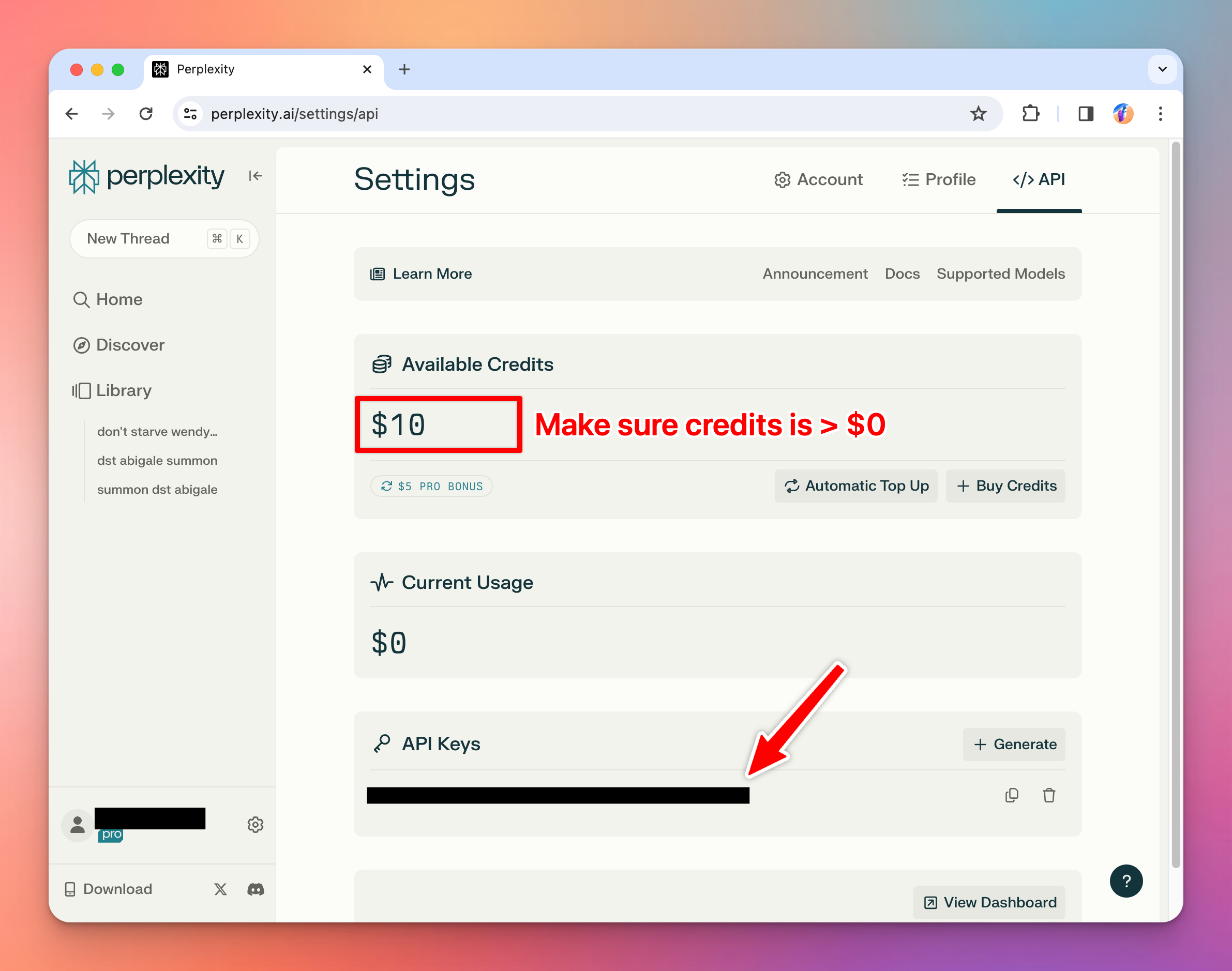 Note that you may need to **top-up your credit** to use the API.
## Use Perplexity models on Typing Mind
* Go to [**typingmind.com**](http://typingmind.com)
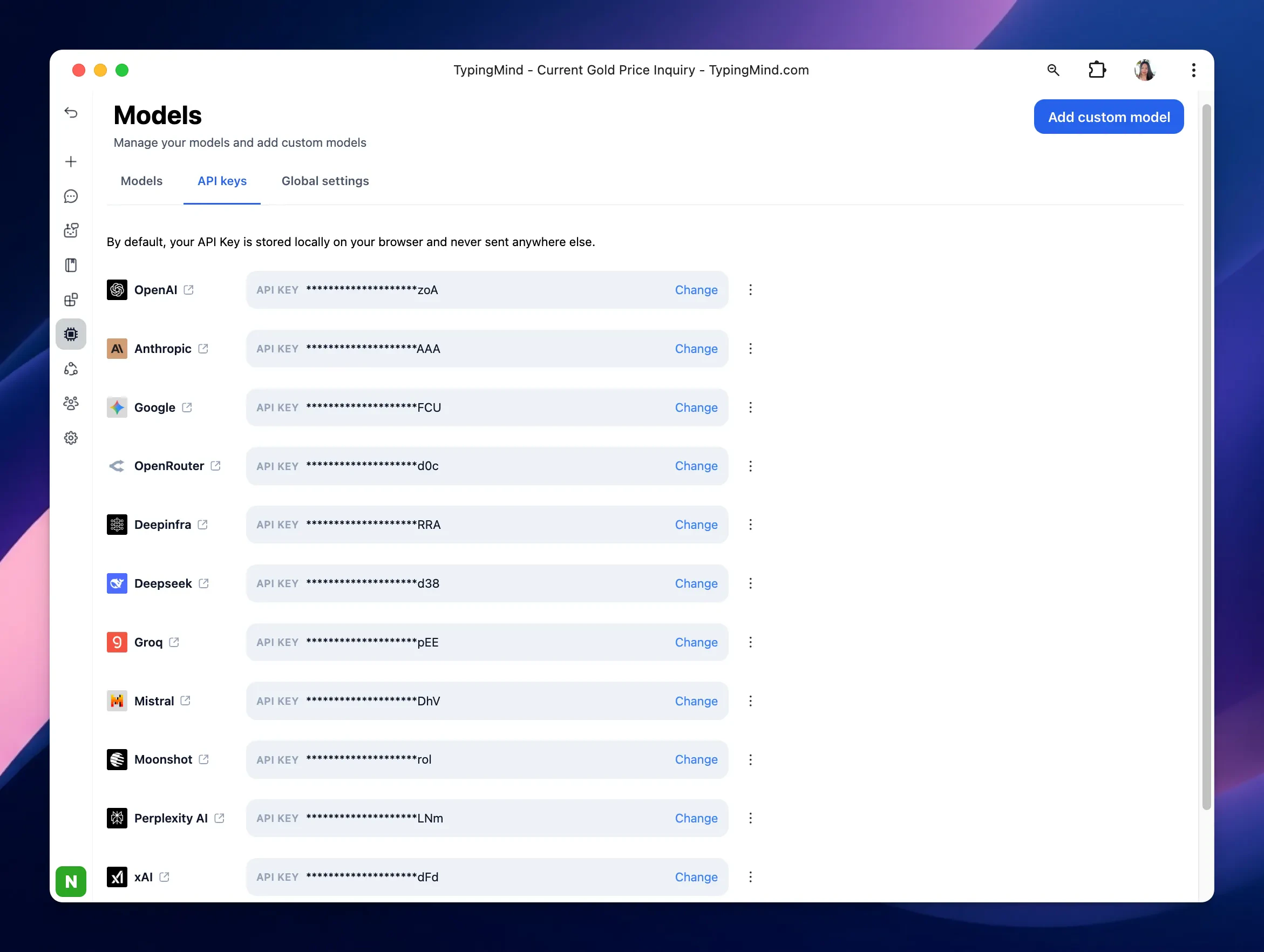
* Navigate the Models menu on the left sidebar → Switch to API key tab
* Input the copied API key for Perplexity.
Note that you may need to **top-up your credit** to use the API.
## Use Perplexity models on Typing Mind
* Go to [**typingmind.com**](http://typingmind.com)
* Navigate the Models menu on the left sidebar → Switch to API key tab
* Input the copied API key for Perplexity.
 **Quick Troubleshooting**
If you see errors like "Sorry, Custom Model has rejected your request", click on the **Model** dropdown menu → **Model Settings** → **Advanced Settings** → then reset all parameters to default.
If you see errors like "…After the (optional) system message(s), user and assistant roles should be alternating", please enable **Support System Role** in the custom model settings.
After entering the API key for Perplexity, switch back to Models tab → select Perplexity → enable Perplexity models you want to chat with.
**Quick Troubleshooting**
If you see errors like "Sorry, Custom Model has rejected your request", click on the **Model** dropdown menu → **Model Settings** → **Advanced Settings** → then reset all parameters to default.
If you see errors like "…After the (optional) system message(s), user and assistant roles should be alternating", please enable **Support System Role** in the custom model settings.
After entering the API key for Perplexity, switch back to Models tab → select Perplexity → enable Perplexity models you want to chat with.
 ## Use Perplexity AI model
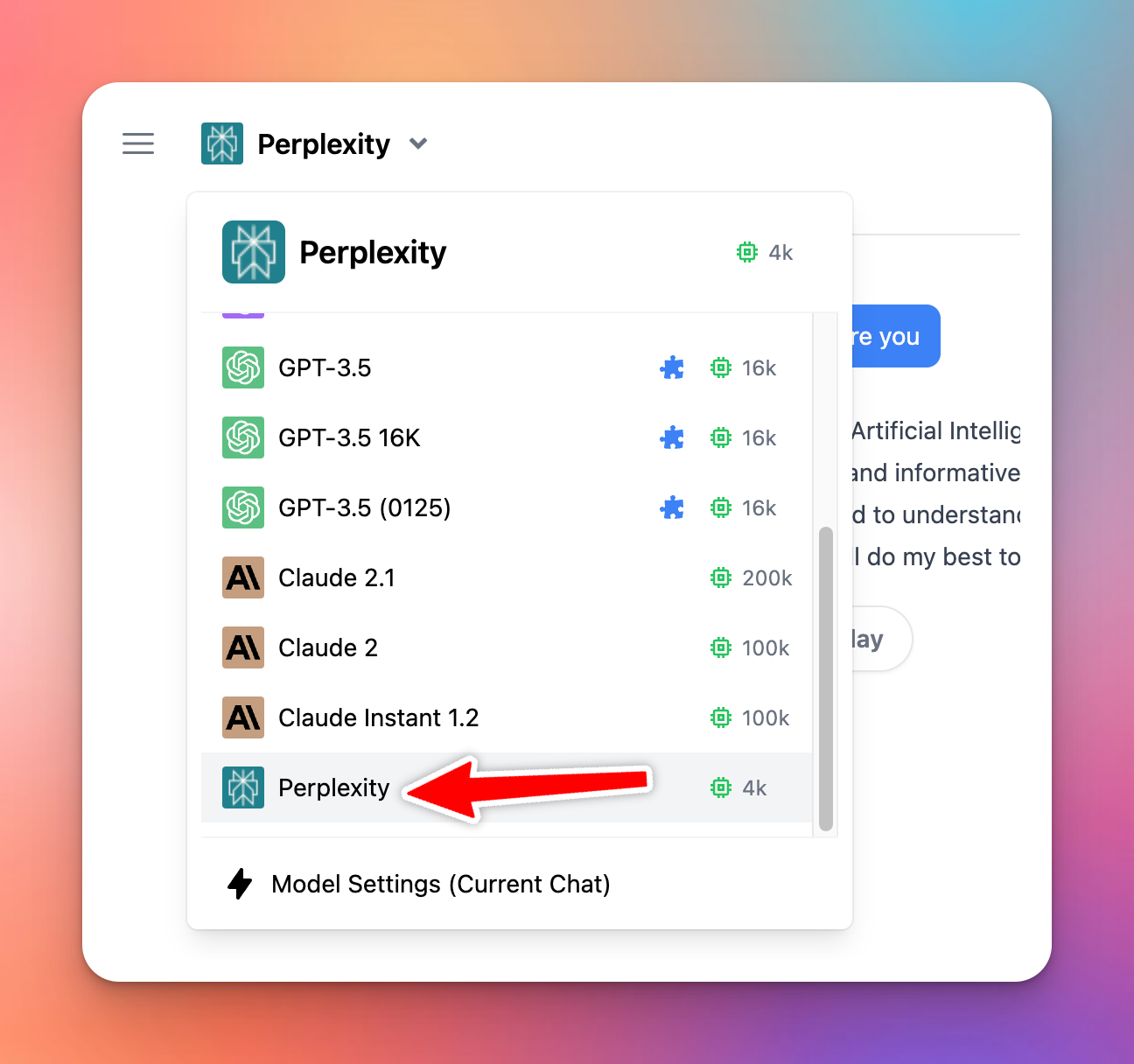
You can now select and use Perplexity model from the dropdown menu.
## Use Perplexity AI model
You can now select and use Perplexity model from the dropdown menu.