> ## Documentation Index
> Fetch the complete documentation index at: https://docs.typingmind.com/llms.txt
> Use this file to discover all available pages before exploring further.
# OpenAI Fine-tuning Models
OpenAI's fine-tuning model can be used on TypingMind. Here are 3 simple steps to set it up:
## 1. Access Fine-tuning on OpenAI
First, log into your OpenAI API account at [https://platform.openai.com](https://platform.openai.com/) and go to “**Fine-tuning**”
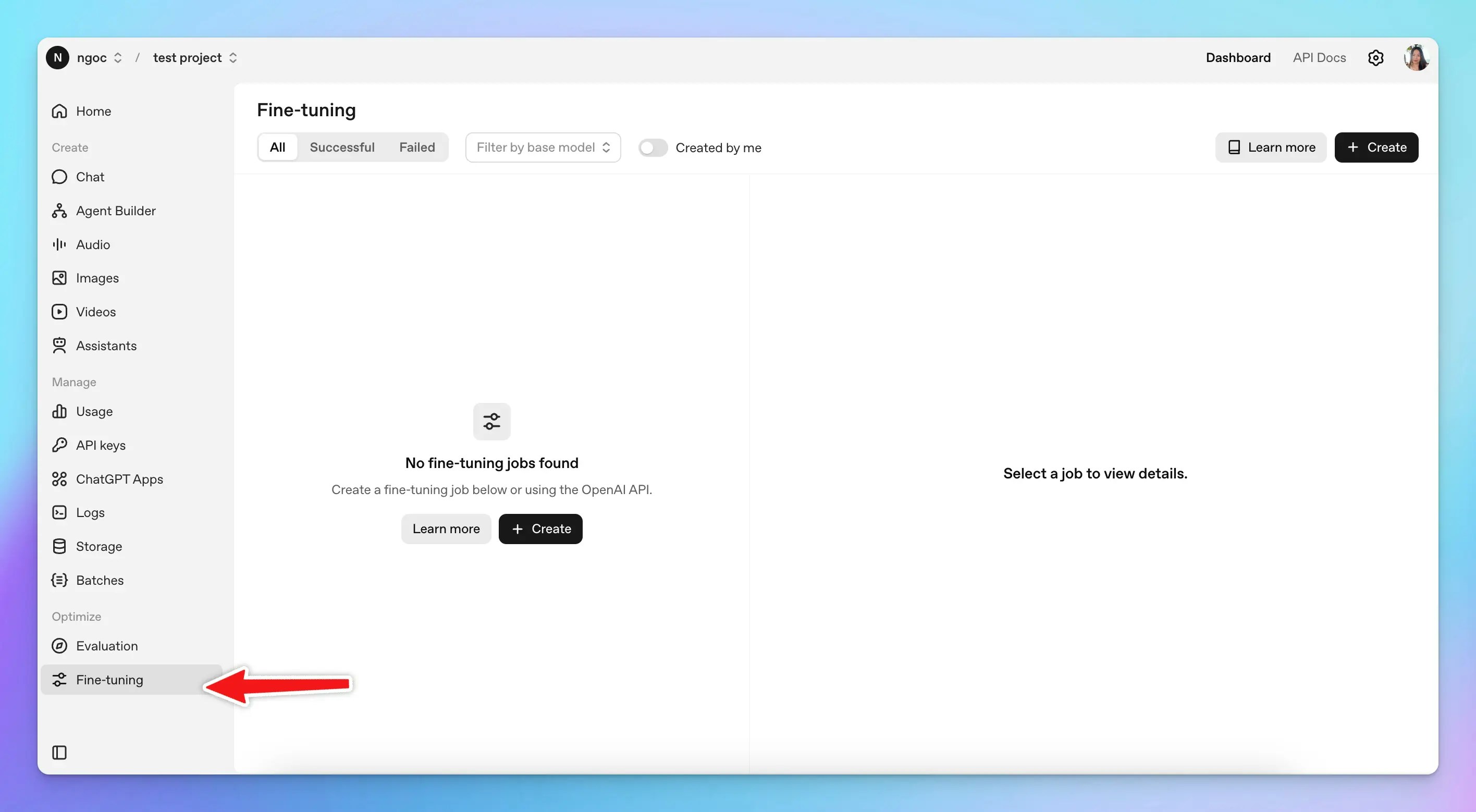 ## 2. Create a fine-tuning model
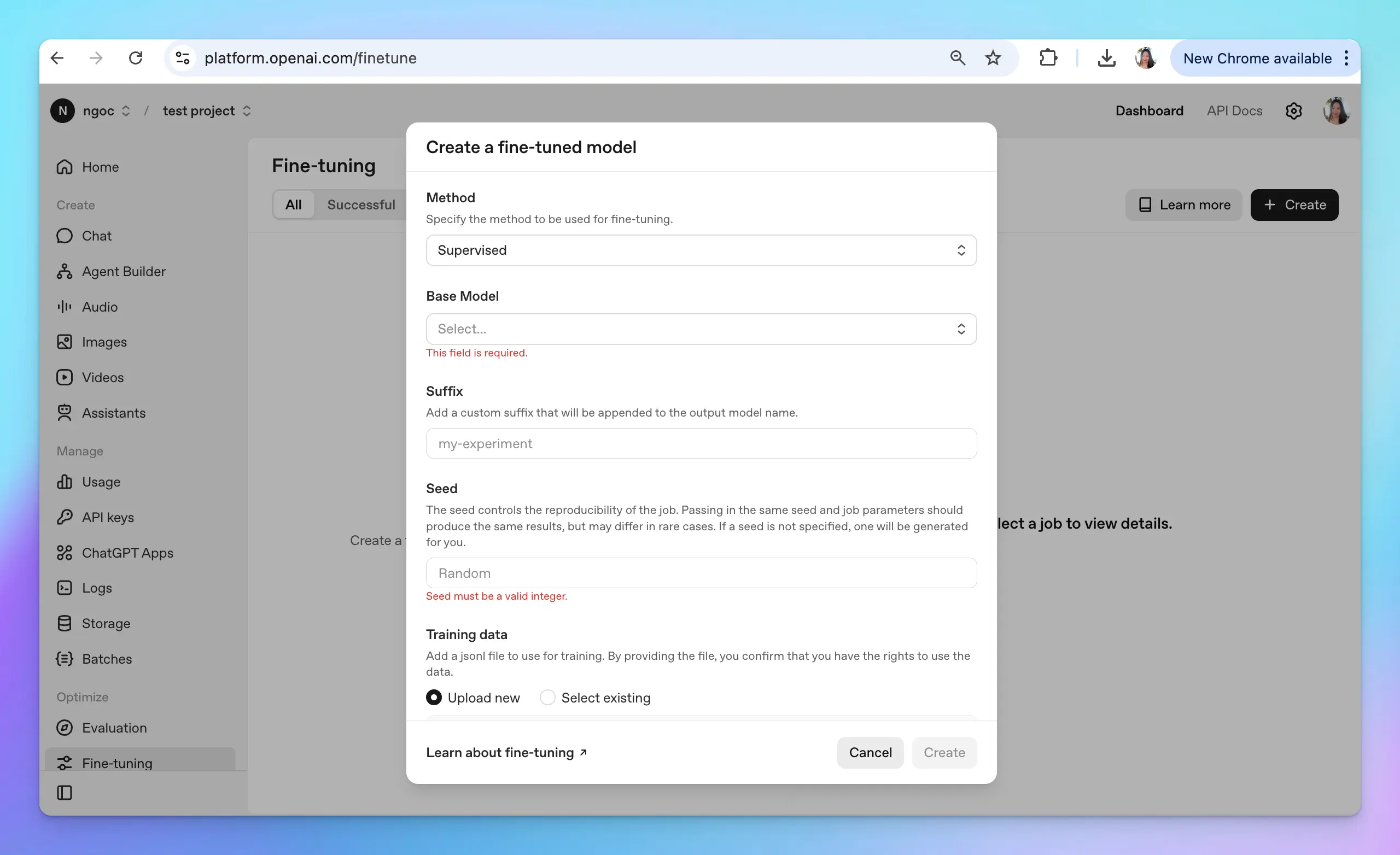
Click “**Create new**” and select the **GPT-3.5-turbo** as the base model (TypingMind doesn’t support other base models now)
Upload the .jsonl file to use for training, please follow the [OpenAI instructions](https://platform.openai.com/docs/guides/fine-tuning) to create the file.
## 2. Create a fine-tuning model
Click “**Create new**” and select the **GPT-3.5-turbo** as the base model (TypingMind doesn’t support other base models now)
Upload the .jsonl file to use for training, please follow the [OpenAI instructions](https://platform.openai.com/docs/guides/fine-tuning) to create the file.
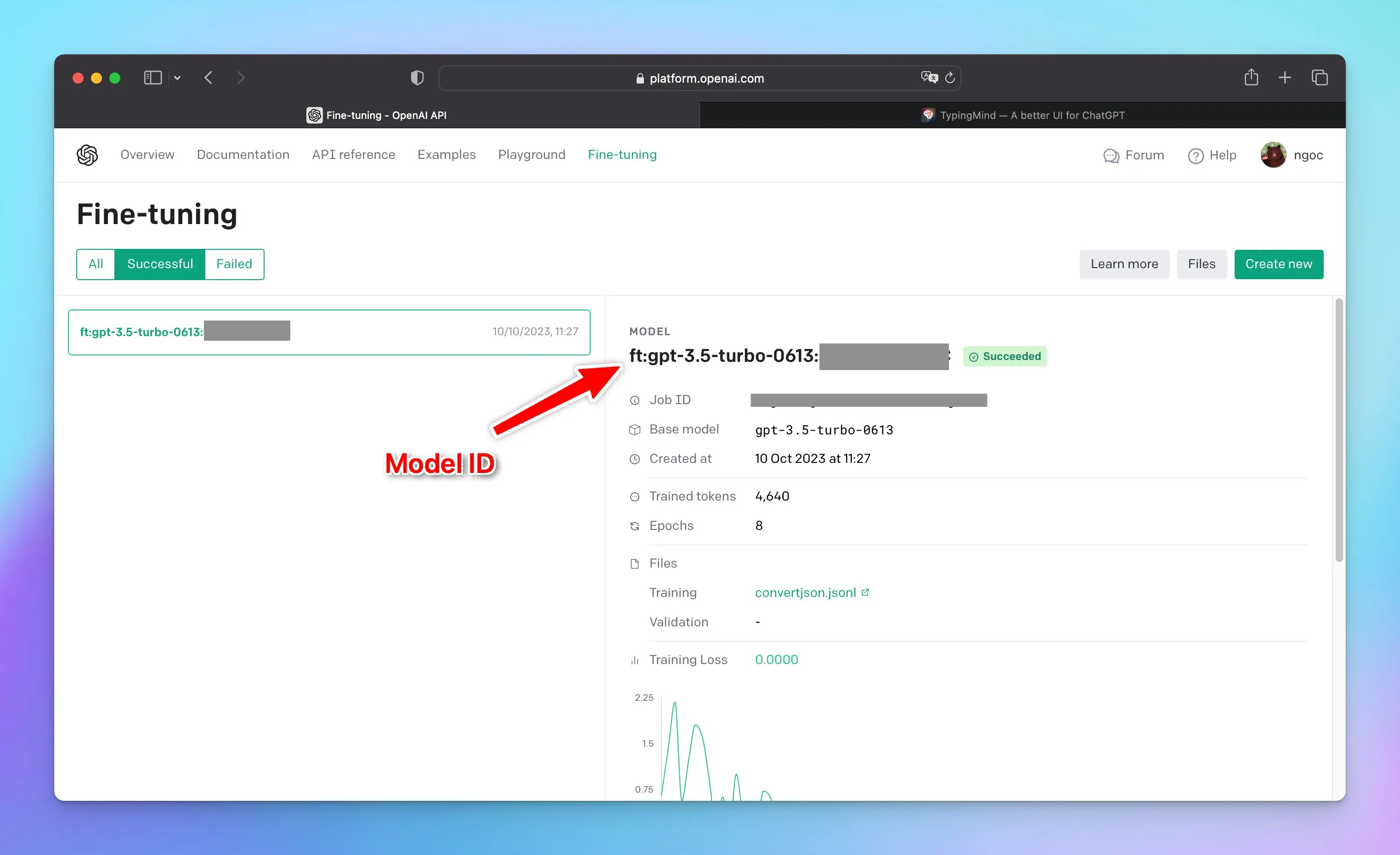
 ## 3. Get the model ID and API key
Once you're done with all of that, you'll get the **model ID**.
Copy it along with your OpenAI API key to a safe place, you will need them soon.
## 3. Get the model ID and API key
Once you're done with all of that, you'll get the **model ID**.
Copy it along with your OpenAI API key to a safe place, you will need them soon.
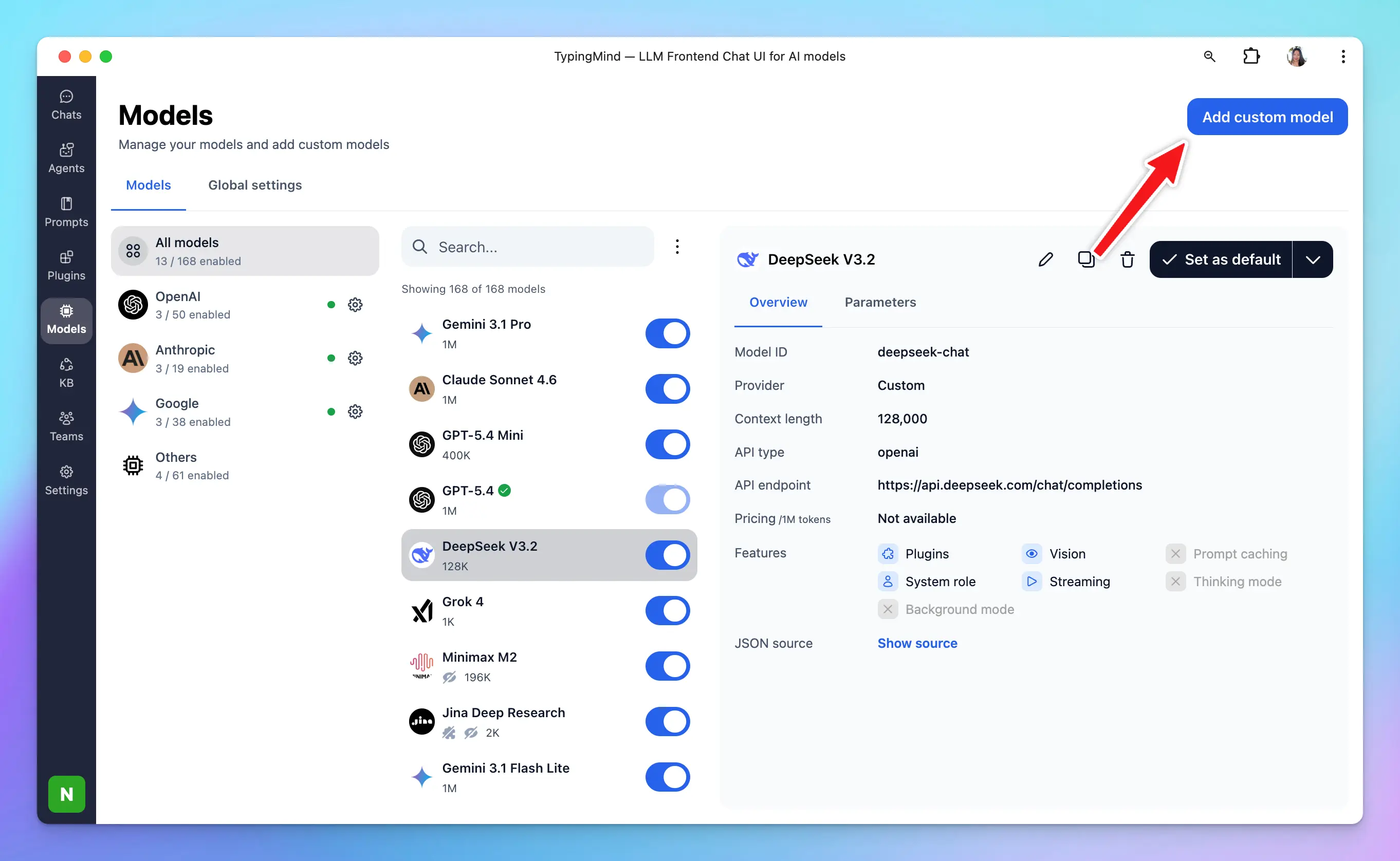
 ## 4. Set up fine-tuning model on TypingMind
Head over to [typingmind.com](http://typingmind.com), click "**Models**" on the left side panel. Then, select “**Add Custom Model**”.
## 4. Set up fine-tuning model on TypingMind
Head over to [typingmind.com](http://typingmind.com), click "**Models**" on the left side panel. Then, select “**Add Custom Model**”.
 Here’s how you fill in the fields:
* Name: `GPT-3.5 Fine-tuning` (or you can set any name you want)
* Endpoint: `https://api.openai.com/v1/chat/completions`
* Model ID: input the model ID you have just copied at step 3
* Context Length: 4096
* You can enable the “**Support Plugins**” toggle if you want to use the plugins for your fine-tuning model.
* Click “**Add Custom Headers**” and add: `Authorization`: `Bearer {{your OpenAI API key}}`
Here is what it looks like:
Here’s how you fill in the fields:
* Name: `GPT-3.5 Fine-tuning` (or you can set any name you want)
* Endpoint: `https://api.openai.com/v1/chat/completions`
* Model ID: input the model ID you have just copied at step 3
* Context Length: 4096
* You can enable the “**Support Plugins**” toggle if you want to use the plugins for your fine-tuning model.
* Click “**Add Custom Headers**” and add: `Authorization`: `Bearer {{your OpenAI API key}}`
Here is what it looks like:
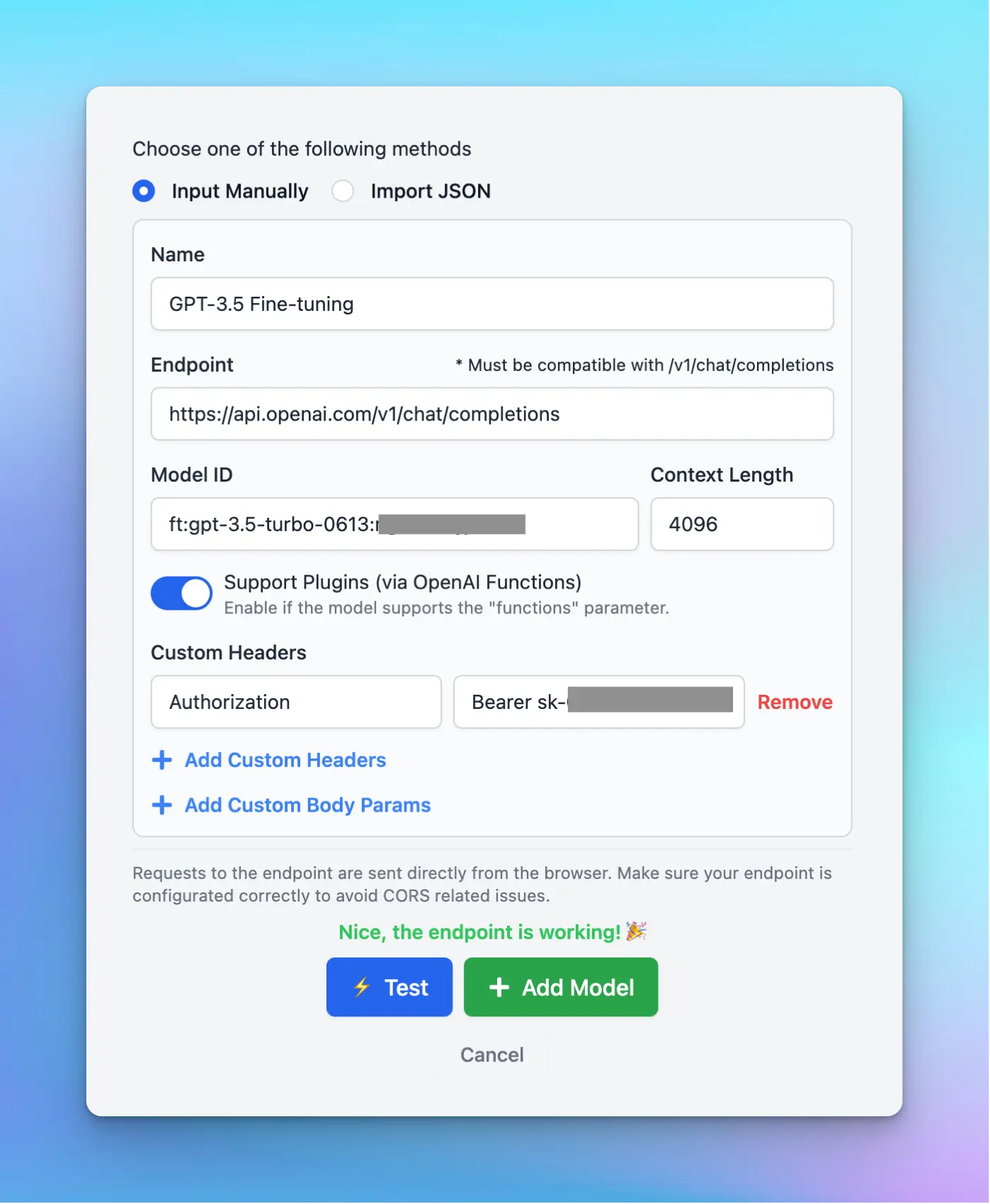 Hit “**Test**” to make sure the model work well and then click “**Add Model**”.
That's it! You're all set!
Hit “**Test**” to make sure the model work well and then click “**Add Model**”.
That's it! You're all set!