> ## Documentation Index
> Fetch the complete documentation index at: https://docs.typingmind.com/llms.txt
> Use this file to discover all available pages before exploring further.
# DeepSeek AI
Detailed guide on how to use DeepSeek AI on TypingMind.
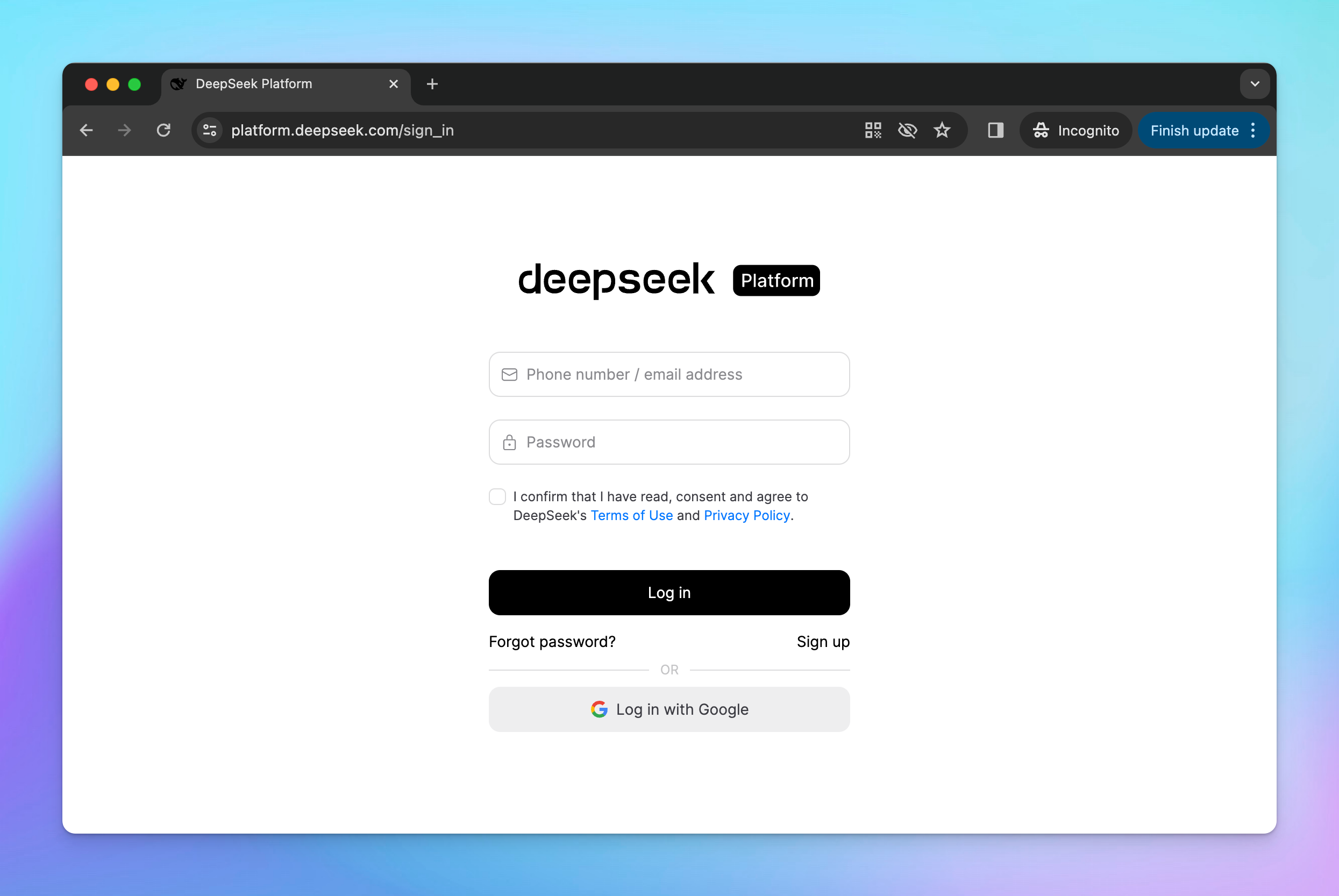
## Step 1: Sign up for DeepSeek AI
First, you will need to sign up for a DeepSeek AI account at [https://platform.deepseek.com/sign\_in](https://platform.deepseek.com/sign_in)
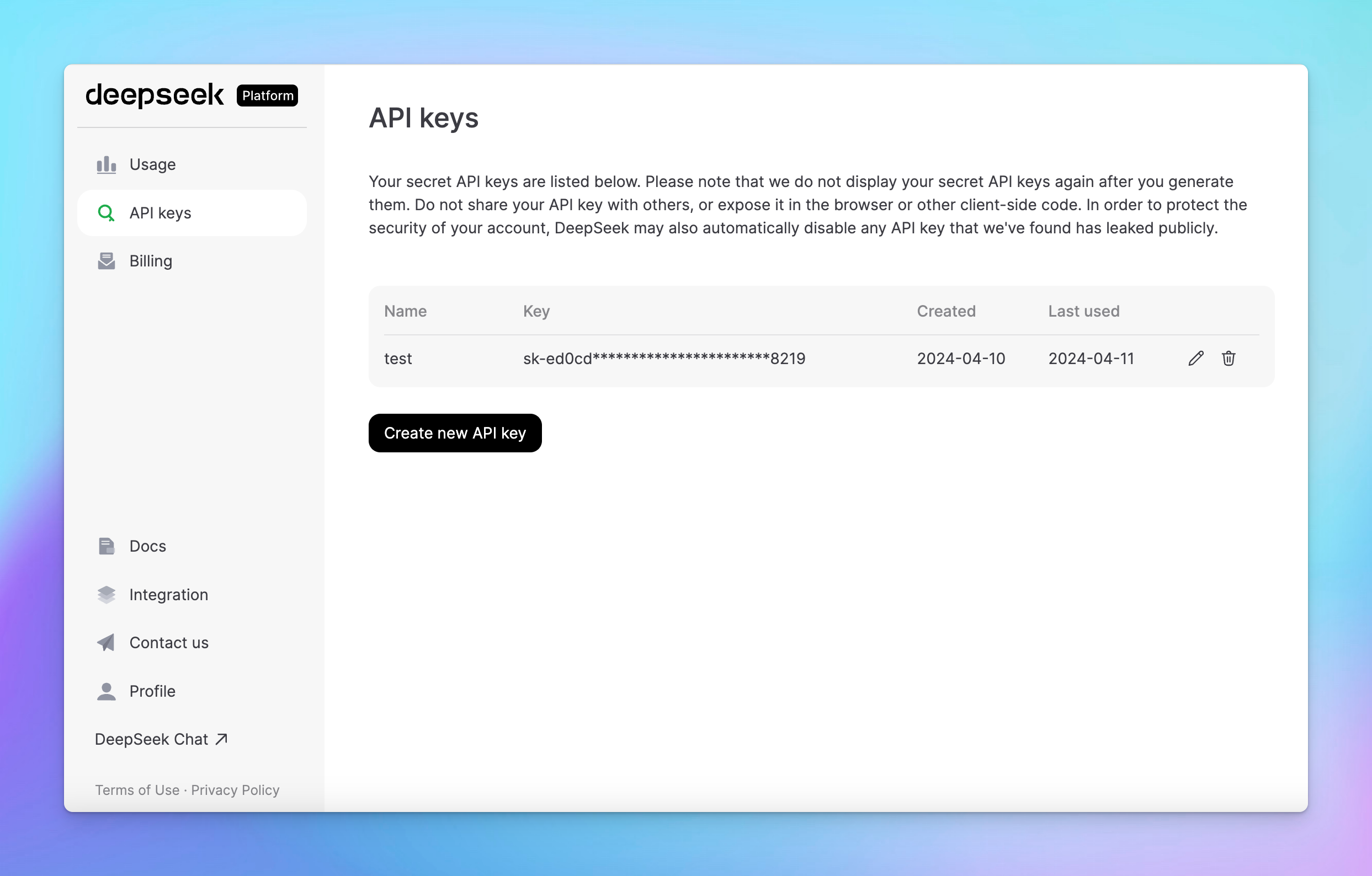
## Step 2: Get DeepSeek API key
* Go to [https://platform.deepseek.com/api\_keys](https://platform.deepseek.com/api_keys)
* Create a new API key
* Copy the generated API key
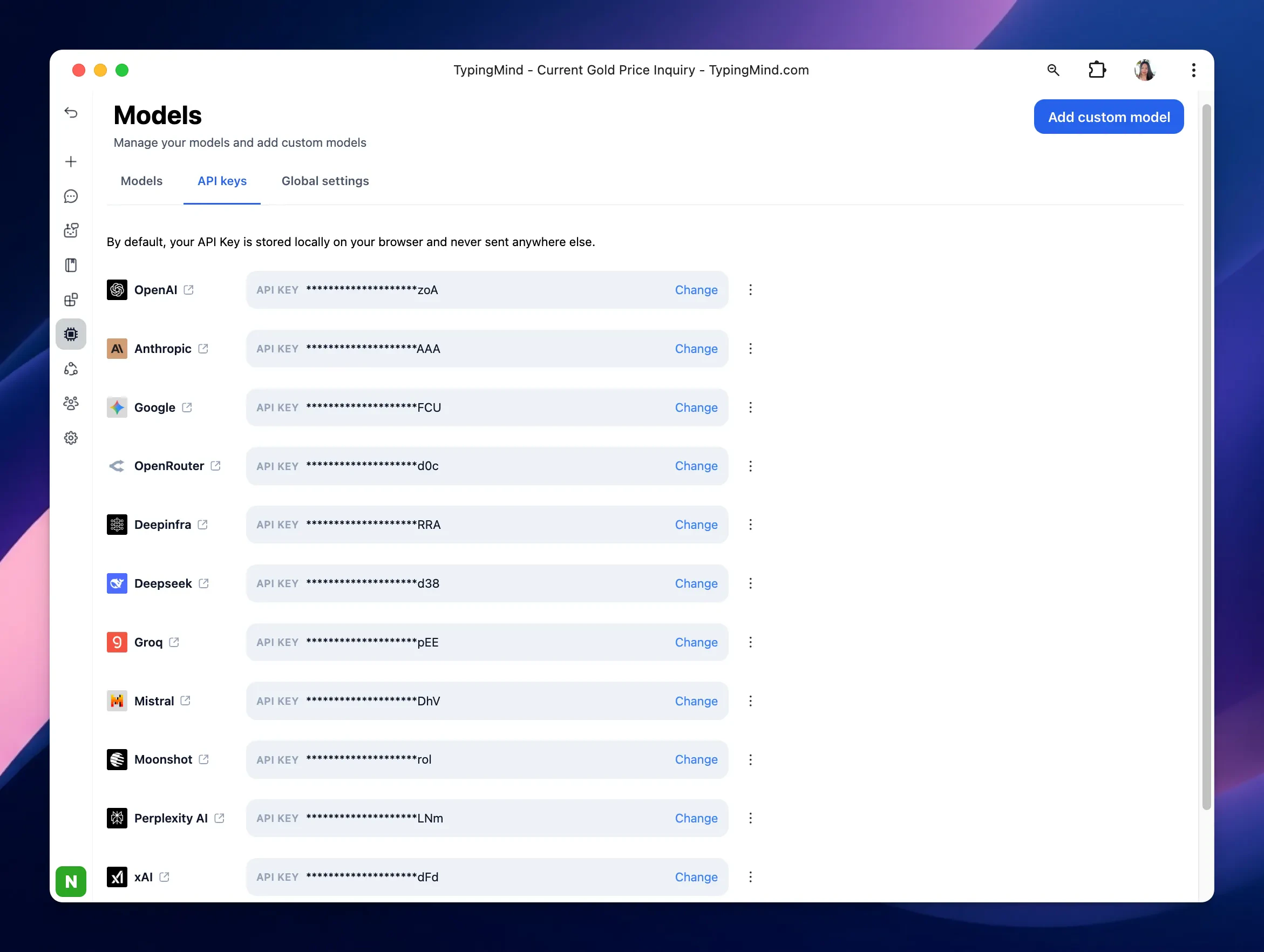
## Step 3: Use DeepSeek models on TypingMind
* Go to [**typingmind.com**](http://typingmind.com)
* Navigate the Models menu on the left sidebar → Switch to API key tab
* Input the copied API key
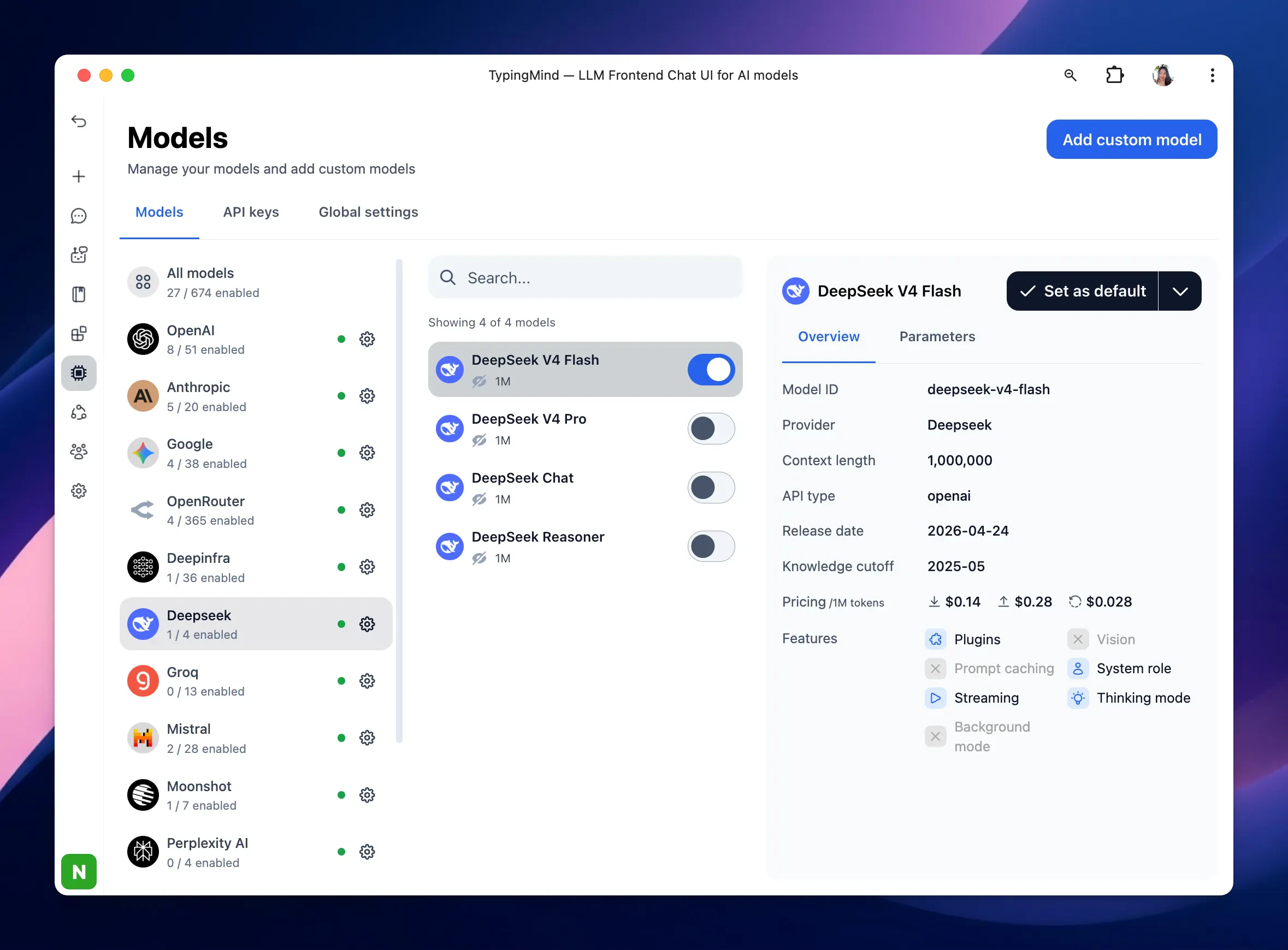
After entering the API key for DeepSeek, switch back to Models tab → select DeepSeek → enable DeepSeek models you want to chat with.
 ## Step 2: Get DeepSeek API key
* Go to [https://platform.deepseek.com/api\_keys](https://platform.deepseek.com/api_keys)
* Create a new API key
* Copy the generated API key
## Step 2: Get DeepSeek API key
* Go to [https://platform.deepseek.com/api\_keys](https://platform.deepseek.com/api_keys)
* Create a new API key
* Copy the generated API key
 ## Step 3: Use DeepSeek models on TypingMind
* Go to [**typingmind.com**](http://typingmind.com)
* Navigate the Models menu on the left sidebar → Switch to API key tab
* Input the copied API key
## Step 3: Use DeepSeek models on TypingMind
* Go to [**typingmind.com**](http://typingmind.com)
* Navigate the Models menu on the left sidebar → Switch to API key tab
* Input the copied API key
 After entering the API key for DeepSeek, switch back to Models tab → select DeepSeek → enable DeepSeek models you want to chat with.