> ## Documentation Index
> Fetch the complete documentation index at: https://docs.typingmind.com/llms.txt
> Use this file to discover all available pages before exploring further.
# Anthropic Claude
Use Claude models such as Claude Sonnet 4.6, Claude Haiku, Claude Opus on TypingMind via API!
Here’s how to set up on TypingMind.
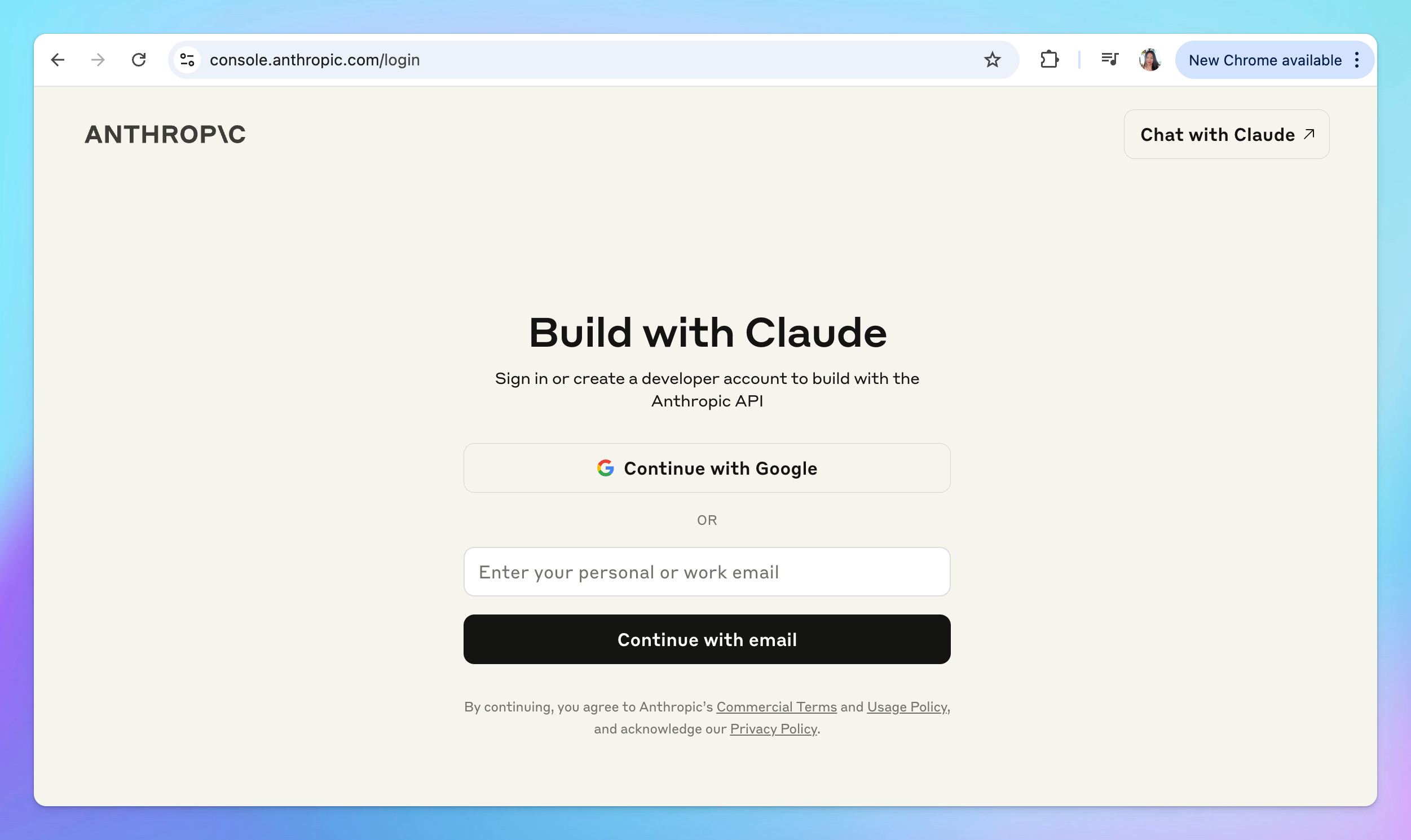
## Step 1: Create an Anthropic API account
* Create an Anthropic Claude API account at [https://console.anthropic.com/login](https://console.anthropic.com/login)
 ## Step 2: Top up your API credit
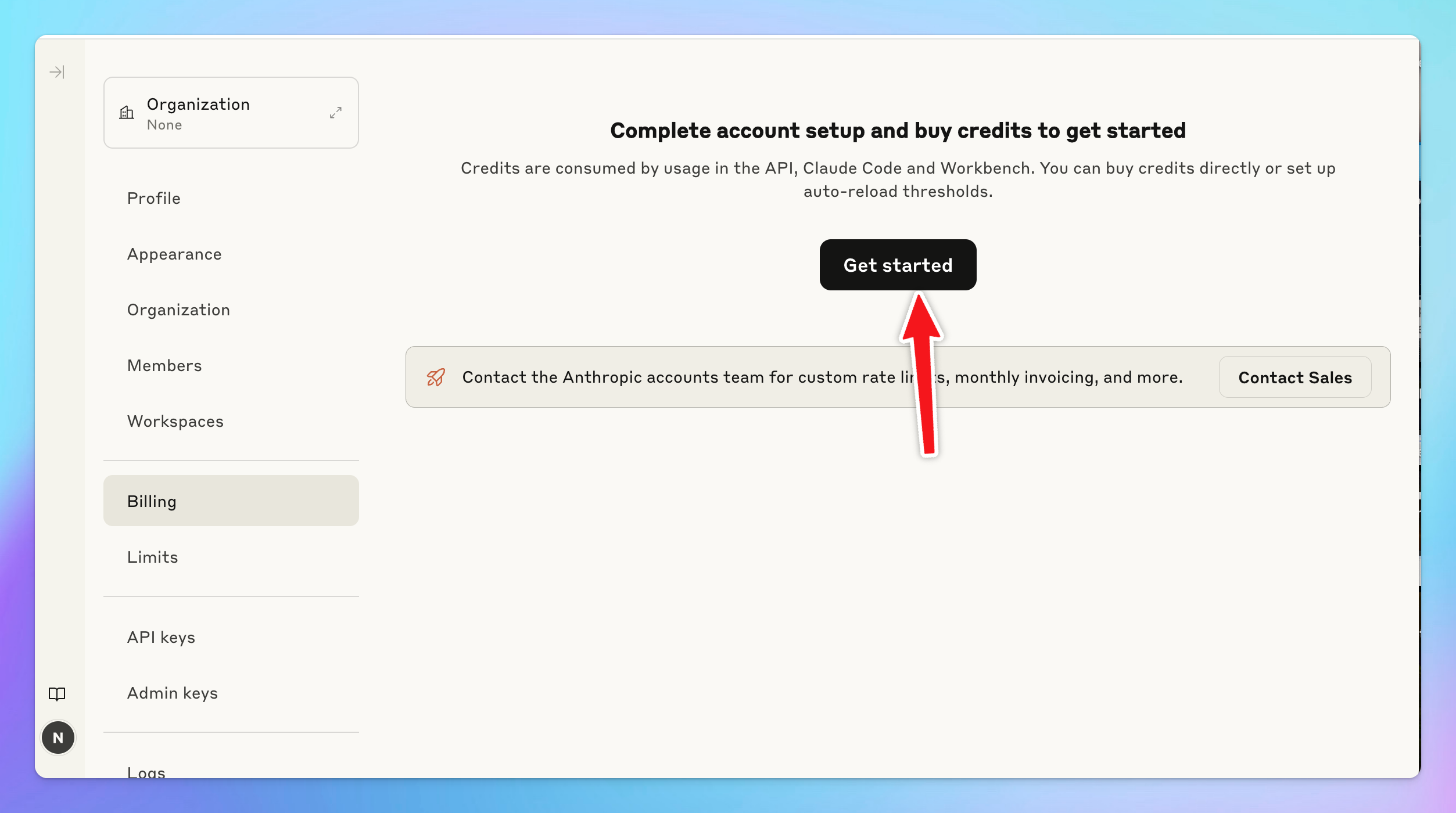
Go to [Billing](https://console.anthropic.com/settings/billing) section to top up your API credit to use the models:
## Step 2: Top up your API credit
Go to [Billing](https://console.anthropic.com/settings/billing) section to top up your API credit to use the models:
 ## Step 3: Get your API key
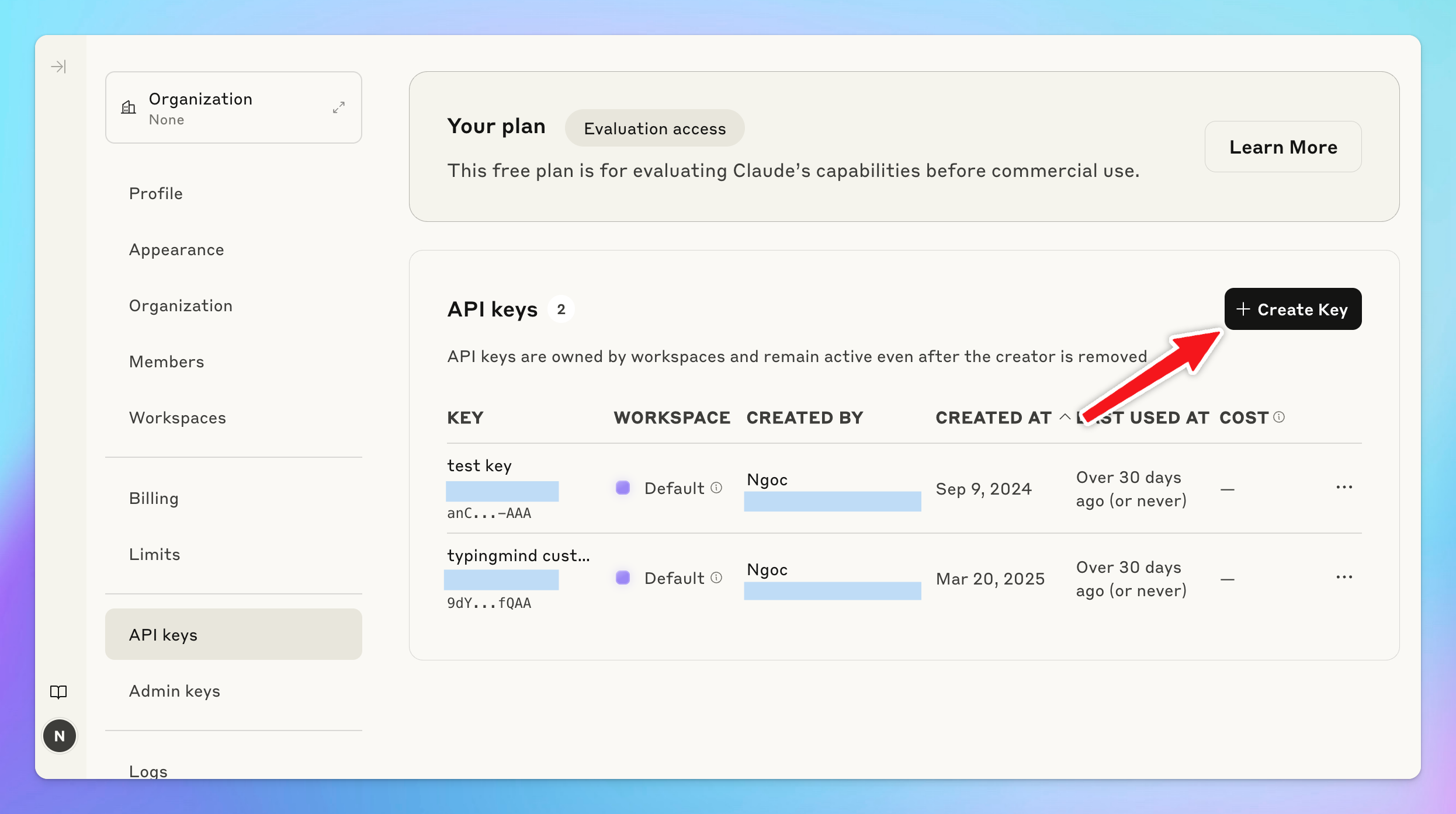
* Create a new API key at [https://console.anthropic.com/settings/keys](https://console.anthropic.com/settings/keys)
* Copy the key to a safe place
## Step 3: Get your API key
* Create a new API key at [https://console.anthropic.com/settings/keys](https://console.anthropic.com/settings/keys)
* Copy the key to a safe place
 ## Step 4: Enter your API key to TypingMind
* Go to [**typingmind.com**](http://typingmind.com)
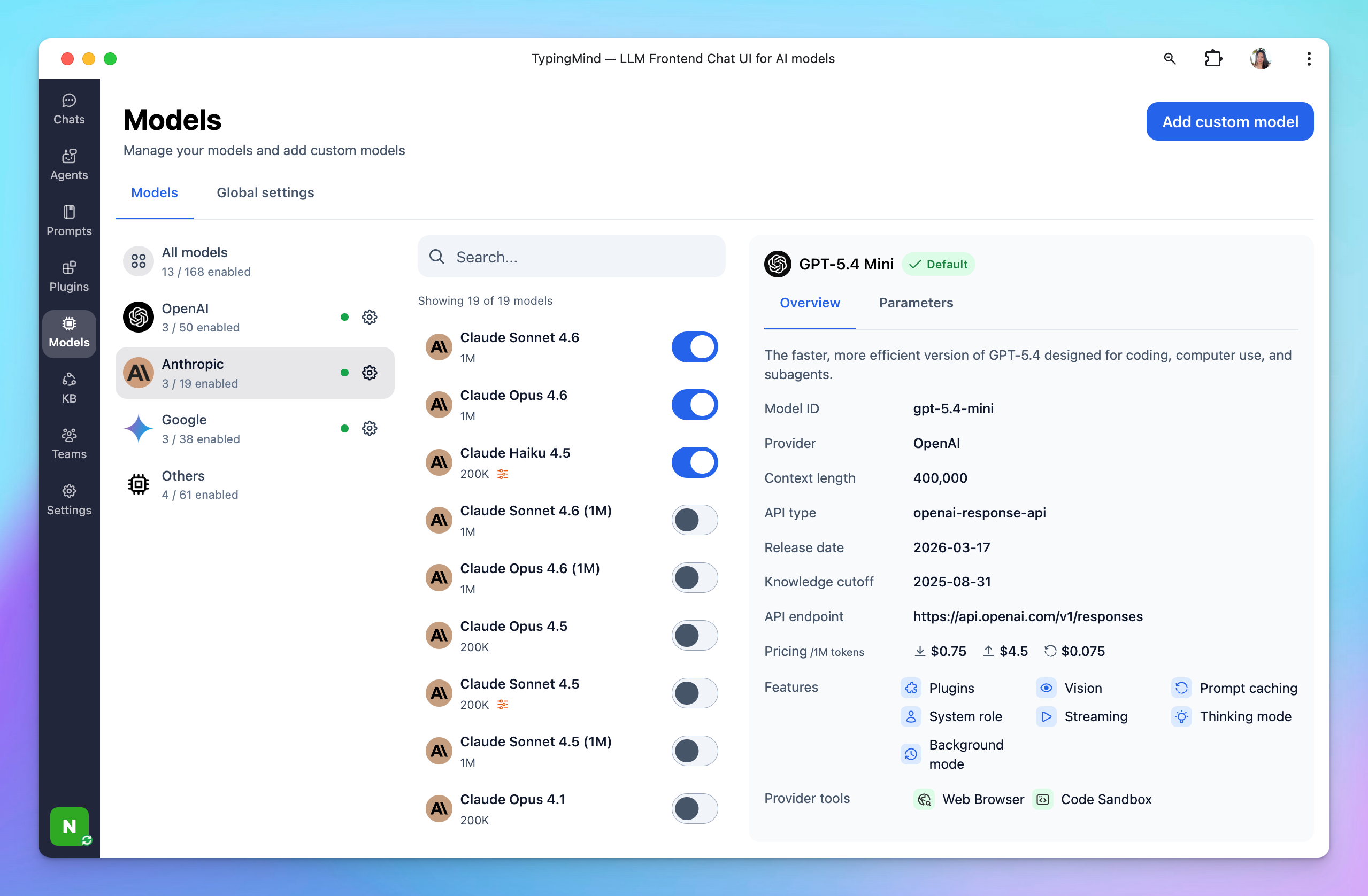
* Navigate the Models menu on the left sidebar → Switch to API key tab
* Input the copied API key
## Step 4: Enter your API key to TypingMind
* Go to [**typingmind.com**](http://typingmind.com)
* Navigate the Models menu on the left sidebar → Switch to API key tab
* Input the copied API key
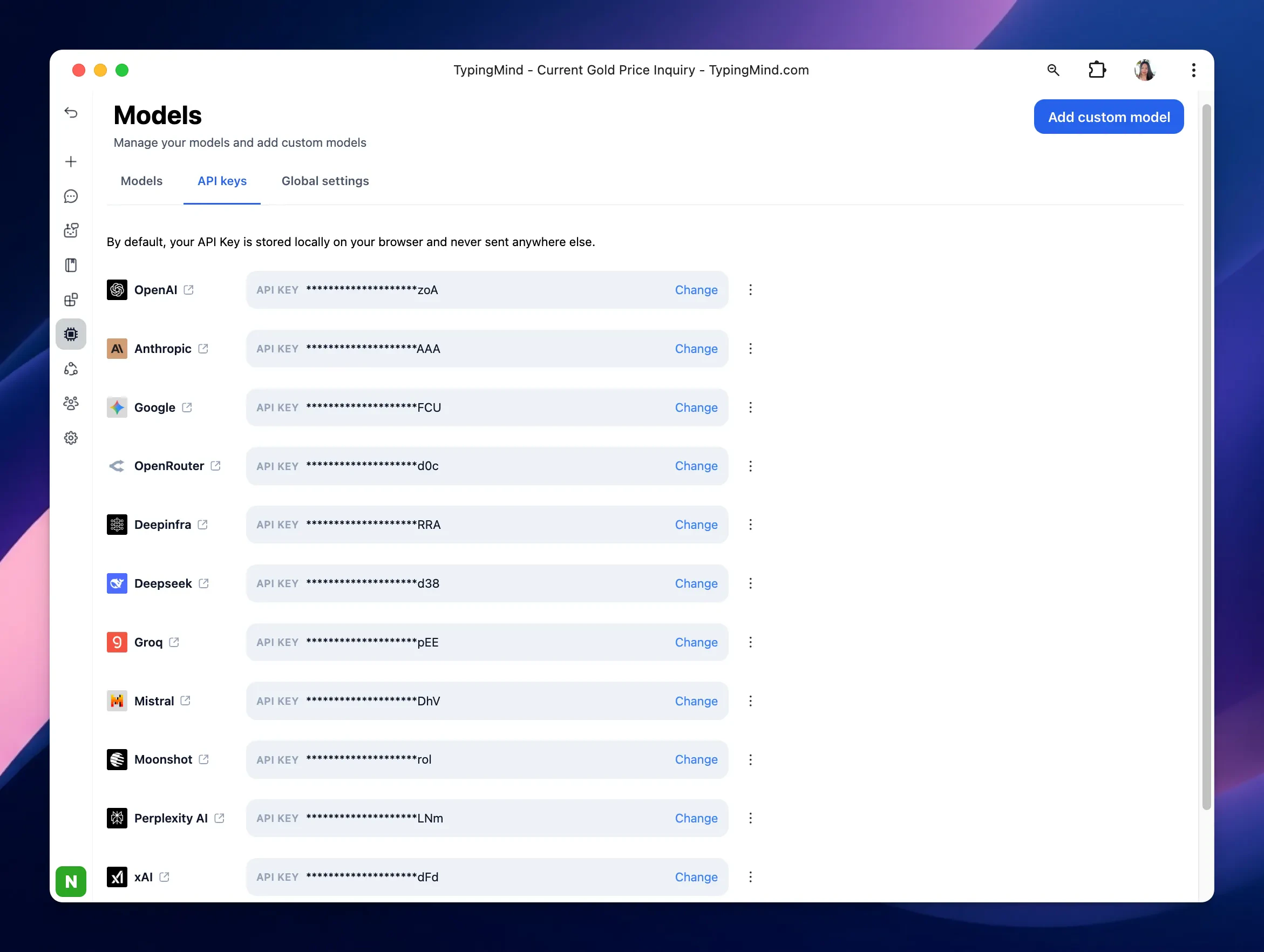 After entering the API key for Anthropic, switch back to Models tab → select Anthropic as the AI provider → enable Claude models you want to chat with.
 ## Advanced settings
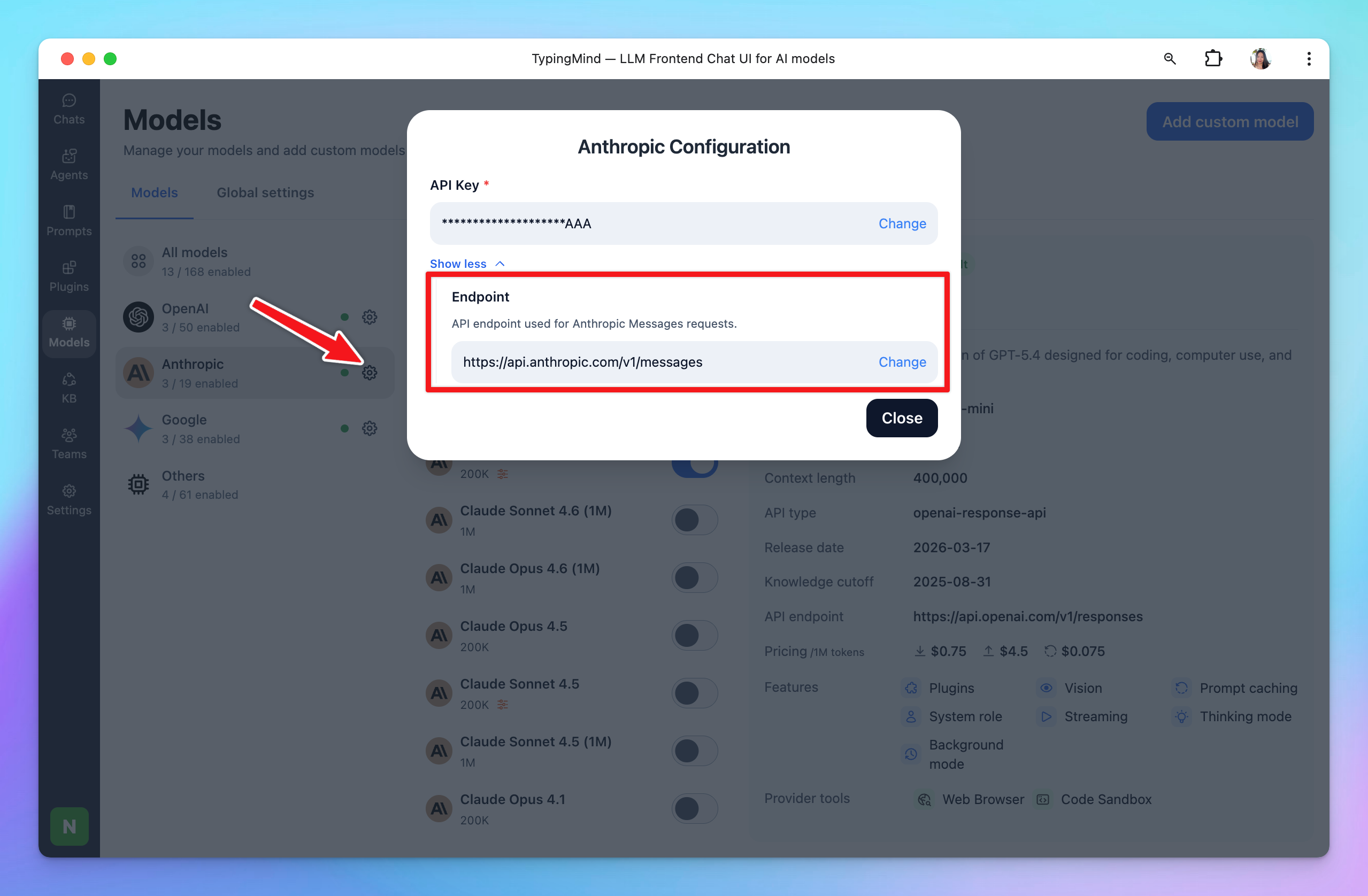
**Custom endpoint:** Use the direct endpoint `https://api.anthropic.com/v1/messages` or configure your own custom chat completions endpoint.
## Advanced settings
**Custom endpoint:** Use the direct endpoint `https://api.anthropic.com/v1/messages` or configure your own custom chat completions endpoint.
 Common issue:
`“Could not connect to Anthropic API. Please try again later. Error code:400”`
This issue may appear when your credit balance is too low to access the Claude API. Please check and add your credit balance at [https://console.anthropic.com/settings/plans](https://console.anthropic.com/settings/plans), then try again.
Common issue:
`“Could not connect to Anthropic API. Please try again later. Error code:400”`
This issue may appear when your credit balance is too low to access the Claude API. Please check and add your credit balance at [https://console.anthropic.com/settings/plans](https://console.anthropic.com/settings/plans), then try again.