> ## Documentation Index
> Fetch the complete documentation index at: https://docs.typingmind.com/llms.txt
> Use this file to discover all available pages before exploring further.
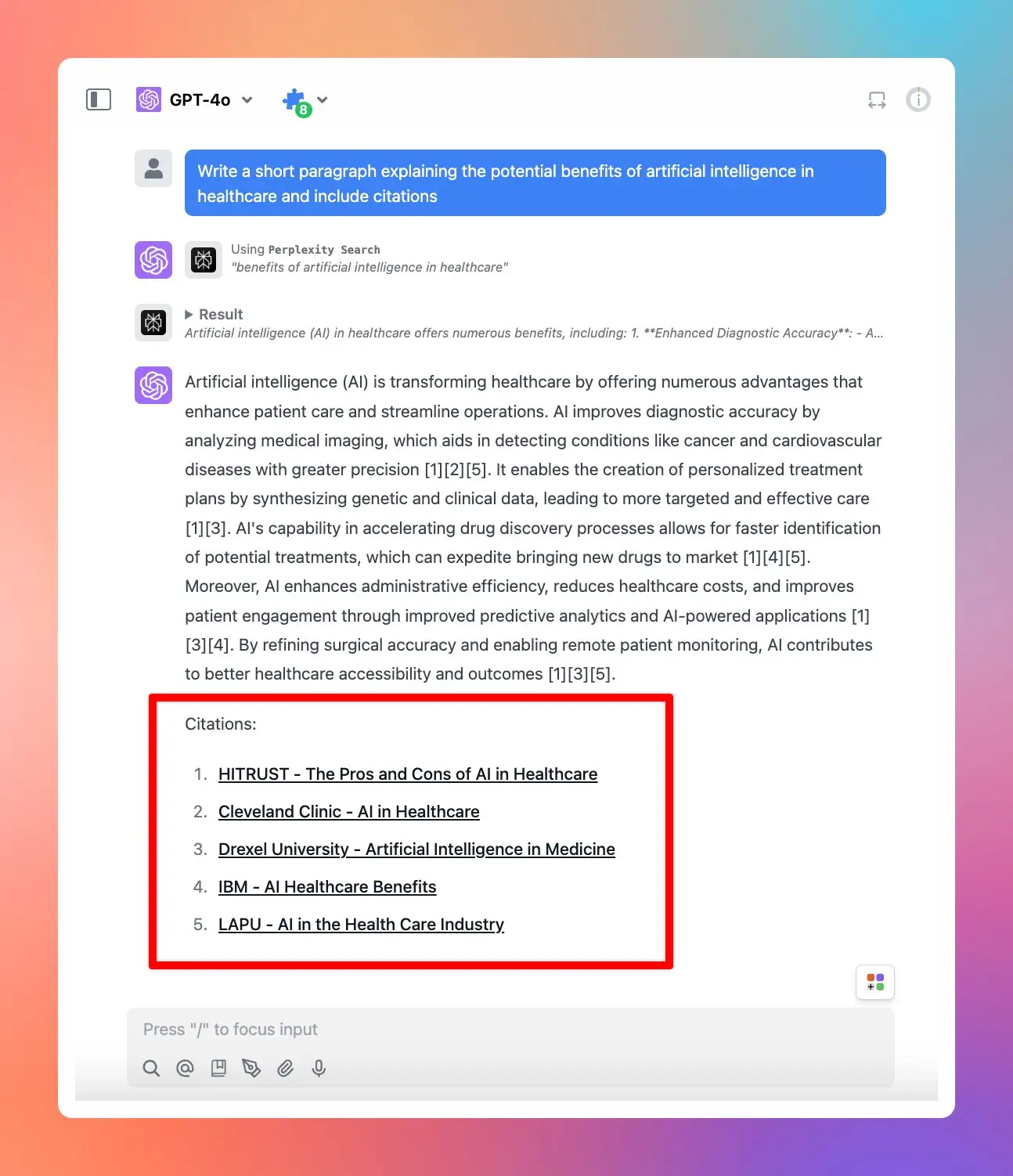
# Perplexity Search Plugin now supports citations!
Perplexity Search Plugin on TypingMind now supports citations - which provides sources of information that the AI model generates within the response, ensuring more accurate and relevant answers.
## ⚙️ How it works?
To get it to work, you just need to enable Perplexity Search Plugin and provide relevant prompts that help trigger the plugin.
[https://docs.typingmind.com/plugins/set-up-perplexity-search](https://docs.typingmind.com/plugins/set-up-perplexity-search)
## 📌 Stay updated
Follow us on [Twitter](https://x.com/TypingMindApp) to stay informed about the latest updates, tips, and tutorials.
[https://x.com/TypingMindApp/status/1856577736707379439](https://x.com/TypingMindApp/status/1856577736707379439)
 ## 📌 Stay updated
Follow us on [Twitter](https://x.com/TypingMindApp) to stay informed about the latest updates, tips, and tutorials.
[https://x.com/TypingMindApp/status/1856577736707379439](https://x.com/TypingMindApp/status/1856577736707379439)
## 📌 Stay updated
Follow us on [Twitter](https://x.com/TypingMindApp) to stay informed about the latest updates, tips, and tutorials.
[https://x.com/TypingMindApp/status/1856577736707379439](https://x.com/TypingMindApp/status/1856577736707379439)