> ## Documentation Index
> Fetch the complete documentation index at: https://docs.typingmind.com/llms.txt
> Use this file to discover all available pages before exploring further.
# Option to hide List More button
## 🔥 What’s News?
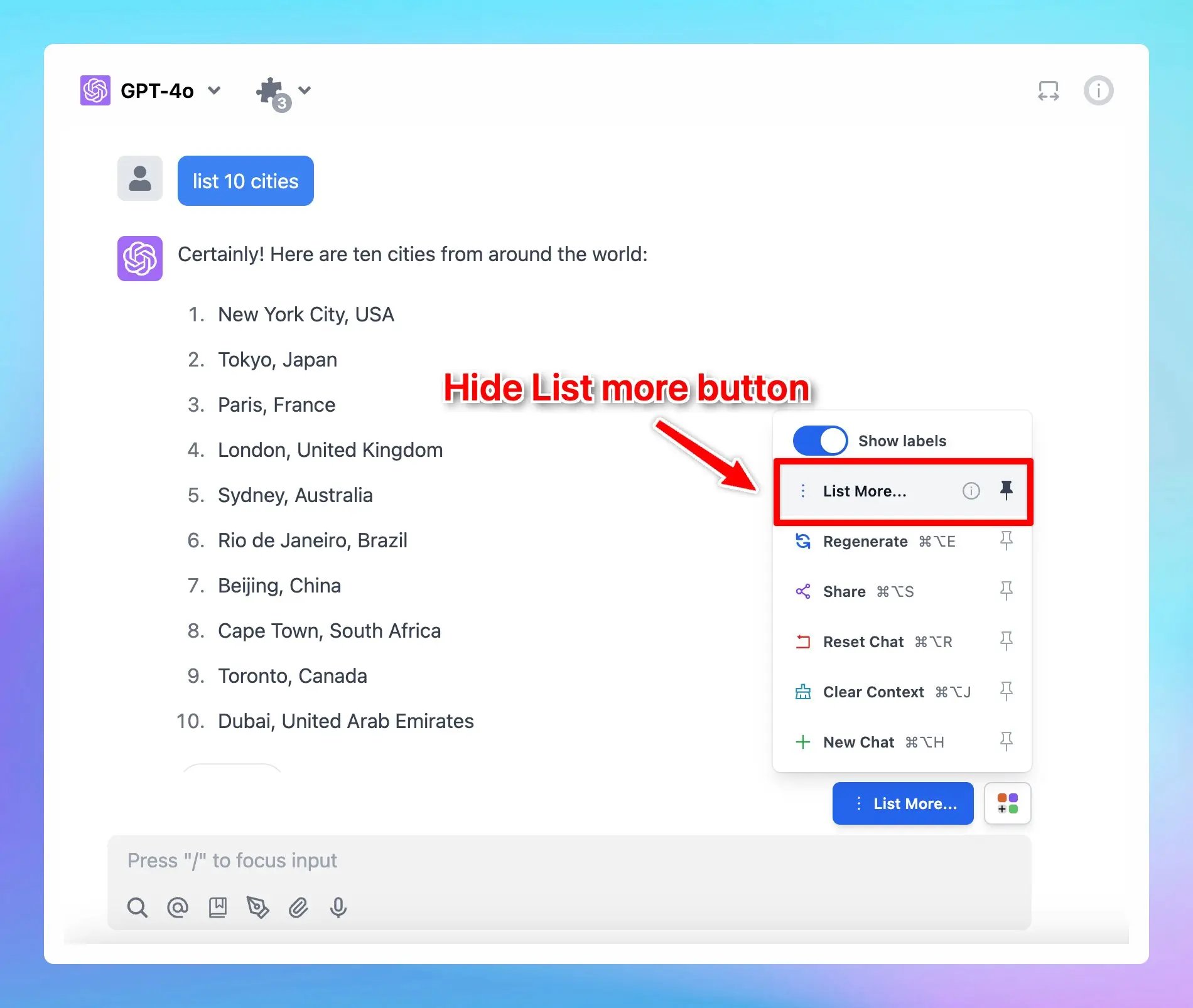
We have just added an option to hide List more button. Please note that this option only appears if the AI response includes a list of items.
## **🏁 How it works**
1. Ask the AI assistant to give a list of anything you want.
2. The List more button appears → Click on the Square icon next to it and unpin List More option.
## 📌 Stay updated
Follow us on [Twitter](https://x.com/TypingMindApp) to stay informed about the latest updates, tips, and tutorials:
[https://x.com/TypingMindApp/status/1851836497458045400](https://x.com/TypingMindApp/status/1851836497458045400)
 ## **🏁 How it works**
1. Ask the AI assistant to give a list of anything you want.
2. The List more button appears → Click on the Square icon next to it and unpin List More option.
## **🏁 How it works**
1. Ask the AI assistant to give a list of anything you want.
2. The List more button appears → Click on the Square icon next to it and unpin List More option.