> ## Documentation Index
> Fetch the complete documentation index at: https://docs.typingmind.com/llms.txt
> Use this file to discover all available pages before exploring further.
# New Model Setting Page
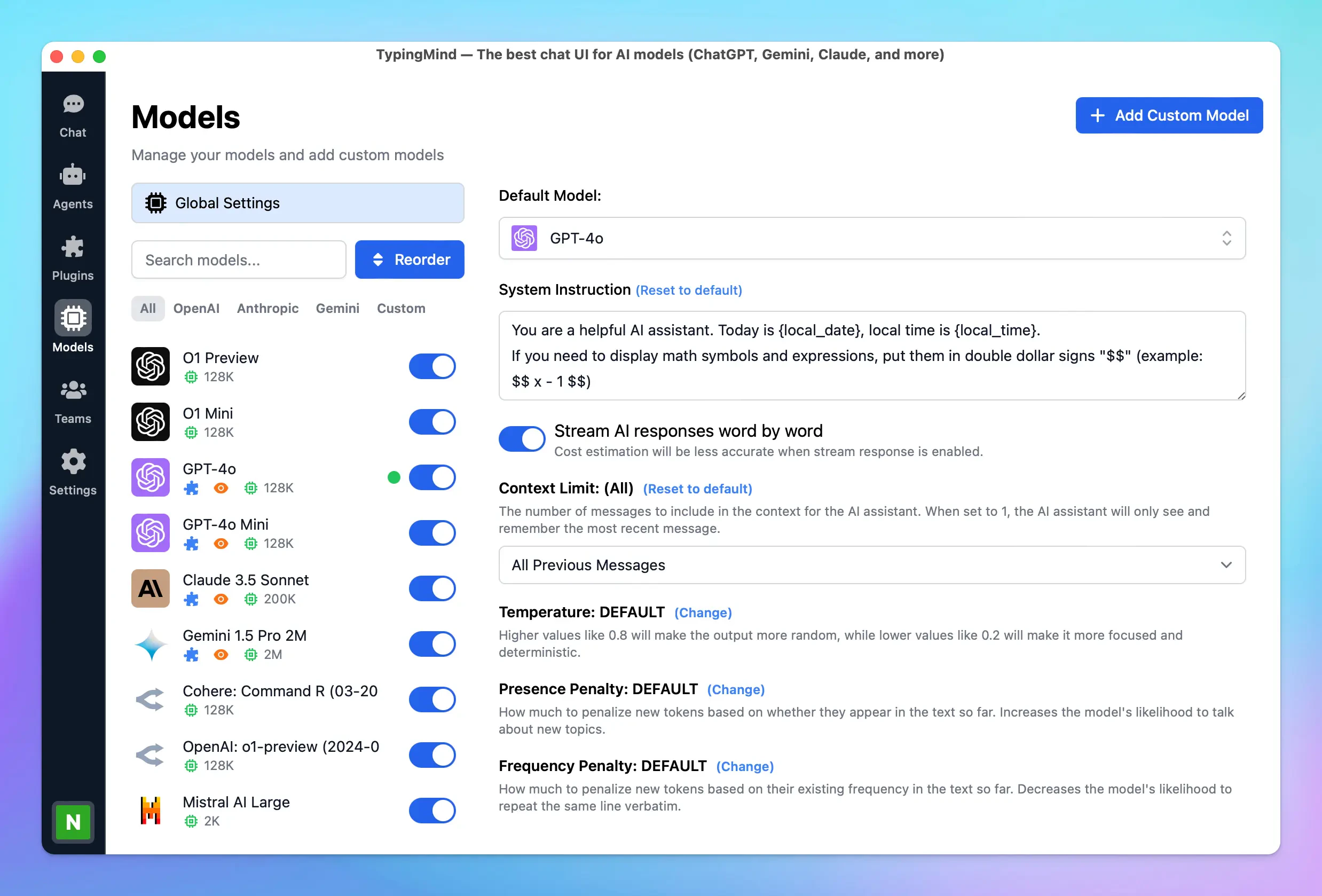
✅ We have launched a new Model Settings page for [typingmind.com](http://typingmind.com/)!
### **🚀 What's New?**
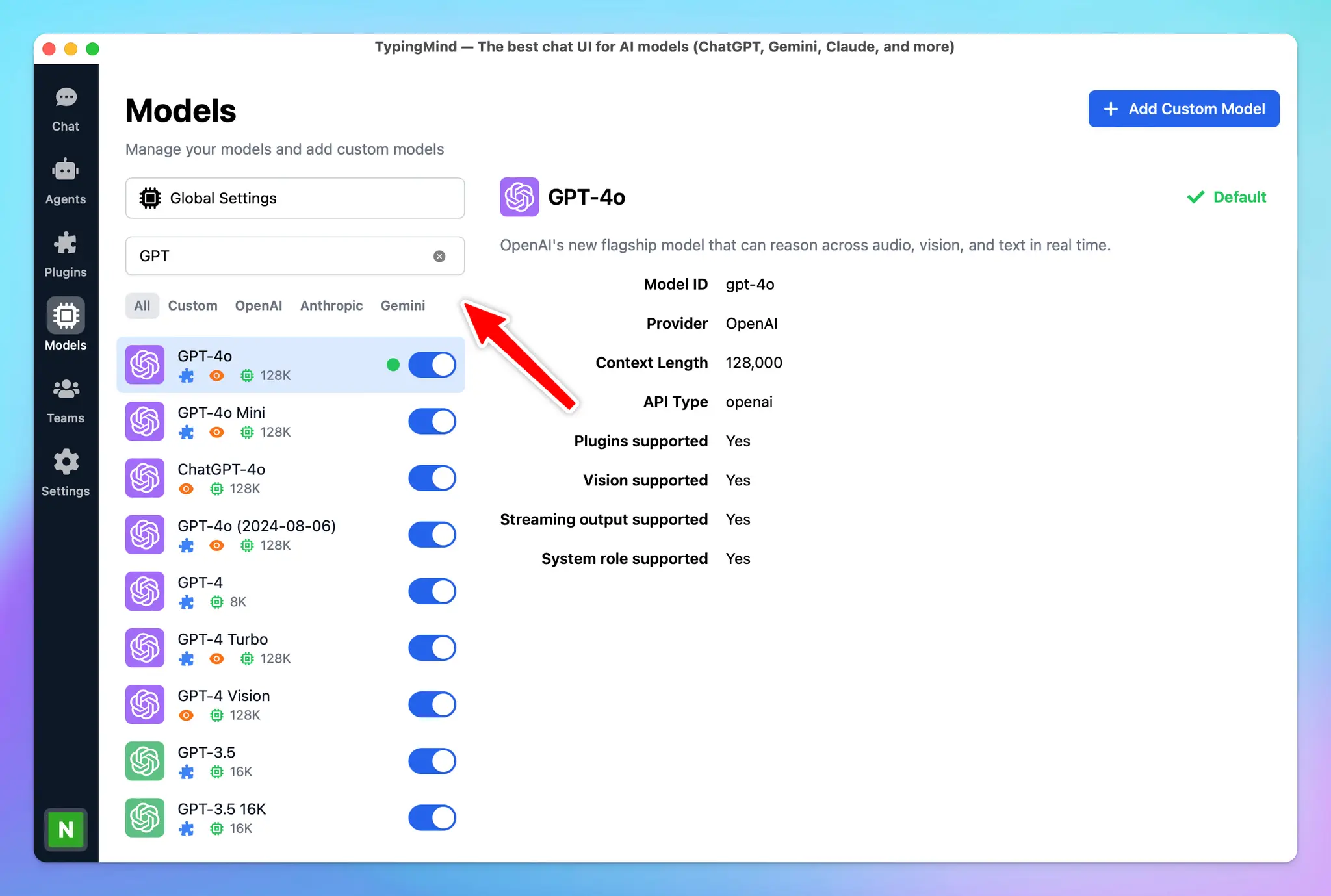
🔸Search and filter model - help to find the models you need quickly
🔸Easily prioritize and reorder your AI models.
🔸Get detailed model information.
🔸A cleaner layout helps you adjust settings even more easily.
 ### **🏁 How it works:**
To help you clearly understand how to use our new model setting, check out here:
[https://docs.typingmind.com/chat-models-settings/manage-chat-models](https://docs.typingmind.com/chat-models-settings/manage-chat-models)
### **🏁 How it works:**
To help you clearly understand how to use our new model setting, check out here:
[https://docs.typingmind.com/chat-models-settings/manage-chat-models](https://docs.typingmind.com/chat-models-settings/manage-chat-models)
 ### ✨ Stay updated:
Follow us on [Twitter](https://x.com/TypingMindApp) to stay informed about the latest updates, tips, and tutorials:
[https://x.com/TypingMindApp/status/1839513041827996123](https://x.com/TypingMindApp/status/1839513041827996123)
### ✨ Stay updated:
Follow us on [Twitter](https://x.com/TypingMindApp) to stay informed about the latest updates, tips, and tutorials:
[https://x.com/TypingMindApp/status/1839513041827996123](https://x.com/TypingMindApp/status/1839513041827996123)