> ## Documentation Index
> Fetch the complete documentation index at: https://docs.typingmind.com/llms.txt
> Use this file to discover all available pages before exploring further.
# Import / Export AI Agents via JSON
Now you can export an AI Agent as JSON file so you or your team can easily import it to their workplace.
## ⚙️ How it works?
* Go to AI Agent
* Click the Share icon on the bottom of each AI Agent to share as JSON
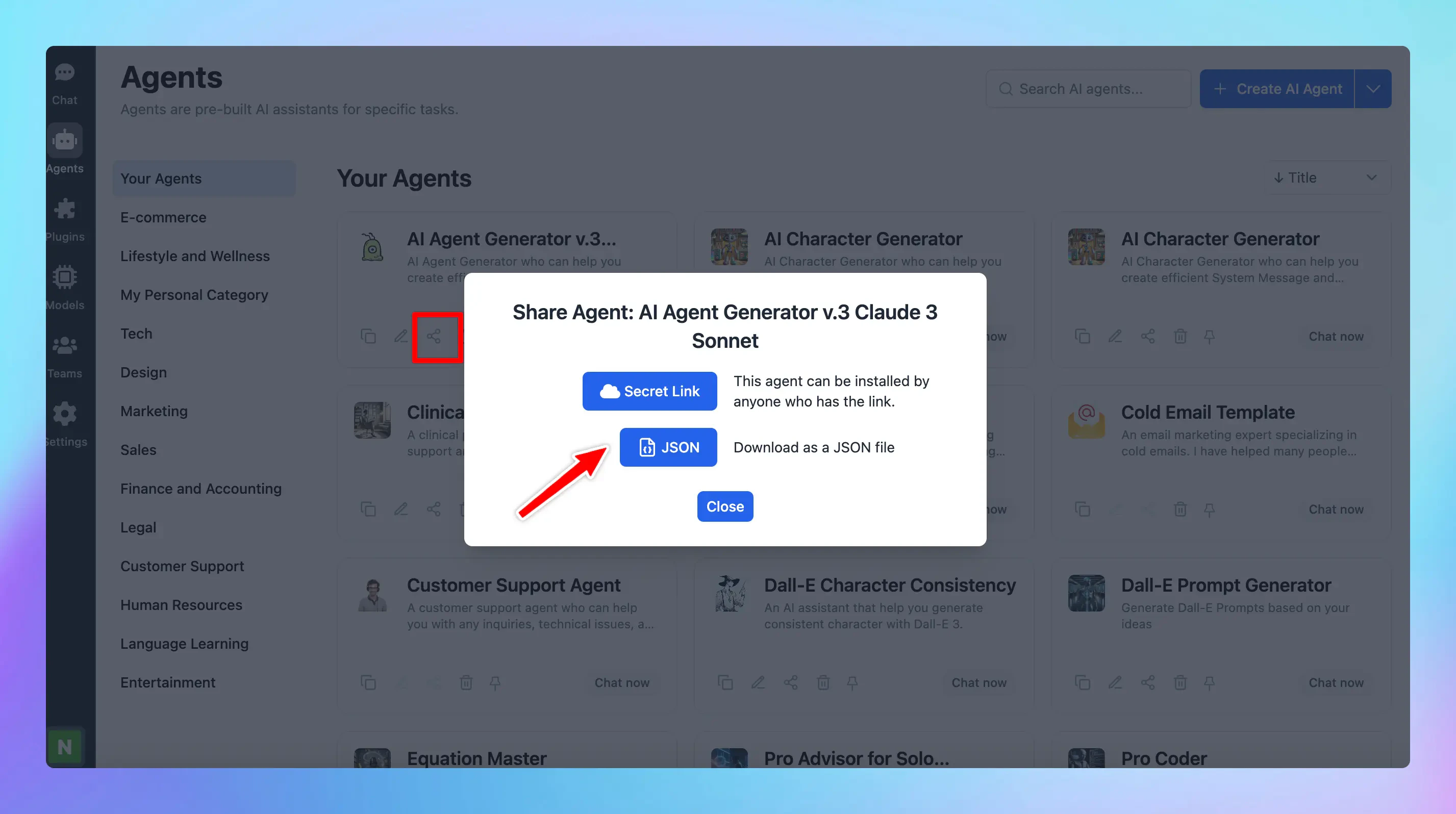 Export AI Agent as JSON
* Click on the drop-down icon next to the Create AI Agent button and click “Import from JSON” to import the AI Agent.
Export AI Agent as JSON
* Click on the drop-down icon next to the Create AI Agent button and click “Import from JSON” to import the AI Agent.
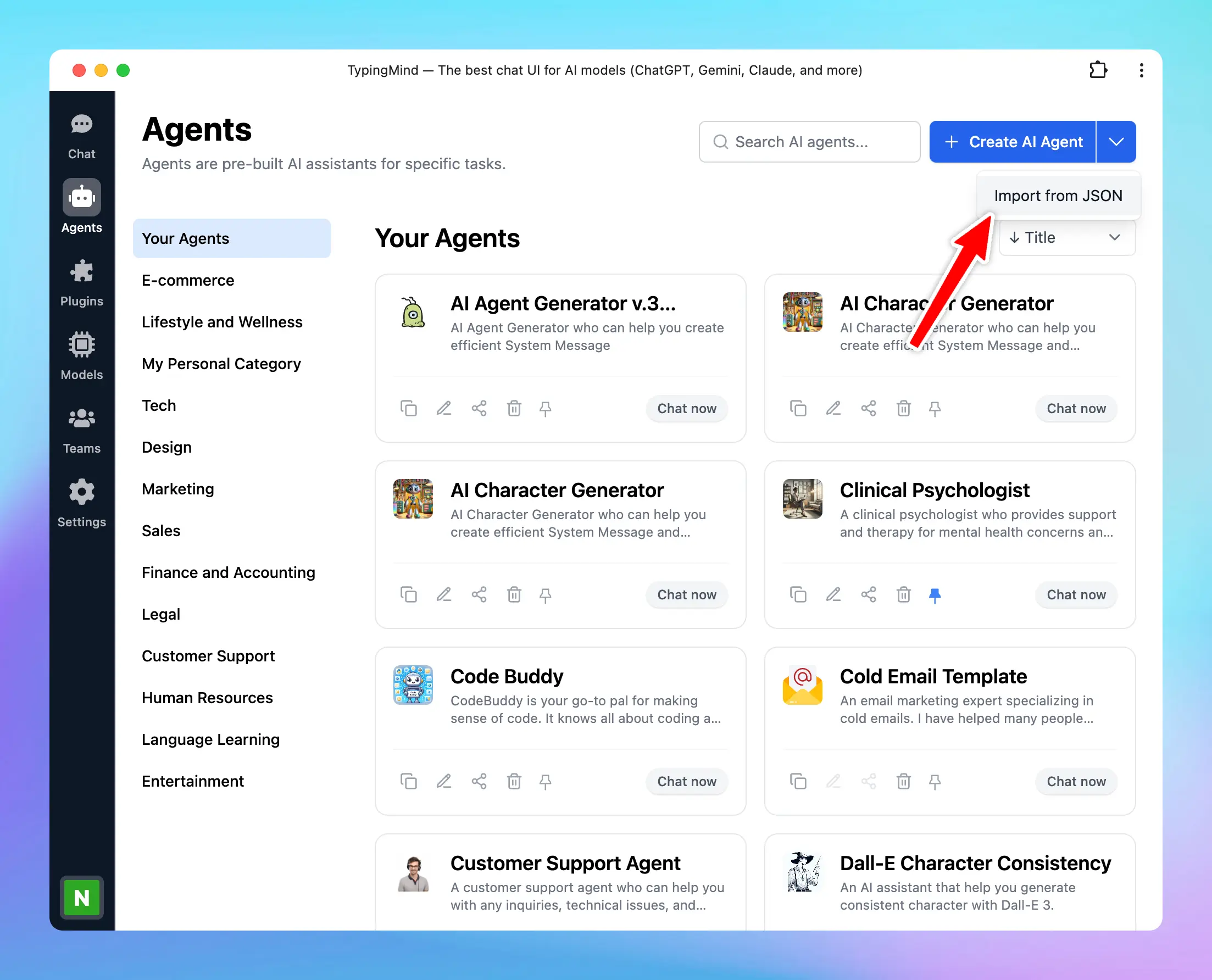 Import AI Agent
## 📌 Stay updated
Follow us on [Twitter](https://x.com/TypingMindApp) to stay informed about the latest updates, tips, and tutorials.
Import AI Agent
## 📌 Stay updated
Follow us on [Twitter](https://x.com/TypingMindApp) to stay informed about the latest updates, tips, and tutorials.