> ## Documentation Index
> Fetch the complete documentation index at: https://docs.typingmind.com/llms.txt
> Use this file to discover all available pages before exploring further.
# Firecrawl Web Page Reader
New plugin added to our plugin store: Firecrawl Web Page Reader.
## 🔥 What’s News?
Firecrawl Web Page Reader allows you to read and analyze a web page by scraping its content using the Firecrawl Scrape API.
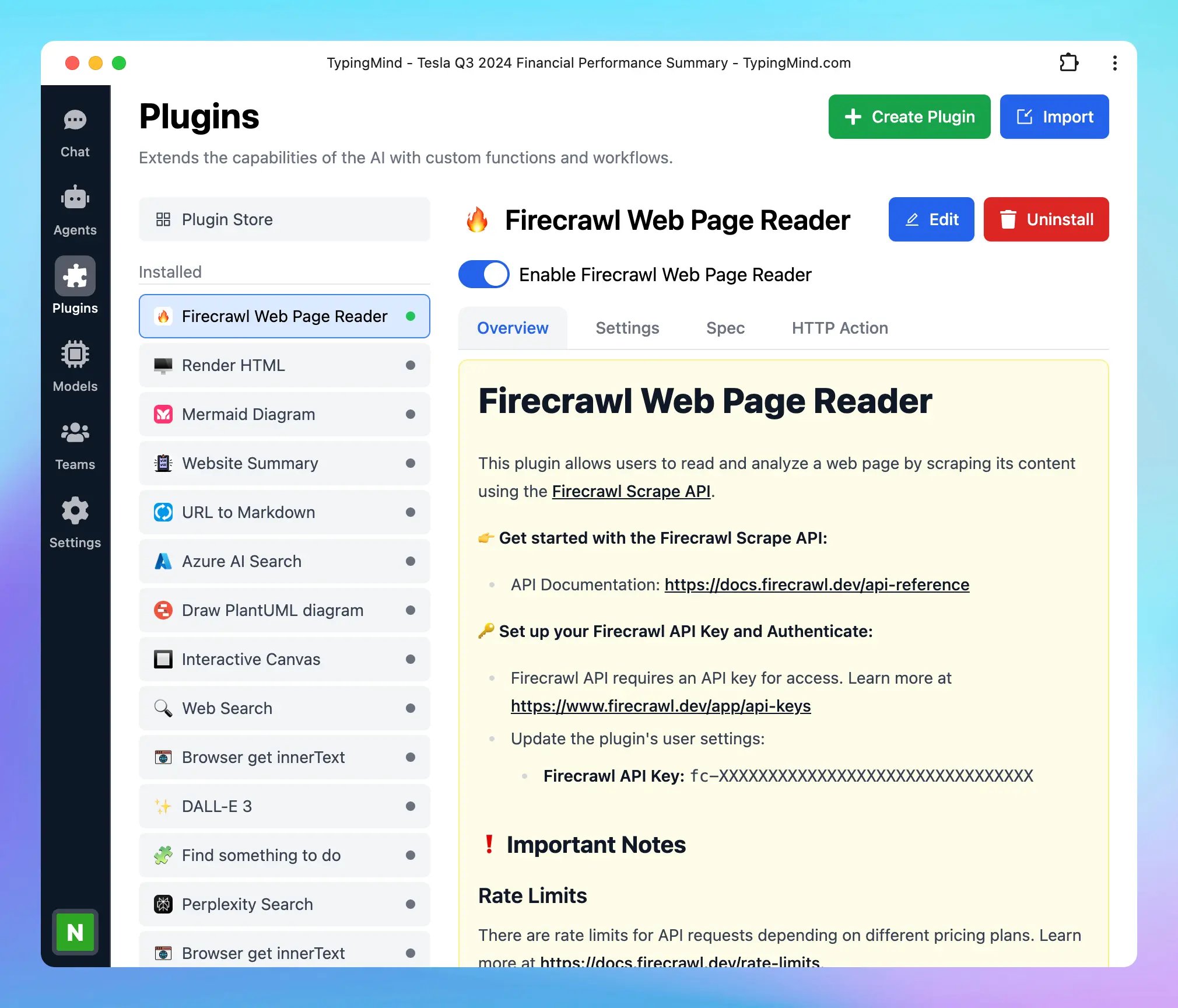 ## **❗ Important Notes**
### **Rate Limits**
There are rate limits for API requests depending on different pricing plans. Learn more at [**https://docs.firecrawl.dev/rate-limits**](https://docs.firecrawl.dev/rate-limits).
### **Pricing Plans**
Firecrawl offers various subscription types. Make sure to review the available features and limitations in your current plan. See more details at [**https://www.firecrawl.dev/pricing**](https://www.firecrawl.dev/pricing).
## **🏁 How it works**
1. Go to Plugin Store within the Plugins menu on the left side panel
2. Click to add Firecrawl Web Page Reader and follow the instructions below:
[https://docs.typingmind.com/plugins/set-up-firecrawl-web-page-reader](https://docs.typingmind.com/plugins/set-up-firecrawl-web-page-reader)
## **❗ Important Notes**
### **Rate Limits**
There are rate limits for API requests depending on different pricing plans. Learn more at [**https://docs.firecrawl.dev/rate-limits**](https://docs.firecrawl.dev/rate-limits).
### **Pricing Plans**
Firecrawl offers various subscription types. Make sure to review the available features and limitations in your current plan. See more details at [**https://www.firecrawl.dev/pricing**](https://www.firecrawl.dev/pricing).
## **🏁 How it works**
1. Go to Plugin Store within the Plugins menu on the left side panel
2. Click to add Firecrawl Web Page Reader and follow the instructions below:
[https://docs.typingmind.com/plugins/set-up-firecrawl-web-page-reader](https://docs.typingmind.com/plugins/set-up-firecrawl-web-page-reader)
 ## 📌 Stay updated
Follow us on [Twitter](https://x.com/TypingMindApp) to stay informed about the latest updates, tips, and tutorials:
[https://x.com/TypingMindApp/status/1850940598217552246](https://x.com/TypingMindApp/status/1850940598217552246)
## 📌 Stay updated
Follow us on [Twitter](https://x.com/TypingMindApp) to stay informed about the latest updates, tips, and tutorials:
[https://x.com/TypingMindApp/status/1850940598217552246](https://x.com/TypingMindApp/status/1850940598217552246)