> ## Documentation Index
> Fetch the complete documentation index at: https://docs.typingmind.com/llms.txt
> Use this file to discover all available pages before exploring further.
# Export a single chat or multiple chats as JSON
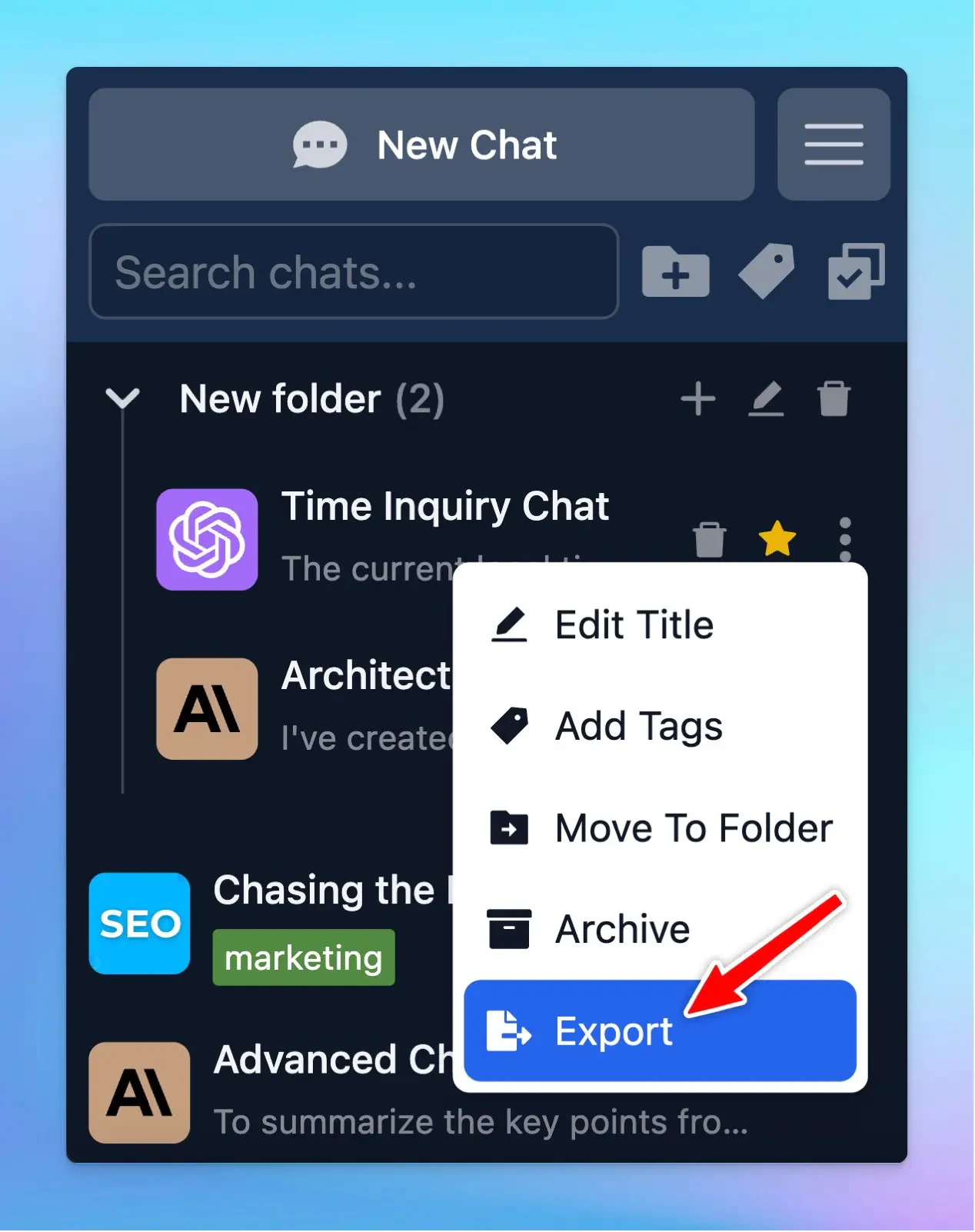
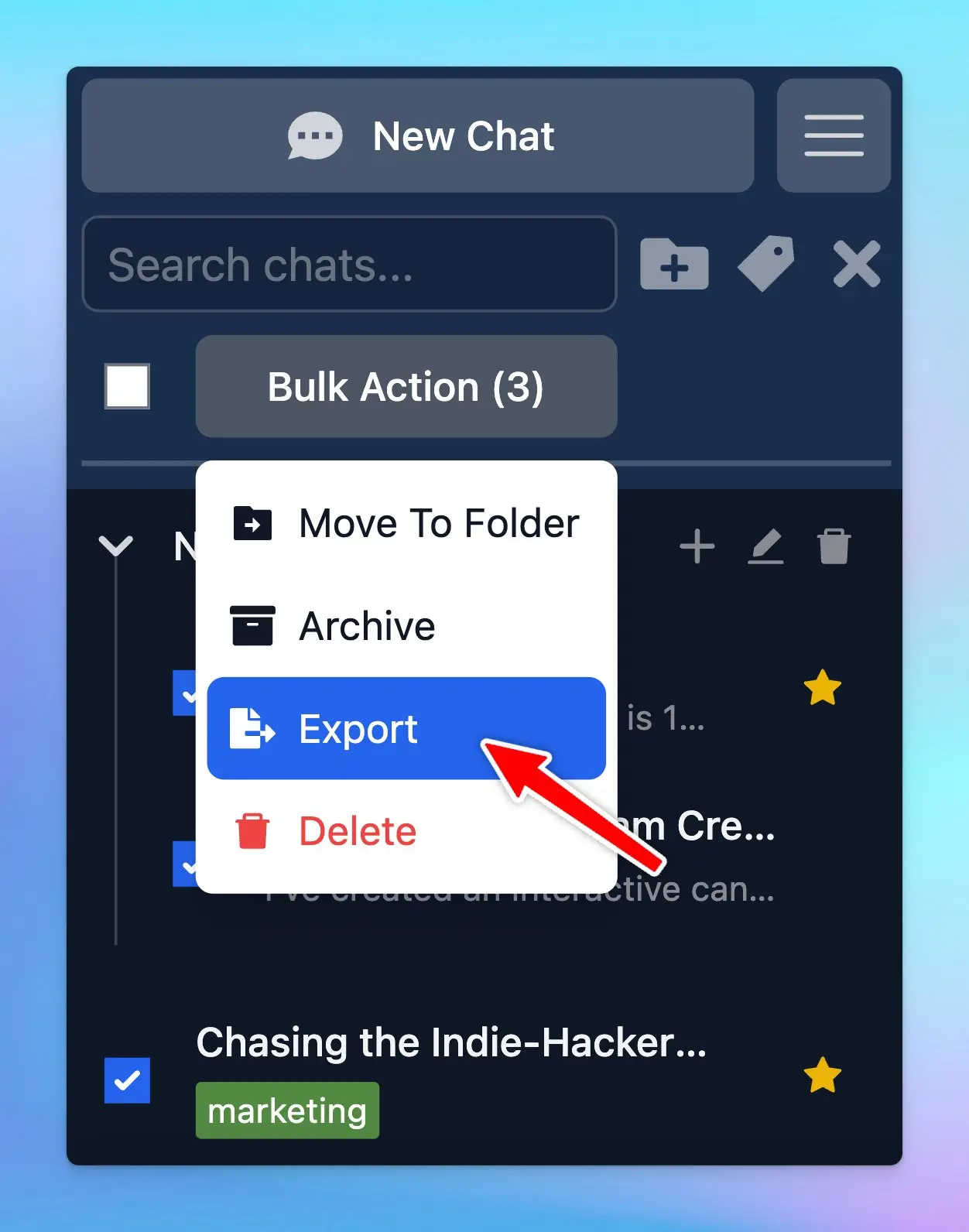
You now can export a single chat or multiple selected chats (at once)!
### **🏁 How it works:**
* Choose the chat (one or some) you want to export as JSON
* Directly choose export for one chat/ To export multiple chats at once, choose bulk action → export
 To help you clearly understand about sharing/export the chat, check out here:
[https://docs.typingmind.com/chat-management/shareexport-a-chat](https://docs.typingmind.com/chat-management/shareexport-a-chat)
### ✨ Stay updated:
Follow us on [Twitter](https://x.com/TypingMindApp) to stay informed about the latest updates, tips, and tutorials:
[https://twitter.com/TypingMindApp/status/1828100296205316394](https://twitter.com/TypingMindApp/status/1828100296205316394)
To help you clearly understand about sharing/export the chat, check out here:
[https://docs.typingmind.com/chat-management/shareexport-a-chat](https://docs.typingmind.com/chat-management/shareexport-a-chat)
### ✨ Stay updated:
Follow us on [Twitter](https://x.com/TypingMindApp) to stay informed about the latest updates, tips, and tutorials:
[https://twitter.com/TypingMindApp/status/1828100296205316394](https://twitter.com/TypingMindApp/status/1828100296205316394)